
The 15 Best Collaboration Software for Businesses
-min.jpg)
Running a business means managing people, projects, deadlines, and communication all at once. When your team grows or goes remote, staying aligned becomes harder without the right systems in place. That is exactly where a reliable collaboration tool makes all the difference. The right platform keeps everyone on the same page, reduces miscommunication, and helps your team deliver results consistently.

Looking for Collaboration Software? Check out SaaS Advisor’s List of the Best Collaboration Software in USA for Your Business.
Choosing from dozens of online collaboration tools is not always straightforward. With so many platforms promising to solve every workflow problem, it helps to understand what each type of collaboration tool actually does and which one fits your specific situation. In this guide, you will find a detailed breakdown of the 15 best collaboration software options available for businesses, along with tips on how to choose wisely.
What is a Collaboration Tool?
A collaboration tool is any software platform designed to help individuals or teams work together more effectively regardless of location or time zone. These tools bring communication, task tracking, file sharing, and project coordination into a single digital workspace.Whether you are managing a team of five or five hundred, business collaboration software reduces the friction that comes from scattered emails, duplicate documents, and unclear responsibilities. Think of it as your team's central hub one place where work gets planned, discussed, and delivered.
Modern online collaboration tools go far beyond simple messaging. They include remote collaboration tools for distributed teams, document collaboration tools for real-time editing, and virtual collaboration tools for video and async communication. In short, the right team collaboration tool creates a structured environment where every member stays aligned and work moves forward efficiently.
Types of Collaboration Software
Before diving into specific tools, it is worth understanding the main categories of team collaboration tools available today.
1. Task Management Software
A collaboration tool like task management software helps teams organize, assign, and monitor work efficiently. These team collaboration tools break complex projects into smaller tasks, improving clarity and accountability. Popular collaboration apps such as Asana and Trello are widely used online collaboration tools that enhance productivity. As part of modern business collaboration software, they provide visibility into deadlines and responsibilities. These digital collaboration tools are essential for keeping teams aligned in fast-paced environments.
2. Communication Software
Communication-focused collaboration tools are designed to streamline conversations and reduce reliance on emails. These collaboration platforms enable instant messaging, video conferencing, and real-time updates, making them ideal remote collaboration tools. Tools like Flock and Slack are widely used virtual collaboration tools that support distributed teams. As internet collaboration tools, they connect employees across locations and time zones. These team collaboration tools play a crucial role in maintaining smooth and effective communication.
3. Document Management Software
Document-focused collaboration software allows teams to create, edit, and share files seamlessly in a centralized space. These document collaboration tools eliminate version confusion by ensuring everyone accesses the latest file. Platforms like Google Docs and Notion are powerful online collaboration tools that support real-time editing and feedback. As part of broader collaboration platforms, they enhance teamwork and knowledge sharing. These digital collaboration tools are essential for improving efficiency in content-driven workflows.
4. Project Management Software
Project management is a more advanced category of collaboration tools that integrates planning, execution, and tracking. These project collaboration tools help teams manage timelines, milestones, and dependencies in one place. Tools like Jira, Wrike, and Zoho Projects are widely recognized business collaboration software solutions. They answer the question of what are collaboration tools by offering complete project visibility and coordination. As powerful team collaboration tools, they ensure smooth execution of complex, multi-phase projects.

Pro-tip
Always choose Team Management Software that fits naturally into your team’s daily workflow instead of disrupting it. A simple, user-friendly team management app will improve adoption, strengthen team management skills, and make collaboration feel effortless rather than forced.
How to Choose the Right Collaboration Software For Your Business
With so many options available across communication, task, and project collaboration tools, choosing the right one can feel confusing at first. Every platform promises to improve productivity, but not all will fit your team’s actual workflow. Instead of rushing the decision, it helps to follow a structured approach. The goal is to find a tool that solves your real problems, not just adds more features. Here’s a practical five-step framework to guide your decision.
-
Examine Your Business Need
The first step is to clearly understand what problem your business is trying to solve. Maybe tasks are slipping through the cracks, communication is scattered, or there is no central place for documents. Identifying your core pain point helps narrow down your choices quickly. Without this clarity, you may end up choosing a tool that looks good but doesn’t solve anything. Remember, there is no one-size-fits-all collaboration tool — your business context always matters.
-
Choose Software That Offers Various Features
It’s always better to choose collaboration software that can handle multiple needs without becoming overly complicated. Tools like ClickUp or Notion combine task management, documentation, and goal tracking in one place. This reduces the need to switch between multiple apps throughout the day. As a result, your team saves time and stays more focused on actual work. Fewer tools also mean lower costs and less confusion in daily operations.
-
User Friendly
No matter how powerful a tool is, it won’t help if your team finds it difficult to use. A user-friendly interface and a short learning curve should be a top priority. When software feels simple and intuitive, teams are more likely to adopt it quickly. Most collaboration tools offer free trials, so take advantage of that. Let a few team members test the platform for a week to see how comfortable and efficient it feels in real use.
-
Evaluate the Cost of Software
Pricing can vary widely, from free plans to expensive subscriptions per user. It’s important to calculate the actual cost based on your team size and required features. Don’t forget to include add-ons, integrations, and storage costs in your estimate. For example, a $15/user/month plan for 20 people adds up quickly over a year. Always compare the cost with the value it brings in terms of productivity and efficiency.
-
Integration Capabilities
Your collaboration tool should work smoothly with the software you already use in your business. Whether it’s a CRM, email platform, accounting tool, or cloud storage, integrations are essential. Without proper integration, you risk creating more silos instead of improving workflow. Look for tools that support platforms like Zapier, Slack, Google Workspace, or Microsoft 365. Strong integration capabilities ensure everything stays connected and your team works seamlessly.
Do You Know?
When teams use structured teamwork software and reliable team management tools, they reduce miscommunication and stay better aligned on goals. This clarity not only improves team task management but also helps teams deliver consistent and high-quality results.
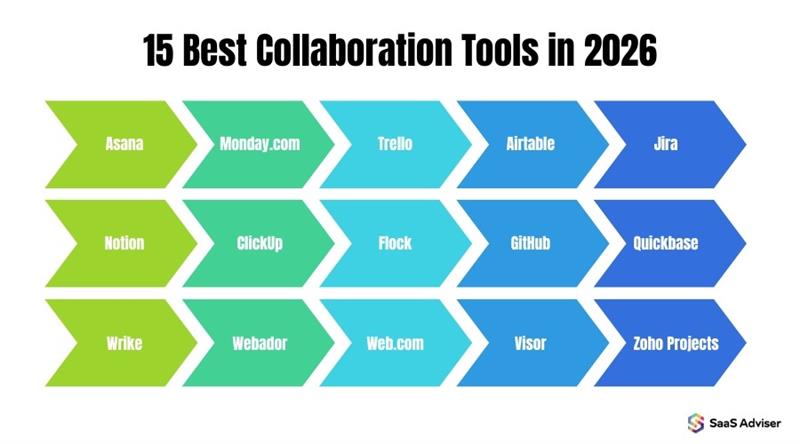
15 Best Collaboration Tools & Software for Business in 2026
1. Asana
Asana is a well-established collaboration and designed to organize work efficiently. It helps teams break complex projects into tasks using lists, boards, and timelines. Its visual structure improves clarity and accountability. It is ideal for tracking deadlines and workflows across teams.
Best For: Mid-to-large teams needing structured project management and task tracking.
Pros:
-
Clean and intuitive interface
-
Strong integrations
-
Excellent task tracking
Cons:
-
Overwhelming for small teams
-
Feature-heavy learning curve
2. Monday.com
Monday.com is a flexible and visually appealing collaboration platform that allows teams to customize workflows. It uses dashboards and automation to manage tasks efficiently. Teams can tailor columns and views based on their needs. It is widely used for dynamic projects.
Best For: Teams needing customizable workflows, especially marketing and sales teams.
Pros:
-
Highly customizable
-
Powerful automation
-
Visual dashboards
Cons:
-
Expensive advanced features
-
Can get complex
3. Trello
Trello is a simple Kanban-based tool that organizes work using boards, lists, and cards. It provides a clear visual representation of tasks and progress. It is beginner-friendly and easy to set up. It works best for small projects.
Best For: Small teams or individuals managing simple projects and workflows.
Pros:
-
Easy to use
-
Flexible with add-ons
-
Quick setup
Cons:
-
Not for complex projects
-
Limited advanced features
4. Airtable
Airtable combines spreadsheet simplicity with database power. It allows users to organize and link data efficiently. It supports multiple views like grid and calendar. It is useful for structured workflows.
Best For: Teams managing structured data like content calendars or operations.
Pros:
-
Flexible data organization
-
Multiple views
-
Powerful features
Cons:
-
Complex setup
-
Requires technical mindset
5. Jira
Jira is a powerful project collaboration tool designed mainly for software development teams. It supports Agile methodologies like Scrum and Kanban, making sprint planning and bug tracking efficient. This business collaboration software helps teams manage workflows, issues, and releases in one place. It is widely used in technical environments for structured project tracking.
Best For: Software development teams using Agile methodologies.
Pros:
-
Excellent Agile support
-
Strong bug tracking
-
Deep integrations
Cons:
-
Complex interface
-
Not beginner-friendly
6. Notion
Notion is an all-in-one collaboration tool that combines notes, tasks, databases, and documentation. It works as a flexible workspace for both personal productivity and team collaboration. As a document collaboration tool, it allows teams to create wikis and organize knowledge easily. Its modular design makes it adaptable to different workflows.
Best For: Individuals or teams managing notes, docs, and internal knowledge bases.
Pros:
-
Highly customizable
-
All-in-one tool
-
Great for documentation
Cons:
-
Can become messy
-
Needs organization discipline
7. ClickUp
ClickUp is a feature-rich business collaboration software that offers tasks, docs, goals, and time tracking in one platform. It aims to replace multiple productivity and project collaboration tools. Teams can manage everything from simple tasks to complex workflows efficiently. It is ideal for organizations looking for an all-in-one solution.
Best For: Teams looking for an all-in-one productivity and project management solution.
Pros:
-
Feature-rich
-
Built-in time tracking
-
Versatile
Cons:
-
Occasional bugs
-
Overwhelming interface
8. Flock
Flock is a team collaboration tool focused on communication and productivity. It provides chat, video calls, and built-in tools like polls and task lists. As a communication-based collaboration software, it helps teams stay connected in real time. It is especially useful for small to mid-sized businesses.
Best For: Small to mid-sized teams needing fast communication and collaboration.
Pros:
-
Built-in tools
-
Easy communication
-
Quick setup
Cons:
-
Video quality issues
-
Limited advanced features
9. GitHub
GitHub is a leading document collaboration tool for code, widely used by developers. It provides version control, code sharing, and collaboration features for software projects. Teams can track changes, manage repositories, and review code efficiently. It is essential for both open-source and professional development environments.
Best For: Developers and teams working on coding and software projects.
Pros:
-
Best version control
-
Strong collaboration
-
Code tracking
Cons:
-
Hard for beginners
-
Not for non-technical users
10. Quickbase
Quickbase is a low-code business collaboration software that allows companies to build custom applications. It helps automate workflows and improve operational efficiency without heavy coding. Teams can design tailored solutions for their specific needs. It is commonly used in enterprise environments.
Best For: Enterprises needing custom apps without full-scale coding.
Pros:
-
No-code development
-
Highly customizable
-
Scalable
Cons:
-
Expensive
-
Complex setup
11. Wrike
Wrike is an advanced project collaboration tool designed for enterprise-level teams. It offers features like task management, reporting, and resource allocation. This collaboration software helps teams manage complex projects across departments. It is ideal for large organizations with detailed workflow needs.
Best For: Large organizations managing complex projects and teams.
Pros:
-
Strong analytics
-
Resource management
-
Scalable
Cons:
-
Limited mobile app
-
Complex interface
12. Webador
Webador is primarily a website builder but also acts as a basic virtual collaboration tool. It allows users to create websites and share content easily within teams. This tool is simple and beginner-friendly for small businesses. However, its collaboration features are limited compared to dedicated platforms.
Best For: Small business owners needing simple website creation tools.
Pros:
-
Easy to use
-
No coding needed
-
Quick setup
Cons:
-
Limited features
-
Not a full collaboration tool
13. Web.com
Web.com provides digital collaboration tools focused on website creation and online business management. It helps small teams work together on web projects and digital presence. As a collaboration platform, it supports basic editing and hosting features. It is suitable for local businesses.
Best For: Small businesses managing websites and online presence.
Pros:
-
Reliable hosting
-
Simple tools
-
Beginner-friendly
Cons:
-
Limited collaboration
-
Not a full project tool
14. Visor
Visor is a unique project collaboration tool that integrates with Jira to create visual roadmaps. It helps teams present technical data clearly to stakeholders. This collaboration software ensures real-time syncing of project updates. It is especially useful for product managers and planning teams.
Best For: Product managers needing visual roadmaps from Jira data.
Pros:
-
Real-time syncing
-
Clear visuals
-
Good for presentations
Cons:
-
Niche use
-
Depends on Jira
15. Zoho Projects
Zoho Projects is a comprehensive business collaboration software with features like task management, Gantt charts, and time tracking. It integrates seamlessly with other Zoho tools for better workflow management. Teams can plan, track, and collaborate efficiently. It is ideal for businesses already using the Zoho ecosystem.
Best For: Businesses already using Zoho ecosystem for operations.
Pros:
-
Affordable
-
Strong integrations
-
Good tracking
Cons:
-
Outdated interface
-
Learning curve
Conclusion
The right collaboration tool is not just a productivity upgrade it is a foundational part of how modern businesses operate. Whether you are coordinating a small startup team or managing cross-functional projects across departments, the 15 tools covered in this guide offer solutions for every business size and workflow type. Take time to identify what your team needs most, trial two or three options, and choose software that your team will actually use every day. The best business collaboration software is the one your team adopts consistently.
Frequently Asked Questions
They use them to assign tasks, communicate in real time, share documents, manage projects, and track deadlines all in one central platform.
Keeping everyone aligned on priorities and responsibilities, especially when team members work across different time zones or departments.
Yes, they reduce time wasted on miscommunication, improve accountability, and help teams scale their workflows without proportionally increasing headcount.
Set clear goals, use a shared collaboration tool for tasks and communication, hold regular check-ins, and ensure every team member has visibility into project progress.


