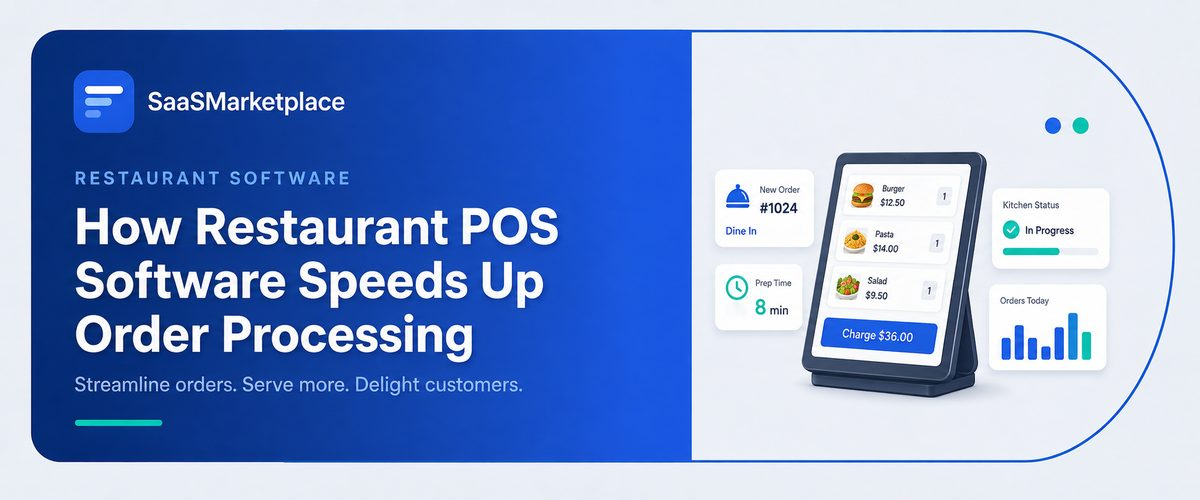
How Restaurant POS Software Speeds Up Order Processing
-min.jpg)
In the fast-paced American restaurant industry, where a delayed order can quickly turn into bad reviews and lost revenue, point-of-sale (POS) software is basically the unsung operational backbone. With instant syncing of table requests straight to the kitchen display systems and even handheld devices, today’s POS tech wipes out the friction from handwritten tickets, the constant manual server trips, and those annoying communication breakdowns. It’s that smooth digital passing of tasks that helps front-of-house teams turn tables faster, while the back-of-house crew prepares each order with exact precision and speedy execution.
What is Restaurant POS Software?
Restaurant Point of Sale (POS) software is kind of an all-in-one digital hub, made to help speed up ordering, payments, and those admin tasks for food service businesses across the US. Instead of using old-style cash registers, most teams switch to this cloud-based setup; it connects the front-of-house staff to back-of-house kitchen display systems, plus credit card processors, and even online sales platforms. When everything is kept in one place, with one screen and fewer interruptions, it helps daily operations stay steadier, and it makes sure an order moves along cleanly, from the time it is ordered to the last payment settlement.
Besides handling fast orders, today’s US restaurant POS software works like a whole business dashboard that helps things run smoother. They will keep an eye on inventory, right there in real time, and yeah, also record the labor hours so payroll stays accurate too, then churn out more involved financial analytics. Also, it links right to familiar third-party delivery services, like Uber Eats. With that fresh info on sales tendencies, labor expense ratios, and which menu items diners actually crave, POS tools help owners fine-tune their margins more smartly, while still giving guests this smooth modern experience.
How does Restaurant POS Software reduce order errors in a busy US dining environment?
In high-volume US restaurants, order hiccups usually come from scribbled notepad notes, misheard custom tweaks, and then a kind of messy verbal handoff tossed to the line. Restaurant POS software removes a lot of that hassle by turning paper tickets into a more digital workflow. Staff taps in the exact menu items, and they get prompted for required modifiers right on touchscreen terminals or mobile handhelds, so those fussy requests like swapping sides or dialing in cook temps are captured clearly from the beginning.
After someone taps it in, the system sends everything right away to a Kitchen Display System (KDS) screen or to a line printer, landing at the right prep station. Kitchen folks get clean, standardized digital tickets grouped by station: grill, fryer, or pantry so there isn’t any guessing or manual translation of what the server meant. This kind of automation keeps the kitchen coordinated, in sync, even when dinner rush hits hard, and the noise makes spoken updates almost impossible.
Beyond the first ticket being punched in, POS systems block bad mistakes by stitching real-time inventory together with online ordering channels into one shared database. So if an ingredient runs out, the Retail POS system immediately flips the item across all terminals and delivery services, which means servers can’t keep taking orders for dishes that are basically unavailable. And all while it keeps the table flow talking clearly to the kitchen, plus the online ordering app or apps. That way, order accuracy stays safer, and yeah, it protects your bottom line too.
How does Restaurant POS Software speed up table turnover during peak service hours?
During the busiest service windows in high-volume American restaurants, the POS software somehow speeds up table turnover by cutting out the time servers spend doing this back-and-forth movement to those fixed, stationary terminals. With handheld, mobile POS tablets, staff can take an order and dispatch it right away to the kitchen display system while still standing near the table. That quick kitchen routing really trims down ticket durations, so the food arrives much sooner, and the whole meal pace stays flowing smoothly, no need for contrived delays.
The software also helps smooth out bill settlement, which is usually the biggest bottleneck when it comes to turning a table. With handheld terminals or table-side QR codes, guests can split the bill, add the gratuity, and pay via tap to pay or Apple Pay in seconds, without waiting around for a server to grab the credit card and run it elsewhere. After the payment actually clears, the POS quickly refreshes the floor plan so the table shows as open and ready, letting hosts usher in the next group right away. And it helps maximize cover counts as well
How does Restaurant POS Software improve communication between front-of-house staff and the kitchen?
- Real-time ticket Transmission: orders get pushed in on handheld terminals or front-of-house stations, and they land straight into the kitchen displays right away so nobody is doing those physical little trips to pass paper tickets around anymore- well, almost none.
- Automated Station Routing: The system sorts items automatically and routes them to the right prep stations, like the grill, fryer, bar, or cold station, so the line cooks only see what they need to actually prepare, not the whole world.
- Clear Modification Tracking: Any custom request, allergies, or special notes show up in bold, standardized text; this stops misreading of those handwritten scribbles that look like a code.
- Synchronized Course Pacing: Servers can release courses sequentially through the platform, so the kitchen can time appetizers, entrees, and desserts in a clean rhythm without having to rely on verbal reminders that get lost
- Instant Ingredient Alerts: When an item runs out, kitchen staff or managers update the POS status, and it immediately blocks front-of-house teams from taking orders for unavailable dishes
- Two-Way Order Status Updates: With Kitchen Display Systems KDS, cooks can mark dishes as ready, and then handhelds or Expo screens get triggered instantly, so servers grab the food faster
- Integrated Online Order Queue: Online orders from third-party apps come straight into the kitchen screens alongside dine-in tickets, which helps prevent line cooks from getting blindsided by those surprise surges in demand.
How does Restaurant POS Software handle high order volumes during peak hours at US restaurants?
- Batch Order Routing: Sends digital orders straight to the right station displays, like grill, fryer, pantry, so those crowded moments don't turn into a clog.
- BHandheld Tableside Ordering: Lets servers kind of tap in orders and then fire courses up right from the table, cutting out those long lines at the fixed terminals. It's smoother, kind of direct, and overall faster for guests.
- Auto-Throttling Online Orders: Automatically caps or delays third-party online order capacity when kitchen ticket times exceed set thresholds.
- Dynamic Menu & Quick-Keys: Showcases high-margin and fast prep items on a rapid-access layout so order entry stays moving pretty quick, you know.
- Pay-at-Table & Contactless Checkout: Helps split checks faster, and payments too, with tap to pay plus QR codes, so tables turn over much more quickly.
- Real-Time Inventory: Keeps counts updated on the fly and removes sold-out menu options across every terminal and delivery app, almost instantly.
- Kitchen Display Analytics: Tracks order prep times in real time to help kitchen managers identify and resolve line delays immediately.
How does Restaurant POS Software Integrate with online Ordering Platforms popular in the US Market?
- Direct Order Injection: Orders from third-party marketplaces slip past the separate front-of-house tablets, and they just inject on their own straight into the POS queue.
- Centralized Kitchen Routing: Online tickets get sent to the right Kitchen Display System KDS stations, or even line printers, right next to in-person dine-in slips. It cuts out that “tablet hell” feeling.
- Unified Menu Syncing: If you tweak a price, change an item description, or adjust a modifier, the POS updates the whole connected set of delivery apps at once. So menus stay pretty consistent.
- Automated Real-Time: When an ingredient runs out, you mark it unavailable in the POS and boom, online menus reflect it immediately. That means less chance customers order something that’s basically out of stock.
- Commission-Free Direct Web Ordering: Newer POS tools, including Toast Go and Square Online, often include built-in ordering pages, so customers can buy directly. This avoids third-party marketplace commissions.
- Consolidated Sales & Payout Analytics: Every digital revenue thread auto-matches back into one dashboard. Managers can see total sales, labor percentages, and channel profitability in one place.
Why should Restaurants invest in Restaurant POS Software to Stay Competitive?
- Meets Modern Diner Expectations: In the US, guests want quick tableside ordering, contactless pay-at-table options, and digital receipt features that older register setups can't really deliver, not the same way or speed.
- Protects tight Profit Margins: Real-time inventory visibility monitors ingredient usage dish by dish, which helps reduce waste, limits theft risk, and avoids expensive portion errors; also, it keeps the numbers more honest.
- Optimizes High Labor Costs: Mobile ordering devices and direct kitchen routing let servers handle larger table sections more smoothly, so labor costs stay lean without taking away from service quality.
- Captures High-Margin Digital Sales: Seamless integration with online ordering and third-party delivery services helps restaurant billing pull in off-premise revenue streams, while not bothering dine-in service.
- Drives Repeat Business through Loyalty: Built-in customer relationship management (CRM) tools remember guest preferences and automatically run reward programs to grow customer lifetime value.
- Delivers Useful Data Insights: Full sales reporting spots top-selling menu items, peak revenue hours, and even staff performance trends, which makes decision-making feel smarter and more direct.
Conclusion
In a fast-moving food service industry, going with a modern restaurant POS system is no longer optional; it is vital, really. It helps knock out operational bottlenecks, lessen expensive order mistakes, and push quicker table turnover. From tableside handhelds to direct kitchen display routing, the right software quietly optimizes each part of your dining room workflow, kind of like it just knows. If you want to locate the ideal technology stack for your venue, check out SaaSMarketplace. On our platform, owners can easily discover and compare, then purchase top-tier business software made to streamline day-to-day operations and scale profitability.
FAQ's
Servers use handheld terminals or intuitive touchscreens to instantly log orders and fire them directly to the kitchen without walking back and forth.
Yes, digital order entry sends clear, standardized tickets straight to kitchen display screens, eliminating confusion from misread handwriting or verbal requests.
Tableside handhelds, chip card readers, and QR code pay options allow diners to settle bills and split checks in seconds without waiting for printed paper receipts.
Modern POS platforms update inventory in real time and automatically 86 sold-out dishes across all terminals and online delivery channels instantly.
You can explore options on SaaSMarketplace, a platform where you can discover, compare, and buy top business software to optimize your restaurant operations.