
A keeper

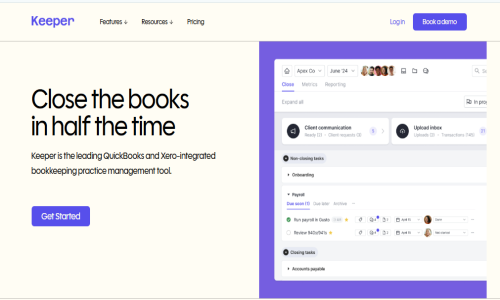
Close the books in half the time
Keeper is a comprehensive bookkeeping practice management software designed to streamline and enhance the efficiency of bookkeeping firms. By integrating various functionalities into a single platform, Keeper enables bookkeepers and accountants to manage client communications, identify and rectify coding errors, monitor key performance indicators (KPIs), and oversee their workload effectively. The software's seamless integration with popular accounting systems like QuickBooks and Xero ensures that financial data remains synchronized and up-to-date, facilitating a more efficient month-end close process.
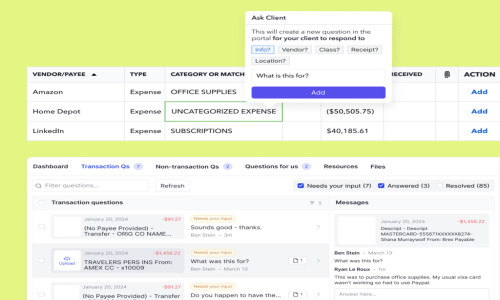
Keeper provide dynamic landscape of accounting, professionals often grapple with the challenges of managing multiple clients, ensuring data accuracy, and maintaining clear communication channels. Keeper addresses these challenges by offering a unified platform tailored to the unique needs of bookkeeping practices. One of its standout features is the client portal, which fosters direct and secure communication between bookkeepers and their clients. Through this portal, professionals can pose questions about specific transactions directly from the bank feed, schedule automated reminders via email or text, and reclassify transactions based on client feedback. This centralized communication hub not only enhances transparency but also reduces the time spent on back-and-forth exchanges.
Key Features & Specifications:
Client Portal: Facilitates secure and direct communication between bookkeepers and clients, allowing for transaction queries, automated reminders, and transaction reclassification based on client responses.
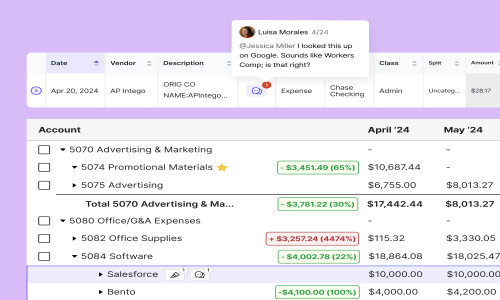
Automated File Review: Detects and corrects common coding errors automatically, synchronizes changes with accounting software, and supports vendor-level profit and loss reviews using customizable templates.
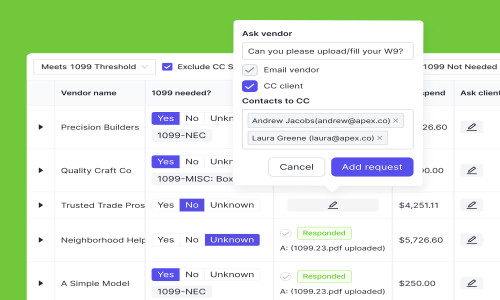
1099 Management: Identifies vendors requiring 1099s, facilitates W-9 collection directly from vendors, and allows for easy export and upload of 1099 data to filing tools.
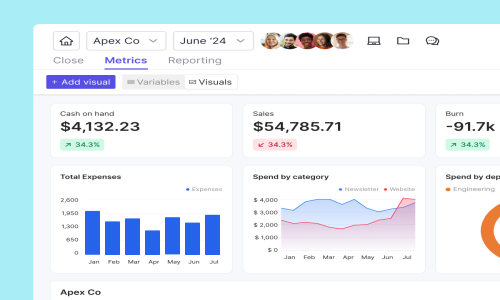
Custom Management Reports: Enables the creation of tailored reports with executive summaries, client-specific KPIs, and visuals, which can be published directly to the client portal.
Task Management: Allows for the creation and tracking of recurring or one-off tasks, organization using sections and tags, and monitoring of client information and team progress in a centralized view.
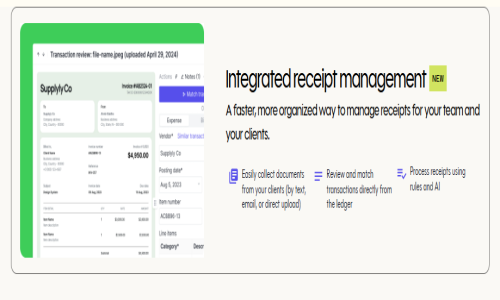
Integrated Receipt Management: Simplifies the collection of documents from clients through multiple channels, enables review and matching of transactions directly from the ledger, and utilizes AI
- ✓ Task Management
- ✓ Contract (SLA Management)
- ✓ Email Scheduling
- ✓ Send Time Optimization
- ✓ Alert Notifications
- ✓ Multiple Site Management
- ✓ CRM
- ✓ Customizable Invoices
- ✓ Reminders
- ✓ CRM & Sales Reports
- ✓ Billing & Invoicing
- ✓ Sales Dashboards & Reports
- ✓ Reporting/Analytics
- ✓ Tax Management
- File Review Reports
- Client Portal
- Management Reporting
- Task Management
- Unlimited Users
- Includes all Standard features plus
- Custom-branded Client Portal
- Integrated Email
- Time Tracking
- Integrated Text Messaging
- Direct Vendor W-9 Requests
- Includes all Premium features plus
- Agreed-upon pricing structures
- Ongoing support from a dedicated Customer Success Manager
- Advanced user permissions
No reviews yet. Be the first to review!
A keeper offers 3 pricing plan(s):
- Standard - Great for starting out — USD8.00 Month
- Premium - Best for growing teams — USD10.00 Premium
- Enterprise - Customize — USD0.00 Annual
A keeper is a Practice Management Software solution. Top features include:
- Task Management
- Contract (SLA Management)
- Email Scheduling
- Send Time Optimization
- Alert Notifications
A keeper does not currently offer a free trial.
A keeper provides Phone,Email,Live Chat support.
A keeper is Cloud Hosted,Hybrid,Any software.
A keeper provides Help Guides,Video Guides,Blogs,Webinars,Case Studies,Whitepapers for training.


