

Figma is a cloud-based design and prototyping tool that enables teams to collaborate in real-time on user interface (UI) and user experience (UX) design projects. It provides an intuitive, web-based environment where designers, developers, and stakeholders can create, edit, and review designs without the need for downloads or installations.
Unlike traditional design software, Figma operates entirely online, allowing multiple users to work on the same project simultaneously. This makes it an ideal tool for teams looking to streamline their design workflow and improve communication. The platform supports vector-based graphics, making it suitable for web design, mobile app interfaces, and other digital products.
Figma is a powerful, cloud-based design and prototyping tool that revolutionizes how teams collaborate on UI/UX projects. Unlike traditional design software that requires installation on a local machine, Figma operates entirely within a web browser, making it accessible from any device with an internet connection. This accessibility eliminates the need for manual file sharing and version conflicts, as all changes are saved and updated in real-time.
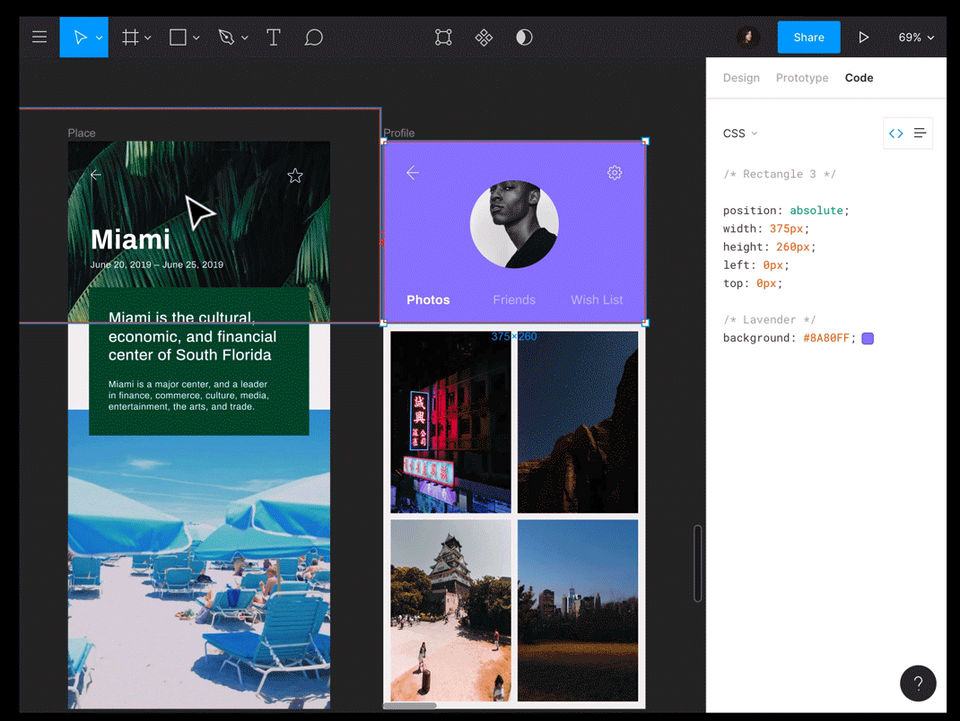
At its core, Figma is a vector-based design tool that allows users to create high-quality digital interfaces for websites, mobile applications, and other digital products. It provides an intuitive drag-and-drop interface, making it easy to design layouts, customize components, and maintain design consistency. The platform supports reusable design components, allowing designers to create design systems that streamline workflows and ensure brand consistency.
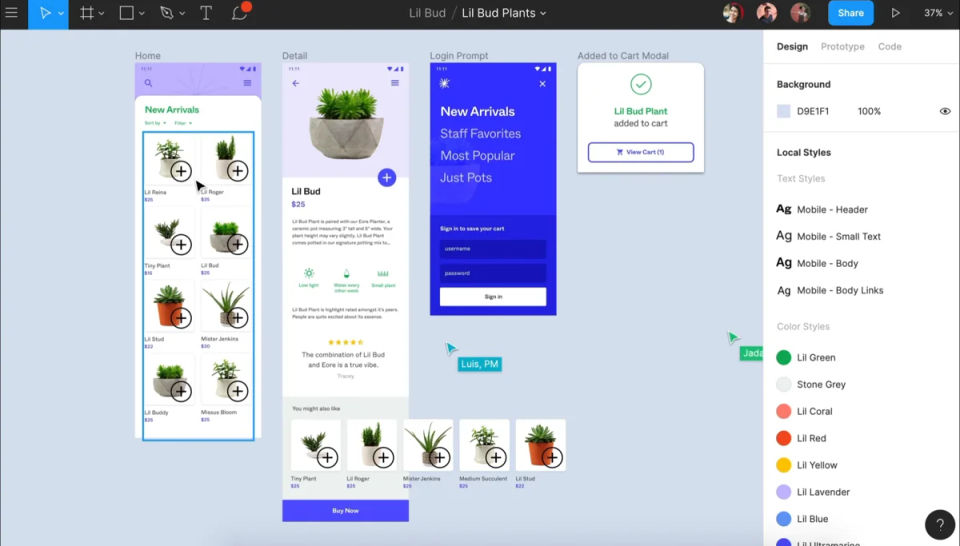
One of Figma’s standout features is its real-time collaboration capability. Multiple users can work on the same file simultaneously, making it an excellent tool for remote teams. This functionality enhances communication between designers, developers, and stakeholders, as they can view, comment, and edit designs in real time. Additionally, Figma offers permission controls, ensuring that team members have appropriate access levels.
Figma also excels in prototyping, allowing designers to create interactive prototypes without the need for coding. These prototypes can include animations, transitions, and interactive elements, enabling users to test and refine user experiences before development begins. Prototypes can be shared via a simple link, making it easy for stakeholders to provide feedback and suggestions.
Beyond design and prototyping, Figma integrates with various third-party tools such as Slack, Jira, and design asset libraries, enhancing its usability in professional design workflows. It also supports plugins that offer additional functionalities, such as auto-layouts, accessibility checks, and UI kits.
Another essential aspect of Figma is its version control system. Since all changes are automatically saved and stored in the cloud, users can track the history of a design, revert to previous versions, and see who made specific changes. This ensures a seamless workflow and eliminates the risk of losing important design progress.
Figma’s versatility makes it suitable for individual designers, startups, and large enterprises. Its scalable pricing model, which includes free and premium options, ensures that users of all levels can access the platform’s powerful design tools. With its real-time collaboration, prototyping capabilities, and cloud-based accessibility, Figma has become one of the most popular UI/UX design tools in the industry.
- ✓ User Research
- ✓ User Journeys
- ✓ Usability Testing
- ✓ Prototyping
- ✓ For Websites
- ✓ For Mobile
- ✓ Animation
- ✓ Unmoderated Testing
- ✓ Screen Activity Recording
- ✓ Heatmaps



- Unlimited drafts
- UI kits and templates
- Basic design file inspection
- Unlimited files and projects
- Team-wide design libraries
- Advanced Dev Mode inspection
- Unlimited teams
- Shared libraries and fonts
- Centralized admin tools
- Custom team workspaces
- Design system theming and APIs
- SCIM seat management
What do you like best? Lot of flexibility in features and use for designers What do you dislike? Hard to consume mock walk throughs and make changes as a consumption user Recommendations to others considering the product: ...
The people behind Figma are greedy. We have asked a refund for a tool we have not used and given the covid situation. Here is their reply: "Thanks for your patience. Our Accounting Team have looked at your request and confirmed that we're not able to refund...
Customer service wasn't helpful, they only provided replies that were vague.
They make cancelling such a pain in the ass. I can't find my "admin dashboard" from the browser, only from a link in an email. From that dashboard... you have to click around until you find the "Cancel" account under the settings option, at the very bottom....
It’s 2022 and they don’t care about middle east users, not recommended
Figma offers 4 pricing plan(s):
- Starter — USD0.00 Per Month
- Professional — USD16.00 Per Month
- Organization — USD55.00 Per Month
- Enterprise — USD90.00 Per Month
Figma is a UX Software solution. Top features include:
- User Research
- User Journeys
- Usability Testing
- Prototyping
- For Websites
Figma does not currently offer a free trial.
Figma provides Online (Ticket) support.
Figma is Cloud Hosted software.
Figma provides Help Guides,Video Guides,Blogs for training.


