Hubstaff Tasks

By Hubstaff Tasks
- ✓ Recurring Task Management
- ✓ Percent-Complete Tracking
- ✓ Time Tracking
- ✓ Task Tracking
- ✓ Task Scheduling
- ✓ Task Assigning
- ✓ Reporting (Analytics)
- ✓ Progress Tracking
- ✓ Gantt Charts
- ✓ Alerts
- ✓ Collaboration Tools
- ✓ Gamification
- Users: Up to 5 users
- Projects: 10 projects
- Storage: 100MB storage/user
- Epics: Limited Epics
- Kanban boards
- Due dates and estimates
- Simple time tracking
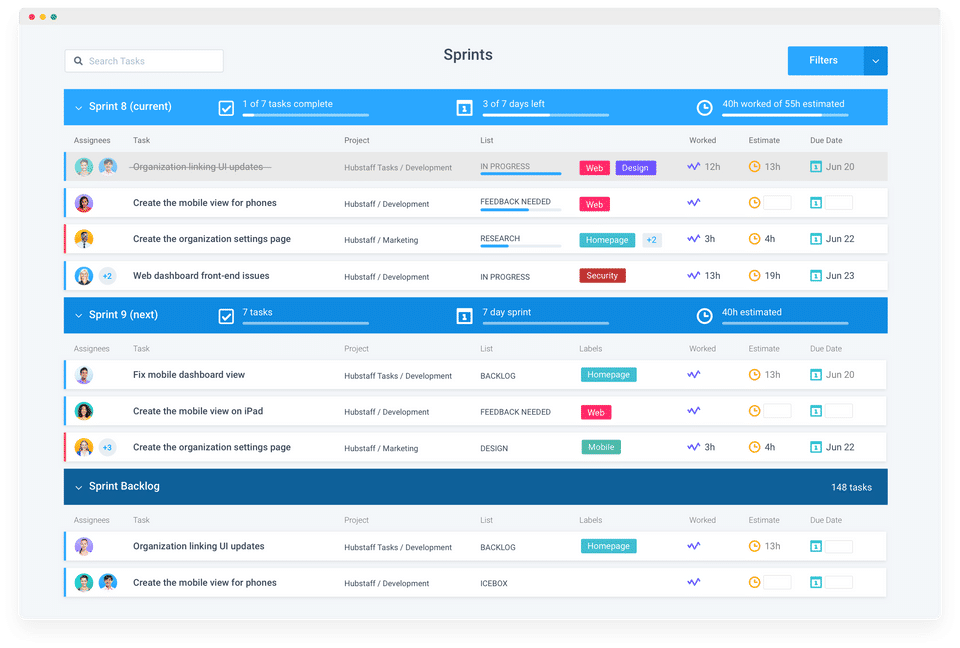
- Sprint planning
- Worked & spent data
- Notification center
- Personal to-do list
- Custom workflow actions
- Custom labels
- Multiple assignees
- Checklists
- Project quick switcher
- Advanced settings
- Filter and search
- Project templates
- Comments and mentions
- File attachments
- Roles and permissions
- Automatically syncs with Hubstaff
- Users: Up to 5 users
- Projects: 10
- Users: Unlimited users
- Projects: Unlimited projects
- Storage: 5GB storage/user
- Epics: Unlimited Epics
- Automated Stand-ups
- Recurring tasks
- Roadmap & Timeline
- Teams
- Includes features of Free plan
- Users: Unlimited users
- Projects: Unlimited projects
- Storage: 5GB storage/user
- Epics: Unlimited Epics
- Automated Stand-ups
- Recurring tasks
- Roadmap & Timeline
- Teams
- Includes features of Free plan
What do you like best? I like how easily I can track time and set tasks and time for myself! What do you dislike? Sometimes it logs me out and I don’t even realize it. What problems are you solving with the pr...
What do you like best? I like how easily I can track time and set tasks and time for myself! What do you dislike? Sometimes it logs me out and I don’t even realize it. What problems are you solving with the product? What benefits ...
What do you like best? ease of use and that it is compatible on every device and OS What do you dislike? the timer stops on restart, it would be good to keep it running. Also, activity while on calls is not factored in.. ...
Hubstaff Tasks offers 2 pricing plan(s):
- Free — USD0.00
- Premium — USD5.00 /User/Month
Hubstaff Tasks is a Task Management Software solution. Top features include:
- Recurring Task Management
- Percent-Complete Tracking
- Time Tracking
- Task Tracking
- Task Scheduling
Yes, Hubstaff Tasks offers a 0-day free trial.
Hubstaff Tasks provides Phone,Online (Ticket) support.
Hubstaff Tasks is Cloud Hosted software.
Hubstaff Tasks provides Help Guides,Blogs,Video Guides for training.


