
InDown

Instagram Video Download
What is InDown?
InDown is a lightweight and reliable online tool designed to help users download videos and media content directly from popular social platforms. With its fast performance and intuitive design, it makes saving videos for offline viewing simple and accessible. Whether you’re downloading short clips, stories, or longer videos, InDown ensures a smooth, secure, and straightforward experience without the need for technical know-how.
Why Choose InDown?
If you’re looking for a safe and efficient solution to download videos, InDown stands out from other tools that are often filled with ads, restrictions, or hidden costs. It delivers speed, privacy, and clarity, making it ideal for both personal use and professional needs. Content creators, marketers, and everyday users can rely on InDown to save videos quickly and hassle-free.
Key Benefits of InDown
Fast Downloads: Quickly save videos with minimal waiting time.
Beginner-Friendly: No technical skills required—simple, clean interface.
High-Quality Media: Retains the original resolution and clarity.
Cross-Device Support: Works smoothly across desktops, laptops, and mobile devices.
Safe & Private: Protects user privacy without exposing personal data.
No Watermark Option: Save videos without unnecessary branding.
Completely Free: Core features are available at no charge.
How to Use InDown
Using InDown is quick and straightforward, requiring no installation or complicated setup:
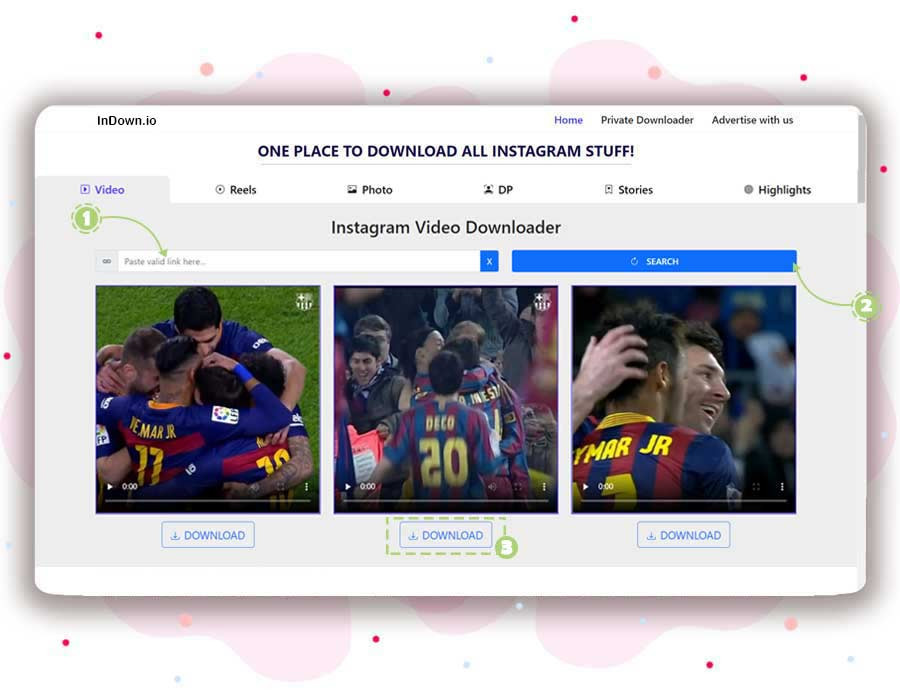
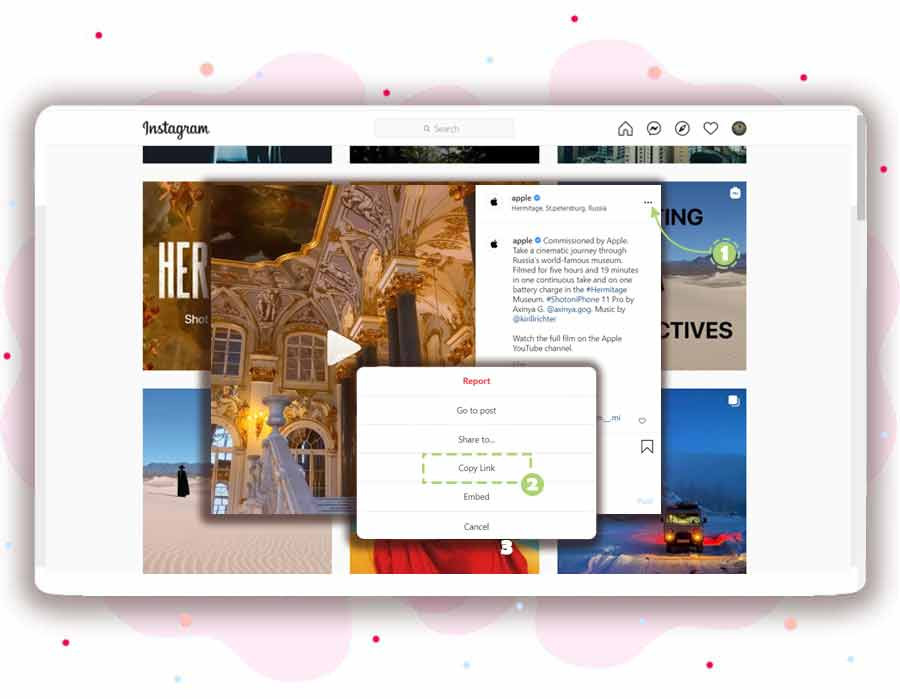
Copy the video link from your chosen social media platform.
Paste the link into InDown’s input box.
Select the preferred quality or format (if available).
Click Download, and the video will be saved instantly to your device.
Features of InDown
Web-Based Tool: No need for heavy software installation.
Clean & Simple Interface: Designed for smooth navigation.
Cross-Browser Compatible: Works with all major browsers.
Format Flexibility: Offers different saving options.
Instant Processing: Minimal delays before download.
Supports Multiple Platforms: Works across major social media sites.
Free Access: All essential features at zero cost.
InDown Demo
There’s no need for a live demonstration—InDown is ready to use immediately. Once you open the platform, you can start downloading or managing videos through its user-friendly interface without requiring additional setup.
InDown Pricing
InDown is 100% free to use. There are no hidden charges, premium tiers, or subscription models. All its features are accessible to both casual users and professionals at no cost.
InDown Reviews
Users consistently praise InDown for its simplicity, speed, and reliability. It eliminates unnecessary complexity and focuses on what matters most—smooth and secure video downloads. While it may lack advanced features such as bulk downloading, the majority of users find it an excellent go-to tool for quick and effective media saving.
- ✓ Posts Scheduling
- ✓ Auto Publishing
- ✓ Download TikTok GIF
- ✓ Preview While Downloading
- ✓ Easy Video Search
- ✓ HD/4K Quality Download
- ✓ Android Download Option
- ✓ High Download Speed
Contact us to get detailed pricing as per your requirements.
No reviews yet. Be the first to review!
InDown is a Video Management Software solution. Top features include:
- Posts Scheduling
- Auto Publishing
- Download TikTok GIF
- Preview While Downloading
- Easy Video Search
InDown does not currently offer a free trial.
InDown provides Phone,Email,Live Chat support.
InDown is Cloud Hosted,Hybrid,Any software.
InDown provides Help Guides,Video Guides for training.


