
Lightshot

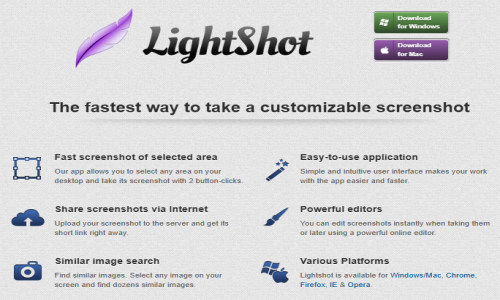
The fastest way to take a customizable screenshot
Lightshot is a free, lightweight screenshot tool developed by Skillbrains, designed for Windows and macOS users. It enables quick and intuitive screen captures with minimal effort. By pressing the Print Screen key (or a customizable hotkey), users can select any area of their screen to capture. The application offers immediate editing capabilities, allowing annotations with text, arrows, shapes, and highlights. Screenshots can be saved locally in formats like PNG, JPEG, or BMP, copied to the clipboard, or uploaded to Lightshot’s server to generate a shareable link. Additionally, Lightshot features a unique reverse image search, enabling users to find similar images online. Available as a desktop application and as browser extensions for Chrome, Firefox, Internet Explorer, and Opera, Lightshot provides a seamless experience for capturing and sharing screenshots.
Lightshot is a versatile screenshot tool tailored for users seeking a fast and efficient way to capture and share screen content. With its user-friendly interface, it simplifies the process of taking screenshots, editing them on the fly, and sharing them instantly.
Key Features:
-
Quick Capture: Initiate screenshots using the Print Screen key or customizable hotkeys.
-
Selective Area Capture: Choose specific areas of the screen to capture, avoiding unnecessary content.
-
Built-in Editor: Annotate screenshots with tools like text, arrows, and shapes directly after capturing.
-
Instant Sharing: Upload screenshots to Lightshot’s server and obtain a shareable link immediately.
-
Reverse Image Search: Find similar images online using the integrated search feature.
-
Clipboard Integration: Copy screenshots directly to the clipboard for quick pasting into other applications.
-
Multiple Save Options: Save images in various formats, including PNG, JPEG, and BMP.
- ✓ Selective Screen Capture
- ✓ Delayed Capture
- ✓ Real-time Image Resize
- ✓ Responsive Screen Capture
- ✓ Full Page Screen Capture
- ✓ Share Screenshot
- ✓ Annotation and Markup Tools
- ✓ Automated Screenshot
- ✓ Web Archiving

Contact us to get detailed pricing as per your requirements.
No reviews yet. Be the first to review!
Lightshot is a Website Screenshot Software solution. Top features include:
- Selective Screen Capture
- Delayed Capture
- Real-time Image Resize
- Responsive Screen Capture
- Full Page Screen Capture
Lightshot does not currently offer a free trial.
Lightshot provides Phone,Email,Live Chat support.
Lightshot is Cloud Hosted,Hybrid,Any software.
Lightshot provides Help Guides,Video Guides,Blogs,Webinars,Case Studies,Whitepapers for training.


