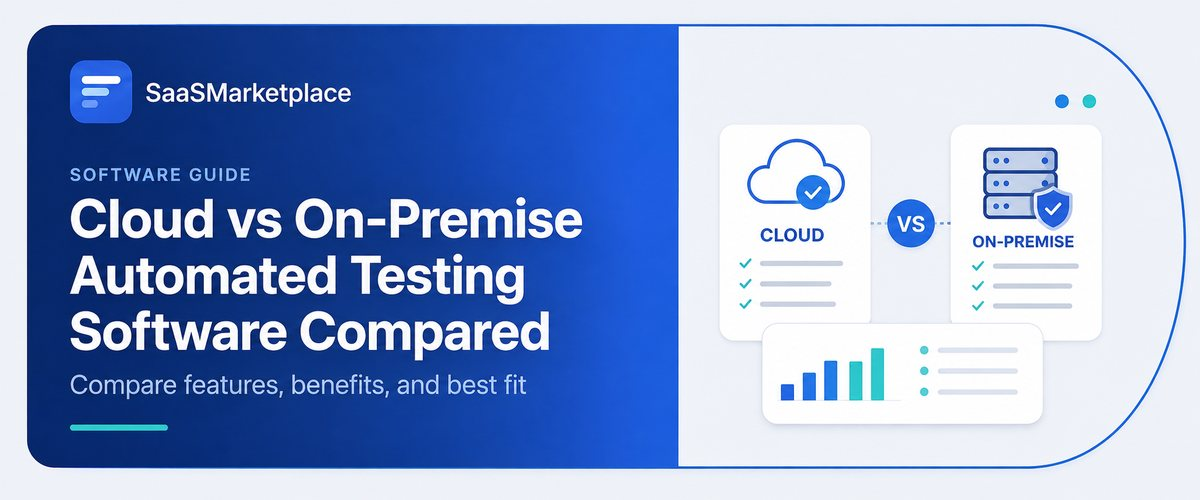
Cloud vs On-Premise Automated Testing Software Compared
-min.jpg)
Deciding between utilizing cloud automation testing or on-premises solutions requires a consideration of the trade-off between flexibility and control over the testing infrastructure. Cloud-based automated testing solutions can be deployed quickly and scaled dynamically while also providing usage-based pricing terms, allowing tests to be run in parallel across multiple devices and browsers. On the flip side of the coin, on-premise testing software is set up on a company’s local infrastructure, thus ensuring data sovereignty and total control over the test environment settings while allowing for predictable long-term costs.
What Is Automated Testing Software and Why Does It Matter?
The software for automated testing comprises tools that are geared towards completing tests on software in an automated manner, as well as evaluating results to find out whether they are accurate. By eliminating the need for repeated manual test scripts, companies can run complicated scripts efficiently via automation. Automated testing software allows software teams to conduct tests and compartmentalize different test tracks such as API testing or overall user experience testing easily. The approach helps testers save time because instead of performing repetitive work before releasing a program, they only need to write their scripts once.
Automated testing software is significant due to speed, reliability, and continuous delivery being essential aspect of software delivery nowadays. Automated testing results in shorter release cycles where organizations have immediate access to the state of their code, leading to the early detection of bugs. Automated testing reduces the potential for human error, guarantees consistent testing for large software systems, and frees QA professionals to concentrate on high-level tasks such as exploratory testing of software quality and design of features. Ultimately, a software application responsible for automatic testing has the role of a net enabling the breaching of code quickly without worrying about securing the quality of software.
How Do Cloud and On-Premise Automated Testing Software Options Compare?
|
Feature Area |
Cloud-Based Automated Testing |
On-Premise Automated Testing |
|
Infrastructure & Setup |
Vendor-hosted grid. Instant deployment with zero hardware maintenance. |
Self-hosted servers/VMs. Requires manual lab configuration, OS setup, and hardware maintenance. |
|
Scalability & Parallelism |
Massive elasticity. Spin up hundreds of parallel browser and device test runs on demand. |
Restricted by available local hardware capacity. Scaling requires CapEx approval for new hardware. |
|
Financial Model |
Subscription or pay-as-you-go based on parallel threads or execution minutes. |
CapEx (Capital Expenditure) heavy upfront (servers, enterprise software licenses) with ongoing IT maintenance costs. |
|
Device & Browser Matrix |
Instant access to thousands of real mobile devices, OS versions, and browser combinations. |
Limited to physical devices maintained in an internal device lab or local virtual machine configurations. |
|
Data Security & Privacy |
Test scripts and application builds leave the local network. Depends on vendor SOC2, ISO, and encryption standards. |
Complete data sovereignty. Data stays entirely within internal firewalls and air-gapped systems. |
|
Maintenance Burden |
Handled automatically by the provider (OS updates, browser patches, driver management). |
Managed by internal QA/DevOps teams (driver updates, device battery management, server patching). |
Which Automated Testing Software Model Costs Less for US Teams?
|
Cost Category |
Cloud-Based Testing |
On-Premise Testing |
|
Upfront Capital |
$0 (Instant cloud provisioning) |
High ($25k–$100k+ for servers, racks, and device labs). |
|
US Labor Overhead |
Low (Vendors manage updates and grids). |
Extremely High (Requires dedicated US DevOps/QA admins). |
|
Physical Devices & Browsers |
Included (Thousands of real cloud devices). |
Ongoing CapEx (Constantly buying, replacing, and maintaining physical phones/hardware). |
|
Facilities & Utilities |
$0 |
High (US data center space, power, and high-load HVAC cooling). |
|
Scaling Expense |
Pay-as-you-go (Scale up/down on demand). |
Fixed Cost (Pay for peak capacity even when idle). |
How Secure Is Cloud vs On-Premise Automated Testing Software?
1. Data Custody and Network Perimeter
With cloud testing, critical application code, build binaries, API payload, and testing scripts leave the company’s internal network and run on servers owned by the vendor. Vendors protect the information with the help of TLS 1.3 encryption, secure tunneling protocols such as Sauce Connect and BrowserStack Local, and prompt post-testing removal of the information. On the contrary, data custody remains about 100% with on-premise solutions. Testing is done completely behind the corporate firewall allowing proprietary source codes and non-production data dumps never to leave the private network.
2. Threat Vectors and Security Management
Cloud testing solutions utilize real-time external monitoring, live event detection, and automatic zero-day patching outsourced to the provider. At the same time, this means that there is a growing threat landscape with public API endpoints, multi-tenancy, and risks of vendor account takeover. In on-premise technology, threats are mostly present due to human factors and local network access; at the same time, the burden of security problems falls on the company’s DevOps and IT departments requiring them to manage patches, update browsers, etc.
3. Data Custody and Network Perimeter
With cloud testing, critical application code, build binaries, API payload, and testing scripts leave the company’s internal social networking and run on servers owned by the vendor. Vendors protect the information with the help of TLS 1.3 encryption, secure tunneling protocols such as Sauce Connect and BrowserStack Local, and prompt post-testing removal of the information. On the contrary, data custody remains about 100% with on-premise solutions. Testing is done completely behind the corporate firewall allowing proprietary source codes and non-production data dumps never to leave the private network.
4. Threat Vectors and Security Management
Cloud testing solutions utilize real-time external monitoring, live event detection, and automatic zero-day patching outsourced to the provider. At the same time, this means that there is a growing threat landscape with public API endpoints, multi-tenancy, and risks of vendor account takeover. In on-premise technology, threats are mostly present due to human factor and local network access; at the same time, the burden of security problems falls on the company’s DevOps and IT departments requiring them to manage patches, update browsers, etc.
Which Automated Testing Software Scales Better as Your Team Grows?
1. Capacity for Parallel Execution
Cloud: One can increase the number of concurrent testers whenever needed to hundreds without delay, which means that test suites can be moved to one where the number of test cases exceeds 10,000, which considerably shortens the time of testing.
2. Device and Browser Matrix Expansion
Cloud: The limitations are in the fact that you cannot satisfy the need for increased performance without increasing the hardware resources of CPUs, memory, or local servers, which means you have to buy and set up new servers or virtual call center to scale up the testing process.
3. Geographic and Team Accessibility
Cloud: It offers unified dashboards and running grids placed on the cloud that are freely available for remote teams or anywhere else in the USA without worrying about network issues.
On-Premises: The remote teams have to connect through low-speed VPNs or complicated networking tunnels due to the corporate firewalls and private networks installed on their servers.
4. Maintenance Of Personnel
Cloud: Ensures that the supplier carries out all the browser updates, driver patches, or OS maintenance processes.
On-Premises: There is a need to employ special DevOps or QA personnel to ensure the hardware is always in working order and the accumulator of the device is replaced whenever necessary.
What Does It Take to Implement Each Type of Automated Testing Software?
1. Infrastructure & Network Setup:
- Cloud: No physical servers or devices to be set up. An account on the cloud platform must be created. API tokens must be obtained from the cloud provider. Secure and protected outbound network rules must be established.
- On-Premise: Dedicated local servers must be purchased, installed, and set up. Subnets, routing, and power and cooling of the equipment must all also be addressed.
2. Security and Connections:
- Cloud: Safe and secure tunnel connections must be set up in order for the cloud vendor's runners to reach the application without being blocked by firewalls.
- On-Premise: Configuration of local firewalls, SSL certificates, as well as zero trust network settings is necessary to allow secure connections to the staging server.
3. Configuration of Environment and Driver Dependency
- Cloud: All of the work is done by the cloud service provider. Teams only need to list the needed testing environments in the code files (e.g., Chrome 120 on Windows 11, iOS 18 on iPhone 15), and there is absolutely no need for the configuration of drivers in their systems.
- On-Premise: Internal engineers need to perform the tasks of downloading and installing browser binaries and WebDriver executable, maintaining programming language runtime environments and mobile operating systems simulators/emulators across all nodes used for test execution.
4. CI/CD Pipeline Integration
- Cloud: Platform implemented quickly by using default webhooks, Command Line Interface plugins and cloud CI/CD providers.
- On-Premise: A time-consuming process of creating customized images for build-agent programs, installing and configuring executable runner programs such as those on self-hosted Jenkins machines and writing scripts for pipelines that are connected to specific local static addresses and machines.
Which Automated Testing Software Fits Your Business Best?
1. Provar
Provar is an automated testing solution specifically designed for Salesforce ecosystem environments. It integrates with Salesforce metadata in order to create low-code test cases that are robust to changes in UI layouts or backend field ids. It operates both as a standalone desktop application and as a web application (Provar Grid) that enables QA teams to perform automated end-to-end, API, and cross-browser testing of the complicated workflows. Provar is particularly beneficial for mid-market and enterprise companies relying heavily on Salesforce platform capabilities while wanting to automate regression testing without getting involved in coding.
2. TestRobotic
TestRobotic is a BDD-based testing solution that records, generates, and executes tests for web browsers and web applications. The main features include a codeless test recording, debugging extension for Chrome, parallel test execution engines and so on, which means that TestRobotic is performing very well when it comes to high test volume processing. The tool is among very few solutions to offer built-in scheduling capability and CI/CD pipeline integration thus enabling users to perform testing regardless of their technical expertise level. This solution is more relevant for agile teams as well as startups and any organizations.
3. AppDoctor
AppDoctor is a system of API testing and health checking that automatically finds backend issues before these problems go into production. It features lightweight automated smoke testing, endpoint availability monitoring, and request proxying to keep track of performance metrics and API latency. In contrast to complex UI testing platforms, AppDoctor specifically addresses ongoing backend reliability. Hence, it is an affordable solution for start-ups, individual developers, and small teams that are in need of straightforward automated API monitoring.
4. TestCaseLab
TestCaseLab is not an automatic running platform but a cloud-based test case management system. It serves as a single platform for teams working in QA to create, arrange, classify, and monitor test cases (both automated and traditional) during the process of software development. Having drag-and-drop functionality, an unlimited number of users, and integrations with bug tracking systems such as Jira, GitHub, and Trello, it helps to replace messy spreadsheets in test case organizing. TestCaseLab ideally suits QA leaders, Agile teams, and software agencies that seek user-friendly tools for planning, monitoring, and reporting on testing results.
Cloud or On-Premise Automated Testing Software: What Should You Choose?
Selecting between cloud-based and on-premise automated testing software comes down to balancing speed, flexibility, and maintenance against security, data control, and hardware governance.
- Essential Considerations: Opt for Cloud-Based Testing if immediate set-up, zero equipment upkeep, minimal initial costs, and extensive cross-browser or mobile parallel execution matter most to you. This choice allows you to put the responsibility of server maintenance on a supplier while scaling as required, which is suitable for remote teams and continuous integration testing along the whole process of software product’s development.
- Select On-Premise Testingi: f you are dealing with stringent regulations, air-gapped security issues, or have the need for total control over your business data. This option allows you to keep proprietary applications and test scripts in an isolated and protected environment provided by firewalls, at the same time requiring significant investment and constant upkeep of the technology.
- First Investment (CapEx): Cloud testing implies payment on a subscription basis and thus necessitates very little hardware investment. On-premise tools call for the purchase of physical machines, installation of virtual servers, and creating of device labs in-house.
- Maintenance Responsibility: Cloud platforms automatically take care of driver updates, browser patches, and OS upgrades. In the case of on-site testing, development and testing teams must take care of all tasks under the aspect of server performance, and process mobile devices and broken drivers.
- Ability to Scale: Testing on cloud services lets engineers run hundreds of test scenarios at the same time. On the contrary, the performance of on-site systems depends on the capacity and performance of the equipment used for testing that may require additional sourcing for testing purposes.
- Data Security: Cloud solutions use secure channels to transfer test data to third-party vendors. Onsite execution makes it possible to keep all proprietary information, source code, as well as internal application programming interfaces.
Conclusion
Finding the correct business tools does not have to be complicated or long. SaaSMarketplace helps in software procurement through a combined platform for organizations to find, compare and purchase the ideal digital tools for each business situation. This means that after simplifying and putting thousands of software options together, it removes the endless searching and comparing among vendors and offers straightforward rates, confirmed user reviews, and immediate delivery. In the end, SaaSMarketplace allows modern-day companies to make more reasonable software investments and optimize their technology stack while confidently taking their digital transformation forward.
FAQ's
Cloud testing runs on vendor-hosted server grids over the internet, whereas on-premise testing executes strictly on local, self-hosted physical hardware or virtual machines behind your company firewall.
Yes, modern cloud platforms protect test traffic using end-to-end TLS encryption, secure tunnels, and immediate post-test container wipes, though data still traverses third-party networks.
Cloud-based automated testing features near-zero initial capital expenditure (CapEx) because it operates on a pay-as-you-go or subscription model.
No, on-premise scaling is strictly bottlenecked by physical hardware capacity, requiring new server purchases and IT setup to expand parallel test runs.
Cloud providers handle all OS, browser, and device updates automatically, whereas on-premise solutions require dedicated internal IT or DevOps personnel to maintain system drivers and hardware health.