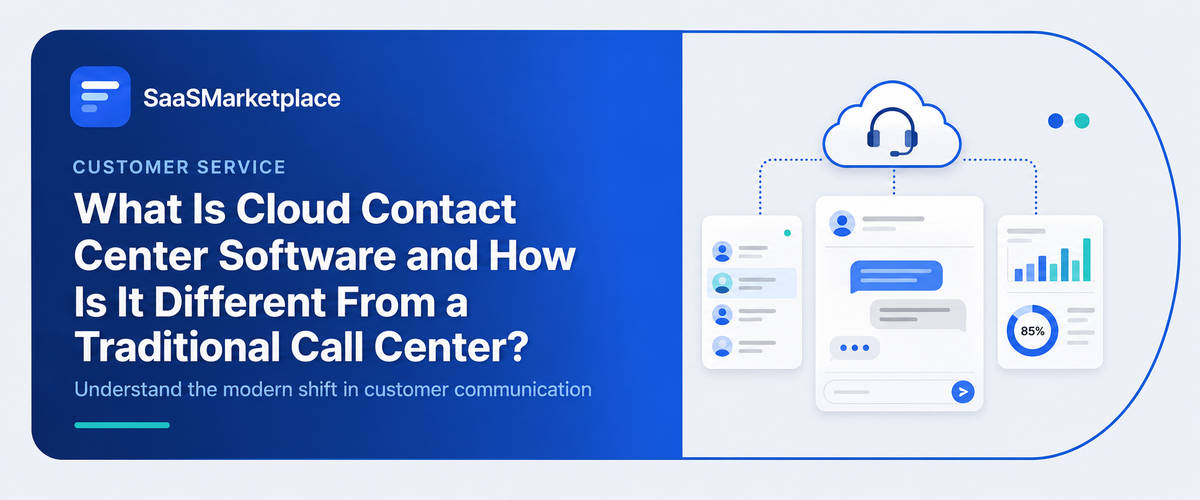
What Is Cloud Contact Center Software and How Is It Different From a Traditional Call Center?
-min.jpg)
A company opens a second office, hires ten remote agents, and suddenly the phone system built for one location can't keep up. That scenario plays out constantly, and it's the main reason cloud contact center software exists. Unlike a traditional call center tied to on-premise hardware, it runs over the internet, letting agents log in from anywhere while still connecting to the same CRM Software, Help Desk Software, and reporting tools. For U.S. businesses managing distributed teams or unpredictable call volume, that flexibility has shifted from a nice extra to something closer to a baseline requirement.
 Looking for Cloud Contact Center Software? Check out SaaS Marketplace’s List of the Best Cloud Contact Center Software in the USA for your business.
Why Traditional Call Centers Started Falling Short
For decades, call centers ran on physical infrastructure PBX systems, on-site servers, wired phone lines tied to a single building. Fine, as long as agents stayed in one office and call volume didn't move around much from month to month. The trouble started once businesses needed to grow fast, add remote agents, or absorb a sudden spike in calls without a purchase order for new hardware sitting on someone's desk.
Integration was the other pain point. Wiring a phone system into Sales CRM Software or Service Desk Software usually meant paying a developer, and opening a new location meant buying and shipping equipment rather than just flipping on a few more user licenses. Cloud contact center software grew out of those specific headaches it wasn't adopted by most businesses just to seem current.
What Cloud Contact Center Software Actually Does
At its foundation, cloud contact center software handles the same core job as a traditional system routing calls, tracking interactions, connecting agents to customers. The difference is where it runs. Instead of relying on physical servers and phone lines at a single site, everything operates through internet-based infrastructure hosted by the vendor.
That shift changes what's possible day to day. Agents can log in from a home office or a satellite location using the same platform, with calls routed based on skill or availability rather than physical proximity to a switchboard. Integration with Online CRM Software or AI CRM Software becomes far more straightforward too, since cloud platforms are generally built with open APIs rather than proprietary hardware that resists connecting to anything outside its own ecosystem.
Where the Real Differences Show Up
Comparing the two side by side, the gap isn't just about hosting location it changes how a business actually operates day to day.
|
Factor |
Traditional Call Center |
Cloud Contact Center Software |
|
Setup |
Physical hardware, on-site installation. |
Cloud-based, quick provisioning. |
|
Scalability |
Requires new hardware for growth. |
Add or remove seats as needed. |
|
Remote Work |
Difficult, tied to location. |
Native support for remote agents. |
|
Integration |
Often custom-built, costly. |
Built for CRM Software, Help Desk Software. |
|
Maintenance |
Internal IT handles upkeep. |
Vendor manages infrastructure. |
|
Upfront Cost |
High capital expense. |
Lower upfront, ongoing subscription. |
The Trade-Offs Vendors Don't Always Mention
Cloud platforms get pitched as a clear upgrade, and in most cases they are, but the transition isn't free of friction. Internet reliability becomes a genuine dependency a traditional system with a dedicated phone line doesn't go down when someone's home broadband has an outage, but a cloud-based agent working remotely does. Businesses in areas with inconsistent connectivity need to account for that before committing.
Smaller companies tend to miss data migration costs entirely. Someone has to move call history, customer records, and existing integrations with CRM Software or Business Intelligence Software off the old system and onto the new one, and that work rarely shows up in the price the vendor quotes. Businesses usually find that out after the contract's signed, not while they're still shopping around.
When Cloud Makes Sense, and When It Doesn't
The businesses that get the most out of cloud contact center software usually have distributed teams, call volume that swings with the season, or headcount plans that are more of a guess than a forecast. Take a retailer during the holidays being able to add temporary seats for six weeks, then drop them again, beats buying hardware that gathers dust the other ten months of the year.
For a business with a single, stable location and call volume that hasn't changed in years, the case is weaker. A well-functioning traditional system that's already paid off doesn't necessarily need replacing just because cloud is the newer option. Many businesses assume upgrading is automatically worth it, but in practice, the return depends heavily on whether flexibility and scalability are problems the business actually has.
Core Features Worth Evaluating
Feature comparisons across cloud contact center vendors can look nearly identical at first glance. A few things tend to matter more once the platform is in daily use:
- Skill-based routing that adapts as call patterns shift throughout the day
- CRM integration, particularly with Sales CRM Software or Online CRM Software already in place
- Omnichannel support, tying phone, chat, and sometimes Video Conferencing Software into one interface
- Real-time analytics, since remote teams need visibility a supervisor can't get by walking the floor
- Redundancy and uptime guarantees, given the dependency on internet connectivity
- Scalability without contract renegotiation, so adding seats doesn't require a new procurement cycle
How It Connects With the Rest of the Business Stack
Most vendors don't design this as a standalone tool, and it shows. Plug it into Help Desk Software or Service Desk Software and ticket history pops up the moment a call connects, so customers stop having to repeat themselves. Hook it up to CRM Software or AI CRM Software and agents can see where a deal stands without alt-tabbing to another window.
Some escalations just need a face, not a voice that's where Video Conferencing Software comes in, especially for technical support or account management. And on the leadership side, Business Intelligence Software will often pull call metrics into the same dashboard as sales and marketing numbers, so nobody's flipping between five different reports to get one picture.
Common Mistakes During Migration
After the first few months of moving to a cloud platform, a consistent pattern tends to appear across companies. The most frequent mistake is underestimating bandwidth requirements. A location with internet sufficient for general office work isn't necessarily sufficient for dozens of simultaneous calls, and businesses that skip this assessment often see call quality issues in the first few weeks that get blamed on the software rather than the network.
Another common issue is failing to retrain agents on new call flows. Cloud platforms often restructure how transfers, holds, and escalations work compared to the legacy system, and agents who aren't walked through those changes tend to revert to old habits or improvise workarounds that undercut the new system's benefits.
A third mistake is neglecting integration testing before go-live. Businesses sometimes assume connecting the new platform to existing CRM Software or Help Desk Software will work the same way the vendor's marketing material described, only to find data fields don't map cleanly and require manual cleanup after launch.
Security and Compliance Considerations
Call data travels over the internet here, not a dedicated line, so encryption in transit isn't a nice-to-have skip it and you've got a real problem. Healthcare and financial services companies especially need to check that a platform actually holds the certifications it claims, because not every vendor does, regardless of what the website says.
Where the data physically lives matters too. Plenty of cloud platforms host servers outside the U.S., and that can turn into a compliance headache for anyone with strict data sovereignty rules to follow. Easy to overlook during a free trial, much harder to ignore once legal actually reads the contract.
Choosing the Right Platform
There's no single correct choice, despite how vendor comparison pages tend to present it. The right fit depends on what a business already runs. A company already using Online CRM Software and Video Conferencing Software from a specific ecosystem may get more value from a platform built to integrate natively with those tools, rather than the one boasting the longest feature list.
Total cost planning should go beyond the subscription price. Migration effort, agent retraining, and integration work with existing Business Intelligence Software or Sales CRM Software all factor into real cost. A platform priced lower upfront but requiring expensive custom integration can end up costing more over a few years than a pricier option with straightforward, open connections from day one.
Conclusion
Cloud isn't automatically the better system for every business. It solves a fairly specific problem flexibility, remote work, room to scale and it's worth the most to companies that actually have that problem, not the ones jumping in because everyone else seems to be. It works best woven into the rest of what a business already runs, tied into CRM Software and Help Desk Software on purpose, rather than bolted on as some separate upgrade project.
So before switching, map out how calls actually flow, what remote work really looks like day to day, and which integrations you can't live without. That's the work that tells you whether cloud genuinely fixes something, or just trades one set of headaches for another.
FAQ's
It's a system that manages calls and customer interactions through internet-based infrastructure rather than on-site hardware, allowing agents to work from any location.
Traditional call centers rely on physical hardware and are tied to a specific location, while cloud contact center software runs online, scales more easily, and supports remote agents natively.
Businesses with distributed teams, seasonal call volume changes, or plans to scale agent headcount tend to see the most value, since flexibility is the platform's core advantage.
Most established platforms integrate with CRM Software, Sales CRM Software, and Online CRM Software, letting agents view customer history without switching between applications.
Confirm internet bandwidth is sufficient, review data security and residency policies, and test integrations with existing Help Desk Software or Business Intelligence Software before full rollout.