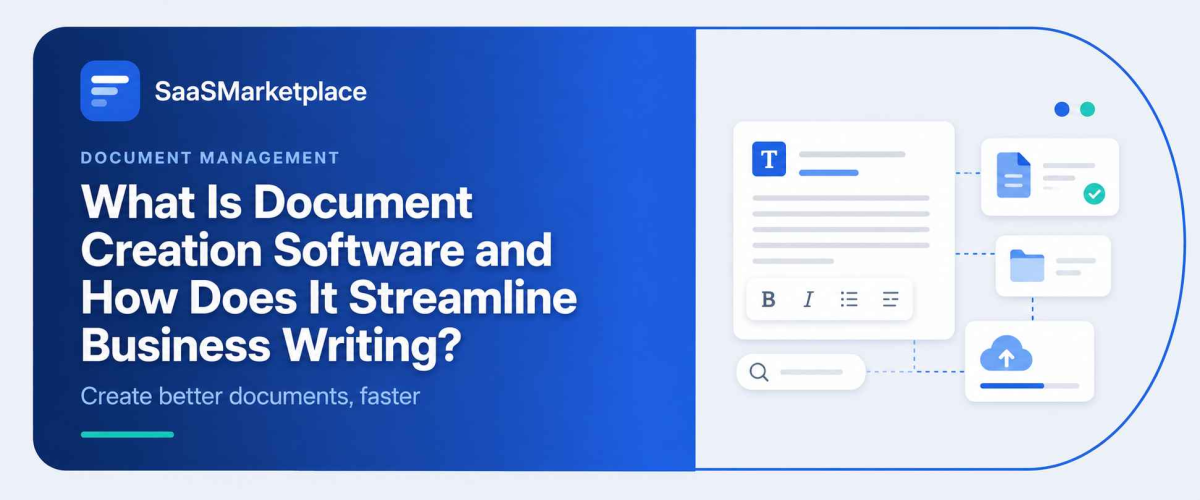
What Is Document Creation Software and How Does It Streamline Business Writing?
-min.jpg)
Most companies don't realize how much time gets lost to document chaos until someone asks for a client contract and three different versions show up in three different inboxes. Document creation software is the platform businesses turn to so that doesn't keep happening: a central place to draft, format, and standardize proposals, contracts, reports, and internal records instead of copying old templates by hand or hunting through a shared drive for the "real" version.
 Looking for Document Creation Software? Check out SaaS Marketplace’s List of the Best Document Creation Software in the USA for your business.
What actually makes it useful is the way it plugs into systems a company already runs. Connect it to CRM, HR, or accounting software, and client details, employee records, or financial figures drop straight into a document without anyone retyping them. That's what cuts down version-control confusion, keeps legal and branding consistent, and gets sign-off moving faster across departments not some abstract "efficiency," but fewer dumb mistakes and fewer rounds of back-and-forth.
Why Managing Document Work Became a Business Problem
Ten years ago, most companies got by with word processors and shared drives. That worked when teams were small and files didn't need to move between five different platforms in a single afternoon. It stopped working once businesses started running on a stack of specialized tools Project Management Software for delivery, CRM Software for sales, ERP Software for operations each generating its own paperwork.
And the result was about what you'd expect. Contracts sat in one folder, proposals in another, and nobody could say with any confidence which version was current. Document creation software showed up as a response to that mess, not because it was some flashy new category businesses felt they needed. It just gave teams a consistent way to produce professional documents without rebuilding formatting from scratch every time.
What Document Creation Software Actually Does
At its core, this type of software helps people draft, format, and manage business documents proposals, invoices, reports, contracts, internal memos using templates, reusable content blocks, and collaboration tools built in. Calling it "a fancier word processor" undersells it. Most platforms today also handle version control, approval workflows, e-signatures, and integration with whatever other systems the business already runs on.
That integration piece matters more than most people assume going in. A sales team pulling client data straight from CRM Software into a proposal saves real hours compared to copying fields by hand. An HR department generating offer letters through an HR Software connection sidesteps the classic mistake of sending someone an outdated salary figure because nobody updated the template. None of this is dramatic on its own it's just small friction removed, over and over, hundreds of times a month.
The Hidden Trade-Offs Behind the Sales Pitch
Vendors like to talk about efficiency gains. What they don't dwell on is that this software brings its own overhead, at least at first. Migrating existing templates takes time. Staff have to unlearn habits built around Word or Google Docs. And if the platform doesn't integrate cleanly with Accounting Software or ERP Software already in place, teams end up doing manual exports anyway, which kind of defeats the point.
Smaller companies also tend to miss how licensing costs scale with seat count rather than actual usage. Ten people, and the pricing looks fine. Grow to fifty, and that modest subscription can turn into a line item someone in finance starts asking pointed questions about. Model that cost curve before signing, not after the first renewal invoice lands.
When It Works, and When It Doesn't
This kind of software tends to pay off fastest for businesses producing a high volume of similar documents law firms drafting contracts, agencies sending proposals, finance teams issuing the same report every quarter. Repetition is what makes templating worth the investment in the first place.
If a business only puts out a handful of formal documents a month, that math gets a lot harder to justify, and a simpler tool will probably cover it just fine. It also matters less where document work is already centralized if one person handles all client-facing paperwork, there's no real coordination problem left to solve. The value shows up once multiple departments sales, HR, finance, operations all need to produce documents on their own while still following the same brand and compliance rules.
Core Features Worth Evaluating
Not every platform goes equally deep, and feature lists can be misleading if you don't already know what to weigh them against. A handful of things tend to matter more in practice than they look on paper:
- Template libraries that can be customized without needing design or development help
- Real-time collaboration, so multiple people can edit without version conflicts
- Approval workflows with clear audit trails, especially for regulated industries
- Integration support with Project Management Software, CRM Software, and ERP Software
- E-signature capability built in, rather than requiring a separate tool
- Access controls that let admins restrict who can edit versus just view sensitive documents
Which of these actually earns its place tends to become clear a few months in, not during the demo. AI-assisted drafting looks great in a sales call and then sometimes just... sits there unused. Meanwhile something unglamorous like permission settings turns out to be the thing that actually matters, usually right around when legal or compliance first gets involved.
How It Connects With the Rest of the Business Stack
Document creation software rarely lives in isolation, and that's by design. People sometimes treat it as a standalone writing tool, but in practice its value comes from what it plugs into. Marketing teams often hook it up to Marketing Automation Software to generate personalized proposals or campaign briefs at scale, and sales operations link it to CRM Software so contract data pulls straight from customer records instead of getting retyped.
On the analytics side, Business Intelligence Software can pull the reporting templates this software generates to build consistent quarterly summaries. Finance departments frequently tie it to Accounting Software for invoicing, which cuts down on manual entry errors, and even Email Marketing Software benefits campaign one-pagers and client-facing summaries get drafted once and reused across channels instead of rebuilt each time.
That interconnected setup is really where the efficiency shows up. Change one template or brand asset, and it propagates across every department using it, instead of someone having to make five separate updates in five separate tools.
Common Mistakes Businesses Make During Rollout
The most common misstep is skipping template cleanup before rollout. Businesses import legacy documents as-is formatting quirks, inconsistent branding, outdated language and all which just moves the clutter into a digital format instead of actually fixing it. Standardizing templates first takes longer up front, but skipping that step means the mess just follows you into the new system.
Training is another one that gets shortchanged. Employees who've used the same word processor for years don't automatically take to template-driven workflows, and without proper onboarding, that unfamiliarity turns into frustration and often into complaints that the software "doesn't work," when really nobody walked people through it.
Access controls trip businesses up too, usually by accident. Granting broad editing permissions by default feels like the path of least resistance during setup, but it leaves sensitive financial figures, legal terms, or HR records open to edits from people who never should have had access in the first place. Untangling that later is a much bigger headache than setting role-based permissions correctly from day one.
And then there's the businesses that never actually connect the software to anything. Treating it as just another standalone word processor instead of tying it into CRM, HR, or accounting systems creates the exact silos it was supposed to eliminate staff end up copy-pasting data by hand anyway, which quietly cancels out most of the reason for buying the tool in the first place.
Security and Compliance Considerations
For industries handling sensitive data healthcare, finance, legal this software needs to do more than just look polished. Encryption at rest and in transit is baseline, not a premium add-on. Audit trails matter too, particularly for anyone subject to regulatory review, since being able to show exactly who edited a document and when can matter a lot during an inspection or a dispute.
Data residency is worth a closer look as well. Some platforms store data on servers outside the U.S., which can complicate things for businesses with strict compliance obligations. Easy to overlook during a free trial, much harder to overlook once legal actually reads the contract.
It's also worth asking how a vendor handles a breach, not just how they prevent one. Notification timelines, what gets logged, and whether the platform supports things like SOC 2 or HIPAA compliance (if that applies to the business) are all questions worth asking directly rather than assuming a "secure cloud platform" line in the marketing copy covers it.
Choosing the Right Platform for Your Business
There's no single best option here, whatever the comparison articles want you to believe. It really comes down to what a business already has running. A company already using HR Software, Project Management Software, and CRM Software from one vendor ecosystem may get more out of a document tool built to integrate natively with that stack than one with a longer feature list but weaker connections.
Budget planning should go past the sticker price too factor in migration, training, and any custom integration work needed to connect with ERP Software or Business Intelligence Software already in place. A platform that looks cheaper upfront but needs expensive custom development to actually integrate can end up costing more over time than a pricier option built with open APIs from the start.
Testing with a small team before rolling out company-wide tends to surface problems a vendor demo never shows how the platform handles offline editing, say, or whether formatting holds up when documents get exported to PDF. Small details individually, but they add up to a real difference in how usable the thing feels day to day.
Conclusion
Document creation software isn't some transformative purchase on its own. It's an operational tool that removes friction from something every business already deals with producing consistent, professional documents at scale. The businesses that get the most out of it treat it as part of a broader software ecosystem, connecting it thoughtfully with CRM Software, Accounting Software, and whatever else already runs day to day, rather than bolting it on as an isolated fix.
Before committing to a platform, it's worth mapping out exactly which documents get produced most often, who actually needs access, and which existing tools it has to talk to. That groundwork is what determines whether the software becomes genuinely useful, or just another subscription nobody quite gets around to using properly.
FAQ's
It's used to draft, format, store, and share business documents such as contracts, proposals, invoices, and reports, typically with templates and collaboration features built in.
Yes. While word processors focus on writing and editing, document creation software adds template management, approval workflows, integrations with other business systems, and access controls.
Companies producing a high volume of similar documents law firms, agencies, and finance teams typically see the fastest return, since templating saves the most time when documents repeat often.
Most established platforms offer integrations with CRM Software, ERP Software, and similar business tools, allowing data to populate documents automatically instead of requiring manual entry.
Look at integration compatibility with existing tools, data security standards, permission controls, and the real cost of migration and training, not just the subscription price.