What Is Practice Management Software and Who Uses It?
-min.jpg)
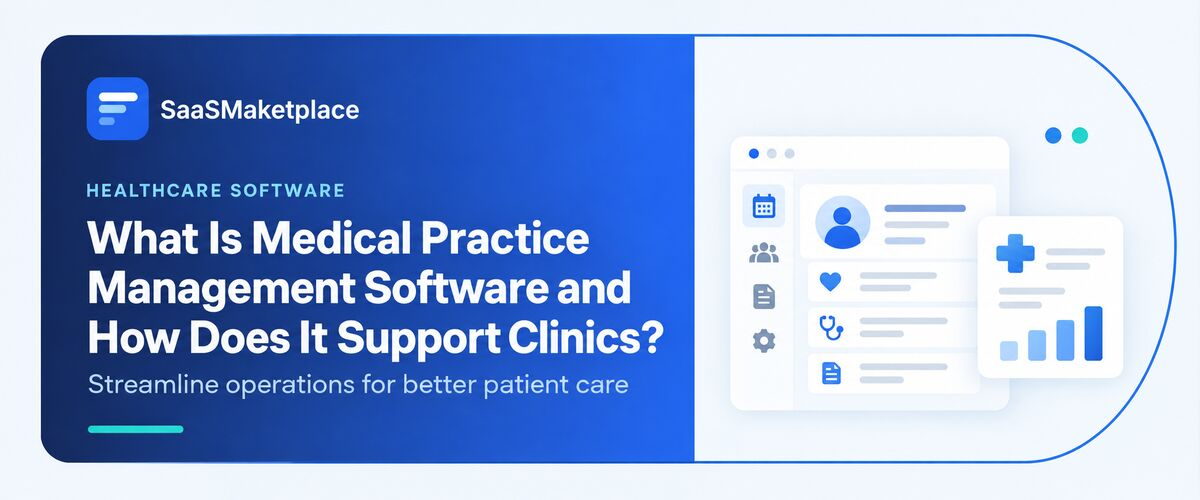
Practice management software (PMS) represents business applications designed to unify the administrative and monetary aspects of operating a client- or patient-oriented office, covering scheduling, invoicing, documentation, contact, and analytics in a single platform, rather than dispersing these duties among spreadsheets, physical documents, and isolated utilities. It finds application throughout healthcare, dentistry, psychological services, animal care, law, accounting, and various other professional service environments.
 Looking for Practice Management Software? Check out SaaS Marketplace’s List of the Best Practice Management Software in the USA for your business.
The global market for these systems reflects how mainstream the category has become. Projections regarding 2026 differ depending on the specific research organization and the precise definition applied to "practice management," yet the majority suggest the health sector portion of this market falls within the range of $13 billion to $19 billion worldwide, maintaining consistent double-digit yearly expansion into the early 2030s as cloud integration and artificial intelligence-based automation broaden platform capabilities. Within dentistry alone, a single industry report indicates that practice management software utilization reaches 96% among U.S. dental office, simplifying this represents a mature rather than developing technological solution.
What Practice Management Software Actually Does
Rather than being a single tool, PMS is usually a suite of connected modules covering:
- Appointment scheduling : calendar management, online booking, automated reminders, and waitlist handling
- Billing and invoicing : generating invoices, processing payments, and tracking accounts receivable
- Client or patient records : contact details, history, intake forms, and case or chart notes (non-clinical, in healthcare settings)
- Insurance and claims processing : eligibility checks, claim submission, and denial tracking (healthcare and dental specifically)
- Reporting and analytics : dashboards on revenue, utilization, no-show rates, and staff productivity
- Document management : secure storage for contracts, consent forms, and correspondence
- Communication tools : patient or client messaging, recall campaigns, and portal access
How Practice Management Software Works
Currently, most systems used to manage practices operate via cloud-hosted subscription models known as SaaS instead of being installed locally on servers. Based on fresh market studies, cloud setups represent about 55 percent of the total market for practice management tools, with projections indicating their growth will outpace that of traditional on-site installations moving forward.
Here's the practical reason cloud delivery has won out: regulatory and payer rules change constantly. Insurance billing codes get revised, tax rules shift, and compliance requirements evolve. A cloud vendor pushes those updates centrally, so a practice never has to manually patch its own server to stay compliant. On-premises systems still exist and still make sense for some organizations particularly ones with strict data-residency requirements or already-sunk infrastructure but they now carry more maintenance burden relative to the cloud alternative than they did five years ago.
Underneath the interface, practice management software typically works through:
- A central database holding client/patient records, appointments, and financial transactions
- Integrations with other systems clinical records (EHR/EMR), accounting software, payment processors, and insurance clearinghouses usually via APIs or healthcare-specific data standards like HL7 and FHIR
- Role-based access controls so a receptionist, a biller, and a provider each see only what's relevant to their job
- Automated workflows that trigger actions a reminder text 24 hours before an appointment, a claim resubmission after a denial, a recall notice six months after a cleaning
Practice Management Software vs. EHR vs. CRM: What's the Real Difference
This is where a lot of buyers get confused, and where a lot of competing articles gloss over the nuance. The three categories overlap in vendor marketing but serve genuinely different jobs.
|
System |
Primary Purpose |
Who Uses It Day-to-Day |
Typical Data It Holds |
|
Practice Management Software (PMS) |
Runs the business side: scheduling, billing, admin workflows |
Front-desk staff, billers, office managers |
Appointments, invoices, insurance claims, contact records |
|
EHR/EMR (Electronic Health/Medical Record) |
Documents clinical care |
Clinicians, nurses, clinical staff |
Diagnoses, treatment notes, prescriptions, lab results |
|
Manages relationship and communication with patients as "customers" |
Marketing and patient engagement teams |
Communication history, referral sources, satisfaction data, marketing campaign data |
Who Actually Uses Practice Management Software
- Medical practices: Primary care, specialty clinics, and multi-provider groups use PMS primarily for insurance billing, claims management, and scheduling across multiple providers and locations. This is the largest and most mature segment of the market.
- Dental practices: Dental-specific PMS handles imaging integration, treatment plan tracking, and recall scheduling alongside billing. Solo and small dental practices actually make up the majority of this segment. One 2026 market analysis puts solo practices at nearly 59% share of the dental PMS market, which runs counter to the assumption that only large dental service organizations (DSOs) invest heavily in this technology.
- Behavioral health and mental health practices: These practices lean heavily on PMS for appointment scheduling (no-show rates tend to run higher in this specialty) and for handling the specific billing complexities of session-based, time-limited care.
- Veterinary practices: Functionally similar to medical PMS, but built around patient records for animals, multi-pet households, and often retail/pharmacy add-ons for medications and food.
- Law firms: Legal practice management software centers on matter management, trust accounting (which has strict compliance requirements around handling client funds), document automation, and time-based billing. It's less about insurance claims and more about defensible, auditable billing records.
Accounting and bookkeeping firms: Used to managing the intricacies of client engagements, particularly around deadlines (tax season, etc.), documents, and time across multiple client accounts at once.
Wellness, chiropractic, physical therapy, and med spa businesses: Often looking to handle online booking, tracking of memberships and special offers, POS, in addition to the core scheduling/billing features.
Consulting and other professional services firms: Looking to track billable hours, project status, and deliverables against clients often share significant overlap with project management solutions.
Small Practice vs. Enterprise: Different Needs, Different Software
|
Factor |
Small/Solo Practice |
Enterprise/Multi-Location Practice |
|
Priority features |
Simple scheduling, basic billing, low learning curve |
Multi-location reporting, role-based permissions, advanced compliance controls |
|
Deployment |
Cloud-based, subscription pricing |
Cloud or hybrid, often with dedicated implementation support |
|
Integration needs |
A handful of integrations (payments, one EHR) |
Deep integration across EHR, HR, accounting, and business intelligence systems |
|
Budget consideration |
Per-provider monthly pricing, minimal upfront cost |
Enterprise licensing, negotiated contracts, dedicated account management |
|
Implementation timeline |
Days to a few weeks |
Several months, often phased by department or location |
How Practice Management Software Fits Into a Practice's Broader Software Stack
PMS rarely runs in isolation. In most real-world setups, it sits alongside and increasingly integrates with several adjacent categories:
- Accounting software (like QuickBooks or Xero) for general ledger and tax reporting, since most PMS tools handle practice-specific billing but aren't full accounting systems
- Payroll software for staff compensation, which is typically a separate system entirely, since PMS is built around client/patient billing, not employee pay
- HR software and HRIS software for staff records, onboarding, and time-off tracking in larger practices with dedicated HR functions
- Business intelligence software for practices that have outgrown the built-in reporting dashboards and need to blend PMS data with data from other departments
- Project management software in professional-services contexts like law and consulting, where matter or engagement tracking overlaps with general project workflows
Benefits And Where They Actually Show Up
- Fewer denied claims: Automated eligibility checks catch coverage issues before a service is even rendered, rather than after a claim bounces back weeks later.
- Reduced no-show revenue loss: Automated reminders and, increasingly, predictive no-show flagging directly protect the schedule arguably the single most valuable asset a practice has.
- Faster collections: Centralized billing with online payment options shortens the gap between service delivery and payment.
- Administrative time recovered: Front-desk staff spend less time on manual data entry and phone-based insurance verification, which either reduces staffing costs or frees existing staff for higher-value patient/client interaction.
- Better visibility for owners and managers: Dashboards make it possible to see utilization, revenue trends, and staff productivity without manually compiling reports.
Hidden Challenges Most Buyers Don't Anticipate
Beyond the obvious cost-of-software question, a few challenges tend to surprise practices after they've already signed a contract:
- Data migration is harder than it looks: Moving years of patient or client history from an old system (or from spreadsheets) takes weeks to get through, requiring manual clean-up, not a simple import.
- Staff resistance slows adoption:Long-tenured front-desk staff who are quick on their feet with the old (if flawed) system tend to push back against new workflows for far longer than most would expect.
- Integration gaps cause duplicate work: If the PMS doesn't cleanly integrate with the practice's EHR or accounting software, staff end up entering the same information twice which defeats much of the point.
- Compliance responsibility doesn't transfer entirely to the vendor: By selecting a HIPAA-compliant practice management system, an organization does not guarantee that it will also be HIPAA-compliant.
- AI features vary widely in maturity: Some companies may engage in deceptive advertising by labeling a variety of functions as AI, when, in fact, they are only moderately advanced. It is essential to contact the vendor to clarify what specific data the AI-driven feature was trained on and ask for a detailed description of its functionality before purchasing.
Common Mistakes When Choosing Practice Management Software
- Choosing based on price alone and discovering later that add-on modules (claims clearinghouse fees, extra user seats, premium support) push the real cost well above the advertised rate
- Skipping a trial period with actual staff involved, then discovering the interface doesn't match how the front desk actually works
- Underestimating training time and going live without a transition buffer
- Choosing an all-in-one platform for a specialty need it doesn't actually support well (e.g., generic medical PMS for a behavioral health practice with very different billing cycles)
- Not asking about data ownership and export options before signing a detail that matters enormously if the practice ever wants to switch vendors later
What to Evaluate Before Choosing a Solution
Buyers get better outcomes when they ask vendors specific questions rather than relying on feature checklists:
- What does the pricing structure look like at 2x and 5x current patient/client volume?
- Which specific systems does this integrate with out of the box, versus requiring custom development?
- What's the average implementation timeline for a practice our size, based on recent customers?
- How is data exported if we switch vendors later?
- What's included in support, and is it available during the hours our front desk actually operates?
- For AI-powered features specifically: what's the accuracy rate, and can we see it applied to our own historical data before committing?
Where the Category Is Headed
A few developments are shaping practice management software heading into the back half of the decade:
- AI moving from add-on to default: Predictive scheduling, automated claims scrubbing, and AI-assisted documentation are increasingly built into core platforms rather than sold as separate modules.
- Deeper interoperability expectations: Practices are less willing to accept systems that don't talk to their existing EHR, accounting, or HR tools data silos are becoming a dealbreaker rather than an inconvenience.
- Consolidation around specialty-specific platforms: Rather than one generic PMS trying to serve every industry, vendors are increasingly building dedicated versions for dental, behavioral health, veterinary, and legal use cases with workflows tailored to each.
- Continued cloud dominance: On-premise deployment continues to shrink as a share of new purchases, driven by lower maintenance burden and easier regulatory-update handling.
Conclusion
Practice management software solves a variety of issues related to the management process of a medical, legal or any other professional practice. It serves to automatize billing, scheduling, claims, and communication with clients, thus saving revenue and reducing no-shows and overall administrative costs. Though it is quite easy to organize a small cash-based practice, the use of practice management software (PMS) in cloud-based practice is mandatory once a business grows. The choice of the software and proper training of employees should be made to ensure the stability and high performance of the practice.
FAQ's
No. Practice management software handles administrative and financial tasks like scheduling and billing, while an EHR documents clinical care. Many practices use both, sometimes as a combined platform and sometimes as separate integrated systems.
Not always immediately. A solo provider with simple billing can often manage without it, but most practices reach a point typically when adding a second provider or dealing with insurance billing where manual tracking starts causing real errors and lost revenue.
Pricing usually follows a per-provider or per-user monthly subscription model, though exact costs vary widely by industry, feature set, and vendor. It's worth confirming what's included versus billed separately, such as claims clearinghouse fees or premium support.
Reputable healthcare-focused vendors build their cloud platforms to meet HIPAA requirements, but the practice itself still shares responsibility for compliance through staff training, access controls, and internal policy the software alone doesn't guarantee compliance.
Generally not fully. Basic PMS platforms often include simple communication tools, but a dedicated healthcare CRM is built specifically for patient engagement, marketing, and relationship tracking in more depth than most PMS platforms attempt to cover.