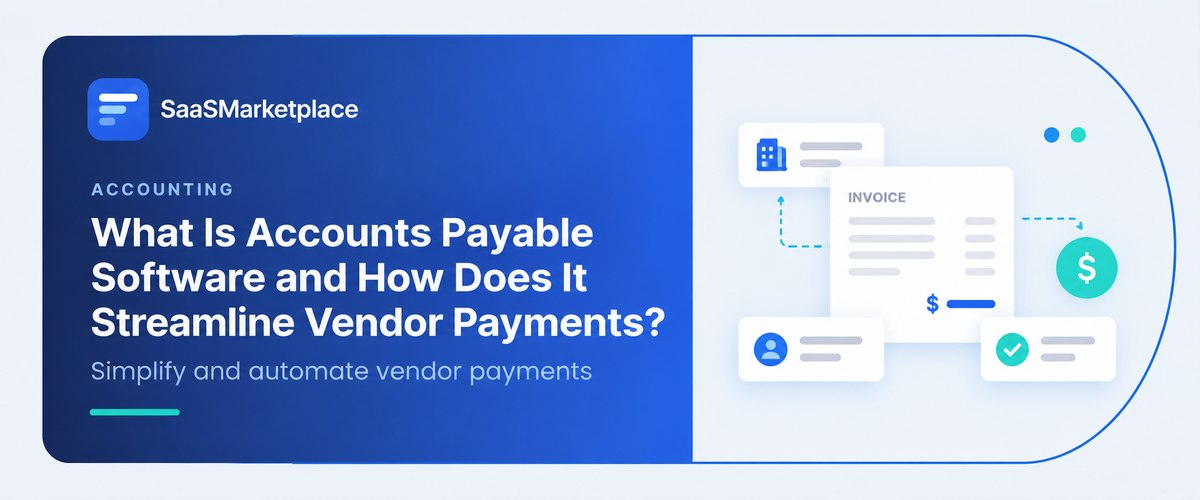
What Is Accounts Payable Software and How Does It Streamline Vendor Payments?
-min.jpg)
Every business has bills to pay, and every business has a boss. And every business must pay those bills to somebody. That's what accounts payable is all about. Managing and processing outgoing payments such as invoices, bills, or any other form of payment. But this AP (Accounts Payable) can be a difficult process to manage, especially for small and medium-sized businesses (SMBs). It's easy enough when you have 5 invoices to process each month, but life gets complicated when you get up to 50 or 500.
Invoices get buried in email inboxes, approvals get lost in translation, and suddenly you're writing a check to the same vendor twice because no one can find the first one.And that's where accounts payable software comes in handy: for businesses that regularly send out payments to vendors and other third parties. Software puts an end to spreadsheets, emails, and filing cabinets by putting everything in one place, where your team can process and track every single payment from start to finish. With the right solution, you can also:
- Capture invoices automatically from email or uploads
- Read invoice data using OCR and AI
- Route invoices to the right approver
- Match invoices to purchase orders and receipts
- Schedule and send payments by ACH, check, wire, or virtual card
- Sync everything with your general ledger
How the Manual AP Process Falls Short
Data entry errors: Manually entering the information from the invoice may result in data entry errors, incorrect amounts, and even duplicates. One wrong digit in the amount field and you will have to spend a lot of time and effort to recover the overpaid amount, and the presence of duplicates will become known to you only when the supplier points this out.
Delayed approvals: With paper invoices or long approval chains in emails, the invoice may linger for several days in the approval process. The person approving the invoice may be away on vacation, in meetings, or simply unavailable, and the invoice may go unnoticed until the supplier calls asking where the invoice is.
Late payments: Late payments can poison relationships with suppliers and indirectly increase costs since many suppliers use escalating late payment penalties. In addition, suppliers may suffer from the inability to quickly find free capacity, which increases the risk that they will favor other buyers in the shortest time.
Missed discounts: Many suppliers provide a discount for early payment, for example, 2 percent if the invoice is settled within ten days from the date of the invoice; otherwise, the full amount is due within thirty days. Without access to the necessary information about which discounts are available and when they expire, it is difficult to use such offers.
Fraud risk: Fake invoices and altered bank details are common tactics used against businesses of every size. Manual processes make them harder to catch because there is no consistent check against approved vendor records.
Poor visibility: It is hard to forecast cash flow when you do not know what is waiting for approval. Owners and controllers end up making decisions with an incomplete picture of what the business owes.
How Accounts Payable Software Streamlines Vendor Payments
1. Automated invoice capture
Instead of having to type up every invoice received, the software can extract the relevant information from a scan or email. A business can see information such as the vendor's name, invoice number, dates, items, and amount on the invoice. The software will learn the vendors it sees most frequently, and the correction rate will improve with every invoice. This reduces the amount of manual data entry dramatically.
2. Smart approval workflows
You set the rules once, for example, "anything over $5,000 goes to the finance manager." The software then routes each invoice automatically and sends reminders when something is waiting too long. Approvers can sign off from their phone, which removes one of the most common causes of delay. Rules can also reflect your structure, such as sending department expenses to the department head first.
3. Two-way and three-way matching
The software can compare an invoice to a purchase order and a receipt. It will alert managers if the amount or item listed on the invoice does not match, ensuring that a company does not overpay. This feature is one of the best ways to prevent fraud, as it will not allow a company to pay for goods that were not requested or received. Instead of having to review every line of an invoice, the person reviewing it only needs to look at the differences between the invoice and what was actually ordered. Some systems offer three-way matching to detect differences in quantity as well.
4. Flexible payment options
Almost all software offer multiple payment options, such as ACH, check, wire, and virtual card, to pay a vendor. It is also possible to schedule payments to arrive at a specific date to take advantage of early payment discounts or pay right on time. Some software also allow vendors to choose how they would prefer to be paid, reducing the number of questions and checks that have to be sent by mail.
5. Real-time cash flow visibility
Since all invoices are reviewed and processed by the software, it always knows what is due to whom. This allows for better cash flow management and makes budgeting less difficult. Instead of guessing at what a business owes for a given period, owners and controllers can rely on the software to have accurate information regarding payments.
6. Built-in compliance and audit trails
Every action taken on an invoice is stored, including what approvers did and when. When an auditor asks for information on a payment that was made 8 months ago, the person responsible for compliance only needs to open up the invoice in the software to retrieve the necessary information. For businesses based in the United States, many systems offer 1099 and W-9 management, which makes tax season simpler.
Key Features to Look For
|
Core Feature |
Strategic & Operational Value |
|
AI Ingest & OCR Data Capture |
Automated extraction of invoice data eliminates manual entry, dramatically reducing processing cycles and human error. |
|
Custom Approval Workflows |
Configurable, multi-tiered authorization paths enforce internal spending controls and governance policies. |
|
Automated Purchase Order (PO) Matching |
Multi-way matching automatically verifies invoices against POs and receipts to prevent unauthorized or duplicate payments. |
|
Multi-Channel Disbursement Options |
Supports diverse vendor preferences (ACH, virtual card, wire, check) to optimize working capital and capture early-payment discounts. |
|
Self-Service Vendor Portal |
Grants suppliers real-time visibility into invoice approval and payment statuses, reducing inbound support inquiries. |
|
Tax & Compliance Management (1099/W-9) |
Streamlines US tax compliance through automated TIN matching, digital W-9 collection, and year-end 1099 generation. |
|
Bi-Directional Accounting / ERP Sync |
Real-time synchronization with primary financial systems prevents redundant data entry and maintains ledger integrity. |
|
Enterprise Security & Access Controls |
Enforces SOC 2 compliance, end-to-end encryption, and role-based permissions (RBAC) to safeguard financial assets. |
|
Spend Analytics & Reporting |
Delivers actionable visibility into cash outflow trends, vendor performance metrics, and early-payment savings opportunities. |
How AP Software Fits Into Your Wider Accounting Stack
Accounts payable rarely works in isolation. The software fits into a larger accounting ecosystem and the choice depends on the type of business a company operates as. Here is an overview of how it fits with other accounting software.
Accounting software: An accounting system is the foundation of a financial system and is responsible for recording transactions, producing financial statements, and maintaining the general ledger. The accounting system integrates directly with almost all AP software, so that when an invoice is approved, it appears in the general ledger without needing to be entered manually.
AI accounting software: Newer accounting systems utilize AI to categorize expenses, recognize duplicate invoices, identify issues, and recommend categories for each invoice. It reduces the amount of work while identifying potential problems, but a human still needs to review any discrepancies or unusual invoices.
Online accounting software: This cloud-based accounting system is used by CPAs, controllers, and bookkeepers to work with a company remotely. Small and mid-sized businesses in the United States typically use this method, which makes it easier to integrate AP software.
Payroll accounting software: Payroll is a type of payment that has its own rules. Payroll accounting software utilizes the tax information from employees and processes their payments while putting the information into the accounting system. A good payroll system will post journal entries directly into an accounting system, so that payroll expenses appear alongside other expenses.
Fixed asset accounting software: Equipment, vehicles, and other large-scale purchases often need to be capitalized instead of being expensed. Fixed asset accounting software keeps track of these purchases, ensuring that they are properly depreciated over time.
Fund accounting software: Nonprofits, government agencies, and other entities have to keep track of funds separately. Fund accounting software ensures that expenses are categorized correctly and reconciled to fund spending, preventing compliance issues.
Trust accounting software: Law firms, property managers, and other companies hold trust money on behalf of clients, and need to keep their ledgers separate from these funds. Trust accounting software keeps these accounts separate and should be used for any system that works with trust money. Law firms and property managers in particular need to ensure that their accounting practices follow the rules of their jurisdiction. Trust accounting is often a more involved process compared to other accounting types, and should be reviewed with an accountant or CPA.
ERP software: Enterprise resource planning systems combine accounting, procurement, inventory, and human resources into one system. Many ERPs have AP modules that do everything required by separate AP software. ERP systems are best suited to large companies with complex operations, whereas smaller companies may find it more cost-effective to pair an ERP with an online accounting system.
Choosing the Right AP Software
Choosing the software is often done by first identifying needs and comparing products based on how well it fits them. Consider the following steps:
- Map out your AP process: Having an understanding of how the current AP process works will help determine the requirements. A rough estimate of how many invoices are processed every month and identifying weaknesses in the process will be helpful.
- List out the required integrations: Your AP system needs to work with the accounting system it is paired with, and understanding how it works is essential. Ask vendors how their system syncs with other systems, and what information is shared.
- Consider your industry: Nonprofits will have fundamentally different requirements than a small business consulting firm, and a law firm requires different features than a retail store.
- Ask about security: Make sure that sensitive information is encrypted and protected, and ask about third-party audits, particularly SOC 2. Protecting this information should be a priority for a business.
- Consider your budget: Compare the cost depending on the number of users and the number of invoices processed. Ask about onboarding costs and how the cost will be affected as the company grows.
- Try a demo or free trial with your own invoices: It is easy to fall in love with sample data, but the true test is working with a company's data.
- Set up a timeline for onboarding: A good vendor will support the onboarding process and respond promptly to questions.
Tips for a Smooth Rollout
Even the best software will not see adoption if a company rushes it. The following considerations will reduce the pain during the transition.
- Start with your highest-volume vendors: It will be much easier to onboard these vendors and the company will see the benefits faster.
- Clean up the vendor list before onboarding: Vendors with the same information should be removed or combined, and any dead vendors should be removed or put on hold.
- Train approvers: Since approvers are often the cause of invoice delays, a brief training on how to approve invoices on their mobile devices will shorten the approval cycle.
- Review reports each month: Reports on averages, such as time to pay and invoices stuck in the approval process, will show areas of improvement. Early payment discounts should also be reviewed to see how much they contribute to savings.
- Verify changes to bank details: Changes to bank details should always be verified by phone, using a number that is already known. A number provided on the email or invoice should never be used.
- Document the process: A simple document that shows who can approve which invoices, when payments should be made, and what to do in exceptional cases will expedite problem-solving and serve as a reference in the future.
Conclusion
Accounts payable software ensures that a company pays the right amount to the right vendor at the right time. Whether online accounting software is used, AI features are added, or a company utilizes an ERP system, the ultimate goal remains the same: a process that can be trusted. Look at the time spent by the team, and consider where improvements can be made first. Was it data entry, the approvals process, or looking for invoices that failed to be approved? After these pain points are addressed, book demos with 2 or more vendors and run the software on some of the company's invoices.
FAQ's
Accounts payable is money your business owes to vendors. Accounts receivable is money customers owe you.
Often, yes. If your team spends hours each week on invoice entry, chasing approvals, or fixing errors, automation can pay for itself in saved time and avoided mistakes. Many affordable cloud options exist for smaller teams.
It can significantly reduce risk through approval controls, duplicate detection, and audit trails. It is not foolproof, so strong internal processes still matter.
No. It works alongside it. The AP tool manages the invoice-to-payment workflow, and your accounting software holds the official financial records.