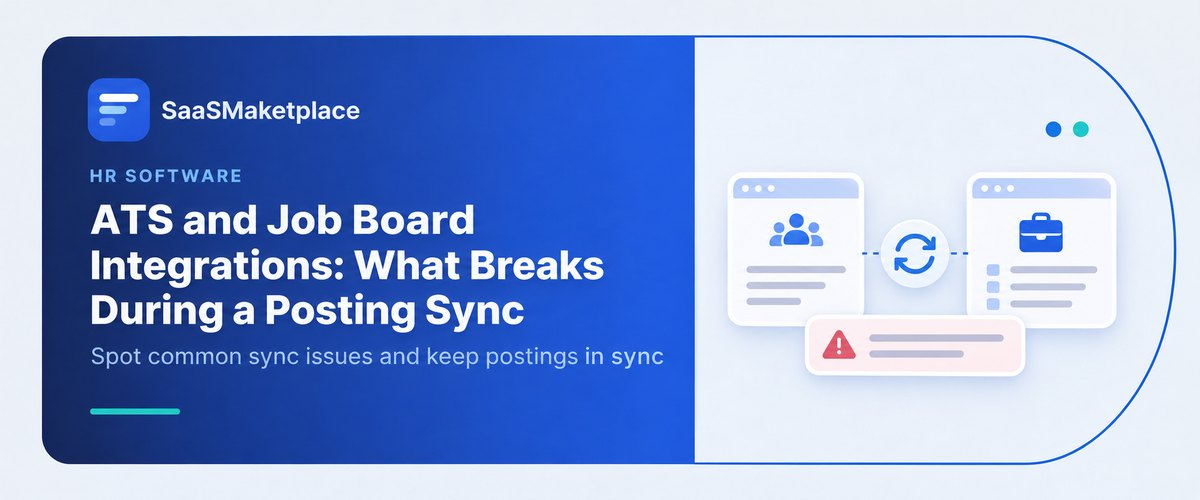
ATS and Job Board Integrations: What Breaks During a Posting Sync
-min.jpg)
Job postings that are sent from an ATS to third-party job boards appear to be a simple API call, but beneath the surface, there is a need for integration between two separate and very opinionated schemas. Even a small discrepancy in the US recruiting space, which includes varying compliance laws such as EEOC and pay disclosure laws on a state-by-state basis, along with continually changing ingestion requirements of Indeed, LinkedIn, and Google for Jobs.
What Are ATS and Job Board Posting Integrations?
Applicant tracking system (ATS) and job board integration refers to an automated link between the main internal applicant tracking system and third-party platforms used in the recruiting process. Unlike having to manually copy and paste job postings in multiple online platforms, the integration takes place using APIs or a feed of applications that automatically publishes the postings. Whenever the organization updates, edits, or closes down a job in its main hiring platform, the changes will immediately reflect on the third-party platforms.
In addition to helping in posting job opportunities, integration also helps in the flow of candidate information back into the main recruiting platform. As soon as applicants apply using the apply with one click function available on the outside site, all their resumes, details, and answers are automatically channeled into the primary hiring platform. This will help make sure that there will be no manual entry of data and also ensures that there is no record left out.
Such automation is key in modern recruiting processes in order to ensure efficiency, compliance, and reach. This will make it possible for organizations to be able to post jobs across numerous generalist, local, and niche job boards with just one click of a button. Additionally, data mapping in these integration systems makes sure that important fields, including salary range transparency, remote working status, and equal employment opportunity questions, meet all regulatory requirements in each region, without having to make changes manually on each channel.
Did You Know?
Up to 70 percent of job feed synchronization issues are silent. Whenever a job board receives a job posting with an unformatted tag or an unmapped custom field, there is always a high likelihood that the job posting will be deleted without even notifying the user about it. Consequently, recruiters can spend days and weeks assuming that a particular urgent requisition is attracting candidates when it is not.
How Job Board Syncs Work Behind the Scenes
- Trigger or Schedule Start of the Process
Normally, it can trigger the process in one of two ways: a trigger from something happening in the ATS, such as the recruiter logging into the ATS and creating/ updating/closing the job requisition, or a background job run on a schedule (normally every 15 to 60 min). Ideally, you should indicate the change in ATS job status or audit log to Published or Sync Pending. This will be a clear indication that the process has been triggered.
- Data Collection and Payload Preparation
ATS collects all the data needed to post the job basics (job title, job description, and skill set) along with location data (city, state, zip code, and remote work designation), and compliance data (compensation range transparency and equal opportunity statement). Check ATS developer console outgoing payload logs. The data should contain all the necessary fields with valid data in proper format.
- Field Mapping and Schema Transformation
Now, the ATS has to reshape all that info from its own database format into whatever specific format the job board expects. That means turning plain text data into standardized keys, mapping to the correct taxonomy terms, and formatting everything using clean HTML so it’ll display properly. Run the payload through an XML or JSON schema validator and double-check the data tags are exactly what the job board requires no mistakes or formatting errors.
- Authentication and API Transfer
The ATS transfers the transformed data payload to the job board via an API (REST/GraphQL API calls via HTTP POST/PUT with OAuth/API token header) or via an XML feed file uploaded to a secure server. The response from the API should have an HTTP 200 OK or 202 Accepted response code, or the XML feed file’s timestamp on the server has been updated.
Why Job Listings Fail to Post or Update Correctly
1. Required Data Is Missing or Inconsistent
- Unmapped Custom Fields: If a job board needs specific structured data like job type or salary range but that info is left out or labeled using inconsistent terms in the source system, the destination system might just reject the whole batch.
- Location Formatting Issues: Job listings that don’t list a city, state, or zip, say, those simply marked as Remote or Flexible, can trigger location validation errors in the new system since jobs are usually sorted by region.
- Noncompliance with Pay Transparency Regulations: Plenty of job boards will automatically pull job postings that skip out on the required salary info mandated by area laws.
- Failure to Meet Pay Transparency Rules: Several job boards automatically drop job postings if there is no structured data for salary to meet the regional regulations.
2. Formatting and Payload Problems
- HTML Validation Failures: Content formatted with inline styles, table structures, or non-standard Unicode will conflict with payload restrictions, resulting in ingestion failure.
- Duplicate Listings: Systems employ algorithms for automatically dropping duplicates of listings. If there is a duplicate posting on the job board from other sources or a web scraper, then the new update posted via the direct connection will get rejected as a duplicate.
3. Technical & Systems Infrastructure Problems
- Expired API Authentication: API keys may expire and thus break the line of connection between the two systems without any notification to recruiters.
- Feed & Caching Lags: Batch XML feeds typically run on periodic schedules of 4 to 24 hours. Any delay in feed generation or indexing on the other side causes lags.
- Silent Dropping: Most job boards use silent dropping and send back low-priority rejections for certain attributes that have failed the test, so the sender will get the job marked as pushed.
How Missing Fields and Formatting Cause Sync Errors
Rejection on API & Database Validation Errors
- If you miss out on key fields, say, job title, contact email, or employment type- the database won’t waste any time; it’ll just reject the payload on the spot.
- The server fires back with a 400 Bad Request or a 422 Unprocessable Entity error. Basically, your job posting is toast and won’t make it in.
Elimination of Taxonomy and Classification Systems
- Skip essential category info like industry or SOC code, and search algorithms won’t know what to do with your data.
- Sure, the job listing syncs just fine. But you won’t find it in any search results, because it can’t be slotted into the right category.
Filtering for Regulatory Compliance
- Leave out state-required fields (salary range, compliance tags, etc.), and you’re not meeting regionally required data rules. That’s a quick way to hit a wall with regulatory compliance.
Moderation bots will detect the error and shadow-ban the posting upon ingestion.
- Foreign key fields such as department_id or location_id stop the destination platform from connecting the posting with an existing company account.
- When this happens, the posting can’t be ingested because there’s a missing reference, and you’ll see an error.
Understanding API Rate Limits and Token Expiration
1. How Expired Tokens Lead to Authentication Issues
The process is contingent upon secure tokens used for authenticating (such as OAuth 2.0 access tokens or API keys) that indicate whether the source system has authorization to post the posts.
- Expired Authentication Tokens: Such tokens have an expiration period that can range from an hour to 30 or 90 days.
- If the automatic token refresh fails, or if an admin changes account credentials and doesn’t reauthenticate the integration, following API calls just won’t go through.
- HTTP 401 Unauthorized & 403 Forbidden Errors: When a token runs out, the job board’s security gate blocks those requests from reaching the posting engine.
- Stopping Syncs of All Listings: Contrary to field-level failures that only affect a specific posting, a token expiry failure will cause 100% of all requests for jobs, updates, and deletions of candidates to be rejected universally.
- Queueing & Dropping of Events: In the absence of a persistent retry queue in the sending system in case of an auth outage, updates such as closing a filled job will be dropped forever, resulting in listings.
2. API Rate Limiting (Throttling)
API rate limits (such as a maximum of 100 API calls per minute, or 10,000 per day) are imposed to prevent abuse from automated bots and to avoid server overload.
- Bulk Syncs: A bulk operation, where an enterprise system uploads or updates hundreds of jobs simultaneously (or periodically synchronizes a batch of jobs), may violate the job board's request limit.
- Too Many Requests HTTP 429: Once the maximum number of requests is exceeded, the receiving API returns the HTTP 429 code and stops sending the data until the time window elapses.
- Data Out-of-Sync: The data would be out-of-sync because the first request to create a job would exceed the rate limit while other requests (updating/deleting) would succeed after the first one.
- Job Attributes Out-of-date: Exponential backoff algorithms would be implemented to retry the requests; thus, the job attributes would be outdated (salary, locations) by several hours after the first request was made.
How HR Teams Can Quickly Troubleshoot Broken Postings
1. Check the Integration Audit Log:
Go to the integration audit log or integration page in your ATS for the job posting ID.
Verify for any status codes, particularly 400, 401, 422, and look for any errors, especially the missing required field: salary_min.
2. Remove Formatting, Special Characters and Other Errors:
If a parsing error is flagged, view the job posting in your ATS, paste the content in a plain text editor like Notepad to strip away all HTML/CSS formatting, and re-paste in your ATS.
Make sure that all line breaks are maintained when previewing the job posting.
3. Check Core Schema and Compliance Tags
Make sure that all the mandatory tags are properly filled out using standard inputs; for instance, all salary range and employment type tags such as FULL_TIME, PART_TIME, and city/state/postal codes instead of remote locations. Save the requisition changes and ensure that all the mandatory tags are marked with green check marks.
4. Trigger Re-sync & Auditing the Listing in External Search
Press the Force Sync or Re-publish button on the posting screen to override batch feed schedules. Conduct a search for the job title and location directly on the destination website from an incognito browser tab to verify the posting is active.
Conclusion
The successful operation of job board integrations depends upon tight schema matching, proper API authorization, and exact compliance fields. In case of a breakage of any of these links in the chain of data, the open requisition falls out of the search feed silently. Manually fixing missing fields and unmapped tags consumes significant recruitment time. Hence, to avoid sync issues and integrate seamlessly into your tech stack, the discovery of suitable software infrastructure becomes imperative. Platform teams can visit SaaS Marketplace to identify, research, and procure best-in-class HR technologies, ATS, and automated integration systems.
FAQ's
Sync failures typically happen due to API credential expiration, mapping errors in required fields, or mismatched formatting rules between platforms.
Return syncs usually break when candidate parsing rules fail, required custom questions are missing, or webhooks/API endpoints time out during application submission.
It breaks because job boards often use rigid, standardized field structures that cannot interpret custom ATS field types, dropdown options, or mandatory conditional logic.
Yes, unsupported HTML tags, custom CSS, or copy-pasted rich text characters from word processors can trigger API parsing errors and prevent the posting from publishing.
Teams can prevent failures by setting up automated API error log alerts in the ATS, running quarterly field-mapping audits, and regularly testing real-time application flows on major job boards.