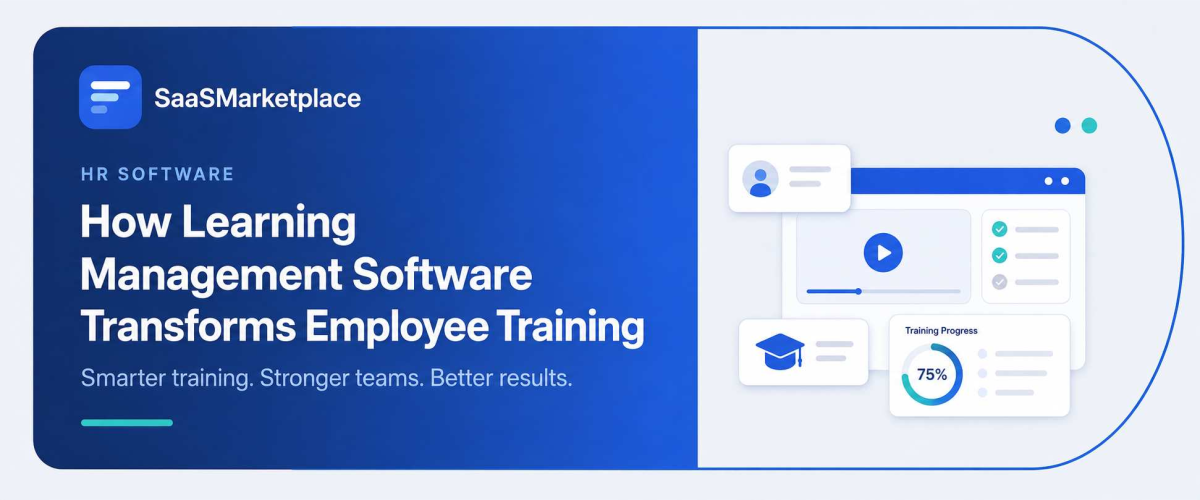
How Learning Management Software Transforms Employee Training
-min.jpg)
The advent of modern Learning Management Systems (LMS) has fundamentally changed the approach to corporate training, which has become a disjointed set of occasional seminars and has turned into constant, highly data-dependent, and calculative training of the workforce. Organizations in the U.S. have gathered all learning materials in one cloud-based center and are now able to onboard new remote employees, ensure full compliance across the organization, and facilitate self-paced training for employees. Thanks to the automatic performance tracking and immediate analysis, LMS handles these tasks instead of labor-intensive human involvement.
What Is Learning Management Software?
Learning Management Software, commonly called an learning management software HR, is basically a digital platform that kind of acts as the main hub for all corporate training and educational programs. Instead of working with scattered spreadsheets, printed manuals, or those disconnected slide decks, an LMS gives organizations one secure portal where they can create, deliver, organize, and manage learning materials. Employees can log in from anywhere to finish interactive courses, view training videos, do assessments, or jump into virtual classrooms. At the same time, instructors and managers can build curricula and assign modules that are suited for specific roles pretty straightforwardly, though it can feel a bit flexible depending on the setup.
An LMS kind of automates the whole heavy lifting around training administration, and also provides the data that sort of proves it actually works. The software keeps tabs on each employee's progress in real time, while automatically watching completion rates, quiz scores, and mandatory compliance certifications. For HR folks and business leaders, that means quick visibility into skill gaps across different departments and easier compliance auditing, so the risk of expensive regulatory fines is reduced. When manual training tasks get swapped for automated, trackable workflows, an LMS helps companies grow their workforce development in a cleaner, more efficient way.
How Does Learning Management Software Improve Employee Onboarding?
An LMS can honestly speed up employee onboarding, turning what kind of a chaotic admin sprint into something that feels more organized, you know, at least a bit. And yeah, it can be self-paced too, like a digital journey, I guess. From day one, new hires get quick access to one centralized portal with everything they need. Company policies, role-focused training modules, and those intro videos are all sitting right there
And when the platform handles those routine administrative tasks, it kind of HR teams and hiring managers from manually chasing the paperwork trail all the time. It also makes it easier to reschedule those basic orientation sessions. Those automated workflows cover course assignments, send progress reminders, and flag any pending compliance forms so managers can redirect their attention toward more people-centered moments like one-on-one coaching, quick team introductions, and hands-on skill practice that builds rapport early on
Real-time tracking and assessment tools give a kind of clear visibility early on into how a new hire is doing and what they really understand right away. From the very start, managers can spot where someone does well, or where they kind of stumble, even in those first days. Then they can offer targeted help sooner, rather than waiting until small knowledge gaps turn into bigger performance blockers. It’s a more forward-looking rhythm that tends to lift confidence, lowers early turnover rates, and shortens the whole time it takes for new employees to become fully productive team members.
How Does Learning Management Software Support Compliance Training in the US?
- Automated Recertification Schedules: keep state and federal mandatory refreshers on track, like California’s bi-annual harassment training or annual OSHA updates, and then re-enrolls employees automatically before their certifications time out.
- Audit-Ready Documentation: Creates real-time, time-stamped completion logs along with official certificates, so you can show compliance quickly during regulatory audits, by agencies like the EEOC, OSHA, or HHS.
- Location-Based Regulatory Mapping: Assigns state, local, or industry-level modules automatically based on where the employee is located, so multi-state US teams still meet the different legal rules without all the manual back and forth.
- Version Control and Instant Updates: it keeps training materials fresh by pushing the revised modules enterprise-wide the moment regulatory policies, corporate guidelines, or even state laws shift.
- Role-based Assignment Logic: it automatically sends the right mandatory courses like HIPAA for healthcare roles or FLSA manager training management, based on job title, and yeah, it helps eliminate the annoying manual assignment mistakes too.
- Proactive Non-Compliance Alerts: it fires automated reminders to employees, and if training is overdue, it escalates those alerts up to managers. So compliance gaps don’t sneak in quietly then turn into costly fines, all because nobody noticed in time.
How Does Learning Management Software Personalize Employee Learning Paths?
- Role-Based Curriculum Mapping: This automatically assigns kind of tailored learning paths the moment an employee’s job title, department, or seniority level changes inside the HR system (for instance, you can get dynamic tracks for brand new managers vs. individual contributors, depending on what updates).
- AI-Driven Skill Gap Analysis: It compares what someone already knows against the career targets they’re aiming for by using self-assessments, manager feedback, and diagnostic quizzes too, then it suggests custom courses to help bridge the specific gaps that show up.
- Adaptive Learning Speeds: Lets employees jump past the basic material they already mastered, using diagnostic pre-assessments, and then move through advanced topics at their own pace without feeling rushed or stuck.
- Format & Modality Customization: Provides varied ways to consume content, like short microlearning videos, interactive scenarios, downloadable guides, or even podcasts, so workers can pick the format that fits their day and their learning preference in a more natural way.
- Goal-Oriented Career Pathways: Let employees choose what they’re aiming for next, like a future role or target promotion inside the system, which then quietly threads together the specific certifications, abilities, and even modules they need to qualify for those internal moves.
- Continuous Behavioral Feedback Loops: Watch how the employee engages with the content where they bounce out, where they score high, or where they go looking for extra help; then it reshuffles the later module recommendations in real time, based on that pattern and a few signals in the background.
How Does Learning Management Software Track Training Progress and Performance?
Goal-Oriented at the individual level, an LMS keeps logging operational metrics like course progress, assessment grades, completion duration, and active participation. It also runs built-in quizzes and hands-on evaluations to check understanding right away, and it marks which exact concepts feel harder for a learner, so managers can step in with more targeted help before performance gaps start affecting daily work.
At the organizational level, automated reporting tools kinda turn raw learning metrics into actionable business intelligence. HR leaders can observe department-wide compliance levels, gauge course effectiveness, and follow skill growth across groups; then it generates audit-ready records that connect training completion to ROI and overall business results.
Beyond simple completion records, modern LMS platforms use predictive analytics and skill mapping dashboards to connect employee assistance learning with core business results. When training metrics get tangled up with real job performance signals like customer satisfaction scores, sales quotas, or fewer operational mistakes, executives can more easily get a clearer view of which learning investments actually bring the best return. This sort of high-level sightline helps organizations notice potential candidates who are already set for a promotion, answer expanding skill gaps before they start to pinch productivity, and keep tuning the workforce development plan using live performance data.
How Does Learning Management Software Reduce Training Costs for US Businesses?
Learning Management Software (LMS) significantly cuts corporate training expenses by transitioning traditional, high-overhead instruction into scalable digital environments.
- Cutting Travel and logistics expenses: Instead of sending people off-site for seminars, we move to digital delivery, which keeps money in the budget on employee flights, hotel nights, per diem funds, venue rentals, and even all the physical catering.
- Less printed stuff: We digitize every handbook, guide, and software testing module, so there are no more recurring costs tied to paper, binding, shipping, or storage in some dusty warehouse or closet.
- Smaller instructor costs: Firms can have experts record sessions once, or just purchase a standardized e-learning course package one time, then reuse it endlessly. That reduces the need for pricey third-party vendor hours.
- Reduced downtime on the job: We swap full-day away workshops for shorter self-paced microlearning snippets, so daily billable time stays intact, and the main operational output doesn’t take a hit.
- Reduced Regulatory and Audit Penalties: automated completion records help keep organizations away from expensive legal consequences, non-compliance charges, and the litigation bills that show up when mandatory certifications get missed, or never actually get finished
- Lower Employee Turnover Costs: structured e-learning journeys speed up the time to full productivity for new hires, and they also strengthen retention, saving thousands per person on re-hiring and onboarding expenses, instead of letting it drag on
How Does Learning Management Software Enable Remote and Hybrid Workforce Training?
- Anytime, Anywhere Accessibility: Cloud-hosted platforms let remote employees tap into training courses, policy documents, and learning resources 24/7, on desktop, tablet, or mobile devices, kind of anywhere really.
- Asynchronous Learning Support: Lets team members across different time zones finish mandatory training and professional growth at their own tempo, no need for live, calendar-based sessions.
- Seamless Virtual Classroom Integrations: Ties in with video conferencing tools to run live webinars, virtual workshops, and Q&A moments straight inside the LMS platform, without extra jumping around.
- Centralized Digital Onboarding: Gives new remote hires a structured digital orientation portal right from day one, swapping in-person introductions for video modules, virtual handbooks, and automated checklists.
- Real-Time Remote Progress Monitoring: Gives managers full visibility into completion rates, assessment scores, and sales engagement levels for off-site staff without needing constant manual check-ins or the usual follow-up stuff every day.
- Interactive Collaboration Features: Helps distributed workers do peer-to-peer engagement and knowledge swapping via built-in discussion boards, virtual study groups, and community forums, so it feels less isolated and more connected.
- Standardized Knowledge Delivery: Makes sure all employees, whether working from home, in a regional hub, or at corporate headquarters, receive the same, compliant, and up-to-date training content consistently.
Why Should US Companies Invest in Learning Management Software?
Investing in a Learning Management System (LMS) is a strategic growth decision that equips US companies to mitigate risk, scale efficiently, and maintain a competitive edge in a fast-paced market.
- Mitigation of Legal and Regulatory Risk: Makes compliance with those complicated state and federal mandates feel less chaotic, so organizations stay protected from expensive audit fines and litigation.
- Big cut in Training Expenses: Removes venue rentals, travel per diems, in-person instructor fees, and printed materials by shifting learning into scalable digital environments, where it kind of just runs itself.
- Faster time-to-Productivity for New Hires: Speeds up onboarding using structured self-paced digital paths, so new employees turn into effective team members sooner, not later.
- Support for Remote and Hybrid Workforces: delivers consistent training that’s cloud accessible for teams spread out everywhere, across time zones, and through multi-state operations, while keeping oversight and quality intact.
- Increased Employee Retention and Engagement: It gives employees clear, personalized career progression paths and helps them grow via skill-building chances, which makes turnover less costly even when hiring is competitive and everyone is moving fast.
- Data-Driven Decision Making: It links learning completion metrics, plus assessment scores, straight to operational KPIs in the real world, so business leaders can judge training ROI with more accuracy, not guesswork.
- Agile Skill Scalability: It supports enterprise-wide rollouts of new policy updates, product know-how, or technical competencies, more or less immediately, so teams stay current with the quick shifts in industry and technology.
Conclusion
Dropping a Learning Management System in place is a strategic move; it kind of reshapes workplace learning into something more measurable for growth, compliance, and employee retention. Once the admin parts get automated and skill-building gets gathered into one single area, the teams can scale training rollouts more smoothly even while business priorities shift around a bit. If you want to streamline software procurement and lift the overall quality of your training foundation, then looking through a dedicated SaaS marketplace is a direct route to pull up options, compare them side by side, and then, from there, buy top-rated enterprise tools that actually match your day-to-day aims. Investing in the right technology means your workforce stays compliant, stays competitive, and keeps learning continuously, which also helps people stay engaged.
FAQ's
An LMS is a cloud-based software platform used to create, deliver, track, and manage employee training programs in one place.
It lowers expenses by eliminating travel, printed materials, venue rentals, and repeated instructor fees through scalable digital courses.
Yes, an LMS automates mandatory recertification schedules, tracks completion rates, and provides time-stamped reports for regulatory audits.
It gives remote staff 24/7 cloud access to self-paced learning modules, virtual classrooms, and centralized company resources from any device.
Managers use real-time dashboards and automated reports to monitor course completion times, quiz scores, and individual skill growth.