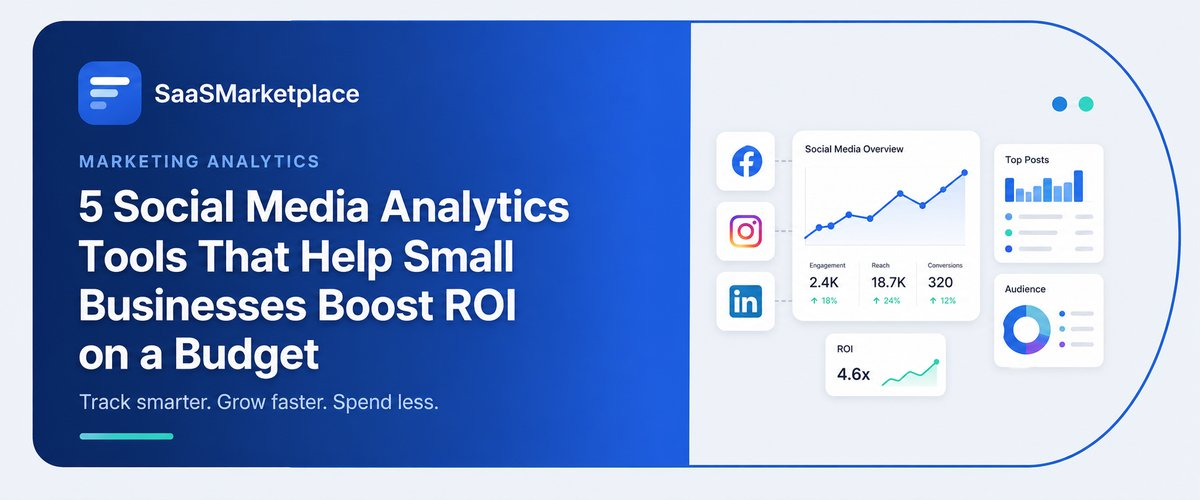
5 Social Media Analytics Tools That Help Small Businesses Boost ROI on a Budget
-min.jpg)
For small companies that are running on very tight budgets, social media marketing must be applied in a highly intelligent way and not based on guesses. Testing every post, advertisement, and video becomes vital for determining its efficiency. Thanks to social media analytics solutions, this problem is solved because they provide data on such metrics as reach and engagement rates, which saves the company's efforts and money. The best social media analytics solutions allow automation of data tracking processes and provision of useful data regarding consumers without spending much on software.
What Are Social Media Analytics Tools and Why Do Small Businesses Need Them?
Social media analytics tools are specialized software platforms that allow tracking, collection, and analysis of performance measures for the brand's online communication channels, from basic engagement metrics such as shares, likes, and comments to key performance indicators such as website traffic, sales conversions, and click rates. These programs go beyond demanding that users log in to different tools and manually extract various data into spreadsheets by aggregating data into one dashboard. They help with transforming raw figures into visual and easy-to-understand charts, thus providing small businesses with the information needed to see how their digital content is performing and who their audience is in real time.
The use of analytics tools is vital for American small businesses that want to change their social media presence from being just another expense into a lucrative revenue-generating tool in the competitive online market. When working with a small budget, wasting one’s time and money on content that doesn’t reach the intended audience is inconceivable. With the help of social media analytical tools, users can learn about successful posts, the time when the audience is online, and how ROI is calculated.
How Do You Choose the Right 5 Social Media Analytics Tools on a Budget?
- Define Key Social Media Platforms: Analyze your company’s social media presence when making a purchasing decision. If your focus is mainly on Facebook and Instagram, you may take advantage of free analytical tools, such as Meta Business Suite, to monitor the important metrics without having to buy extra software.
- Establish Primary Goals: Determine the particular goal you want to achieve (for example, brand awareness, traffic to a website, or sales in e-commerce) in order to choose an analytics tool that fits your objectives.
- Learn About Pricing Strategy: Define the pricing structure that you prefer, which can include per person, per channel, or continuous flat fee payments. Platforms such as Buffer charge $6 per channel, while others like Metricool operate with a flat pricing approach with high limits of profiles offered.
- Evaluate Software Usability and Interfaces: It is important to stay away from complex enterprise solutions difficult to adopt. Be brave enough to test a software program to make sure it is convenient and visual enough.
- Make Sure Your Software Integrates Well: Verify if the analytics system is integrated into your analytics platform, such as Google Analytics, and the e-commerce services so that you can track the entire customer journey.
How Much Do Social Media Analytics Tools Cost for Small Businesses?
- Platforms Available for Free Use ($0/month): These platforms, including Meta Business Suite, TikTok Analytics, and YouTube Analytics, are the apps native to respective social networks and are absolutely free to use. They are excellent for smaller organizations working exclusively with a couple of platforms, as these applications present direct-to-source statistics regarding reach, audience, and engagement metrics for posts.
- Third-Party Services Available for Free Use ($0/month): Companies such as Buffer, Metricool, and Later create applications that operate on a free-forever basis specifically for sole proprietors and very small enterprises. Most often, this kind of plan offers users the possibility to join not more than three social media accounting, post simple posts, and receive vital parameters about monthly performance metrics, and do it without any credit cards involved.
- Initial Budget Plans ($6 – $25/month): Entry-level paid plans provide teams with minimal access to analytical features, including custom reporting, post timing recommendations, and tracking of historical data. Providers such as Buffer, with the $6 per channel per month service, and Metricool, with just $18/month, can help with affordable scaling as soon as the small business increases the number of social profiles.
- Mid-Tier & Growth Plans ($30 – $80/month): Tailored for companies on their way up that have more than one channel in operation, tools such as Vista Social, Publer, and Agorapulse fit here. These tools deliver advanced features, including gaining insight into ROI conversion rates, benchmarking competition, and automated weekly PDF reports while ensuring affordability for small teams.
- Free External Essentials ($0/month): Platform data yields only part of the information, which is why free tools like Google Analytics 4 (GA4) are essential. GA4 integrates with a website free of charge, allowing companies to know just how many visitors, leads, and sales their social media channels generate.
- Hidden Add-on Fees: Pay special attention to pricing schemes before signing up as add-on costs could be significantly high. Examples of add-ons include fees for additional team members ($10 - $30 per member), extra social channels, or historical data exports over a multi-month period.
How Do Social Media Analytics Tools Help You Boost ROI?
- Identifies Effective Content: Analytics tools take away any uncertainties, allowing businesses to comprehend the type of content (short videos, images, testimonials) wielding more strength and yields results. Hence, the use of efficient material becomes possible.
- Removes Unnecessary Spending on Ads: Ads on social media can take away much money if they are not monitored. Marketing analytics give an opportunity to check such aspects as Cost Per Click and Cost Per Acquisition. Knowing that, you can stop the inefficient ads and redirect money to the successful ones.
- Enables Efficiency in Posting: Reaching an audience when the person is on the line is the best way to enhance the organic reach absolutely free of charge. Analytics systems allow determining when users are in this age group.
- Mixes Social Media Traffic with Income: Social media metrics help in getting customers from social networks. Thus, the infrastructure of analytics combined with some conversion tracking systems such as Google Analytics 4 or Meta Pixels is the best way to keep track of the clients getting in through social media.
- Single Out the Most Profitable Platforms: Giving money to all social apps is a harmful and unproductive practice. Analytics shows how effective each platform is, so the business
Which Features Should You Look for in Social Media Analytics Tools?
- Cross-Platform Multi-Account Monitoring: It is worth looking for a program that collects your performance data from all your active accounts (Instagram, Facebook, LinkedIn, TikTok, YouTube, etc.) and presents everything in an organized manner with the help of one single dashboard. Having only one interface for tracking simplifies the whole process, as you don’t have to log in to numerous applications, and you can see your digital presence from a bird’s-eye view.
- Conversion & Revenue Analysis: It makes sense to choose software capable of tracking not only basic likes and shares. The most advanced features of this type of software allow you to connect your tool to Google Analytics or use UTM links. This way, you will be able to track customer traffic from each particular social media post to your website, shop, or lead generation form.
- Evaluating Competitors: Try to find the type of software allowing you to compare the performance of your local or industry competitors. In order to formulate your plan correctly, it is important to understand how often content is published, how users are connected to the brand, and what type of content is more popular.
- Data on audience demographics and behavior: Use services that tell you who interacts with your posts. Knowing age ranges, locations, time of activity, and formats of content that your audience prefers allows you to adjust your communication to your target audience.
- Best time to post: Go for platforms with automated scheduling capabilities that study previous engagement performance. Releasing your content when everyone is online will allow small teams to use relatively little time and effort in maximizing their visibility.
- Reporting features for automated and exportable custom reports: Look for easy reporting features that help you make brief performance reports in minutes. Automatically created reports in PDFs or CSVs will save you time on entering data manually when reporting about your budget efficiency.
- Basic features of social listening and sentiment analysis: Choose the instruments that keep track of the mentions of your brand, hashtags of your campaigns, and comments from the customers all over the internet. That way, market monitoring of consumer sentiments will help companies avoid reputation issues, solve customer service problems, and seize timely trends of viral conversations.
How Do You Set Up Social Media Analytics Tools for Your Business?
1. Examine Your Online Accounts and Switch to Professional Pages
Begin by looking at the various social media pages that you have and upgrade all your business accounts from personal to business or creator profiles. There are platforms like Meta (the parent company of Facebook and Instagram), TikTok, and Linkedin which allow companies to access the analytics only if they have a business account. Look at all the social profiles you have, delete any that you don’t use, and make sure you are an admin of all accounts you own.
2. Use the Analytics Tool to check all your pages
You can connect your tools with your social media accounts once you create the pages. There are many platforms you can choose from, e.g., Buffer, Metricool, or Vista Social to analyze your social networks. Most of them use OAuth authentication, which is very safe and lets you add your accounts to the dashboard. Integrating all your social media sites in one place will let you check free statistics of your profiles while you are using one app.
3. Employ Tracking Pixel and UTM parameters
Linking social media data with the website allows you to make more data-driven decisions. Add tracking pixels such as Meta Pixel to relevant website pages to be able to trace users' behavior after clicking on the link. Develop a habit of employing UTM parameters (those are custom tracking codes added to links) in order to have effective tracking capabilities with programs such as Google Analytics.
4. Create personalized Analytics Dashboards and KPIs
Standard analytical dashboards can sometimes be confusing, as there might be a lot of unnecessary information. Take care of customizing the starting page of your software, so that it contains only the metrics that are really significant in terms of business strategy, such as click-through rate, most successful post types, and costs per conversion.
What Common Mistakes Should You Avoid With Social Media Analytics Tools?
- Prioritizing Vanity Metrics over Conversion Metrics: When companies focus only on superficial data like total followers, likes, or views, they may wrongly assume that they have gained new ground. Surface metrics do provide information about reach but do not imply any revenue. Instead, focus on action-related key performance indicators, which are click-through rates and customer acquisition costs, which are directly related to sales.
- Having No Standard for UTM Tracking Links: Posting simple website addresses into a social media post implies that Google Analytics 4 will not be able to determine the source of the traffic. When your links are not tagged with UTM tracking, your analytics system will categorize this traffic as direct or unassigned.
- Not Taking Time and Seasonal Factors into Account: Looking at numeric results on their own generally results in poor decision-making. A decrease in organic reach may have happened due to performance of some other factors, e.g., a public holiday, important news, or a major algorithm change. Always analyze your performance trends in a bigger timeframe, e.g., several months or years, before making changes to your content strategy.
- Expectations of Getting a Quick Return on Investment from Short-Term Campaigns: Social media marketing is primarily a long-term strategy that relies on building brand awareness, trust, and nurturing an audience. Stopping the investment in content channels too soon (after only two to three weeks of low-performance tracking) means that you miss out on obtaining a statistical difference needed for ensuring considerable ROI in the long run.
- Ignoring the Importance of Social Listening and Qualitative Sentiment: While analytic tools have plenty of numerical data, they do not indicate what made users react in a certain way. If you ignore monitoring the comments, mentions of your brand, and the sentiment of your posts, small companies run the risk of not knowing about service complaints and product problems.
- Relying Completely on Automated Software Reports: Even though automated dashboards save time, the reason for the issue lies in the fact that trusting automated reports leads to a lack of crucial information. We recommend you cross-check platform analytics and the actual sales data to make sure that reported clicks result in actual profit.
Are Social Media Analytics Tools Worth It for Small Businesses?
- Avoids Wasteful Marketing Expenditures: Utilizing analytics tools saves you from investing valuable marketing resources in ineffective advertisement strategies. These tools provide information on the things that lead to conversion, making each dollar spent on marketing meaningful.
- Saves Valuable Hours: Manually gathering all the relevant information from numerous online platforms wastes much of your staff’s time. The analytics programs generate reports on the gathered audience data and help to track the effectiveness of your marketing actions.
- Converts Online Activity into Money: Analytics tools that integrate social media platforms with web analytics solutions make it possible to establish a connection between social activity and sales. They trace back the process of moving from the social network advertisement to a conversion on the website, and show the economic influence of the marketing efforts in question.
- Enhances Organic Reach without Adding Expenses: Using analytics tools, you can analyze how followers behave in the past and discover the right times when your audience is most active, thus targeting your audience's peak times and increasing organic reach without paying for ads.
- Keeps Low Budgets Safe from Trial-and-Error: Small companies cannot waste weeks on trials that do not yield results. By using analytics, you can see how competing brands perform and get trendy tips that will help you take advantage of the proven methods that are ensured to bring results.
- Ensures Flexible Scaling with Growth: Free data dashboards and third-party plans cost $6-20, which implies a high ROI right from the start.
Conclusion
There is no need for a large budget to measure and optimize social media results. Just use the right tools. With low-cost analytics tools, smaller businesses can make use of their engagement figures to increase profits, optimize their marketing tactics, and stop wasting money on ads. The right software can help to measure conversions on a site, benchmark against competitors in the industry, or find the best time to post. To learn about more top-rated tools, check verified user reviews on SaaSMarketplace, the platform where you can discover the best business software.
FAQ's
Software that collects and measures performance data across social platforms to track reach, engagement, and direct revenue conversions.
Yes, free native tools like Meta Business Suite and Google Analytics 4 offer enough core data for small teams to measure ROI effectively.
Most small businesses can access all the essential performance features they need for $0 to $30 per month.
Vanity metrics track surface engagement like likes or views, while ROI metrics measure tangible business outcomes like clicks, leads, and sales.
GA4 bridges the gap between social platforms and your website, tracking how social visitors actually behave and buy once they land on your site.