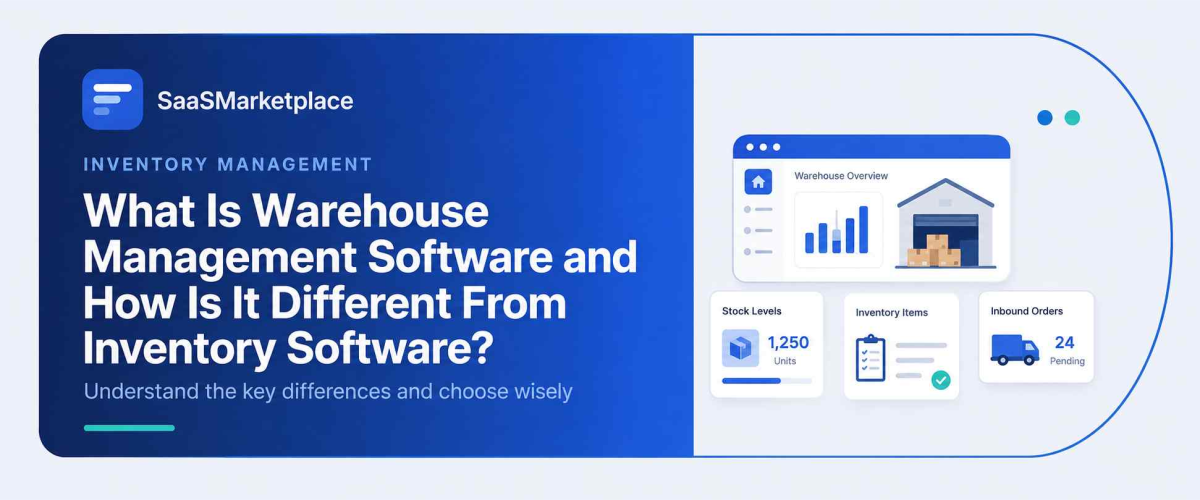
What Is Warehouse Management Software and How Is It Different From Inventory Software?
-min.jpg)
A warehouse manager once told me his team burned three full days a month just counting boxes, trying to force the numbers in their system to match what was actually sitting on the shelves. That's not really a software failure it's a mismatch between the tool and the job. Plenty of businesses run a basic stock-tracking tool and assume it covers everything a warehouse needs, right up until pallets start piling up in the wrong aisle. Warehouse software and stock-tracking software solve related but genuinely different problems, and confusing the two tends to cost real money.
 Looking for Warehouse Management Software? Check out SaaS Marketplace’s List of the Best Warehouse Management Software in the USA for your business.
What Warehouse Management Software Actually Does
Warehouse management software, usually shortened to WMS, is built around one thing: the physical movement of goods inside a facility. Where should a worker put an item the moment it arrives? What's the fastest route to walk when picking an order? Should the heavier boxes go on the truck first? Bin locations, aisle numbers, dock schedules, who's assigned to which task that's the world this software lives in.
It behaves less like a counting tool and more like a traffic controller. Picture a large distribution center carrying tens of thousands of SKUs spread across dozens of zones. This kind of platform works out the most efficient route for a picker to walk, then checks afterward whether that picker actually hit their target time. None of that really has much to do with knowing how many units exist somewhere; it's about knowing exactly where they sit right now and how to keep them moving through the building.
What a Basic Inventory System Actually Does
Inventory Management Software is chasing a narrower question, though an equally important one: how much of something exists, and roughly where is it sitting? It keeps track of stock levels across one or more locations, flags items that need reordering, and hands a business owner a live count without anyone having to walk the floor to check by hand.
For a small retailer running a single storeroom, honestly, that's often all they'll ever need. Inventory software and Stock Management Software the two terms get used almost interchangeably in most product listings typically handle purchase orders, reorder points, and basic reporting. Neither one cares how a picker walks toward shelf B-14; what matters to this category of tool is whether that shelf shows forty units or zero.
Where the Two Actually Overlap and Where They Split
This is where the confusion usually starts. Both categories track stock, so on the surface they can look like they're doing the same job. The split shows up once operations get complex enough that "how much do we have" stops being the only question that matters.
A business selling out of a single small storefront rarely needs a full warehouse system. Counting stock by hand once a week, backed by a decent stock-tracking tool, works fine at that scale. But add a second location, start fulfilling orders across multiple sales channels, or move into a building with real aisles and zones, and a basic counting tool starts falling short fast. It can confirm that two hundred units exist somewhere. It can't tell a forklift operator which dock door to use, or figure out which items should get packed together to save on shipping costs.
One thing worth flagging here: businesses often assume moving to a full warehouse platform means ripping out their existing stock system entirely. More often, the two just run side by side, with the warehouse layer feeding live movement data back into whatever platform still handles reordering and financial reporting.
People who expect a single tool to handle everything tend to find that layered setup confusing at first. It helps to think of the stock-tracking layer as the source of truth for what a business owns, while the warehouse layer is the operational engine that moves those goods around a physical space. Neither one replaces the other's job a warehouse platform without a connected stock system has no reliable count to work from, and a stock system without warehouse-level detail has no way to guide staff through a large building efficiently.
Core Features That Actually Matter
Accuracy and Stock Visibility
This is the baseline both categories share, even though they approach it from different angles. A basic counting tool gives a number. A warehouse-grade system gives you that same number, plus the exact bin, shelf, and zone where each unit physically sits a detail that starts to matter enormously once a facility outgrows what memory and spreadsheets can track.
Order and Fulfillment Workflow
A warehouse platform typically manages the full pick-pack-ship sequence, including batching several orders together for efficiency and generating optimized pick paths through the building. A simpler counting tool usually stops at flagging that an order needs fulfilling; it doesn't direct the physical process of actually fulfilling it.
Labor and Task Management
This piece is almost entirely a warehouse-side feature. Assigning tasks to specific workers, tracking productivity by shift, and balancing workload across a team isn't something basic stock tools are built to handle, since they were never designed around a physical workforce moving through a building all day.
Multi-Channel and Platform Integration
For a business selling online, eCommerce Inventory Management Software needs to sync stock counts across every storefront in near real time a website, a marketplace listing, a physical register so nothing gets sold twice by accident. This is where the line between the two categories blurs the most, since a growing number of ecommerce-focused platforms have started bolting on lightweight warehouse features to compete with dedicated systems.
Distribution and Multi-Location Coordination
Businesses running several warehouses, or shipping to retail partners at real scale, usually need something closer to Distribution Management Software instead. It coordinates movement between locations, manages the transportation logistics, and handles the paperwork that comes with shipping between facilities a different job than simply tracking what sits inside one building.
Common Mistakes Businesses Make
Buying a full warehouse system before it's actually needed is one of the more expensive mistakes out there. These platforms come with real implementation costs and a genuine learning curve for staff, and a business moving a modest volume of orders out of one small space often doesn't see enough return to justify the switch yet.
The opposite mistake happens just as often, though. A company outgrows basic stock tracking, keeps patching the same spreadsheet-adjacent tool anyway, and ends up with staff walking farther than necessary, orders getting picked out of sequence, and accuracy dropping steadily as volume climbs. Teams usually notice this only after a bad peak season, which is a rough way to learn the lesson.
Another recurring issue: businesses pick their Inventory Management Software on price alone and never check whether it actually integrates with their point-of-sale system, their online storefront, or their accounting software. A cheap tool that can't talk to the rest of the business usually ends up creating more manual work than it ever saves.
Staff training is another thing people underestimate. Even software built to be intuitive takes real time before a floor team actually trusts it, especially for employees who've spent years navigating a building from memory instead of following prompts on a screen. Roll out new warehouse tools during a slower stretch of the year rather than right before peak shipping season, and staff get room to adjust without those growing pains ever reaching a customer.
When You Might Not Need a Full Warehouse System Yet
Not every growing business needs warehouse management software right away. A company running out of a single location, shipping a modest number of orders daily, where staff can already find items without much hunting around that's usually fine sticking with a solid tracking system for now. Adding warehouse-level complexity at that stage tends to create more overhead than it's worth.
Watch for time lost to searching, miscounting, or fulfillment errors that's the real signal. Once that starts eating a noticeable chunk of a week, or a second location enters the picture, it's usually time to look seriously at warehouse-specific software instead of continuing to stretch a basic tool past what it was ever built for.
Choosing Between the Two
A few practical questions tend to clarify which category actually fits a given business:
- Does the operation run out of one small space, or a facility large enough that walking routes genuinely matter?
- Are orders being picked and packed by hand in a way staff can already manage well, or is fulfillment starting to slow the whole operation down?
- Does stock actually move between multiple warehouses or distribution points, or does it mostly just sit in one place?
- Is the real goal simply knowing what's in stock, or is it actively directing how goods move through a building?
Honestly, there's no single right answer across every business. A boutique with one small stockroom and a regional distributor running three warehouses are solving fundamentally different problems, and the right choice of software reflects that gap rather than forcing both into the same box.
What This Looks Like in Practice
A mid-sized apparel brand selling through its own website, a couple of marketplaces, and one retail partner is a fairly common case study for this decision. Early on, a lightweight tracking tool covers everything stock counts stay accurate, reorder alerts fire on time, and one person can manage the whole thing from a laptop. The trouble usually starts once order volume climbs past what a single warehouse worker can pick by memory, or once a second fulfillment location gets added to handle regional shipping times.
At that point, the business isn't choosing between two competing products so much as recognizing that its operations have outgrown what a counting tool was ever meant to do. Bringing in a warehouse-grade platform at that stage tends to pay for itself fairly quickly through fewer mis-picks and faster order turnaround, whereas bringing it in too early before there's enough physical complexity to manage mostly just adds cost and a training burden nobody asked for.
Conclusion
Warehouse management software and basic stock-tracking software aren't competing products they're built for different stages of operational complexity. One answers what you have and roughly where it lives. The other answers how that stock physically moves, gets picked, and ships out the door. Businesses that choose based on their actual operational size, rather than chasing every feature a vendor advertises, tend to get the most value out of either category.
Get this decision right early and it saves a lot of retooling down the line. A growing operation can add complexity a second warehouse, a new sales channel, a bigger daily order volume without the software itself turning into the bottleneck.
FAQ's
No. A basic stock-tracking tool shows how much inventory exists and roughly where it's located, while warehouse management software directs the physical movement, picking, and shipping of that stock inside a facility.
Usually not right away. A single small location with manageable order volume typically does fine with a solid stock-tracking tool until operations grow more complex.
For businesses selling mostly online without a large physical facility, eCommerce Inventory Management Software often covers the need on its own. Once physical fulfillment complexity grows, a dedicated warehouse platform becomes more relevant.
One focuses on stock counts and reordering within a single business. Distribution Management Software, on the other hand, coordinates movement and logistics across multiple locations or partners.
It can track multiple locations at a basic level, but it typically doesn't manage the physical logistics of moving inventory between them the way distribution-focused software does.