What Is CRM Software and How Does It Help Your Business Grow?
-min.jpg)
Somewhere in your business right now, a deal is quietly dying. A promising lead emailed twice and gave up. A loyal customer has been drifting toward a competitor for months, and the warning signs sit in a spreadsheet with fourteen tabs nobody opens anymore.

Looking for CRM software? Check out SaaS Marketplace's List of the Best CRM Software in USA for your business.
CRM software was built for exactly this. Not for the buzzword. For the dying deal. The category is now the biggest slice of enterprise software anywhere, headed for roughly $126 billion globally in 2026, with 91% of companies past ten employees already running one. Strip away the market-report language, and the reason is almost embarrassingly simple. Businesses that remember their customers beat businesses that forget them.
So let's walk through it properly. What the term means, how the software earns its keep, which type fits which company, and where the growth genuinely comes from. No sales engineering degree required.
What Is CRM Software?
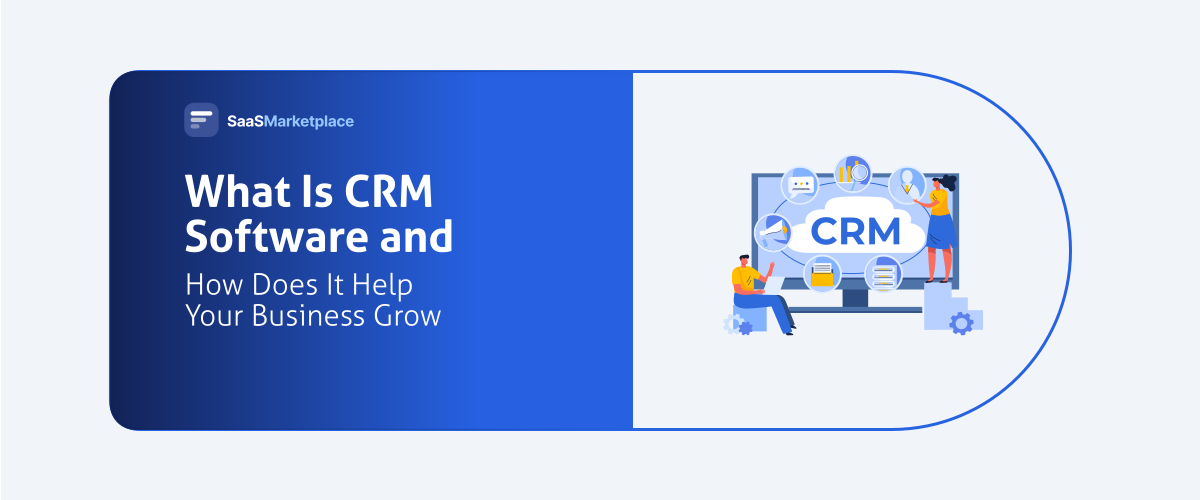
CRM software is where all that memory lives. Emails, call logs, form submissions, purchase history, and every scrap of customer data flows into one profile per person, and the whole team reads from the same page. Sales teams see what support handled it. Support sees what sales promised. Nobody guesses.
How CRM Software Differs from a Spreadsheet
Plenty of small businesses start with a spreadsheet, and for the first twenty contacts it works. Then it breaks, predictably.
A spreadsheet holds rows. Fine. What it can't hold is context. CRM software keeps the row and staples everything to it: Tuesday's email thread, last month's call note, the support ticket that nearly blew up the account. Twelve people update it at once, no version-nineteen-FINAL-v2 chaos.
And a spreadsheet has no initiative. It won't nudge you when a follow-up slips, won't show which deals quietly stopped moving, and certainly won't explain why revenue dipped. A CRM handles all three before your coffee cools.
Our favorite test for when a business has outgrown the spreadsheet: the third time in one week that someone asks "wait, did anyone ever reply to this person?" That's the bell.
Cloud-Based vs On-Premise CRM
Ten years ago this was a genuine debate. Today it's a formality. Cloud adoption in CRM sits near 87%, up from 12% in 2008, and the reasons are boring in the best way. No servers to babysit. Updates that simply appear. Full access from a phone in a parking lot.
On-premise keeps its niche among organizations bound by strict data-residency or security mandates. If that's not you, the cloud already made your decision, and made it cheap: entry plans hover around $15 to $30 per user monthly, a long way from the old five-figure installations.
How Does CRM Software Work?
Every CRM system runs the same loop: capture, organize, remind, report.
Contact & Customer Data Management
The foundation is contact management. Every person gets one profile, and everything attaches automatically: emails sync from your inbox, calls log from your phone system, web forms create records with nobody typing.
Good customer data management kills the most expensive small habit in business: asking a customer to repeat what they already told your colleague.
Sales Pipeline Tracking
Open most CRMs, and the sales pipeline is the first thing you see. A board. Columns for stages, cards for deals, dollar values, and days-in-stage printed on them. One glance tells a sales manager more than an hour of Monday check-in calls ever did.
And the glance reveals uncomfortable truths. The $40,000 opportunity was frozen for three weeks. The rep whose deals cluster in early stages. The realistic answer to where this quarter's revenue is coming from, versus the hopeful one.
That visibility changes behavior. Deals stop dying silently, because stalled now looks stalled to everyone, including the manager.
Automated Follow-Ups & Task Reminders
Salesforce's 2026 State of Sales research contains a number worth sitting with. Reps spend roughly 40% of the week actually selling. The other 60% evaporates into administration, and buried in that 60% are the follow-ups that never happened.
CRM software fixes the slippage with workflow automation. A new lead triggers a welcome sequence. A sent quote creates a follow-up task. A quiet deal pings its owner. The system remembers so people don't have to.
Reporting & Business Analytics
Log every interaction, and something useful happens as a side effect. The CRM becomes a live X-ray of the business. Which sources convert. Which reps close. Which stage swallows deals whole. Companies using CRM data report forecast accuracy improving around 42%, turning planning from astrology into arithmetic.
Types of CRM Software
Not every CRM system does the same job. Four types cover the market.
Operational CRM
Operational CRM is the one most buyers picture, and the market share proves it at roughly 53% of the category. This is the daily machinery: pipelines, contact management, email sequences, ticketing. HubSpot, Zoho, and Salesforce Sales Cloud built their empires here. If you arrived thinking "we just need a CRM," this is the type you mean.
Analytical CRM
Analytical CRM asks a different question. Not "what should I do today" but "what does our customer data keep trying to tell us." Which segments spend most. Which behavior precedes churn. Which campaigns earn their budget back. It usually lives as a module inside a bigger platform rather than a separate purchase.
Collaborative CRM
Collaborative CRM exists because departments hoard context without meaning to. Its job: support sees what sales promised, and marketing hears what support keeps hearing. Most modern platforms bake this in through shared records and notes.
AI-Powered CRM
Then there's the type dominating every 2026 conversation. AI-powered CRM watches the data and starts doing the work itself. Leads score themselves on arrival. Outreach drafts appear. Records fill in with no typing, and the system quietly predicts which deals will close. Roughly 83% of companies now use AI features in their CRM, and analysts expect the AI-in-CRM market to grow nearly twelvefold by 2033.
Key Benefits of CRM Software for Business Growth
One number needs an honest footnote first. You'll see "$8.71 back per $1 spent" quoted everywhere, and it's real, but it dates to a 2014 Nucleus Research study. Fresher analysis of today's mature market lands nearer $3 to $5 per dollar. Excellent by software standards. Just older than the people quoting it admit.
Stronger Customer Relationships
Customers feel the difference between being known and being processed, and they reward the first with loyalty. The feeling shows up in data too: retention gains near 27% appear repeatedly in post-adoption studies, and customer retention is where compounding growth quietly lives.
Improved Sales Performance
Sales teams with full context close more and guess less. Studies link CRM use to lead conversion gains from 17% up to dramatic multiples for teams starting from chaos, and 97% of North American sales teams call their CRM essential to closing.
Smarter Marketing Decisions
Marketing's old tragedy was blindness past the click. Connect customer data to revenue and the blindness ends. The team learns which campaigns produce buyers rather than merely leads, and budget follows evidence instead of the loudest opinion in the room.
Better Team Collaboration
One shared record ends the reply-all archaeology. Every team works from the same history, and the customer never explains themselves twice.
Real-Time Business Insights
Leadership stops waiting for month-end reports. Pipeline value, win rates, and activity sit on a live dashboard, and problems surface while they're cheap.
How CRM Software Helps Your Business Grow
Benefits are features. Growth arrives through four mechanisms.
Retaining Existing Customers
Every growth textbook repeats it because it's true: a new customer costs several times more than keeping one. That makes customer retention the quietest growth engine in the building, and the CRM its early-warning radar. Orders shrinking. Emails unanswered. Tickets creeping up. The software catches the pattern in time to act, then runs the check-ins that keep good relationships from going quiet.
Shortening the Sales Cycle
Deals drag when context goes missing and follow-ups drift. Fix both and published numbers say cycles compress 8
The original audience and heaviest users. Sales teams live in pipeline views and automated reminders, and mobile matters most: mobile CRM users are reported 150% likelier to hit targets, because deals advance from parking lots, not just desks.
CRM for Marketing Teams
Marketing teams treat the CRM as their source of truth for segmentation, campaigns, and above all proof: revenue traced to the campaign that started it. That ends the ancient argument about whose leads were "bad."
CRM for Customer Support Teams
Support teams see the whole relationship behind every ticket: what the customer bought, was promised, and complained about before. About 70% of businesses use their CRM for customer service.
CRM for Small Businesses
Small businesses are the fastest-growing adopters, helped by free tiers from HubSpot and Zoho. The case is strongest here, because in a small company the founder's memory is the CRM until software takes over, and founders run out of memory before customers.
Key Features to Look for in CRM Software
Feature lists run long. Five capabilities decide whether the purchase works.
Contact Management
The non-negotiable core. Look for automatic email and call logging, deduplication, and enrichment. If the team must enter data manually, they won't, and the whole system starves.
Pipeline & Deal Tracking
A visual pipeline customized to your real sales stages, with values, probabilities, and aging at a glance. Multiple pipelines help if you sell more than one way.
Workflow Automation
This is where the subscription earns itself back. Sequences fire on their own, tasks appear when deals change stage, and the busywork eating 60% of a rep's week shrinks. One demo test: hand the workflow automation builder to your least technical teammate. Ten minutes to a working automation means adoption has a chance.
Integrations & API Access% to 14%. Run that arithmetic at your deal volume. Same team, same hours, more closed revenue, zero new hires.
Identifying High-Value Opportunities
The data reveals which prospects resemble your best customers. Lead scoring points reps at the likeliest buyers, and account analysis surfaces upsell moments humans miss.
Scaling Without Losing Customer Relationships
This is the mechanism founders feel most. At 50 customers, the owner remembers everyone. At 500, nobody can, unless the memory lives in a system. CRM software lets a business multiply customers while each still gets treated like the tenth.
Who Uses CRM Software?
CRM for Sales Teams
An unconnected CRM is just another silo with a nicer interface. Email, calendar, accounting, or whatever runs your business, the CRM must plug into it. Check native integrations against your stack before any demo, and confirm API access covers the rest.
Mobile CRM Access
Deals happen away from desks. Judge the mobile app harshly. A real one, designed for thumbs rather than a website squeezed onto a phone, keeps records current from the parking lot.
Common CRM Challenges & How to Overcome Them
Now the part vendors mumble through. Depending on the study, half or more of CRM implementations fall short of their goals. Rarely because the software failed. Almost always because the humans around it did.
Low User Adoption
The number one killer. Reps see data entry as unpaid admin and quietly revert to their inbox. Three fixes: automate the capture, involve the team in selection, and have managers run every pipeline conversation inside the CRM, so using it becomes the only way to be seen.
Poor Data Quality
Duplicates, dead contacts, and half-filled records turn insight into noise fast. Somebody has to own the hygiene, so name that person. Use the built-in deduplication and calendar a quarterly cleanup. Given the choice, take the small, accurate database over the enormous, filthy one. Every time.
Integration Difficulties
A CRM that ignores your other tools creates double entry, and double entry kills adoption. Solve it at purchase: verify integrations against your stack, and let middleware like Zapier cover the long tail.
Future of CRM Software in 2026 & Beyond
AI & Predictive Analytics in CRM
For decades, the CRM was a diary. It recorded what already happened. The 2026 version is becoming an advisor. Machine learning already runs lead scoring, churn flags, and deal forecasts on major platforms, and AI agents now do the clerical work themselves: updating records, summarizing meetings, and drafting outreach.
Where does it end up? Less typing, more advising. Picture opening the CRM tomorrow and being told, "These three customers need you today, and here's why." That destination is closer than it sounds.
Conversational CRM & Chatbots
Meanwhile, the interface itself is becoming a conversation. Chatbot tools greet website visitors at 2 a.m., qualify them, book the meeting, and file clean data while every human sleeps. Reps talk to the CRM directly now too, asking plain-language questions where they once built report filters. Salesforce disclosing billions of agentic work units last fiscal year hints at how fast this layer is compounding.
Conclusion
Strip away the acronym, and CRM software solves one ancient problem: remembering. Remembering who your customers are. What they need. What somebody promised them in April. At a scale, no human brain survives. And the remembering pays. Customers stay longer. Deals close faster. Forecasts survive board meetings. The returns still embarrass most software categories, with one permanent catch: half these projects stall on adoption. So start with one pipeline, automate the data entry ruthlessly, and let a small win recruit the company. Treat CRM software as a memory upgrade, not a magic wand, and yours becomes one of the businesses those growth statistics describe.