What Is DevOps Software and How Does It Support Modern Engineering Teams?
-min.jpg)
Ask any five engineering managers to define DevOps software, and you will get five different lists of tools. The term refers to a collection of products that are used to develop, test, launch, and operate an application in an integrated manner. With the help of such software, the need for communication between various teams and the associated delays is eliminated. A correctly designed system reduces the distance from idea to implementation and helps detect and fix errors promptly within the development cycle. Organizations of different sizes, from a five-person start-up to a multinational corporation, apply DevOps to manage their technological processes. The present article highlights what this category encompasses, discusses the specifics of particular tools, their benefits for engineering teams, provides approximate costs of the software in the American market, and describes the shortcomings of the concept. Besides, the reader will find guidelines on selecting a stack appropriate for their business.
What DevOps Software Actually Covers
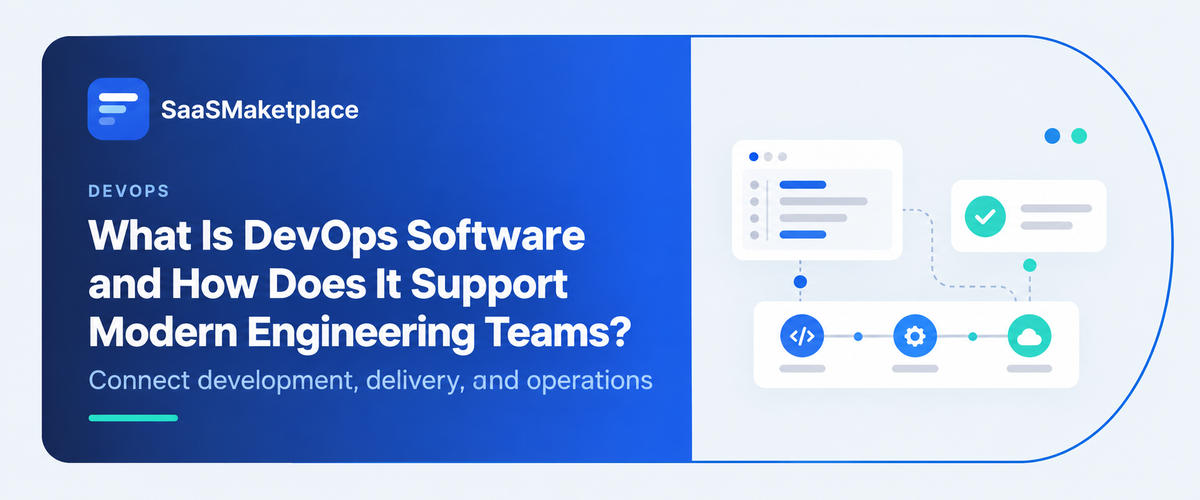
DevOps emerged to address the situation when development and operations started to operate in isolation. While the former was creating software, the latter had to deploy it somewhere and monitor its functioning. The former did not care about the latter’s needs and problems, and the two teams negotiated about each release. The tools were developed to address these issues. The term now refers to a number of products that facilitate the entire software development cycle, ranging from storing code to monitoring the application in production.
Note that there is no single solution that would cover all aspects of this cycle. Some products offer a set of features; others have a more limited set of functions. Most teams design a tool chain, which is a combination of solutions for code repository, application development systems, continuous integration software, infrastructure definitions, application deployment in clouds, and analytical tools to observe how the application functions. Project managers use unified systems to manage the project lifecycle. Several vendors offer such systems that are labeled as application lifecycle management software; others focus on a limited set of functions.
Do You Know?
DevOps is as much a working practice as a product category. Buying tools without changing how teams share ownership of releases and incidents rarely delivers the result people expect.
The Main Tool Categories at a Glance
The table groups the categories you'll see most often. The examples are well-known tools in each group, not recommendations.
|
Category |
What it does |
Common examples |
|
Version control and code hosting |
Stores code, tracks changes, and manages reviews |
GitHub, GitLab, Bitbucket |
|
Continuous integration software and CI/CD pipelines |
Builds, tests, and releases code automatically |
GitHub Actions, Jenkins, CircleCI |
|
Automated testing software |
Runs unit, integration, and end-to-end tests on every change |
Selenium, Cypress, JUnit |
|
Infrastructure as code |
Defines servers, networks, and permissions in files |
Terraform, Pulumi, AWS CloudFormation |
|
Container orchestration |
Runs and scales containerized applications |
Kubernetes, Amazon ECS |
|
Observability |
Collects metrics, logs, and traces from live systems |
Prometheus, Grafana, Datadog |
|
Incident management |
Routes alerts and coordinates on-call response, often alongside IT service management (ITSM) software |
PagerDuty, incident.io |
|
DevSecOps scanning |
Checks code and dependencies for security issues |
Snyk, SonarQube, Trivy |
Who Uses It and What They Need
Adoption begins with engineers, though a number of roles are dependent on the same stack.
- Developers: They rely on application development software for coding and desire rapid test cycles and an easy way to deliver a change without tickets.
- Platform and site reliability engineers: Maintenance of shared pipelines, clusters, monitoring, and links to IT service management (ITSM) software so that product teams don't have to re-engineer them
- Security teams: Scanning and access records inside the delivery process rather than a review at the end.
- Engineering managers: Tracking work in IT project management software and observing trends in lead time and failure rates to identify delivery impediments
A Typical Workflow, Step by Step
Observing the pieces work together makes it easier to classify. Here’s a scenario of the changes one could make.
- Review: A developer commits the change in the application development software and raises a pull request that links to a ticket in the IT project management software. The change is hosted at the version control system and is requested to be reviewed.
- Automated checks: Continuous integration software compiles the code, runs tests using automated testing software, and checks dependencies.
- Infrastructure changes: If the change requires a new database or network rule, the infrastructure as code files are changed in the same pull request and are reviewed with the code.
- Release: The change is released gradually and often times only to a fraction of the users while the platform redeploys itself, replacing containers with new ones.
- Monitoring: The dashboards report error rates and response time and if they reach a certain threshold, the on-call engineer is alerted.
- Response: The incident management software records the timeline and the owners, and the ticket is recorded in the IT service management (ITSM) software in order to notify the review after the service is restored.
How It Supports Modern Engineering Teams
- Faster feedback on every change
CI/CD pipeline builds all commits and runs automated testing software, so developers learn within minutes what failed.
- A reliable history of what changed
Version control tracks all changes and who changed them, so you can review, rollback, or audit commits.
- Repeatable environments
Infrastructure as code means that your servers, permissions, and other infrastructure elements are defined in version-controlled software, and can be reviewed and reused.
- Consistent deployments at scale
Container orchestration software places, restarts, and scales your application containers: a must if you have tens of services, not just one.
- Visibility into production
Observability tools let you ask why something is happening and what's contributing to it, not only that it is happening.
- Calmer incident response
Incident management software notifies the right person on-call about the problem, tracks what they did, and records it for the post-mortem.
- Security earlier in the process
DevSecOps pipeline makes checking vulnerable dependencies and exposed secrets part of the development process, not an afterthought.
Common Use Cases
- Retail and e-commerce: Organizations usually experience surges in demand during peak seasons, such as holiday sales. The ability to automatically scale resources in accordance with increased loads and have a tested and reliable release pipeline helps minimize the risks associated with a last-minute code deployment during the holiday season.
- Financial services: Code reviews, audit trails of the production deployment pipelines, and access control lists of systems containing production data combined with changes approval policies can help pass regulatory audits. Ties between production changes and ticketing systems in the IT service management software can add traceability and audibility, but each financial organization should implement additional control measures.
- Software-as-a-service: In software-as-a-service organizations, releases often happen on a frequent basis, and automated testing software can enable product teams to ship smaller updates on a daily basis without creating significant overhead.
- Mobile apps: In application development, mobile applications’ development software handles the code, and automated application building and signing software eliminate the need for manual coding and signing of applications, although application store approval policies still dictate the release schedule.
What the Research Shows
There are two sources of information that help distinguish between adoption and hype. Google Cloud's DORA research, which measures software delivery performance, uses five indicators of delivery capability: change lead time, deployment frequency, failed deployment recovery time, change fail rate, and deployment rework rate. The first three characterize throughput while the last two characterize instability, so a team cannot claim success just based on faster shipping rates. DORA added the rework metric to their scorecard after discovering that change failure rate acted as a proxy for unplanned fix work.
The Cloud Native Computing Foundation's annual survey, released in January 2026, revealed that 82% of respondents who use containers in production run them on Kubernetes. This means that orchestrating containers is a general skill set needed by platform teams working with public cloud software. It also adds a layer of operational weight that smaller teams should carefully consider before adopting it.

Pro-tip
Pick two or three DORA metrics and measure them before buying anything new. Most application lifecycle management software suites can report several of them. A baseline shows whether a tool changed anything, and it keeps the conversation focused on team results rather than individual performance.
What a DevOps Toolchain Costs in the U.S.
- Usage-billed pipelines: Hosted continuous integration software like GitHub Actions is a good public example. GitHub slashed hosted-runner prices by up to 39% on January 1, 2026, while leaving free-minute allowances untouched. Third-party tracking sites list Linux minutes at $0.006.
- Open-source tools: Jenkins, Prometheus, and Kubernetes have no license fee, but someone must maintain the software. For a small team, the time spent maintaining these tools can be more expensive than a hosted plan.
- Cloud computing software: Compute, storage, and data-transfer costs often outweigh the tools’ costs, so budget for them separately.
- Bundled suites: Most application lifecycle management software bills by seats and tier, so compare the bundle to the tools it replaces.
- Monitoring pricing: Vendors typically bill by host, big data volume, or users, so expenses rise with traffic. Ask for a quote based on your log and metric volumes.
- Downtime math: For example, if an hour of downtime costs a company $10,000 in lost sales and staff time, cutting recovery from 45 minutes to 15 saves about $5,000 per incident, the example is only illustrative, as incident management tools only help if alerts get to the right person quickly.
- A moving target: In December 2025, GitHub announced a $0.002-per-minute charge for self-hosted runners, which it later postponed. Check prices again before renewal.
Where It Falls Short
- Tool sprawl: For every category there is a new vendor. Pretty soon every engineer has to remember yet another login, dashboard, and payment method. There isn’t any particular design in how the different tools work together. If you adopt an application lifecycle management software it may simplify your toolchain, but you could get locked into a single provider
- Culture: If the development team’s culture continues to be “throw it over the wall” and move on, new software that automates this interaction will have the same result.
- Small team: Say you have a three person start up that pushes updates out to your single server every week. You probably don’t need a kubernetes cluster, maybe you just need a git repository and some simple pipeline.
- Noise: Constant false positive alerts make people tune out when the real incident occurs, defeating the whole purpose of having an on-call rotation.
- Flaky tests: Random failures in your test suite teach your team to not pay attention to problems, so you need to identify and kill tests that are prone to failure.
- Drift: If you aren’t strictly using infrastructure as code, changes made outside of your version control software will be unknown to your tooling, creating inconsistencies.
- Security debt: The scanning tools can find issues faster than your team can fix them, and without prioritization or proper roles it can lead to an overwhelming amount of false positives.
Common Mistakes When Building a Toolchain
Most problems stem from sequencing rather than tools themselves.
- Buying before measuring: Teams buy and adopt a platform to solve an undefined problem and then can't determine whether the tool improved anything
- Automating broken processes: A group with a slow, manual approval process will just have a slow automated one. Fix the process first.
- Loose logical access controls: Your pipelines most likely store and use credentials. Store secrets in a managed vault and adhere to least privilege principles for each job.
- Keeping platform work invisible: Make sure work on pipelines and infrastructure is tracked and visible in IT project management software and planned like any other feature work.
- Ignoring on-call load: Two engineers getting paged every week, repeatedly, without relief, will quit and take institutional knowledge with them. Allocate rotation schedules and tune out false positives early.
- Copying another company's stack: A comapny with a five hundred person platform engineering team isn't a good model for tooling if you have ten engineers supporting the same release cadence.
- Not documenting: After six months, no one remembers what the pipeline stage even does or who to ask
How to Choose a Stack for Your Team
Begin by identifying the bottleneck you wish to solve and then turn to the following questions. Start with the bottleneck you want to address, whether that’s slow release cycles, unstable environments, or lengthy outages. Work through these questions.
- Where does your code currently reside?
A repository host with integrated pipelines can eliminate an integration step, provided it is compatible with the application development software your developers already use.
- What can your team support?
Managed services tend to be more expensive per month and save on-call hours, while self-hosted tools do the opposite.
- How does it integrate?
Ask about chat, IT project management software, IT service management (ITSM) software, cloud computing software account, and single sign-on capabilities in the particular integrations you need, rather than vague assertions of robustness.
- How is it priced?
Seats, usage, and data volume vary significantly as your team grows. Request a quote in dollars based on your specific numbers.
- What security measures does it offer?
Inquire about the presence of features such as audit logs, secrets management, and DevSecOps scanning capabilities in the pipeline.
- How easy is it to exit?
Store pipeline definitions and infrastructure files in common, portable formats.
Conclusion
DevOps software is useful when it reduces the feedback loop and makes failures cheaper to detect and respond to. It will not replace a set of good engineering practices, and the stack of tools bought in one go will require much maintenance. Instead, it is better to look for bottlenecks in the current pipeline and invest in the cheapest possible tool that will help to resolve the issue. The next level of tools should be added when the current process breaks down, and the team has to invest more resources into troubleshooting. It is essential to measure the bill for the first month and then analyze the costs for each new tool as the team’s infrastructure.
FAQ's
No. Continuous integration software covers building, testing, and releasing code. A full toolchain also includes version control, infrastructure files, runtime platforms, and monitoring.
Monitoring tells you something is wrong, usually through preset alerts. Observability gives you enough data from metrics, logs, and traces to investigate causes you didn't anticipate.
It means building security checks into the delivery process. Some platforms include scanning, while others rely on dedicated scanners connected to the pipeline.
It ranges from near zero for open-source tools on public repositories to thousands of dollars monthly for large teams. In the example above, 9,000 extra Linux minutes cost about $54.
A basic pipeline can run in days. Reliable infrastructure files, alerting, and on-call practices usually take months, depending on how many services you run.
Start with deployment frequency and change lead time for speed, then add change fail rate so you can see whether faster releases are hurting stability.