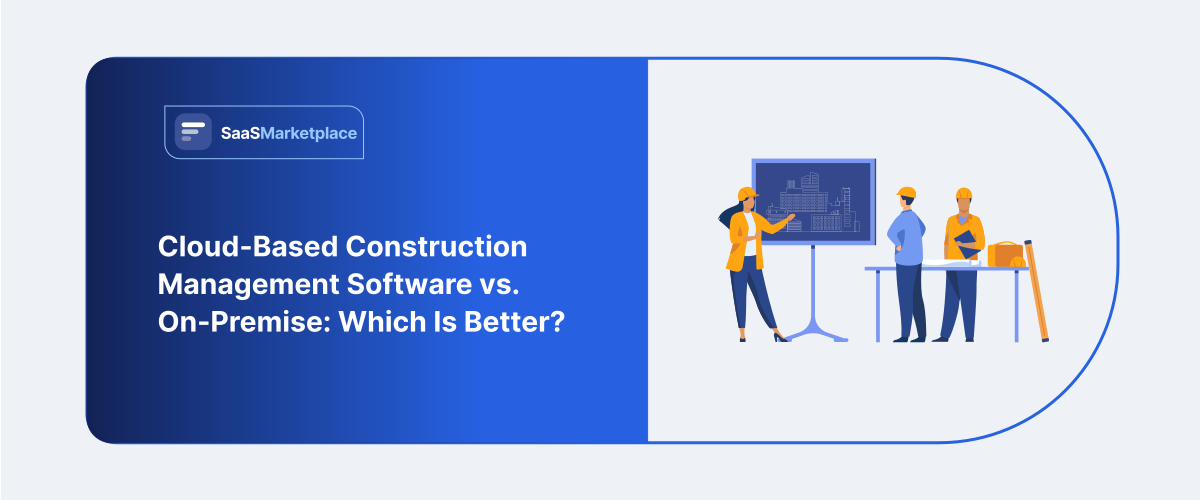
Cloud-Based Construction Management Software vs. On-Premise: Which Is Better?
-min.jpg)
Picking between construction management software that runs in the cloud or on-site programs usually comes down to a kind of push-pull, like you want quick agility in the field yet also need tight control over the data. Cloud software operates out of the vendor's data center by means of a subscription service. Cloud computing enables construction project managers to work seamlessly with their office teams and contractors on job planning, RFIs, and scheduling from anywhere on any mobile device. In contrast, on-premise systems are stored on the company's own servers and require significant upfront capital in servers, licensing, and IT support. This option is popular among huge enterprises that have strict restrictions regarding data sovereignty and among companies with field operations without a reliable internet connection. Even though cloud solutions are prevailing in the competitive construction industry due to high scalability and lack of maintenance, the better approach is dependent on the importance of multi-site connectivity and adherence to internal control over the systems.
What Is Construction Management Software in the US Market?
In the U.S. market, Construction management software (CMS) is this specialized slice of vertical enterprise software meant to digitize, make smoother, and kind of hold together the whole build lifecycle, from pre-construction design and bidding, down to final closeout. Because there are ongoing labor shortages and profit margins that are pretty tight, U.S. general contractors, specialty subcontractors, and real estate developers tend to lean on these platforms as operational backbones. Instead of juggling fragmented spreadsheets or leaning on paper blueprints, American construction firms end up using CMS to push along the key workflows like budget oversight, job costing, scheduling, RFIs (Requests for Information), submittals, and even field safety reporting. That way they can keep pretty tight compliance with local U.S. building codes, OSHA standards, and AIA (American Institute of Architects) billing frameworks.
The modern U.S. scene is pretty much ruled by mobile-first, cloud-native solutions along with certain specialized enterprise software systems. In other words, modern construction software leans hard on real-time synchronization between office executive dashboards and job-site tablets, so superintendents can update Building Information Modeling (BIM) data and also process change orders straight from the field. Then there’s the deep integration with payroll tools, job costing platforms, and general ledger financial applications, which lets builders track labor outlays and material inflation in real time, basically turning what used to be normal site operations into more data-driven digital job sites, somehow.
Why Is Cloud-Based Construction Management Software Growing in the US?
The fast growth of cloud-based construction management software in the U.S. market is mostly pushed by ongoing labor shortages, thin profit margins, and frankly the need for smoother field-to-office communication. U.S. job sites are kind of naturally scattered, and they often cover multiple job sites or entire regions too, so static local databases feel less useful. With cloud solutions, teams can pull up digital blueprints in real time, plus RFIs, change orders, and daily logs straight from tablets, or even from mobile devices. That quick sync, kinda instantly, cuts down costly rework, reduces project delays, and helps keep general contractors, specialty trades, and project management owners in step, all connected through one single source of truth.
Another big catalyst is the noticeable move to more pliable OpEx spending instead of the big upfront outlays. With traditional on-premises infrastructure, you typically need hefty early spending on local servers, plus specialized IT personnel, and those slower manual upgrade cycles that happen every so often. Cloud-based platforms remove a lot of that friction, since they use scalable subscription models and they also handle software refreshes in the background, so it stays aligned with whatever regulatory rules are shifting, like revised OSHA safety requirements or newer regional building codes. This gentler on-ramp makes it easier for mid-sized and regional builders across America to tap into enterprise-level project control capabilities, without having to keep their own dedicated IT departments.
Federal infrastructure investments and the integration of emerging site technologies have kind of pushed cloud adoption forward across the U.S. construction landscape. Large-scale projects funded by federal programs often require strict compliance, near-real-time cost tracking, and very detailed carbon auditing. Cloud software ties in with modern job site tools right away, including Building Information Modeling (BIM) viewers, drone imagery, IoT site sensors, and AI-driven risk analytics, which lets U.S. builders handle huge amounts of field data automatically, while also keeping delivery schedules competitive.
How Does On-Premise Construction Management Software Work for US Companies?
On-premise construction management software runs on locally owned, tangible infrastructure that sits right inside the contractor’s office or data center. Instead of pulling information through a third-party cloud server, U.S. construction firms buy perpetual software licenses and then put the database as well as the main applications onto their own internal server hardware. Typically, they rely on a dedicated in-house IT crew to handle system architecture, network protection, and database upkeep, so that the sensitive financial details, bid tactics, and client agreements stay fully in the company’s internal grip, and behind its own firewall, at all times.
For day-to-day workflows, the office-based estimating, accounting software, and executive teams interface with the software through a high-speed Local Area Network ( LAN ). Out in the field, the crews working on active U.S. job sites usually get in via Virtual Private Networks (VPNs), or through localized desktop remoting so they can log each day, trace change orders, and check project timelines. Sometimes the job site trailers lean on that kind of periodic offline synchronization, where field folks gather site details on nearby devices, then they push a bundle of updates back to the corporate headquarters server once they are back online through a safe connection.
This setup is especially designed to cope with the more strict demands for data governance, security, and integration you see from enterprise-level U.S. builders. When the software runs locally, big contractors can craft custom, deep linkages with older accounting tools, in-house payroll systems, and regional compliance rule sets, all without needing external cloud APIs in the mix. Also, for specialized defense, infrastructure, or government work where federal data compliance and very tight physical security protocols bar public cloud hosting, an on-premise setup gives the full data sovereignty, plus the air-gapped defense mechanism regulators expect.
Which Construction Management Software Option Costs Less in the US?
1. Initial Upfront Capital Investment (CapEx)
Cloud-based software ends up needing way less cash at the start. U.S. contractors can roll out a cloud platform with only modest implementation charges, and they don’t have to buy actual server hardware at all. Meanwhile on premise software typically forces a bigger initial spend, because you’re paying for perpetual software licenses up front, plus local server racks, networking equipment, and even backup power units. For small to mid-sized American builders who are focused on quick cash flow, cloud software feels like a much lower threshold to step into, you know.
2. Ongoing Subscription versus Maintenance Fees (OpEx)
With cloud, the ongoing costs are usually predictable and repeatable, often shown as monthly or annual subscriptions per user, or tied to revenue somehow. On-prem software can remove those core software subscription payments after the first buy, but it still brings in annual maintenance fees, commonly around 15–22% of the original license price, in order to get routine updates, patching, bug fixes, and vendor support. So over a 5- to 10-year span, the total cloud subscription spend can eventually exceed what you paid for the initial on-premises license, even though it starts smaller.
3. In-house IT infrastructure and payroll overhead
The real difference in day-to-day costs is often in that indirect IT overhead; it is not just the software line items. With on-premises setups, the firm has to keep a small team of in-house IT pros around, at least enough to do database upkeep, server hardware repairs, operating system refreshes, and network security controls that sit behind the firm's firewall. In the U.S. market, keeping specialized IT staff on payroll becomes a large repeating labor cost, year after year. Cloud-based providers, by comparison, take care of the hosting side, the server environment, security controls, and those ongoing system updates on their side. That means construction companies can run without having to keep full-time internal database administrators on staff.
4. Hardware lifecycle and facility utility costs
With on-premises hardware, assets depreciate, and they usually end up needing full replacement or a major capital refurbishment cycle every three to five years. But it is not only the direct replacement bill. If servers are hosted inside a physical office, the company also needs rentable space, continuous climate management, and reliable nonstop electricity. All of that piles onto facility overhead in a pretty steady way. Cloud platforms shift the whole hardware lifecycle and those utility burdens to the provider, so firms avoid many of the sudden capital swings that show up when a server fails or when cooling capacity or power reliability becomes an issue.
5. Field Hardware and Integration Expenses
When companies want to connect field teams who are working on active U.S. job sites to a database that sits on-premises, they usually have to pay for and keep running some pretty complex Virtual Private Networks (VPNs), plus remote desktop licenses or even custom API bridges. These network setups come with extra setup time, and they often add licensing expenses too, which can add up. In comparison, cloud software connects easily to field tablets and smartphones through normal mobile connections. That way it can avoid those costly enterprise remote-access arrangements, so the initial setup costs per job site tend to drop, sometimes a lot.
Is Cloud Construction Management Software More Secure Than On-Premise?
In the U.S. construction industry, cloud-based software is often viewed as more secure than on-premise setups for most contractors, yeah, pretty much across the board. On-premise deployments can sound reassuring because there’s full physical control, but keeping enterprise-grade cybersecurity inside the company means you need specialized people, processes, and tooling, and most general contractors or specialty contractors just do not have that kind of capacity.
1. Dedicated Enterprise Cybersecurity vs. Internal IT Resources
The bigger cloud vendors are spending tens of millions of dollars every year on nonstop threat monitoring, automated penetration testing, and dedicated cybersecurity engineering. Meanwhile, an on-premises environment leans on whatever the contractor has internally, meaning the internal department, or sometimes a third-party managed service provider (MSP). And since U.S. construction IT teams are usually small, and they’re stuck handling everyday hardware fixes and quick repairs, they can be hard-pressed to match the 24/7/365 threat analysis, intrusion detection, and active defense procedures that come standard, kind of natively, with the major cloud platforms.
2. Patch Management and Zero-Day Vulnerabilities
For on-premises servers, patching tends to be manual, like installing OS updates, upgrading firmware, and then applying security hotfixes too. So, if a contractor’s IT team keeps postponing a critical patch, the local servers end up becoming primary targets for ransomware incidents, and these incidents heavily aim at U.S. mid-market builders. With cloud-based software, the update behavior is automated. Security patches get rolled out quietly and immediately across the entire customer base the moment a vulnerability is discovered, which means there’s no real gap to exploit, basically removing that exposure window caused by deferred maintenance.
3. Disaster Recovery and Off-Site Redundancy
Data security is also about, like, keeping information safe from hardware failure, weird natural disasters, or even outright physical destruction. Cloud platforms usually house project data inside geographically redundant SOC 2-compliant U.S. data centers, and they also do continuous real-time backups. So basically, if a localized fire, flood, or hurricane knocks out a contractor’s main office or that job site trailer, the cloud-hosted files are still there, and you can get to them right away. Getting an on-premises server rebuilt after a hardware crash can take days or even weeks, and that kind of downtime becomes pricey quickly. On top of that, if tape backups or local drive backups fail, there’s a serious risk of permanent data loss, which nobody really wants to deal with.
4. Controlled Remote Access vs. Unsecured VPNs
People in the field on U.S. job sites need near-instant reach to drawings, submittals, and payroll details. In on-premise setups, getting mobile workers connected usually means using Virtual Private Networks (VPNs) or leaving open server ports, and honestly, both can become the first, easiest entry point for attackers if anything gets hijacked. Cloud environments are basically designed from the start for zero-trust remote access, so they use more modern safeguards like Multi-Factor Authentication (MFA), encryption that’s end-to-end both while data is moving and when it’s stored, plus tight role-based identity controls that are tuned for field personnel.
Which Construction Management Software Is Easier for US Teams to Scale?
When it comes to scaling, cloud-based construction management software tends to be vastly easier to expand compared with on-premise solutions. Trying to scale an on-premise setup usually means buying new physical server hardware, adding more localized software licenses, and reconfiguring extra VPN bandwidth for remote access, which is the kind of process that drags on for weeks and eats up a lot of manual IT labor. With cloud platforms, though, expansion happens instantly through flexible software-as-a-service (SaaS) models. That lets U.S. general contractors add or remove hundreds of field seats, subcontractors, and even new job sites with just a few clicks, not a long project plan.
Cloud platforms also cut down geographical and operational friction, so American builders can reach new regional markets without the usual delays. Since field personnel can reach the software using mobile devices over ordinary cellular networks, newly set-up job site trailers can be working on day one, without waiting for specialized IT installs. Plus, once project volume ramps up, the cloud system naturally absorbs the extra data processing demands across elastic server networks, which helps avoid performance slowdowns when activity peaks, or when everyone suddenly starts uploading photos at the same time.
Cloud-based architectures make enterprise integration feel a lot easier as a company keeps growing and adds to its technology stack. With modern cloud construction software, connections happen pretty natively through standard APIs to specialized U.S. payroll engines, drone surveying systems, and ERP accounting packages. If you scale on-premise software instead, it tends to create these isolated data silos, and then you end up needing complex custom coding to get it to talk to today’s third-party tools. That quickly becomes a major technical bottleneck for expanding construction firms.
What Are the Pros and Cons of Each Construction Management Software Model?
1. Cloud-based Construction Management Software
This kind of cloud software is placed on third-party remote servers, and you reach it over the internet using web browsers or phone apps, usually on a subscription plan.
- Pros
Real-time job site collaboration: Field crews, superintendents, and office staff can open blueprints, RFIs, change orders, and daily logs right away, right from smartphones or tablets.
Low upfront Costs: There’s no need for investment in physical server hardware or local IT setup; it runs mostly as regular monthly or yearly operational expenses (OpEx) instead.
Automatic Security and Updates: The vendor takes care of data backups, security patches, system updates, and compliance tools in a sort of hands-off way, so you don't have to manage it manually with IT.
Seamless Scalability: Bringing on additional field staff, subcontractor accounts, or extra job site licenses is basically just a few clicks.
- Cons
Internet Dependency: Job sites in deep underground settings, or way-out rural locations with no internet, Wi-Fi, or cellular, can see temporary access slowdowns, especially when signal is basically absent.
Ongoing Subscription Overhead: Over a long arc of time, like 5 to 10 years, those recurring SaaS fees pile up and can become a bigger total expense than a single perpetual license.
Third-Party Data Reliance: Your project records, cost information, and even client files are stored on third-party servers, which may bump heads with strict internal data-sovereignty rules; policies can be a lot more rigid than you’d expect.
2. On-Premise Construction Management Software
So, on-premise software, it sits locally on a company’s physical servers and also on internal computers. It’s managed straight by an in-house IT team, not some outside provider. In practice, this means everything stays inside your own environment and behind your internal firewall, even if work gets messy.
- Pros
Complete Data Sovereignty & Control: Your organization keeps 100% physical ownership, plus total governance over sensitive project files, financial data, and bid records too, all of it handled internally.
No Internet Required for Core Work: Office teams can keep using the core database tools, estimating modules, and accounting features over the LAN, so even when the internet goes out, the day still moves.
Deep Customization: Because the setup is highly adaptable, larger companies can build custom architecture and do deep integrations with older accounting or ERP software, pretty smoothly.
Long-Term Capital Asset: After the initial perpetual license, the running spend usually levels off into basic annual maintenance, which can be pretty cost-effective over a longer multi-year lifecycle.
- Cons
High initial capital expense CapEx: you need a lot of upfront cash to buy software licenses, the server kit, networking gear, and even backup power units.
Heavy IT maintenance Load: you end up owning the whole thing, running backups, handling manual security patches, scheduling hardware refreshes every 3–5 years, and still having to fend off ransomware.
Field access friction: Getting remote job site trailers connected means standing up and babysitting complicated Virtual Private Networks, or else relying on remote desktop configurations.
Slower Scaling: If you add server capacity, or roll out software to new regional branch offices, you are also forced to buy and configure extra hardware assets, and that usually turns into weeks or months before it’s actually live.
Which Construction Management Software Is Better for US Construction Businesses?
For most U.S. construction businesses, cloud-based software is the better option, mostly because it helps link field superintendents with the office crew in real time, and it does away with that heavy server overhead. That said, if a company is stuck doing niche defense contracts that insist on air-gapped data sovereignty, or if it’s operating in distant work sites with absolutely no cellular coverage at all, then a different setup might make more sense. In general though, cloud platforms give more responsiveness, quicker time to value, and a lower total cost over the long run by cutting down on those expensive communication stalls between the field and the office, plus the inevitable rework that shows up when information arrives late.
|
Decision Factor |
Cloud-Based CMS |
On-Premise CMS |
|
Primary Advantage |
Real-time field mobility & zero IT overhead |
Total internal control & data sovereignty |
|
Financial Model |
Predictable |
Heavy upfront |
|
Deployment Speed |
Fast (typically 30–90 days) |
Slow (typically 6–18 months) |
|
Job Site Field Access |
Native mobile access via cellular networks |
Requires complex VPNs or batch sync |
|
Cybersecurity |
Enterprise-grade 24/7 vendor protection |
Depends entirely on in-house IT team |
|
Scalability |
Instant—add users or job sites with a click |
Manual—requires purchasing new hardware |
Conclusion
While on-premise software is often the go-to for big enterprises that want air-gapped data governance, cloud-based construction management software still comes out ahead for modern U.S. builders. The cloud sort of delivers that field-to-office nimbleness in real time, plus automated security and quick mobile access, so teams can reduce expensive rework and keep project margins healthy. If you’re trying to land on the right match for how your teams actually work, along with budget realities and deployment requirements, head over to SaaS Marketplace. It’s the premier place to browse, compare, and purchase business software with real user reviews, clear feature breakdowns, and practical expert direction.
FAQ's
Cloud-based software is hosted on remote vendor servers and accessed via the internet, whereas on-premise software is installed locally on a company's physical servers.
Cloud-based software is generally more cost-effective for small contractors because it eliminates heavy initial hardware purchases in favor of flexible, low subscription fees.
Yes, field teams can work locally without an active internet connection, but syncing their updates back to the central server requires a secure corporate network connection.
Yes, leading cloud platforms employ enterprise-grade cybersecurity, automated security patching, and 24/7 threat monitoring that often outperform standard in-house IT setups.
Cloud-based software can be deployed in a matter of days or weeks via web access, while on-premise systems can take several months to set up due to complex hardware installations.