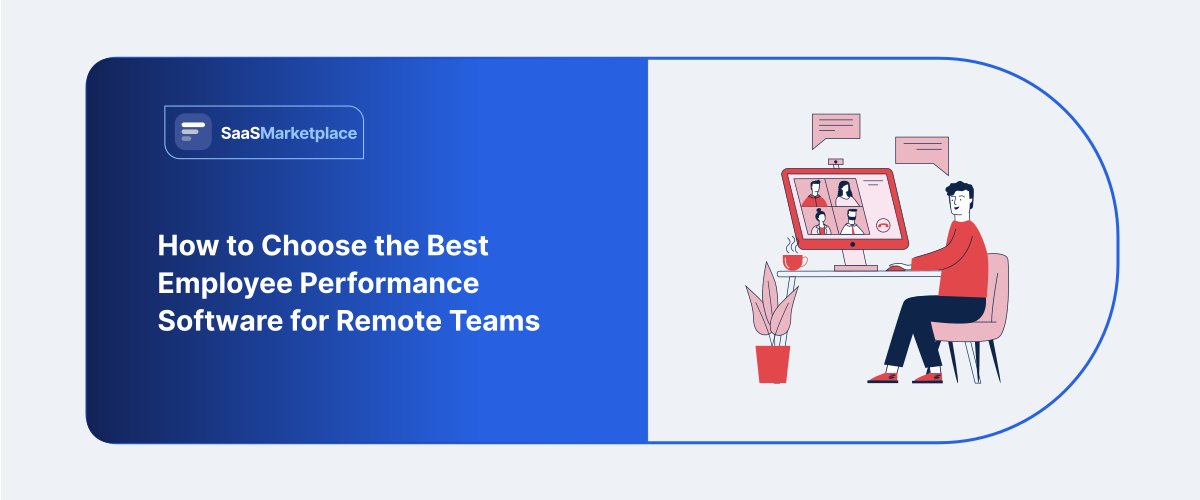
How to Choose the Best Employee Performance Software for Remote Teams
-min.jpg)
When managing remote employees, there really isn’t any space for just sort of glancing around and noticing who looks engaged or something. Checklist-based performance reviews are now considered outdated. Instead, remote work employee performance software needs to focus on results rather than the number of hours worked by an employee. The ideal remote work software system should not resemble some digital monitoring system, but rather a tool that connects regular activities to ongoing feedback, progress tracking, and recognition. Such would allow monitoring problems when they arise and celebrations wherever in the world employees work.
What Is Employee Performance Software?
Employee performance software kinda acts like a digital tool that lets you track, measure, and improve the real-world effectiveness of your employees, so everything feels clearer overall. In the present-day context of U.S. workplace culture, where the old-fashioned practice of conducting yearly reviews has been replaced by an effective continuous development process, such solutions constitute a single interface to which everyone can refer if they wish to define specific targets and goals.
In managing hybrid or remote teams, American companies have begun using this software as more than a mere HR compliance instrument; it has become an essential part of cultivating organizational culture and retaining people. Nowadays, this software incorporates various amazing features allowing it to receive feedback in real time - such features are 360-degree peer evaluation, automated feedback cycles, and tracking objectives along with key results (OKRs). The software providers help organizations circumvent the problem of biases in management since it offers continuous information that replaces outdated annual evaluation methods.
Why Does Your Remote Team Need Employee Performance Software?
Managing a remote team kinda removes those everyday touchpoints you get in an office, and then it becomes really easy for people to feel like they are in a vacuum. Without the same shared physical space, out of sight tends to turn into out of mind, and that can cause a pretty dangerous dip in employee engagement plus a growing sense of isolation. employee assistance program helps bridge that physical gap by building a kind of transparent digital town square where wins are visible, goals are public, and everyone can see how their daily assignments connect to the company’s larger picture. Basically, it swaps the casual great job from the hallway for recognition that’s more structured and documented, so remote workers actually feel valued and connected, regardless of their zip code.
Remote setups also have this built-in lack of context, which makes the normal performance tracking kind of unreliable in real life. When managers can't observe the day-to-day effort directly, they sometimes end up leaning on a bit shaky metrics like keyboard activity, or Slack response time, and those numbers can actually end up rewarding performative presence instead of real value. Performance software gets rid of that guessy part by moving the attention fully onto objective results and key outcomes. It also gives U.S. managers the empirical data they need to judge fairly and effectively, cutting out “proximity bias” where onsite or very visible employees can get an accidental advantage for promotions over other equally capable but quieter remote contributors.
The geographical spread of remote teams means that those really important alignment troubles, and the employee burnout stuff, can slip right past everyone, until later than anyone wants. In a physical office, the manager might catch it right away, like noticing a team member looking stressed or sorta disengaged, but online that same person just turns into a quiet little avatar. The performance tools help with this by running regular asynchronous pulse surveys and check-ins, like an early warning routine. They do that by collecting ongoing signals around workload satisfaction and overall sentiment, so leadership can intervene and offer help before things slide too far. In the end this protects team morale and avoids those painful turnover expenses that keep hitting distributed workforces.
What Key Features Should Employee Performance Software Have?
- Goal Management & OKR Tracking: Helps align individual tasks with company objectives to keep remote employees focused on impactful results rather than hours spent working.
- Continuous Feedback Loops: Enables regular and immediate customer feedback and structured 1: 1 sessions to replace now out-of-date annual reviews and avoid feelings of isolation.
- 360-Degree & Peer Recognition: Gives cross-functional and remote teams the ability to recognize and celebrate each other's successes around the world.
- Advanced People Analytics: Utilizes analytical technology to monitor performance patterns and identify the best employees as well as signal possible cases of employee burnout.
- Core Workflow Integrations: It connects with a bunch of remote work tools like Slack, Microsoft Teams, and Jira so the performance tracking stays kinda easygoing and not too much hassle.
- Self-Service Appraisals: It lets employees keep track of what they achieved, look over their personal development, and handle career progression in a more steady, organized way.
How Does Employee Performance Software Support US Remote Teams?
- Fights Proximity Bias: It makes sure remote workers are judged mostly by what they actually produce , and by concrete results they deliver, rather than letting onsite coworkers get a quiet, unearned boost just because they’re physically in view.
- Makes Asynchronous Communication less Messy: Supports more structured and documentation-heavy check-ins plus updates, so dispersed teams can synchronize smoothly across several U.S. time zones without doing a live meeting every few hours.
- Keeps Data Privacy and Compliance intact: Protects sensitive personnel information as it moves across state lines, by following tight federal and state security requirements, which matters a lot for remote U.S. teams.
- Builds a more recognition-led digital Vibe: Swaps the office water cooler energy for focused virtual spaces where accomplishments get highlighted, so isolated employees don’t end up feeling ignored or disconnected.
- Catches Distributed Burnout Quickly: it introduces automatic sentiment assessments and rapid pulse surveys that act as indicators of potential problems, allowing HR software teams to identify burnout and disengagement before it escalates into high employee turnover.
- Integrates seamlessly into the U.S. tech toolkit: It connects with widely-used American tools like Slack, Microsoft Teams, and Asana, thus making productivity monitoring more integrated in everyday remote workflows rather than an annoying extra feature.
How Do You Compare Employee Performance Software Options?
- Evaluate the User Interface and Usability of the Tool: Examine how user-friendly the interface is in order to achieve reasonable adoption levels among telecommuting staff who do not have to undergo complicated technical training.
- Check the Integration: Make sure that the solution can integrate with your current technology stack including various communication systems like Slack and Microsoft Teams and existing Human Resource Information Systems.
- Assess the Customization Options: Investigate whether the software allows creating personalized assessment forms and personalized rating systems as well as flexible evaluation cycles that correlate with the company culture.
- Analyze Reporting: Analyze the reporting functions to establish whether they are clear and visually accessible enabling to assess the trends in the performance and engagement of personnel.
- Check the Security: Confirm that the provider uses modern encryption techniques and access control functionality in order to protect confidential employee information in compliance with local laws.
- Test the Goal Alignment System: Find out if the tool provides multi-tier support for the OKR methodology.
What Are the Top Employee Performance Software Tools in the US Market?
1. Deel
Deel is this huge player in global workforce management, and then it kinda pushed into the performance world with its “Engage” module. It kind of focuses on braiding together performance, multi-directional 360-degree feedback, and goal alignment, all inside one platform. The software is really tuned for companies that have global footprints, or at least teams that are heavily spread across the U.S., and that want to link performance reviews right into core HR workflows like learning management and compensation adjustments. There’s a clean modern interface that helps cut down on admin stuff , and it also leans on AI helpers to help managers draft better feedback. On top of that, Deel includes goal trees and progress tracking so cross functional remote teams stay aligned to the wider organizational strategies. In the end, it tends to fit best for fast-scaling companies that need to handle international talent compliance while also doing serious employee development.
2. Mitratech
Mitratech kind of offers a super configurable, enterprise-ready talent management experience, that is mostly driven by the well known "Trakstar" product suite. The software is made so organizations can move away from paper or spreadsheet driven reviews, and into more automated, ongoing evaluation routines. It really shines when it comes to pushing SMART goals from people in leadership down toward individual employees, so there is visibility across the whole operational setup. The platform comes with full dashboards for data, plus email nudges that run automatically, and also 360 degree peer assessment so HR isn’t stuck with so much admin heavy stuff. Also, Mitratech folds in employee engagement surveys with the performance data, letting leaders choose next moves using actual evidence. There’s a clean, easy to browse user interface which helps teams adopt it faster, and it helps close that communication gap for teams that are split up, or even fully remote.
3. Small Improvements
Small Improvements is an intentionally streamlined performance management platform, focused heavily on building this continuous, kinda organic feedback culture. It really centers on lean, highly flexible tools that help run structured 1:1 meetings, multi-source 360-degree feedback, and also keep objective tracking clear. Instead of clunky, overly corporate setups, it goes with customizable review templates, adaptable rating scales, and lightweight pulse surveys. One of its standout traits is the “Praise” feature, which empowers colleagues who are distributed across teams to publicly celebrate wins and broadcast recognition into these shared digital spaces. The interface is designed so it blends into daily operations without too much disruption, and it uses robust integrations with Slack, Gmail, and leading HRIS systems. It’s ideal for growing companies that want to focus intensely on manager-employee relationships and talent retention, without the massive software complexity, you know.
4. Workleap
Workleap kinda offers a total employee experience setup, like a full atmosphere, by pulling together its market-tested engagement tools—especially Officevibe—with some dedicated performance pieces, yes.At this point, it is clear that the technology is centered on making sure that remote employees are capable of providing feedback without feeling threatened. A lot of the analysis utilizes automated pulse surveys which help in keeping track of the attitude of the teams, potential problems connected with engagement and burnout. The managers receive AI powered highlights that help them digest the information. In addition to this, the platform offers the possibility to organize collaborative one-on-one meetings, send out reminders for giving feedback, and use virtual recognition cards.
How Do You Successfully Implement Employee Performance Software?
- Secure Leadership and Manager Buy-In: Make sure executives and team leads are actually pushing for the platform, and they’re championing its use day to day. When managers lead by example, remote employees tend to adopt the software as a dependable tool, not as some monitoring burden you know.
- Define Goals and Metrics Before Launch: Spell out your review timelines, how often feedback should happen, and the core performance metrics long before configurations start. Setting these things up early helps the platform fit your own remote culture, instead of you having to bend around the default settings.
- Conduct Thorough, Role-Specific Training: Run hands-on training sessions and also build documentation that is clear, quick to scan, and tailored separately for managers and for individual employees. When guidance is solid, distributed teams usually feel more confident navigator the, setting up OKRs, and requesting feedback, right from day one , no guesswork.
- Execute a Staged, Phased Rollout: Start with a smaller pilot department to collect real feedback and smooth out workflow issues before going all in company-wide.It is advantageous to have a gradual rollout, as this gives one the necessary time to solve any issues with integration issues, leading to a global launch that turns out to be much smoother overall.
- Integrate with Existing Workplace Tools: Ensure that the platform is integrated directly with the communication tools like Slack, Microsoft Teams, and essential HRIS that the employees are already using. Doing so would greatly facilitate the process and make it easier to provide feedback.
- Gather Feedback and Iterate Regularly: Several months after the launch, conduct a usability survey among remote workers in order to highlight any process hiccups or slowdowns.
Conclusion
Choosing the right employee performance software is, kinda, a big deal if you want a distributed team to stay aligned, motivated, and doing solid work. If you focus on steady feedback cycles, smooth system integrations, and measurable result tracking, you can usually reduce that far away disconnect and the little proximity bias that sneaks in. When you’re at the point where it’s time to assess vendors or compare options, go to saasmarketplace. It’s a trusted place to Discover, Compare, and Buy any business software, and it helps simplify the whole purchasing journey, too. On the platform it’s pretty straightforward to review features side by side, read verified user perspectives, and then pick with confidence the best fit for your remote workforce.
FAQ's
It prioritizes asynchronous feedback, clear objective key results (OKRs), and output-based metrics over physical presence or manual manager observation.
Look for continuous goal tracking, real-time check-in templates, integration with collaboration tools like Slack or Teams, and built-in bias calibration.
Yes, these platforms standardize rating scales, track objective deliverables, and use performance data analytics to ensure equal evaluation regardless of location.
Modern software connects via native APIs to your HRIS, project management systems, and daily messaging tools to log achievements automatically.
ROI is measured through reduced employee turnover, higher OKR completion rates, time saved during review cycles, and improved remote employee engagement.