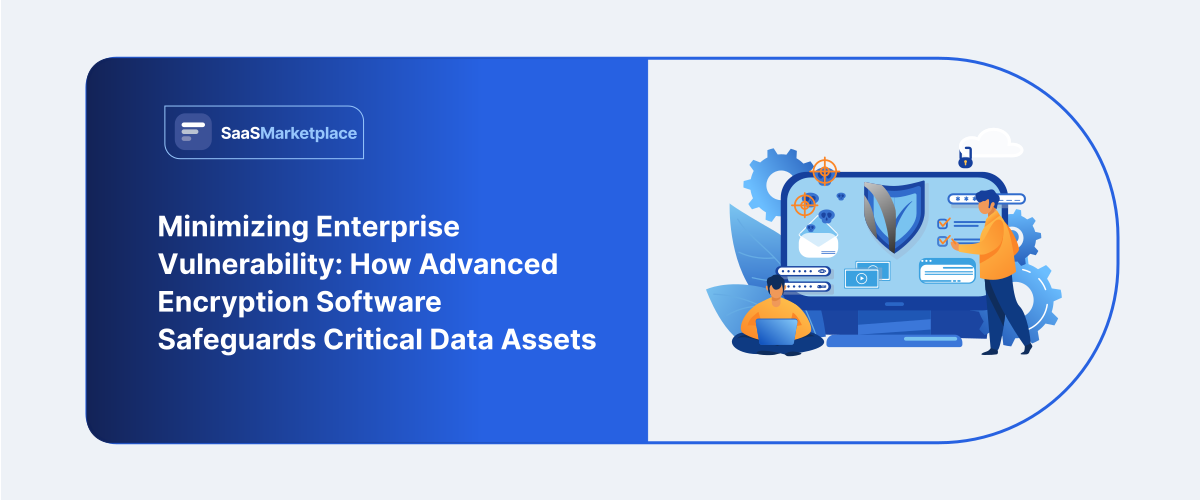
Minimizing Enterprise Vulnerability: How Advanced Encryption Software Safeguards Critical Data Assets
-min.jpg)
Data is often the single most valuable thing a business holds. Every working day, employees create financial sheets, customer lists, patent drafts, and private code bases. Keeping all those files confidential becomes challenging as teams grow across cloud storage companies, public Wi-Fi networks, and distant places. One misplaced laptop or one compromised cloud account can reveal years of secret information. That openness causes public damage to your brand image, lost customer trust, and quick financial consequences.
 Looking for Encryption Software? Check out SaaSmarketplace’s List of the Best Encryption Software in USA for Your Business.
Installing dedicated encryption software gives you a reliable way to defend those files. Traditional network firewalls only block perimeter access, but intruders who slip past them can read everything. Using specific encryption programs, staff convert plain text into mixed code. Should an unapproved user manage to take a document, they view only meaningless letters unless possessing the precise unlocking key.
How Mathematical Data Protection Works
Understanding why companies buy specialized tools starts with the basic math behind file protection. The underlying core of data loss protection relies on algorithms that take plain text and turn it into scrambled cipher code.
Security platforms use two main setup models to handle daily file storage and secure messages:
1. Symmetric Encryption Setup
A symmetric encryption model uses one shared secret key to lock and unlock files. It runs very fast and uses little processing power, which makes it great for scrambling large volumes of stored files quickly. Common standards like AES 256-bit rely on symmetric encryption to lock hard drives, server databases, and system backups without slowing down employee computers.
2. Asymmetric Encryption Setup
Two linked keys—a public key encoding data and a private key decoding—define an asymmetric encryption framework. As no one ever transmits the private key over the open web, asymmetric encryption offers a secure basis for checking digital signatures, sending secure client emails, and configuring starting network handshakes.
Important Capabilities in Modern Tools
Selecting a cloud security tool means looking past simple file passwords. Full-featured enterprise encryption software combines multiple layers of defensive control into one central admin console.
-
Full Disk Protection
Computers, mobile phones, and flash memory sticks are often misplaced or taken by others. Applying complete storage protection ensures that each individual part of a disc remains mixed up, even holding short-term data buffers and boot records. If an employee leaves a laptop in a taxi, nobody can boot the computer or read the drive contents.
-
Automated Key Control
Scrambling data works only if your keys stay safe. Good encryption software offers automated key management tools. IT admins can create, change, issue, and cancel security keys from one screen. Automatic key rotation helps managers to swiftly delete access when workers depart the firm and keeps them from using obsolete keys.
-
End-to-End Secure Sharing
If employees transmit personal documents via group messaging tools or online storage systems, such items might get caught by intermediate network security points. Implementing end-to-end encryption maintains data security starting when it departs the originator until reaching the recipient machine. Hosting servers, ISP companies, and outside services lack access to view the real content.
Protecting Stored Files vs Active Transmissions
A complete company security plan must protect files wherever they live. The risks look very different depending on whether files stay parked on a hard drive or travel over open networks.
-
Securing Data at Rest
Data at rest is content found on database servers, cloud storage buckets, and local hard drives. Unencrypted files could be copied in seconds if a hacker gains access to a storage server. Running encryption software across all storage areas keeps data at rest locked down; thus, confiscated files are unreadable even during a server breach.
-
Securing Data in Transit
Data in transit is information exchanged among home computers, web applications, or office locations. Using phony Wi-Fi locations, hacked routers, or a packet sniffer, hackers could intercept open network traffic. Built-in security policies in your encryption program maintain data in transit scrambled from source to destination across public and private networks.
Do You Know?
Lost or misplaced physical devices—laptops, phones, and flash drives—account for more than forty percent of business data breaches. By making stolen hardware useless to thieves, businesses that demand complete disk encryption on all employee computers protect sensitive data from exposure.
Comparing Manual File Locks with Automated Tools
Relying on workers to set individual passwords on files creates human mistakes and leaves huge gaps across your company:
|
Protection Feature |
Manual File Passwords |
Automated Encryption Software |
|
Coverage Area |
Single files or chosen folders. |
Full disk encryption across all drives and databases. |
|
Key Governance |
Shared passwords easily shared or forgotten. |
Centralized key management with strict user permissions. |
|
Network Transfers |
Files often sent plain over standard email. |
Automated end to end encryption for shared files. |
|
Policy Control |
Left up to individual worker habits. |
Forced automatically across every endpoint and drive. |
|
Audit Logs |
Almost no tracking or history logs. |
Complete activity reporting for audit compliance. |
Meeting Legal Rules and Building Client Trust
Companies do not install tools just to stop hackers. Global laws now demand that businesses use strong technical controls on personal data.
-
Following Legal Privacy Mandates
Laws like GDPR, HIPAA, PCI- DSS, and CCPA mandate firms secure client files and medical details with care. Failing to shield user information results in massive legal penalties and required public notices regarding the incident. Deploying strong encryption software satisfies baseline legal demands, giving you clear paperwork to show during regulatory compliance audits.
-
Showing Clients You Are Safe
Enterprise clients always check vendor security before signing new software contracts. Showing prospective buyers that your company uses encryption software to protect records builds trust right away. It shows that your team handles data carefully, which helps you during sales presentations over rivals.
What to Look For Before Choosing a Tool
Picking the right platform depends on your existing tech setup, daily team workflows, and long-term support costs.
-
Hardware and OS Support
Companies run mixed equipment, including Windows PCs, MacBooks, Linux servers, iPhones, and Android tablets. Your encryption software needs to run smoothly on every device without causing system crashes or performance slowdowns. It should also connect easily with your current login systems.
-
Simple User Experience
Employees would search for risky shortcuts, such as sending business documents to personal email accounts, if security tools seem too complex or slow down daily work. Quietly behind the scenes, the top encryption program locks and unlocks files free from irritating pop-ups or extended load times.
-
Centralized Admin Dashboard
Managing software licenses one by one becomes impossible as your company grows. Look for a vendor that gives you one central admin board. Central reporting, simple remote installs, and quick remote wipe functions help your team enforce consistent encryption standards across all remote and office workers.
Long-Term Operational Benefits
Putting strong security systems in place protects your business far beyond daily file protection. It changes how your whole organization handles information safety.
-
Stopping Insider Threats
Your data faces other threats besides outside hackers. From within your network, unhappy workers or careless contractors can cause big data breaches. Strict user permissions and encryption software help to prevent internal data theft by ensuring that staff members may only view the files required for their particular jobs.
-
Protecting Cloud Workflows
While it leaves your assets housed on outside servers, moving applications to cloud management platforms speeds up teamwork. Using your own encryption program helps you keep important control instead of turning over complete control to cloud providers. That extra boundary keeps private company records safe even if a cloud provider suffers a backend configuration error.

Pro-tip
Never let one worker own the only recovery keys to their devices when implementing encryption software throughout your business. In your management dashboard, establish a core key escrow policy to enable IT administrators to safely retrieve locked files should an employee forget login information or quit abruptly.
Conclusion
For every company dealing with sensitive data or client records, selecting a specialized encryption program is a very important operational decision. Leaving company data unprotected carries significant financial and legal consequences as long as employees remain distant and cyber attacks become more common. Using automated software helps to ensure your data is kept jumbled whether it is stored on local disks or transported across open networks. Strong algorithms coupled with straightforward key management solutions offer your business a solid security basis that safeguards assets, meets legislative compliance standards, and promotes safe long-term company development.
FAQ's
No, smaller businesses with simple needs often manage well with built-in device and cloud encryption.
Centralized encryption key management and audit logging are usually the clearest benefits over built-in tools.
Yes, file encryption software protects documents after they leave your device, unlike disk encryption alone.
Modern tools minimize the impact, though very high-volume systems should test performance before rolling out widely.
Usually yes, since compliance standards often require documented, centrally managed encryption practices.