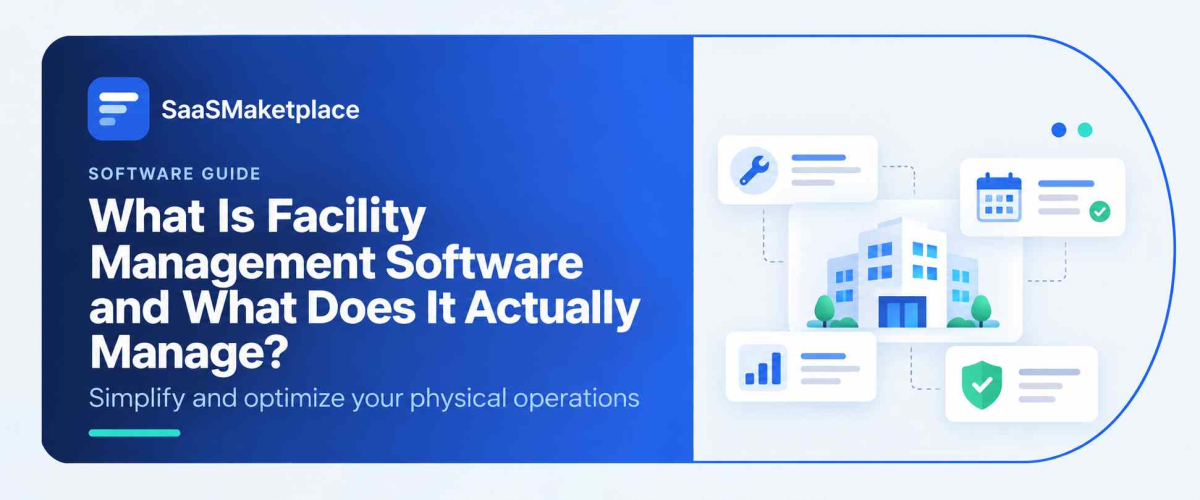
What Is Facility Management Software and What Does It Actually Manage?
-min.jpg)
Query a facilities manager regarding their duties, and you receive a appearing nearly ridiculous due to its scope: climate control units, rental extensions, meeting space reservations, safety regulation adherence, vehicle spot assignment, plus any crisis occurring at 6 a.m. that was unanticipated. Management tools for facilities exist since one lone worksheet, or truthfully one individual alone, cannot retain all such data dependably when a collection expands beyond merely one or two structures.
 Looking for Facility Management Software? Check out SaaS Marketplace’s List of the Best Facility Management Software in the USA for your business.
The market reflects how broad that scope actually is. Mordor Intelligence puts the facility management software market at roughly $2.66 billion in 2025, growing to around $4.97 billion by 2030, at a pace of about 13% annually. Within that, the maintenance-focused segment (CMMS) is growing even faster, at closer to 16% a year, which tells you something about where the most urgent pain points currently sit for facilities teams. This guide breaks down what facility management software actually covers, the different flavors it comes in, and maybe more usefully, where the category's boundaries actually are, since "facility management software" gets used as an umbrella term for tools that do genuinely different jobs.
What Is Facility Management Software?
Facility management software is a platform that helps organizations manage the physical operation of buildings and the assets, people, and services inside them maintenance, space allocation, vendor and contract management, and often compliance and sustainability tracking- all from a centralized system rather than scattered across email, spreadsheets, and paper files.
The longer, more useful answer is that "facility management software" isn't really one thing; it's a category that splits into a few distinct types depending on how much of the facility lifecycle a platform actually covers, and getting that distinction wrong is probably the single most common mistake buyers make in this space.
The Three Types Hiding Under One Label
- CMMS (Computerized Maintenance Management System) is the narrowest and most operationally focused type. It handles work orders, preventive maintenance scheduling, asset history, and parts inventory, essentially keeping equipment running. It's also, per most industry data, the fastest-growing segment of the broader facility management software market, since maintenance and asset reliability tend to be where facilities teams feel the most immediate financial pain.
- CAFM (Computer-Aided Facility Management): sits a level above CMMS, adding space management, move/add/change tracking, and often basic lease or occupancy data on top of maintenance functionality. Think of it as CMMS plus "where is everyone sitting and how much of this building are we actually using."
- IWMS (Integrated Workplace Management System): is the broadest tier, real estate portfolio management, lease accounting, space planning, sustainability reporting, and maintenance, all under one platform. Large enterprises with sprawling, multi-site portfolios tend to gravitate here, mostly because consolidating that much data onto one system pays off at scale in a way it doesn't for a single-building operation.
What Facility Management Software Actually Does, Day to Day
Maintenance and work order management
At minimum, most facility management platforms handle the CMMS-level basics: logging maintenance requests, scheduling preventive work, and tracking which technician did what to which piece of equipment and when.
Space and occupancy management
Particularly relevant post-2020, as hybrid work has made space utilization data genuinely valuable rather than a nice-to-have. Knowing which floors are running at 30% occupancy on a given day changes real decisions about lease renewals and office consolidation.
Vendor and contract management
Cleaning contracts, security services, landscaping, HVAC service agreements: tracking renewal dates, service-level performance, and costs across dozens of vendors is a genuine operational headache that facility management software is built to organize.
Compliance and safety tracking
Fire inspections, ADA compliance documentation, environmental regulations. Industries with heavier regulatory exposure (healthcare, education, government buildings) lean on this functionality more heavily, since missing a required inspection carries real liability.
Reporting and analytics
Cost per square foot, maintenance spend trends, energy consumption this is where facility data increasingly feeds into broader business intelligence software, giving executives visibility into facility costs alongside every other operational metric they're tracking.
Where Facility Management Software Fits Next to Other Categories
The naming overlap across enterprise software creates real confusion here, and it's worth being specific about where the lines actually sit.
- Construction management software: handles a building's construction or major renovation phase budgets, subcontractors, permits, and project timelines. Facility management software takes over once the building is occupied and operational. They're sequential, not competing: construction management software builds it, facility management software runs it for the next twenty or thirty years.
- Project management software and IT project management software: both deal with tasks and deadlines, but they're structured around finite initiatives with a clear beginning and end. Facility management is closer to a continuous operation than a project; a building doesn't get "finished" the way a project does. That said, when a facilities team runs a specific initiative, a floor renovation, an HVAC system replacement, project management software often gets used alongside the facility management platform for that particular initiative.
- ERP software: sometimes includes basic facilities or asset modules, and for smaller organizations with simple, single-site needs, that bundled functionality can be enough. Larger, multi-site organizations more often run dedicated facility management software alongside their ERP, feeding cost and asset data up into the ERP for broader financial reporting rather than trying to manage facilities natively within it.
- Help desk software and service desk software: overlap with facility management specifically at the request-intake layer; an employee submitting "the AC in conference room 3B isn't working" looks a lot like an IT ticket on the surface. Some organizations route facility requests through their existing help desk or service desk platform rather than a dedicated facility management tool, which works fine for basic reactive requests but tends to fall short on maintenance scheduling, asset tracking, and vendor management functionality a real facility management platform provides.
Facility Management Software vs. CMMS: A Direct Comparison
Since this distinction trips up so many buyers, it's worth laying out directly.
|
Factor |
CMMS (Standalone) |
Full Facility Management Software (CAFM/IWMS) |
|
Core focus |
Maintenance and asset upkeep |
Maintenance plus space, real estate, and vendor management |
|
Implementation time |
Typically 1–4 weeks |
Often 6–18 months for full IWMS deployment |
|
Best for |
Single-site or maintenance-focused operations |
Multi-site portfolios, real estate-heavy organizations |
|
Cost structure |
Lower upfront, often per-user or per-asset |
Higher upfront, often enterprise licensing |
|
Data scope |
Equipment and work orders |
Equipment, space, leases, vendors, sustainability metrics |
Who Actually Needs This, and at What Level
A single-location retail store or a small office generally doesn't need dedicated facility management software at all; a landlord or property manager typically handles the heavier lifting, and internal needs are simple enough for basic tools or a help desk ticket system.
A company running several owned buildings, a hospital system, a university campus, or a multi-site industrial operation is a different story. At that scale, the case for at least CMMS-level software is strong, and the case for a fuller CAFM or IWMS platform grows with how much real estate and space-planning complexity is actually in play. A company with ten identical warehouse locations has different needs than one managing a mixed portfolio of owned office towers, leased retail space, and a data center.
Common Mistakes in Choosing Facility Management Software
- Buying more platform than the organization needs: As covered above, this is the single most expensive mistake in the category. An IWMS's real estate and lease-accounting depth is wasted on an organization that just needs reliable maintenance scheduling, and the extended implementation timeline delays value that a lighter CMMS would have delivered in weeks.
- Underestimating data migration effort: Moving asset records, lease documents, and vendor contracts into a new system is tedious work that gets underestimated in almost every implementation timeline, and skipping it properly undermines the software's usefulness for years afterward.
- Treating it as an IT project instead of an operations project: Facility management software selection often gets handed to IT because it's "software," but the people who actually understand the operational requirements facilities managers, not IT staff need to be driving requirements and evaluation, or the resulting platform tends to miss what actually matters day to day.
- Ignoring integration needs upfront: A facility management platform that doesn't connect to existing ERP software for financial reporting, or existing help desk software for request intake, ends up creating duplicate data entry that someone has to reconcile manually a problem that compounds the longer it goes unaddressed.
What to Evaluate Before Choosing a Platform
- Does your organization actually need CMMS-level maintenance tracking, or the broader space and real estate functionality of CAFM/IWMS?
- What's the realistic implementation timeline, and does that match your organization's tolerance for a longer rollout?
- Does it integrate with existing ERP software, help desk or service desk software, and business intelligence tools already in use?
- How well does it handle multi-site data if your portfolio spans more than one location?
- Is pricing structured per user, per square foot, or per asset, and does that scale sensibly as your portfolio grows?
Conclusion
Facility management software acts as the central operational system for modern physical infrastructure, bridging the gap between daily equipment upkeep and long-term real estate strategy. By unifying work order management, space utilization tracking, vendor contracts, and regulatory compliance into a single platform, these systems replace fragmented spreadsheets and reactive firefighting with data-driven operational control.
Ultimately, choosing the right solution requires honest alignment between platform depth and organizational complexity. While a standalone, cloud-based CMMS provides immediate value for maintenance-focused operations, multi-site enterprises and real estate-heavy organizations benefit far more from the broader spatial and portfolio capabilities of CAFM or IWMS frameworks. Selecting a tool driven by operational leaders, backed by clean data migration, and seamlessly integrated with existing ERP and IT service desks ensures that physical facilities remain safe, efficient, and cost-effective strategic assets.
FAQ's
CMMS is a narrower tool focused specifically on maintenance and asset upkeep. Facility management software is a broader term that can include CMMS functionality plus space management, real estate, and vendor management, depending on whether the platform is CAFM- or IWMS-tier.
Usually not a dedicated platform, unless the business manages its own building or multiple locations.
IWMS (Integrated Workplace Management System) is the broadest tier, covering real estate portfolio management, lease accounting, and sustainability reporting alongside maintenance. CAFM (Computer-Aided Facility Management) is narrower, generally covering maintenance plus space and occupancy management without the full real estate and lease-accounting depth of IWMS.
It varies enormously by platform tier. Cloud-based CMMS platforms can go live in a matter of weeks.
Most established platforms offer integrations with common ERP software for financial and asset data, though the depth of integration varies significantly by vendor; this is worth testing directly during evaluation rather than assuming based on a vendor's feature list.
Many platforms, particularly at the CAFM and IWMS tier, include energy consumption tracking and sustainability reporting features, which have become more relevant as organizations face growing pressure to report on environmental performance.