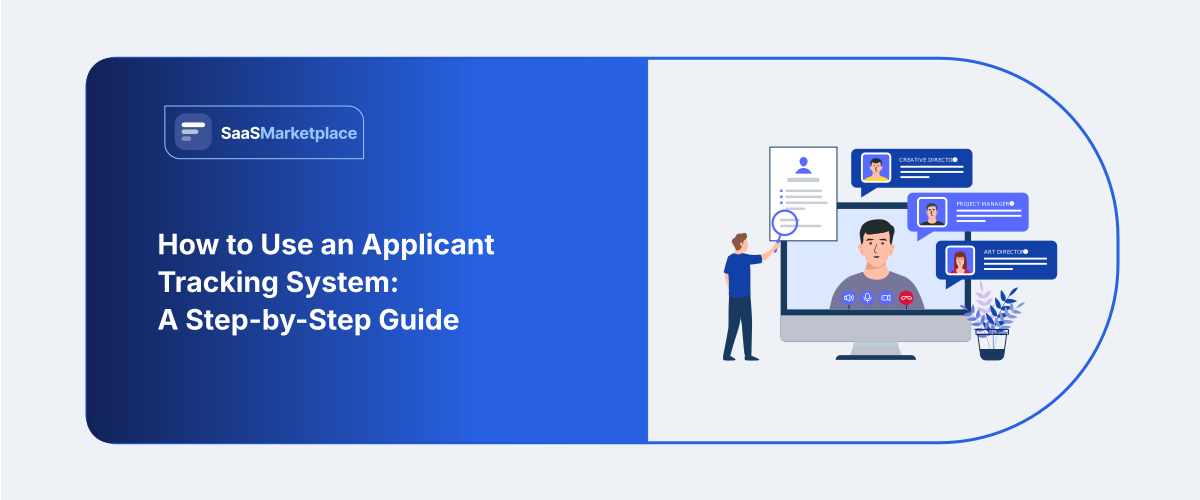
How to Use an Applicant Tracking System: A Step-by-Step Guide
-min.jpg)
A hiring manager at a medium-sized logistics firm in Texas once explained her former method thus: resumes stacked within a common inbox, many gone into a folder no one reviewed, and a spreadsheet all claimed they would fix yet failed to touch. She was not overstating things. That truly describes how numerous smaller and medium-scale American businesses recruited staff prior to applicant tracking tools becoming cheap enough for them to care about.
An applicant tracking system, or ATS, is software created to handle the recruitment flow — listing openings, gathering submissions, filtering CVs, advancing prospects via interview phases, and storing all data throughout the process. Larger companies have used some version of this for decades. What's changed recently is price and accessibility. Cloud-based ATS platforms now cost a fraction of what enterprise HR software used to, which means a 20-person company Most US companies do not lose good candidates because they cannot find them. They lose them because a resume sat in someone's inbox for eleven days.That gap between interest and action is exactly what an applicant tracking system is built to close. Yet plenty of HR teams buy the software, import their old spreadsheet, and never really use it. The tool becomes an expensive filing cabinet.
What an Applicant Tracking System Actually Does
Think of it as the place where every piece of your hiring lives. Job descriptions. Applications. Interview notes. Rejection emails nobody wants to write twice.
-
The core job of the software
A hiring platform gathers forms, scans files linked inside, then sorts applicants into a line visible immediately. Almost every big company in America uses such tools, plus uptake by smaller firms rose quickly when costs fell. Parsing resumes is what observers spot initially. Programs extract details like contact info, roles held, and abilities from documents and place those items into fixed boxes. No more retyping. The bigger value shows up later. When a hiring manager asks who applied for the warehouse role in March, you have an answer in four seconds instead of four hours.
-
Where it fits in your hiring stack
Some teams buy applicant tracking software as a standalone product. Others get it bundled inside a larger HR platform alongside payroll and benefits. Both work. Standalone tools usually offer deeper recruiting features. Bundled modules win when you want employee data to flow straight from offer letter to first paycheck without a manual export.
Map Your Hiring Process Before You Configure Anything
Here is the mistake that sinks most rollouts. Teams open the software and start building stages based on what the demo showed them.
-
Write down every stage on paper first
Grab a notepad. List what actually happens from the moment a role gets approved to the day someone accepts.For a lot of American small businesses, that looks like this. Manager requests headcount. Finance approves. Job goes live. Applications come in. Recruiter screens by phone. Manager interviews. Reference check. Offer.Seven or eight stages. That is your blueprint. The applicant tracking system should mirror your real recruitment marketing process, not force you into someone else's.
-
Decide who touches what
Recruiters need to see everything. Hiring managers usually only need their own openings. An office manager handling scheduling might need calendar access without seeing salary fields.Write these permissions down now. Fixing them after fifty people have logged in is genuinely painful.
Step 1: Set Up Your Account and User Roles
Log in as the administrator. Most platforms drop you onto a dashboard that looks empty and slightly intimidating.
Getting permissions right the first time
Create user roles before you invite anyone. Admin, recruiter, hiring manager, interviewer. Four levels covers the vast majority of teams under 500 employees.Assign the narrowest access that lets each person do their job. Your VP of Sales does not need to browse applications for the accounting opening.
Connect your calendar and email
This step gets skipped constantly and it is the one that saves the most time. Link Google Workspace or Microsoft 365 so the applicant tracking system can read availability and send messages from your own domain.Once connected, interview invites go out under your name instead of a generic no-reply address. Candidates respond more often. Small change, real difference in reply rates.
Step 2: Build Your First Job Requisition
A requisition is just the internal record of an open role. Title, department, location, pay range, hiring team.
Writing a job description the system can read
Keep the structure clean. Clear title, a short summary of the work, then responsibilities and requirements as separate blocks.Avoid creative titles. "Ninja Growth Wizard" confuses both job boards and search engines. Digital asset Marketing Manager gets found.Several states now require a posted salary range, including California, Colorado, New York, and Washington. Build that field into your template so nobody forgets. Your applicant tracking system can make it a required field, which removes the guesswork entirely.
Adding knockout questions
These are yes-or-no filters applied at the application stage. Do you have a valid CDL. Are you authorized to work in the United States. Can you commute to Charlotte three days a week.Use them sparingly. Three or four questions maximum. Every extra field pushes more applicants to abandon the form halfway through, and mobile applicants drop off fastest.
Step 3: Publish Job Postings Everywhere at Once
The distribution feature is where the software starts paying for itself. One click, many destinations.
Job boards and your careers page
Most platforms push job postings to Indeed, LinkedIn, ZipRecruiter, and Glassdoor automatically. Some connect to two hundred boards or more.Your careers page updates at the same time. If the applicant tracking system hosts that page, the listing appears within minutes of you hitting publish.
Tracking where applicants come from
Turn on source tracking. It tags every applicant with the channel that sent them.After ninety days you will know something useful. Maybe Indeed delivers volume while employee referrals deliver actual hires. That is a budget decision you can now make with data instead of instinct.
Step 4: Review Applications Without Drowning
A single corporate job posting in the US commonly draws well over two hundred applicants. Nobody reads two hundred resumes carefully. Nobody.
How resume parsing works in practice
The software scans each uploaded file and extracts structured data. Employment dates, degrees, certifications, skill keywords.It then matches that data against your requirements and gives you a ranked list. Strong matches float up. Weaker ones sink.Ranking is not rejection. Reputable applicant tracking software surfaces candidates in an order. A human still decides who advances, and that distinction matters legally as well as ethically.
Sorting instead of rejecting
Build a habit around three buckets. Advance, hold, decline.The hold bucket is underrated. Someone who was second choice for a customer service role in April might be perfect for the opening you post in September. Your candidate database becomes a genuine asset once you actually use it.
Step 5: Move Candidates Through the Pipeline
The pipeline view is the heart of the whole thing. Columns for each stage, cards for each person.
Stage changes trigger everything else
Drag a candidate from Applied to Phone Screen. That single action can send a scheduling link, notify the hiring manager, and start a timer measuring how long the stage takes.Set up these triggers during your first week. Automated status updates cost nothing to configure and dramatically improve candidate experience, because silence is the number one complaint applicants have about American employers.
Scorecards keep interviews honest
Create a short evaluation form tied to each stage. Four or five criteria, scored one to five, with a comment box.Structured scorecards do two things. They make comparisons between candidates meaningful, and they create documentation showing your hiring process applied consistent standards to everyone.
Step 6: Schedule Interviews and Collect Feedback
Scheduling is the stage where days quietly disappear. Three people, four calendars, one candidate in a different time zone.
Self-scheduling links
Send the candidate a link showing open slots on the interviewer's calendar. They pick. The invite books itself.This one feature routinely cuts a two-day scheduling loop down to twenty minutes. It also signals competence to the applicant, and applicant experience during scheduling is one of the few things candidates remember clearly weeks later.
Getting hiring managers to actually respond
Information residing within Slack channels is information that vanishes. Demand scorecard entry into the hiring platform prior to unlocking subsequent phases. Establish an automated alert at twenty-four hours. Soft prompts function superior to hunting individuals within corridors.
Step 7: Send the Offer and Hand Off to Onboarding
The finish line has more moving parts than people expect. Approvals, paperwork, and a start date that finance also knows about.
-
Generating the offer letter
Generate the offer from a template stored in the system. Salary, start date, reporting line, at-will language reviewed by your employment counsel.Most platforms include e-signature or connect to DocuSign. The signed copy files itself against the candidate record automatically.
-
Passing the baton to onboarding
When the offer is accepted, the record should flow into onboarding. Background check ordered, I-9 started, equipment requested. A well-configured recruitment process ends with the new hire already in your HR system on day one rather than filling out paperwork on a clipboard.
Staying Compliant with US Hiring Rules
This section is not optional reading. Compliance is one of the strongest arguments for using software instead of email folders.
-
EEOC record retention
Federal regulations require employers to keep personnel and employment records for one year, and that clock runs from the date the record was made or the personnel action occurred, whichever comes later. The obligation covers applicants you did not select, not just people you hired.Larger employers and federal contractors face longer windows, often two years.
-
AI screening and state-level rules
New York City requires bias audits for automated employment decision tools used in hiring, along with notice to candidates. Illinois regulates AI analysis of video interviews. Several other states have passed or proposed similar measures.Ask your vendor directly whether their AI features have been audited and what documentation they provide. Then confirm with counsel. Rules in this area are changing fast, and the employer carries the liability, not the software company.
-
Voluntary EEO self-identification
Your application form should invite candidates to self-identify race, gender, and veteran status voluntarily. Make clear that the information is collected for federal reporting and never used in selection decisions.Keep those responses separated from the profile that hiring managers review. Good applicant tracking software does this automatically.
Common Mistakes That Waste the Investment
Plenty of teams buy well and configure badly. A few patterns repeat.
-
Building too many stages
Twelve stages feels thorough. It is not. It creates administrative drag and candidates stall in the middle of your funnel. Five to seven stages fit almost every role. Add complexity only where you can name the specific decision each stage supports.
-
Nobody trained the hiring managers
Recruiters get trained. Hiring managers get a login and a shrug. Then they go back to forwarding resumes by email and your pipeline data becomes fiction. Run one forty-five-minute session covering three things they need. How to review candidates, how to submit a scorecard, how to approve an offer. That is the whole curriculum.
-
Treating it as storage instead of workflow
If the only reason you open the applicant tracking system is to look something up, you are getting maybe fifteen percent of the value. Automation, templates, and reporting are where the return lives.
Measuring Whether It Is Working
You cannot improve what you do not measure, and the reporting module is sitting right there.
-
Metrics worth watching
Time to fill tells you how long roles stay open. Time to hire measures from first contact to acceptance. Source effectiveness shows which channels produce hires rather than just clicks.Watch stage-to-stage conversion too. If eighty percent of phone screens fail, your job postings are attracting the wrong people, not your screeners failing.
-
When to revisit your setup
Check your configuration every six months. Roles change, teams grow, and a workflow built for a ten-person company creaks badly at forty. Pull the hiring managers into that review. They will tell you exactly which stage annoys them, and fixing it costs you an afternoon.
Conclusion
An applicant tracking system is not complicated software. It is a structured way of doing something you already do, with fewer things falling through the cracks.Configure one role properly, run it end to end, and learn what your team actually needs before you build out the rest. The teams that get real value from an applicant tracking system are rarely the ones with the most features turned on. They are the ones whose hiring process is written down, agreed upon, and followed the same way every single time.That part was never about the software. The applicant tracking system just makes it easy to keep the promise.
FAQ's
An ATS is software that centralizes and automates the entire recruitment process, from posting jobs to making offers.
It extracts key details like work history, contact info, and skills from resumes and automatically populates structured database fields.
Most modern ATS tools rank and sort candidates based on fit, leaving the final decision to advance or reject to human reviewers.
A streamlined recruitment pipeline works best with five to seven distinct stages to avoid unnecessary administrative drag.
Knockout questions are short, initial filters that automatically screen out applicants who do not meet mandatory job requirements.
Federal regulations require US employers to retain personnel and application records for at least one year from the action date.
Yes, most systems allow one-click syndication to major job boards like Indeed, LinkedIn, and Glassdoor, as well as your careers page.