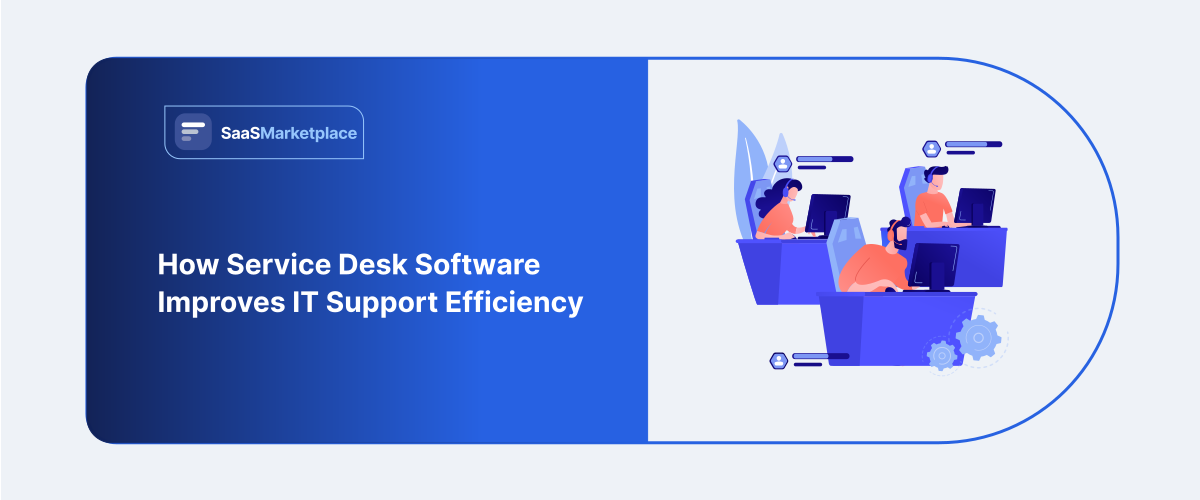
How Service Desk software Improves IT Support Efficiency
-min.jpg)
In contrast to the modern realities of the digital business world, an enterprise can no longer operate smoothly if its internal technology systems experience regular interruptions. Systems’ malfunctions, such as downtime of particular websites or portals, lead to decreased overall productivity and employee satisfaction. In order to mitigate the emerging issues, high-tech corporations utilize service desk software to optimize the management of interrelated organizational matters. Such programs are designed to be at the center of addressing problems in a firm, standardizing disparate streams of employee requests.
 Looking for Service Desk Software? Check out SaaS Marketplace List of the Best Service Desk Software in USA for Your Business
 By implementing service desk software, companies create a central point of contact for all employees, which helps them organize and prioritize their technical support needs. This is especially important since any individual user request, be it something as simple as a password reset or as serious as a large-scale network outage, needs to be processed and routed to the most appropriate specialist available in order to be resolved without error. In some cases, technical request management systems have to be synced to external customer relationship management Software, such as a company’s main CRM, in order to ensure that client-related technical issues, which have been triggered by internal company errors, are escalated to the top executives for review promptly.
What Is Service Desk Software?
Let us break down the exact meaning of this enterprise technology layer. At its core, service desk software is a comprehensive, multi-functional platform built to manage, track, and resolve internal technology issues and business service requests. It goes far beyond a simple messaging inbox for tech support. True service desk software serves as a strategic framework aligned with global standards like ITIL, focusing not just on fixing what is broken, but on managing the full lifecycle of corporate IT services, configuration items, and operational changes across the company ecosystem.
To make these macro-level assessments highly accurate, modern support hubs often connect directly with secondary logistical layers. Connecting these support engines with robust internal systems like an enterprise Accounting Software package allows financial teams to see exactly how much cash is being spent on repetitive device repairs, giving leadership a clear data trail to make proactive purchasing decisions.
1. How service desk software works
This kind of platform uses to be a universal entry point for all technical problems in your offices. Whenever a service request is logged, the user may reply by email or chat or through some specialized portal. The service desk software then reads the request and classifies the ticket according to the rules and gives it a tracking ID.
For advanced technical operations, these platforms frequently coordinate with internal infrastructure alerts. If a security vulnerability or unauthorized login attempt is flagged on an endpoint, the system automatically pulls data from your Cybersecurity Software protocols to spin up an urgent ticket within the service desk software, ensuring that network administrators can contain potential data threats long before they spread to other corporate devices.
2. Service desk vs. help desk
A frequent point of confusion in corporate planning is failing to see how this advanced infrastructure differs from traditional baseline toolsets. Let us clear up this misunderstanding completely. A traditional help desk software bundle is fundamentally built to be a tactical, reactive tool. Teams utilize standard help desk software or a basic help desk system to handle immediate break-fix requests, such as unjamming a printer or resetting a local user account.
However, enterprise IT service management operates at a much wider strategic altitude. While a standard help desk system focuses entirely on providing quick, short-term relief to a single user, an enterprise-grade service desk software solution analyzes the underlying root causes. To bridge this communication gap in real time, modern platforms frequently incorporate interactive Chatbot Software pipelines. These automated communication tools handle simple, repetitive conversations instantly, leaving complex architecture changes to seasoned human engineers who rely on comprehensive IT support software to manage large-scale corporate changes.
Why Is IT Support Efficiency Important?
1. Faster issue resolution
When internal technical systems fail to perform or are poorly managed, it causes an entire organization’s productivity to go down the drain. Therefore, using the best IT support software can provide faster resolutions to complex technical issues by eliminating traditional, time-wasting support procedures like general email addresses for technical support. By optimizing the routing of technical issues to internal specialists via the best service desk software, employees spend significantly less time waiting to resolve technical issues and subsequently lose less valuable productivity time in the process.
To keep large corporate transformations synchronized, operations managers often map ticket patterns against their broader operational rollouts. This is exactly why technical teams align their main ticketing pipelines with internal tracking boards using enterprise-grade Project Management Software to ensure that sudden infrastructure bugs do not delay major long-term software deployments or client delivery schedules.
2. Better employee experience
Modern workers have come to expect the same level of responsiveness and convenience from their internal company software as they do from consumer-grade applications. By making a worker wait days for a simple software update or a permission change, companies see a drop in engagement. The ability to provide an efficient and convenient help desk software interface is vital to show employees that their time is valued by the company. Having a well-structured IT help desk software reduces the number of obstacles in the daily workflow and results in a much more pleasant working environment for the employees.
3. Reduced downtime
Unplanned system outages can cost modern enterprises thousands of dollars per minute in lost productivity and missed client commitments. An optimized IT service management strategy focuses on predictive monitoring and rapid response to keep critical servers running. When your automated monitoring tools can instantly trigger high-priority alerts within your service desk software, your network engineers can patch critical system bugs before the front-line business staff even notices a performance dip.
4. Improved IT productivity
Without structured automation, internal technical teams spend more than half of their day manually organizing messy email requests and answering repetitive phone calls. Implementing an organized help desk system frees these skilled professionals from tedious administrative overhead.
How Service Desk Software Improves IT Support Efficiency
1. Automates repetitive tasks
The first and most obvious way of improving efficiency is by completely removing manual data entry. Intelligent service desk software makes use of built-in business logic to automatically perform thousands of menial administrative tasks. The platform can read an incoming request, tag it by department, check technician availability, and assign the ticket automatically, removing human error from the initial intake process.
2. Centralizes support tickets
When requests arrive through phone calls, chat apps, and casual office conversations, issues inevitably slip through the cracks. Utilizing a single service desk software deployment forces every single communication stream into one master queue. This complete centralization gives managers total visibility over the organization's entire technical workload.
3. Improves ticket prioritization
Not all technical issues carry the same weight; a broken office mouse should never stall a critical server patch. Advanced service desk software features automated sorting matrices that evaluate the true business impact and urgency of every submission, ensuring high-priority enterprise bugs are handled first.
4. Speeds up issue resolution
By storing historical data in one's main IT support software, one avoids having to recreate past successful solutions for new support tickets. Through its association of new problems with past successfully resolved tickets, the program allows one to apply old solutions to new tickets in a much shorter time span.
5. Enables self-service
Many daily requests do not actually require human intervention. High-tier service desk software options include user portals where employees can find quick answers independently. By shifting simple queries to automated systems, your IT help desk significantly lowers its total incoming ticket volume.
6. Improves communication
Miscommunication between the user and the technical support can be frustrating and time-consuming. An integrated help desk software can provide status updates to the user as their help ticket is being processed, so that they don't have to keep pestering the technician assigned to their case.
7. Provides performance insights
You can’t improve what you can’t measure. The analytical tools built into help desk software record all the essential performance indicators, such as response time, resolution time, and first answer rate at keystroke level, for management to review.
Key Features of Service Desk Software
1. Ticket management
The foundational core of any enterprise service desk software platform is its ticket management engine. This module converts raw user complaints into structured, dynamic files that track history, attachments, internal developer notes, and ownership transitions across the entire resolution lifecycle.
2.Automation
Robust automation engines within the latest help desk software options enable administrators to design visual workflow rules. These rules can be set to notify senior management automatically if a deadline is missed, thereby ensuring that no customer or employee issues are left unattended.
3. Knowledge base
A centralized knowledge base is used to store solutions to complex workarounds and standard operating procedures. The knowledge base in your service desk software serves as a repository of information. This way, vital institutional knowledge is retained in the company after senior engineers depart.
4. Self-service portal
The self-service portal is the front end to your help desk infrastructure. Through a self-service portal, users can check the status of their requests, view approved knowledge base articles, and order approved hardware or software inventory items.
5. SLA management
Maintaining strict Service Level Agreements is vital for corporate accountability. High-tier service desk software solutions track response and resolution deadlines down to the exact second, sending visual warnings to agents before an SLA breach occurs.
6. Reporting and analytics
The reporting modules found inside modern IT support software packages generate clean, boardroom-ready charts outlining team performance. Managers can easily analyze metrics like first-contact resolution rates, average ticket costs, and long-term volume trends with a few clicks.
7. Asset management
True IT service management requires knowing exactly what hardware and software your enterprise owns. Built-in asset management features map physical laptops, software licenses, and cloud assets directly to individual user tickets, giving teams full contextual clarity.
8. Integrations
Your support tools cannot live in a vacuum. Efficient service desk software links smoothly with your existing corporate tech stack, connecting with internal communication platforms, developer code repositories, and identity management services to trigger instant actions.
Benefits of Using Service Desk Software
-
Faster response times
The use of dedicated service desk software in this manner altogether eliminates waits for internal technical support. The rules built into the system make sure that every request is registered and immediately sent out for processing by an agent.
-
Better ticket resolution
By equipping your support staff with comprehensive help desk software history and linked asset data, the quality of your technical fixes improves dramatically. Technicians can solve complex system bugs permanently rather than applying temporary patches that fail a week later.
-
Increased IT productivity
When your technical team has a streamlined help desk system, you get more done each day. By automating processes that previously needed manual intervention, help desk tickets are logged and sorted automatically so your staff can focus on what they do best, fixing network issues and large-scale infrastructure projects.
-
Improved user satisfaction
A transparent, predictable IT help desk process creates an exceptionally positive experience for your employees. Workers appreciate knowing exactly who is handling their technical requests and when they can expect their core business applications to be fully operational again.
-
Reduced support costs
Ultimately, migrating your enterprise to an automated service desk software ecosystem significantly lowers your long-term operational overhead. By driving self-service adoption and removing administrative waste, companies can easily manage expanding user counts without needing to constantly hire additional support staff.
Service Desk Software vs. Help Desk Software
To build a highly efficient corporate infrastructure, enterprise leaders must clearly distinguish between comprehensive service delivery frameworks and basic help desk software tools. A standard help desk system or traditional help desk software package is designed fundamentally to provide tactical, reactive support for sudden point-in-time problems. These day-to-day point solutions are excellent for resolving immediate user complaints, tracking simple task lists, and maintaining a high volume of quick fixes within a single business unit.
Conversely, effective IT service management will have an overarching system to manage the entire ecosystem of the enterprise. While individual departments may be satisfied with disparate systems to handle local issues, the executive management will be looking for service desk software to manage long-term problems, changes, and lifecycles. For maximum operational efficiency, forward-thinking companies combine their tactical communication workflows with strategic portfolio systems to build an uninterrupted flow of verified enterprise data.
Conclusion
Selecting and implementing the right platform is a major strategic milestone that can completely revolutionize how your business manages its internal technical services. By centralizing operations, automating repetitive admin work, and enforcing objective ticket prioritization, the right infrastructure turns a chaotic, stressed-out support room into a highly predictable model of corporate efficiency. Do not let clunky email threads and lost spreadsheets stall your team's potential. Explore the top Service Desk Software categories on our specialized SaaS marketplace today to find and compare the perfect solution tailored to your exact enterprise requirements.
FAQ's
Service desk software is an enterprise-grade platform built to help businesses manage, track, and resolve technical issues and internal service requests following structured frameworks.
It improves support by automating ticket routing, centralizing multiple communication channels into one master queue, providing clear prioritization rules, and offering built-in self-service options for common issues.
A standard help desk is a tactical tool focused on providing fast fixes for single-user issues, while a full service desk focuses on holistic, long-term asset management, strategic change tracking, and broad service delivery.
A robust platform must include advanced ticket management tracking, cross-platform integrations, automated routing builders, a searchable knowledge base, strict SLA trackers, and deep analytical reporting dashboards.