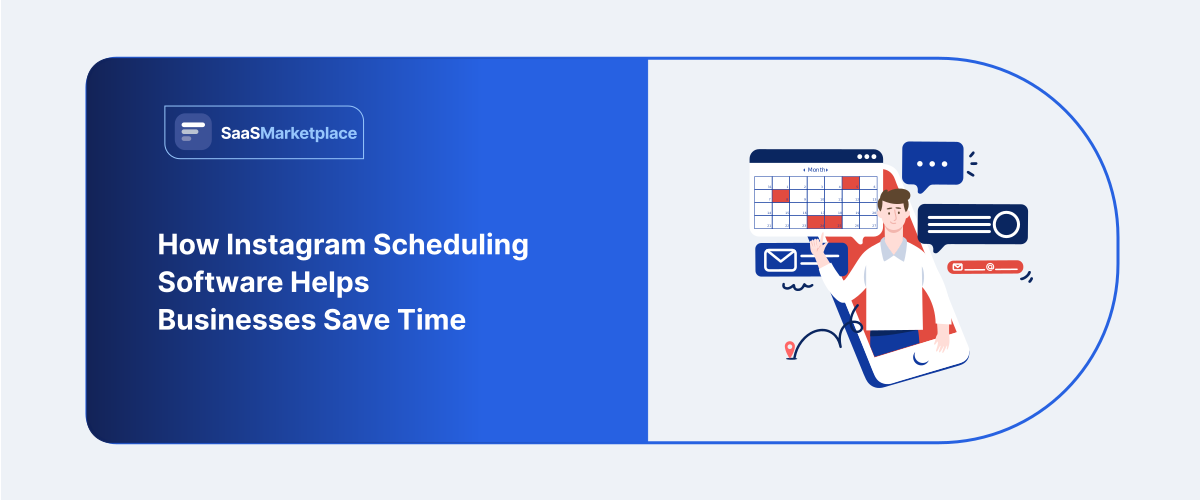
How Instagram Scheduling Software Helps Businesses Save Time
-min.jpg)
A boutique owner in Denver used to post to Instagram the way a lot of small business owners do when they're just starting out whenever she remembered, usually standing at the register between customers, thumbing out a caption on her phone. Some weeks she posted daily. Other weeks, when the store got busy, Instagram didn't happen at all for ten days straight. Her engagement showed exactly that inconsistency. She batch-scheduled a month of content one Sunday afternoon instead, finally trying a tool she'd been putting off for months, and posting simply stopped being something she had to remember to do live, every single day.
 Looking for Instagram Scheduling Software? Check out SaaS Marketplace’s List of the Best Instagram Scheduling Software in USA for your business.
 That's the actual value most businesses find in scheduling software, and it's a bit different from what the marketing around these tools tends to promise. It isn't really about posting more. It's about posting consistently, without that consistency depending on someone remembering to sit down and do it, no matter what else is happening that day.
What Instagram Scheduling Software Actually Solves
The surface-level pitch here is time savings, and that's true enough, but it undersells what's actually going on. The deeper problem this software solves is the gap between when a good content idea happens and when someone actually has the bandwidth to post it.
A marketing manager might block two hours on a Monday to plan a week of content: captions written, images picked, posting order decided. Without scheduling software, that planning session doesn't really save time later, because someone still has to sit down each day and manually publish each post at the right moment. Planning and publishing stay tied together. Scheduling software pulls them apart. The Monday session becomes the only real time investment; the rest of the week runs on its own.
This matters more for some businesses than others. A solo consultant posting twice a week doesn't have much of a coordination problem to begin with. A marketing agency managing fifteen client accounts, or an in-house team juggling Instagram alongside four other jobs, is a different story for them; the daily manual posting habit isn't just an inconvenience. It's the kind of thing that quietly falls apart the first time someone gets sick or takes a week off.
Why This Became More Relevant for US Businesses Specifically
Instagram's algorithm rewards posting consistency in ways that make sporadic posting a real competitive disadvantage, not just a minor inefficiency. Accounts that post reliably tend to see steadier reach than accounts posting in bursts followed by long silences, and plenty of small and mid-sized US businesses learned this the hard way: engagement doesn't just dip during a quiet stretch; it takes real time to climb back once posting picks up again.
There's a labor cost angle worth noting too. Social media management in the US, whether it's an in-house hire or an outside agency, isn't cheap, and manually publishing individual posts is exactly the kind of low-value task eating into hours better spent on strategy, content creation, or actually engaging with comments and DMs. A coordinator spending forty-five minutes a day manually posting across platforms is losing close to four hours a week to something scheduling software reduces to a fraction of that.
Multi-location businesses run into their own version of this. A regional restaurant chain, or a franchise with locations across several states, usually needs consistent brand messaging alongside some room for local flexibility; a coffee chain wants the same visual identity nationally, but individual locations might need to promote a local event or a regional menu item. Trying to coordinate that manually across a dozen or more Instagram accounts, without some kind of centralized system, gets close to impossible past a certain size.
Core Features That Actually Save Time, and Which Ones Don't
Bulk scheduling and content calendars form the foundation, and that's where most of the real time savings actually come from. Loading a month of content in one sitting, seeing the whole posting cadence laid out visually, and adjusting order without touching each post one by one that's the biggest shift away from manual posting there is. Tools like Later and Buffer built much of their early reputation around making that visual planning process simple.
Best-time-to-post recommendations get a lot of marketing automation attention, and the value's real, if often overstated. These features look at when a specific account's audience tends to be most active and suggest posting windows around that. Worth using, generally, but businesses treating this as a major growth lever tend to walk away disappointed. Audience behavior, content quality, and consistency matter more than nailing the exact optimal hour.
Team collaboration features matter a lot for agencies and larger in-house teams, and barely at all for solo operators. Drafting content, routing it through an approval step, letting someone else publish or sign off without everyone needing simultaneous login access that's what makes tools like Sprout Social and Hootsuite worth the higher price tag for agencies handling multiple clients. A solo owner scheduling their own posts has no real use for any of it.
Hashtag and caption assistance, often built on AI suggestions these days, saves genuine time on the repetitive parts of content creation though it needs a human editing pass more often than the marketing around these features lets on. Auto-generated captions tend to sound generically on-brand rather than genuinely on-brand, and businesses publishing AI suggestions without editing them usually see that reflected in weaker engagement over time.
Analytics and reporting round things out, and like the reporting features baked into most business software, this tends to sit underused relative to how much value is actually in there. Knowing which formats Reels, static posts, carousels actually drive engagement for a given account should shape next month's content plan. A lot of businesses schedule content and never circle back to check what worked.
How Different Types of US Businesses Use These Tools Differently
Small, single-location businesses the boutique, the local restaurant, the independent gym usually get the most straightforward value here: consistency without a daily time commitment. A mid-tier plan on Later, Buffer, or even Meta Business Suite's native scheduler covers what most of these businesses need. The native option deserves more credit than it usually gets, honestly Meta Business Suite's built-in scheduler handles basic bulk scheduling for free, and plenty of small businesses end up paying for a third-party tool before checking whether the free option would've done the job.
Marketing agencies sit at the opposite end, managing content across many client accounts at once, and their needs center on collaboration, approval workflows, and reporting that can be dropped into client-facing summaries. This is where the pricier platforms Sprout Social, Hootsuite, Agorapulse earn their cost, since the agency is essentially selling organized account management as part of what it does.
E-commerce brands lean hardest on the content calendar and cross-platform features, since Instagram rarely operates in isolation for a retail business the same product launch content usually needs to go out across Instagram, Facebook, and sometimes Pinterest or TikTok in a coordinated way. Tools handling cross-platform scheduling from one dashboard save real time here, compared with logging into each platform separately.
Franchise and multi-location businesses need something closer to enterprise-grade tools with location-level permissions, letting a corporate marketing team hold brand consistency together while giving individual locations some room to post local content within approved limits. It's a narrower need, and it usually shows up on the higher end of Hootsuite's or Sprout Social's pricing tiers rather than in the more consumer-facing tools.
Where Scheduling Software Doesn't Actually Save Time
Original content creation shooting photos, filming Reels, writing captions that actually sound on-brand isn't something scheduling software touches. It organizes and automates distribution. It doesn't generate the creative work, and no amount of scheduling efficiency makes up for content that wasn't worth posting in the first place.
Real-time engagement is a second area where automation runs into a hard limit. Responding to comments, replying to DMs, engaging with other accounts in a way that feels genuine still need someone actually there on the platform. Some tools offer inbox management features that consolidate this work, which helps, but nothing schedules a thoughtful reply to a customer's question ahead of time, since the question hasn't been asked yet.
Community building, as a rule, resists automation more than most marketing tasks. Instagram's algorithm and its audience both tend to reward accounts that feel genuinely present, not just consistently scheduled. A business that schedules perfectly but never shows up in the comments often plateaus in a way better scheduling tools simply can't fix, because posting cadence was never the actual problem.
Common Mistakes Businesses Make With Instagram Scheduling Tools
The most common mistake is scheduling content months out and never revisiting it as circumstances shift. A post scheduled six weeks in advance can end up tone-deaf, or just irrelevant, if something changes a product sells out, a promotion ends early, the mood around current events shifts entirely. Treating scheduled content as fully set-and-forget occasionally means publishing something anyone glancing at the calendar that morning would've caught immediately.
A second mistake is picking a tool built for agency-scale operations when the business is really one person running a single account paying for elaborate approval workflows and multi-client dashboards nobody ever uses, when a simpler, cheaper tool would've covered it all.
A third, subtler mistake is treating the software as a stand-in for a content strategy rather than a delivery mechanism for one. Some businesses get the posting cadence locked in and stop there, never circling back to check whether the content itself is actually working. The tool solves the coordination problem. It has nothing to say about whether the content is any good, and mixing up the two tends to produce a very consistent stream of mediocre posts.
A fourth mistake is ignoring the analytics these platforms already hand over. Most decent tools include performance data on what's working, and plenty of businesses set up scheduling, settle into the consistency, and never look at the numbers again, leaving an easy improvement sitting right there in the dashboard, unused.
Conclusion
The businesses getting real value out of Instagram scheduling software are, almost without exception, the ones posting often enough that manual daily publishing had become a genuine time cost rather than a mild annoyance. A business posting once a week doesn't have much to solve here. One posting several times a week, across multiple accounts or platforms, usually finds the time savings add up fast.
The honest way to think about it: scheduling software removes the friction between planning content and publishing it. It doesn't replace the thinking behind what to post, and it doesn't build genuine engagement on its own. What it buys back is time hours that used to go into manually publishing one post at a time, now free for the parts of social media marketing that actually need a person paying attention.
FAQ's
Often yes, mainly for the consistency it provides rather than dramatic time savings at that volume though many small businesses can start with Meta Business Suite's free native scheduler before paying for a third-party tool.
Generally no, as long as the scheduling tool uses Instagram's official API rather than workaround methods; performance differences typically come down to content quality and timing, not the scheduling method itself.
They overlap significantly at the basic level, but Later and Buffer tend to suit smaller teams and solo users better, while Hootsuite and Sprout Social are built with agency-scale collaboration and reporting needs in mind.
Most major platforms support Reels scheduling now, though features and reliability vary by tool, and it's worth confirming Reels support specifically before committing to a platform.
Treating scheduling software as a substitute for a content strategy rather than a delivery mechanism for one which produces a very consistent stream of content that isn't actually improving results.