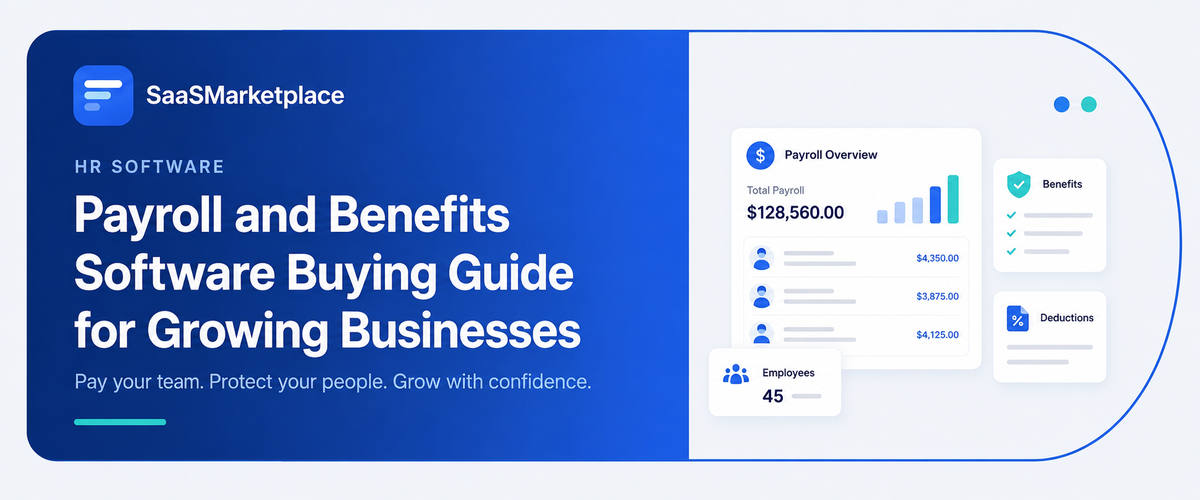
Payroll and Benefits Software Buying Guide for Growing Businesses
-min.jpg)
As a US business keeps growing and kind of scales out from a small lean crew into a multi-state workforce, manual payroll & benefits software plus piecemeal benefits tends to become this pricey operational choke point, and also a big tax compliance headache. Modern payroll and benefits tools don’t just do paycheck stuff; they handle federal, state, and even local tax filings, bring health coverage and 401(k) administration together, and help untangle complicated labor rules while you expand across state lines. Picking the right platform means looking for a setup that, yeah, reduces day-to-day HR admin work right now, but also grows smoothly with your shifting headcount, your existing tech stack, and the regulatory expectations that show up later.
What Is Payroll and Benefits Software and How Does It Work?
Payroll plus benefits software is basically one of those all-in-one digital platforms that automates the whole way a company pays people and also handles their workplace perks, you know. Instead of depending on manual spreadsheets and paper forms, the setup connects right into the company bank accounts, time-tracking tools, and health insurance providers. For US businesses, it works like a central hub that figures out gross wages, keeps an eye on paid time off, and then quietly deducts the correct amounts for benefits that employees pick, such as health coverage, dental, vision, and 401(k) contributions, before it sends out direct deposits on payday.
The platform is doing the heavy lifting for tax compliance across federal, state, and local areas. With each pay cycle, it automatically calculates, withholds, and remits payroll & benefits taxes, including Social Security, Medicare, and unemployment taxes, to agencies like the IRS and state departments of revenue. At the same time, it syncs information with insurance carriers to simplify open enrollment, update coverage when life events happen, and automatically produce the key year-end documents like W-2s and 1099s for employees.
Why Does Payroll and Benefits Software Matter for Growing US Businesses?
1. Multi-state tax and Labor Compliance
When you hire remote workers across different US states, it brings complicated local tax withholding issues, plus each state has its own labor rules, and oddly enough, it can get messy fast. Modern software helps track all that and automate it so you avoid expensive penalties from the IRS and from the states too.
2. Attracting and Retaining Great Talent
A growing org really needs competitive pay packages, and the better platforms basically make it simple to provide top-tier healthcare CRM coverage, 401(k) options, and adaptable benefits. You do it all through a clean employee portal, kind of like a more polished experience for people.
3. Big cut in Operational Time
By automating time calculations, direct deposits, and benefits deductions, you can reduce the amount of boring manual admin work each pay cycle. That way, your HR group and leadership can spend more time on strategic expansion instead of chasing paperwork. Dropping the manual spreadsheets way lessens the chance of wrong overtime math, uneven PTO tracking, or misapplied pre-tax benefit deductions, so your people get paid right and, usually, on time every time.
4. Smooth, Automated Year-End Paperwork
Making and filing the usual annual forms like W-2s, 1099s, and ACA compliance documents such as 1095-C becomes fully automated. That means tax season feels less stressful and more manageable, instead of a last-minute scramble.
5. HR setup that can grow with you
When your headcount climbs, cloud-based payroll software scales along with your workforce. You do not really need to bring in additional admin staff just to handle the extra workload and all the new responsibilities.
What Key Features Should You Look for in Payroll and Benefits Software?
1. Automated Full Service Tax Filing
The platform should, kind of automatically calculate, withhold, and send federal, state, and local payroll taxes to the right agencies, taking that full tax liability off your plate.
2. Integrated Benefits Administration
Try to find software that bundles health insurance, dental care, vision benefits, and 401(k) plans into the AI workflow automation, so it can sync pre-tax contributions and coverage changes without you having to re-enter everything twice, or you know manually redo it.
3. Multi-State Payroll and Tax Registration Support
If you bring on remote employees in other states, the platform needs to automatically apply the local tax rates, handle state-specific labor rules, and help with registering in new state tax jurisdictions.
4. Employee Self-Service (ESS) Mobile Portal
A fairly user-friendly app lets workers, basically on their own, access pay stubs, revise direct deposit details, ask for PTO, and also pull tax documents like W-2s. It handles all of that without really putting an extra burden on your HR team.
5. Automated Time, Attendance, and PTO Tracking
There’s built-in time tracking, or it can seamlessly integrate with your existing time clock apps, so hourly wages, overtime pay, and paid leave basically flow into payroll calculation right away, without manual spreadsheet uploads.
6. Accounting and Ecosystem Software Integrations
Pick software that syncs straight into your core business tools, so your payroll line items and wage expenses auto-populate into your general ledger after every run.
How Do You Choose the Right Payroll and Benefits Software for Your Team?
1. Evaluate the Multi-State and Remote Compliance situation
If your team shows up across different U.S. states, make sure the platform quietly manages state-specific tax withholding, updates tied to local labor law, and that state tax registration gets handled automatically without you babysitting it.
2. Assess Total Cost plus Pricing clarity
Don’t just stare at the base fee ($40–$180+/month). Also ask about the per-employee monthly rates, extra charges for year-end W-2/1099 filing, the cost of off-cycle payroll runs, and any state tax registration fees that can sneak in later.
3. Audit Integration across your Current Tech Setup
Choose software that actually connects well with your existing general ledger, say, and also your time tracking tools. This helps avoid duplicate entry, weird exports, and manual slip-ups that cost time.
4. Review Benefits Options and Broker Freedom
Confirm whether the system includes native health, dental, and 401(k) plans, or whether you can bring your own insurance broker into the workflow without getting hit with extra administration fees.
5. Test the Employee Experience and Mobile Usability
Make sure the main platforms have intuitive self-service apps so workers can, pretty much on the go, update bank details, request PTO, handle open enrollment, and also grab their pay stubs from their phone.
6. Figure out Future Growth and what Modules you might need
Pick a provider that can keep up with your pace, like one that expands its HR analytics software, includes deeper reporting, supports global contractor payments, or even IT device management if you’re planning to scale fast.
What Are the Top Payroll and Benefits Software Options in the US Market?
1. Sage HR
Sage HR is kind of an adaptable human resource and payroll setup, built mainly for growing mid-sized businesses that want really solid workforce management. In practice, the platform really stands out at pulling together all the day-to-day admin work by mixing payroll with automated shift planning, expense tracking, and custom approval steps that you can tweak to match how the company actually runs. You also get an employee self-service portal, along with mobile access, so people can quickly look up PTO, approve time cards, and view pay stubs whenever they need. Because it integrates well with the wider Sage accounting world, finance teams can push payroll line items straight into the general ledgers, without all the extra back and forth. Overall, Sage HR feels like a good fit for operations teams that want an all-in-one connection between basic people data handling and heavier financial reporting.
2. Cintra
Cintra, on the other hand, offers a more unified HR and payroll experience, and it does it using a single database, so you don’t have to keep syncing information between separate tools. It’s known for being flexible, too, since organizations can run payroll fully in-house through the software, or they can hand it off completely to managed payroll outsourcing if they prefer. The system automates the tricky parts, including complex calculations, retroactive pay changes, and tax calculations, but it also brings analytics that show total labor costs in a clearer way. There are support specialists available as well, and they help with complicated statutory obligations, so companies stay compliant as they grow. Cintra tends to work especially well for businesses that want an enterprise-level platform that can shift smoothly from self-service payroll software into fully outsourced administrative support.
3. Xero
Xero is kind of a cloud-first accounting software that acts like a central financial hub for small businesses; it comes with flexible integrations with big-name payroll applications. Now, native payroll abilities will change depending on the market, but Xero connects straight to leading US payroll tools so wages, tax withholdings, and benefit deductions can flow automatically into the general ledgers. Then there is the companion Xero Me mobile app where employees can submit timesheets, ask for leave, and also see pay records. That alone tends to cut down on a lot of manual HR admin follow-ups. The interface feels intuitive; finance leaders can reconcile payroll costs along with cash flow forecasts in real time, without having to do those repetitive spreadsheet uploads. Overall, Xero fits lean, growing businesses that want a solid core accounting system that just links up nicely with payroll add-ons.
4. Oyster
Oyster is a global employment and HR platform built to help companies hire, pay, and manage distributed teams across international borders while staying compliant. It works as an Employer of Record (EOR), and it takes care of localized tax withholdings, statutory benefit contributions, and country-specific employment agreements in more than 180 countries. With Oyster, you do not need to establish foreign entities, so companies can bring on remote full-time employees or contractors within days. The platform also includes built-in compliance guidance; it helps reduce misclassification risks, and it keeps international expense reimbursements standardized into one monthly invoice. Oyster is a strong option for US-based companies trying to expand their hiring presence worldwide, especially when they want to avoid huge legal and setup costs.
5. Justworks
Justworks works a bit like a Professional Employer Organization (PEO), kind of bundling payroll with enterprise-level benefits and labor law compliance into one smooth service. Through co-employment of your workforce, Justworks lets small and mid-sized businesses tap into more affordable group medical, dental, 401(k), and workers' compensation plans that, honestly, are often reserved for big corporations only. Their platform automates the whole shebang of federal, state, and local payroll tax filings, while also dynamically flagging multi-state labor laws when remote teams start expanding. There’s also 24/7 human customer support, plus an easy self-service app where employees can knock out open enrollment and then check pay stubs whenever. Overall, it’s a good fit for growing US companies that want to push HR compliance risks away, completely, and still keep that elite corporate perks vibe.
How Much Does Payroll and Benefits Software Typically Cost?
1. Standard Software Model: Base Fee plus Per-Employee Monthly Charge
Most cloud payroll platforms tend to take a base fee, usually in the $40 to $150 per month range. Then there’s the extra part: $4 to $15 each employee, every month. For a pretty normal 15-employee US business using mid-tier tools, you might land around $150 to $300 per month, for full-service payroll and automated tax filing, that is.
2. PEO Model (Co-Employment) All-in-One Payroll and Enterprise Benefits
Professional Employer Organizations, HR tasks; they also negotiate group health insurance rates, and they cover a lot of compliance work. In practice, PEOs usually price it as either $40 to $160 per employee/month flat, or they bill using a percentage approach, roughly 2% to 12% of your total gross payroll.
3. Global EOR Model: Hiring and Paying Remote Workers Outside the US
If your US company brings on full-time international workers but does not form a local legal entity there, Employer of Record services step in. These typically charge a fixed rate anywhere from $199 to $699 per employee per month to manage international payroll, local benefits, and tax compliance.
4. Benefits Administration Add-On Fees
Even when payroll software already covers direct deposit and wage calculations, running the related stuff like health plans, 401(k) accounts, and workers’ comp can add more costs. The benefits administration modules often tack on something like $5 to $15 per employee/month, and then on top of that there may be plan setup fees, or broker charges, or both.
5. Time Tracking, Attendance, and HR Add Ons
Integrated modules like shift scheduling, time clock applications, applicant tracking (ATS), or performance management tend to not be included on the basic tier, so they’re kind of rarely free. If you add automated time tracking, you usually end up paying about $3 to $8 per employee per month on top of your base software subscription, which is, well, an extra little cost people notice later.
What Does Implementing Payroll and Benefits Software Involve?
Rolling out payroll and benefits software is usually not a quick flip-switch; it is more like a step-by-step transition that leans very hard on targeting accuracy, system connections, and the statutory settings that have to be right. It all starts with data scrubbing and initial setup, where you move employee profiles, older tax details, and direct deposit info from spreadsheets or legacy systems into the new platform. During that part, administrators tend to tune pay structures, overtime rules, health insurance plan choices, 401(k) match inputs, and the federal plus state and local tax IDs across every municipality where the workers actually live.
Integration testing and broader validation, so you avoid any computation mismatch right before launch. The company links the new system with the core accounting ledger and the time tracking tools, then they often run parallel payrolls, which means a pay cycle gets processed in both old and new software at the same time. The goal is that tax withholdings, gross wages, and net deposits line up exactly, down to the penny- not close enough, but spot on. Meanwhile, HR teams also put in approval workflows, turn on automated pay calendars, and test the benefit deduction logic, so deductions don’t behave weirdly later on.
The final phase sort of centers on change management and rollout across the whole organization. HR and payroll administrators go through formal training on platform management reporting, while employees get onboarded into the self-service mobile portal to complete tax forms, Form W-4, verify bank details, and set up open enrollment selections. Once the parallel runs pass the audit checks and the staff is trained properly, the legacy system is officially decommissioned, and live payroll operations shift fully over to the new automated platform.
Is Investing in Payroll and Benefits Software Worth It for Your Business?
Putting money into payroll and benefits software is, for the most part, pretty much worth it for a growing US business, mostly because what it costs to be out of compliance, or deal with human administrative mistakes, ends up dwarfing the software price. When someone tries to manage payroll by hand across federal, state, and local tax jurisdictions, companies can get hit with serious IRS fines, penalties tied to miscalculated overtime, and late tax filing fees that can stack up fast, sometimes to thousands of dollars. With automation, those pricey compliance traps get mostly removed since the system keeps tabs on the shifting tax rules, withholds the exact required amounts, and submits the tax documents correctly, right on schedule.
Past the whole risk mitigation bit, the soft ROI in day-to-day efficiency and employee trust makes the software kinda a net financial positive. By automating wage calculations, time tracking, and pre-tax benefit deductions, it reduces what HR and finance end up doing, like dozens of administrative hours each month, which are hours better placed toward higher-impact revenue efforts. And, just as importantly, when workers get steady direct deposits, straightforward digital pay stubs, and easy benefits enrollment, that sense of reliability builds organizational trust. Then retention goes up too, so a company that keeps growing has this enterprise-level HR bedrock they can use to scale smoothly.
Conclusion
Picking the right payroll and benefits platform is a pretty pivotal move for scaling your business quickly, while also keeping compliance risks down. If you look at the core features, how well it supports multiple states, and the total cost, you can land on a solution that actually fits with your day-to-day operational goals. And when you’re ready to explore what’s out there, head to SaaS Marketplace, your trusted destination where you can discover, compare, and buy any business software. That way you can standardize your software research, speed up subscription management, and help your growing team with the most suitable platform for long-term expansion.
FAQ's
For small to mid-sized US businesses, standard cloud implementation takes 1 to 4 weeks, while complex or PEO transitions can take 6 to 8 weeks.
Yes, you can switch mid-year, but doing so at the start of a quarter or calendar year makes transferring year-to-date tax records much simpler.
Full-service platforms dynamically apply local tax withholding rules, state unemployment rates, and labor law updates based on where your employee lives and works.
Payroll software automates payments while you retain employer status, whereas a PEO co-employs your staff to provide enterprise group health rates and handle full HR compliance.
Integrated software automatically calculates pre-tax and post-tax contributions for health insurance or 401(k) plans and deducts them from gross pay before running direct deposit.