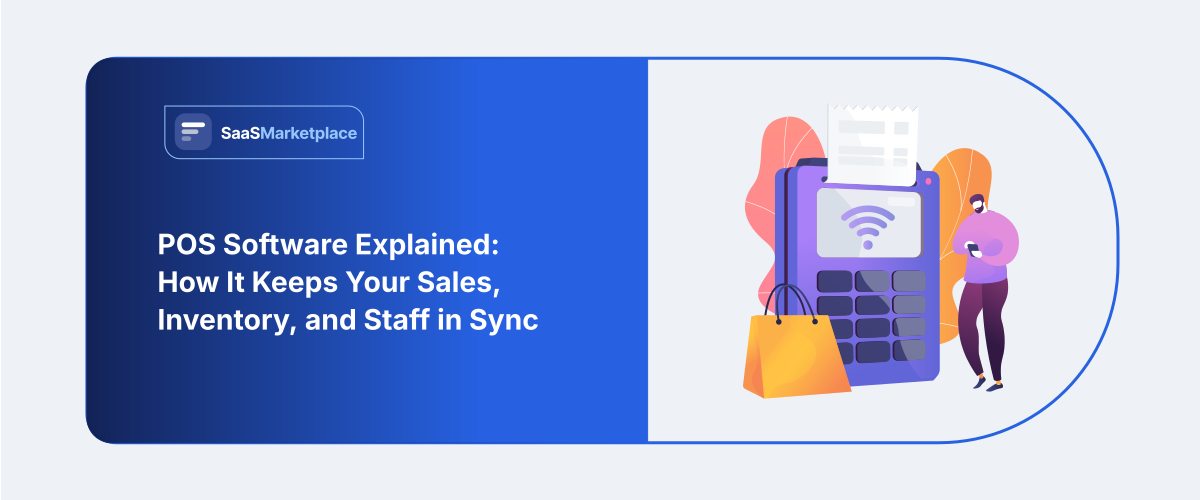
POS Software Explained: How It Keeps Your Sales, Inventory, and Staff in Sync
-min.jpg)
On Saturday afternoon, your line at the register is six people long. The cashier is manually entering prices because the barcode on the item wouldn't scan, and no one has any idea if the second most popular size is in stock or not, back where the registers are. The day's sales fall short of what is in the drawer by the time closing comes around, and no one can say precisely why.
 Looking for POS Software? Check out SaaSmarketplace’s List of the Best POS Software in USA for Your Business.
No human issues arise from any of this. This is the result of a company operating on old or incompatible POS software. The best point of sale software is the kind that disappears, letting you and your staff spend more time tending to clients and less wrestling with the register. It's the kind that you barely notice until it begins glitching, and you can see it in every unhappy customer interaction when it takes too long to finish a sale.
What Is POS Software and How Does It Actually Work?
Behind every profitable transaction is a straightforward process: a consumer selects their goods, the store adds up the local taxes included cost, then checks the payment and gives over a receipt. Specialized POS software automatically coordinates this whole process over online checkout sites as well as physical counters.
The computerized system that runs a retail store's register can take the form of either touch-based POS terminals, desktop computers, or tablet devices connected to card readers, receipt printers, and barcode scanners. The POS payment processing software accesses information from your company's database to calculate prices with active discounts, apply sales tax, and send the appropriate payment to your card processor when a register scans a product's barcode
At the exact same time, an integrated inventory management POS updates your stock levels across the system. If a customer brings an item back for a return next week, the platform reverses the billing charges, updates your financial ledger, and adds the product back to available stock without requiring manual adjustments.
Because today’s software stays connected through web networks, information flows back and forth instantly between your sales counter and your backend database. POS systems in physical stores are connected in real-time to your company's website, making sure that your online and physical sales channels don't attempt to sell the same product at once.
Do You Know?
Companies that make the shift from standard cash registers to omnichannel POS (point of sale) witness a major increase in client retention. Keeping regular clients coming back depends on making their lives easier: allowing them to shop online and pick up the goods in the store, and return them anywhere.
Must-Have Features for Modern Point of Sale Platforms
When evaluating different software options for your enterprise, look beyond simple payment taking. You need practical features that directly reduce human error and keep daily operations running smoothly.
1. Broad Payment Processing Support
Your customers want to pay using whatever method feels most convenient to them. A complete POS billing software configuration handles physical debit cards, tap-to-pay mobile wallets, digital gift cards, contactless credit cards, and direct scan payments without technical hiccups.
2. Real-Time Stock Tracking
Manually counting actual inventory takes hours and causes numerous counting mistakes. To help you reorder before shelves run empty, an advanced inventory management POS tracks reorder levels, monitors batch numbers, and alerts management when well-liked products start running low.
3. Unified Omnichannel Capabilities
Before heading to a physical store to buy something, shoppers usually look things up on their phones. Using an omnichannel POS helps your consumers to buy things online and pick them up at your neighborhood store counter or bring internet purchases back to a physical store for easy, quick returns.
4. Employee Permissions and Shift Management
Clear user roles are the first line of defense for cash drawers and sensitive financial data. Good POS software enables managers to give certain permissions, keep an eye on clock-in and clock-out timings, figure up sales commissions, and check rejected items by particular staff members.
5. Mobile Hardware Support
Being chained to a countertop POS system can make it difficult to serve customers when the register is busy. By implementing a mobile POS register system on a tablet, store staff can access your company's product inventory, retrieve information about a specific good, and process payments anywhere in the store or at pop-up sales tents.
Retail vs. Restaurant: Choosing the Right Setup for Your Model
Though fundamental payment logic doesn't change throughout sectors, various company models call for quite different feature sets to operate effectively.
Specific Features Built for Retail Stores
Busy retail environments depend heavily on scanning speed and deep catalog organization. Purpose-built retail POS software easily manages huge product catalogs with multi-level variations like size, color, material, and brand. It simplifies bulk price updates during sales events, handles promotional bundles, and simplifies issuing purchase orders to suppliers.
|
Operational Area |
Retail Store Requirements |
Restaurant & Cafe Requirements |
|
Catalog Structure |
Deep SKU trees, barcodes, & color/size variants |
Visual menus, recipe ingredients, & item modifiers |
|
Order Flow |
Fast counter checkout & home delivery options |
Kitchen Display Systems (KDS) & table management |
|
Inventory Tracking |
Individual unit counts & automated reorder points |
Bulk ingredient usage & recipe cost tracking |
|
Checkout Style |
Quick barcoded items scanning |
Table seating, bill splitting, & tip additions |
Custom Tools for Restaurants and Food Service
Restaurants have to handle limited timing, perishable ingredients, and fast order changes. Specialized restaurant POS software lets employees visually arrange dining room tables, submit orders immediately to kitchen display screens, change component notes, and readily divide bills among big groups without upsetting table service.
Your main sales strategy, speed requirement for ringing up purchases, and inventory complexity will guide your choice between a general store arrangement and a specialist restaurant tool.
Clear Business Advantages of Upgrading Your Software
Investing in a committed point of sale system produces clear gains in general workflow organization, financial control, and customer happiness.
- Shortened Checkout Lines: Fast, sensitive POS billing software handles payments in seconds, therefore stopping long lines from developing during busy buying hours.
- Tighter Stock Control: Automated stock changes stop unintentional stockouts and aid in inventory reduction from unrecorded damage or theft.
- Better Customer Loyalty: Modern small company POS software records consumer purchase histories so you may quickly start tailored incentives programs to entice customers back.
- Simplified Accounting and Taxes: Automatic transaction logging helps you to keep clean financial records and export sales data right into your accounting systems, therefore eliminating tax season's headache.
Step-by-Step Plan for a Smooth Software Rollout
To guarantee that regular activities run without interruption, replacing your main inventory and payment system needs careful planning.
Step 1: Map Out Your Daily Workflows
Take time to review your store’s exact routines before committing to a platform. List out accepted payment types, hardware needs, regional tax requirements, and the exact steps your staff takes when handling customer returns or trade-ins.
Step 2: Choose Your Platform Architecture
Consider how reliable your local internet connection is across store locations. Modern cloud-based POS software gives you the ability to back up sales data in different locations as a security measure and makes it simple to sync new features over the air while still maintaining an offline-compatible version of the program for registers with spotty connectivity.
Step 3: Set Up Hardware and Product Data
Import clean product lists, barcode SKU numbers, tax rates, and prices into your database. Make sure that you pair the POS terminal and software with all the necessary hardware like thermal receipt printers, wireless barcode scanners, cash drawers, and card terminals.
Step 4: Train Your Team Hands-On
Conduct hands-on training courses for shift supervisors and counter cashiers. Work on handling various payment methods, applying unique discounts, giving item refunds, and running everyday cash drawer balance checks at ending time.
Step 5: Test Everything Before Opening
Process test sales across all payment modes before opening your doors to real customers. Make sure stock counts sync properly within your inventory management POS system, taxes line up with local requirements, and printed receipts reflect accurate information.
Long-Term Maintenance for Best Results
Software deployment is a continuous component of operating a successful company, not a single endeavor. Maintaining the cleanliness of your system guarantees quick performance as your clientele expands.
Audit User Access Levels Regularly
As staff members join, switch roles, or leave the company, keep your system access rights clean. To protect the company's revenue, restrict the authority to issue full refunds, cancel completed transactions, and edit prices to only shift managers.
Keep Hardware and Connections Clean
Check the cables for receipt printers and barcode scanners for physical damage regularly. Keep tablet OSes up to date and make sure that wireless networks are secured in accordance with the PCI DSS standard for credit card processing.

Pro-tip
Plan a quick monthly check of your top 20 best-selling goods inside your retail POS system. Early detection of inventory mistakes, correction of vendor shipping mistakes, and protection of your profit margins, which physical stores count against digital records, help.
Conclusion
One of the most efficient actions you can do to create a stress-free, effective company operation is upgrading to current POS software. Setting up a dependable cloud POS system helps you to be clear, quick, and accurate in every client transaction, so moving away from manual input. Whether you want an agile restaurant POS software setup or a multi-terminal retail POS software deployment, selecting the correct platform sets the basis for long-term success. Combining flexible payment choices with an automatic POS invoicing program helps to keep lines moving, safeguard your stock accuracy, and enable your company to expand easily.
FAQ's
One central system in POS software records store sales, determines taxes, handles card payments, and instantly updates stock levels.
A good cloud platform stores transactions locally on your device during internet failures and automatically synchronizes all records after your network comes back online.
Most store arrangements include a card reader terminal, a receipt printer, a barcode scanner, and a secure cash drawer together with a touchscreen tablet or computer.
Yes, connecting physical store inventory with internet sales channels helps small businesses a lot as it keeps them from unintentionally double-selling across media.
Sole proprietorship POS systems can be set up and running in a day, whereas multi-store franchises usually require around a month of syncing data between registers and training staff.