How Modern Restaurant Management Software Transforms Kitchen and Dining Operations
-min.jpg)
Running a hotel company now calls for balancing speed, degree of service, and accurate financial management. Service bottlenecks rapidly result when kitchen line cooks, front-of- house servers, and back- office accountants run on different systems. Handwritten order tickets are misread, inventory counts stray out of sync, and visitors wait longer than required for their checks.
 Looking for Restaurant Management Software? Check out SaaSmarketplace’s List of the Best Restaurant Management Software in USA for Your Business.
Food service managers use integrated digital tools to provide consistent dining experiences while preserving profit margins. Using specially designed Restaurant management software helps owners to combine daily order processing, staff allocation, and inventory tracking into one trustworthy process. Kitchen workers and managers utilize real-time operational data instead of moving among separate spreadsheets and rudimentary card readers.
What is Restaurant Management Software?
Restaurant management software connects the pieces that keep a restaurant running- order management, staff scheduling, inventory management, and reporting- into one system instead of a handful of disconnected tools and paper logs. It's the layer that sits above day-to-day service, giving an owner or manager an actual picture of how the business is performing, not just how busy it looked.
At a practical level, this kind of software does three things well. It precisely monitors purchases and sales statistics across all channels- dine-in, takeout, delivery, so nothing gets lost between the kitchen and front of house. It plans employee schedules around real demand patterns rather than assumptions. And it ties inventory management to sales, therefore making food expenses and waste clear rather than a secret found at the end of the month.
Understanding the Role of Modern Hospitality Platforms
Food service businesses mostly depended on traditional cash registers in past years to collect customer payments. Though enough for basic math, those independent systems neglected to link daily sales with stock movement or shift labor.
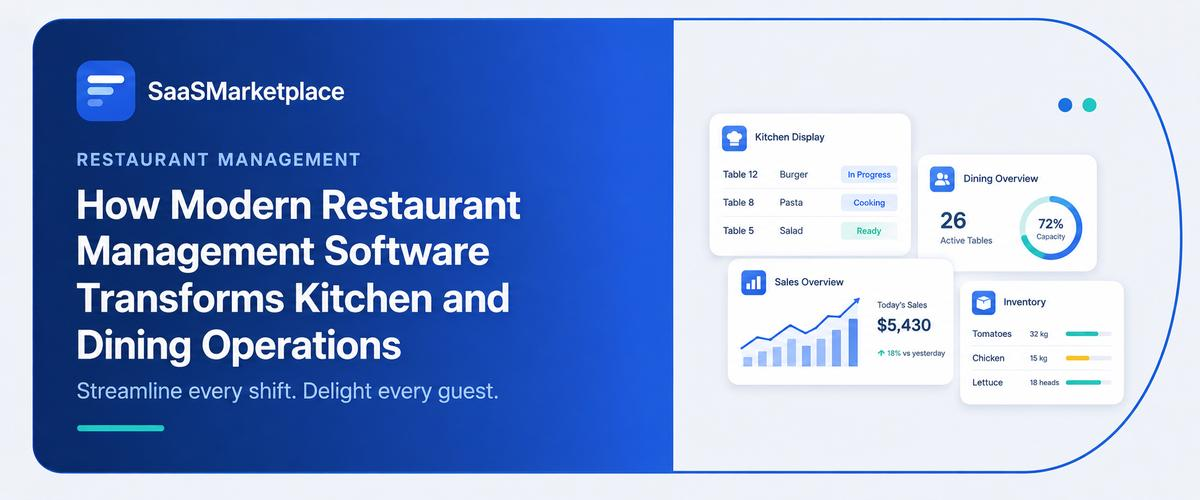
Modern Restaurant management software serves as a center of operation today. It links kitchen display systems, inventory databases, and accounting ledgers with order entry terminals at the dining counter.
A guest's order sets off a chain reaction across the company. Itemized tickets appear right away in the kitchen; the stock room deducts raw materials automatically; and managers view live sales updates on their main console. Implementing strong Restaurant management software transforms reactive problem-solving into a regulated, easy everyday process.
Do You Know?
Industry operational studies show that restaurants replacing paper kitchen order tickets with integrated Restaurant management software cut average order preparation errors by up to 45% during peak dinner services.
Key Core Modules Within Food Service Software
Modern hospitality platforms integrate several distinct functions to handle complex food service tasks. The essential components include:
1. Unified Point-of-Sale Terminals
The central interaction point for any food venue relies on versatile POS software. Table orders, edit item modifiers, and send instructions directly to the cooking line using touch screens by front-of-house personnel. Modern Pos programs manage several payment methods, quickly split checks, and update open table status immediately.
2. Digital Kitchen Display Workstations
Paper kitchen order tickets easily get lost or stained near cooking lines. Digital workstations replace physical paper with clear monitors. Orders flow directly from front-of-house terminals, organizing items by course and preparation time. This structure minimizes order prep mistakes and speeds up ticket completion during busy dinner rushes.
3. Automated Inventory and Portion Tracking
Food waste directly degrades restaurant profitability. Integrated stock management modules track raw ingredient usage based on standard recipe builds. As meals pass through restaurant POS management terminals, the system deducts corresponding ingredient portions automatically. Automated low-stock alerts notify managers to reorder key supplies before items sell out.
4. Direct Table and Guest Floor Management
Visual floor plans help hosts monitor dining room capacity in real time. Staff can see which tables are vacant, occupied, or awaiting payment. Effective visual floor layouts shorten guest wait times and improve overall table turnover.
Comparing Operational Systems in Hospitality
|
Operational Feature |
Basic Cash Register Setup |
Purpose-Built Restaurant Management Software |
|
Order Transfer |
Manual handwritten paper tickets delivered to kitchen staff. |
Immediate digital routing directly to kitchen display screens. |
|
Stock Tracking |
Manual end-of-week physical stock counts. |
Automatic real-time portion deduction per order sold. |
|
Payment Handling |
Basic card terminals with disconnected receipt generation. |
Integrated restaurant billing supporting split checks and digital wallets. |
|
Staff Workflows |
Paper shift templates and verbal shift swaps. |
Integrated restaurant scheduling with digital shift rosters. |
|
Business Analytics |
Manual review of paper register tape at night. |
Real-time cloud dashboards showing hourly margins and menu mix. |
How Connected Systems Simplify Daily Operations
Adopting Restaurant management software made specifically for restaurants transforms the way teams coordinate over lunch and dinner service:
Streamlining Front-of-House Workflows
During peak operating hours, speed and clear communication keep guest satisfaction high. Servers entering orders on mobile tablets process table updates without walking back and forth to a central terminal. Because restaurant management software keeps front-of-house devices synchronized, servers can add beverage top-offs or extra items to an open check immediately.
Accelerating Front Counter Checkout
When meal service ends, guests want prompt, hassle-free settlement. Reliable restaurant billing workflows allow servers to separate checks by seat, apply discounts, or split payments across multiple payment cards without manual calculations. Speedy checkout options keep front counter lines moving and free up dining tables quickly.
Managing Labor Costs and Shift Roster Planning
Labor represents one of the largest ongoing expenses in hospitality. Managers can create shift rosters based on past sales volume instead of just approximated estimates thanks to built-in restaurant scheduling capabilities. Matching employee numbers with expected busiest times stops overstaffing slow afternoons and helps to maintain service levels over weekend rushes.
Unifying Franchise and Multi-Location Oversight
For growing brands, maintaining operational consistency across multiple locations presents constant oversight challenges. From a single main administrative login, cloud-based restaurant management software enables site sales data across all sites, changing menu pricing, and estimating labor expenses for business owners.
Long-Term Benefits for Business Growth
Deploying professional restaurant management software yields direct operational returns across every shift:
- Higher Order Accuracy: Direct digital order transmission eliminates handwriting mistakes and misread order modifications.
- Tighter Food Cost Control: Precise portion deduction exposes inventory variance and limits kitchen waste.
- Shorter Guest Turnaround: Streamlined restaurant billing and rapid kitchen processing shorten total dining cycle times.
- Optimized Labor Ratios: Data-backed restaurant scheduling aligns wage spending directly with actual sales volume.
- Centralized Oversight: Unified restaurant pos management connects physical sales counters directly with back-office accounting ledgers.
What to Look for in a Restaurant Management Platform
When comparing restaurant management software, a handful of capabilities tend to matter more than the rest:
- Order management that connects front of house directly to a kitchen display system
- Staff scheduling based on actual sales and demand data, not fixed templates
- Inventory management tied directly to sales, showing real food cost in near real time
- Table management with live visibility into seating and turn times
- Reporting that connects labor, food cost, and revenue into one clear picture
- Support for multiple order channels, dine-in, takeout, and delivery, in one system
- Reliable restaurant POS management at the core that the rest of the platform actually builds on
Not every restaurant needs all seven immediately, but as location count or order volume grows, each one starts mattering considerably more.
Where Restaurant Software Goes Wrong
Even solid restaurant management software can underdeliver if it's adopted carelessly. A few mistakes come up again and again:
- Buying software mainly for POS features without checking whether staff scheduling and inventory management are genuinely connected
- Sticking with a fixed staff scheduling template out of habit instead of using actual demand data
- Letting inventory management fall out of sync because staff skip logging deliveries or waste consistently
- Ignoring the reporting side entirely, treating the software as a fancier register rather than an operational tool
- Choosing a platform based on price alone without confirming it handles the restaurant's actual order volume during peak hours

Pro-tip
Before fully switching to new restaurant management software, run one complete busy shift on it end to end, order management, kitchen display system, table management, and closing reports- before relying on it for every service. This tends to surface bottlenecks a quiet demo never reveals.
Strengthening Operational Control for Future Growth
Running a successful restaurant calls for careful back-office management together with culinary performance. Relying on fragmented point solutions, manual paper rosters, or outdated payment terminals causes operational friction that lowers margins and slows down customer service.
Using modern infrastructure provided by tailored restaurant management software helps your staff to thrive in a cutthroat industry. Your venue runs with speed and transparency by connecting front-of-house order input directly to kitchen displays, inventory databases, and financial reports. Investing in connected technology helps a company to grow over the long term and creates an effective operational base that boosts guest happiness.
Conclusion
A packed dining room feels like success in the moment, but the numbers that actually matter- labor cost, food cost, table turns- only show up clearly with the right system tracking them. Restaurant management software closes that gap by connecting every piece of a busy service into one clear picture, so a great night in the dining room actually translates into a great night on the books too, instead of a mystery someone has to piece together after the fact.
FAQ's
It integrates financial reporting, inventory management, kitchen displays, and order processing into one working system.
It sends order updates straight to kitchen display screens, cutting down paper ticket clutter and reducing preparation mistakes.
Yes, automated scheduling tools help small operators match labor shifts directly with predicted sales volume to control wage expenses.
Rapid payment handling shortens payment wait times at the dining table, helping staff reset tables faster for incoming guests.
From one main account, it enables owners to control menus, conventional recipes, costs, and financial analytics throughout each location.