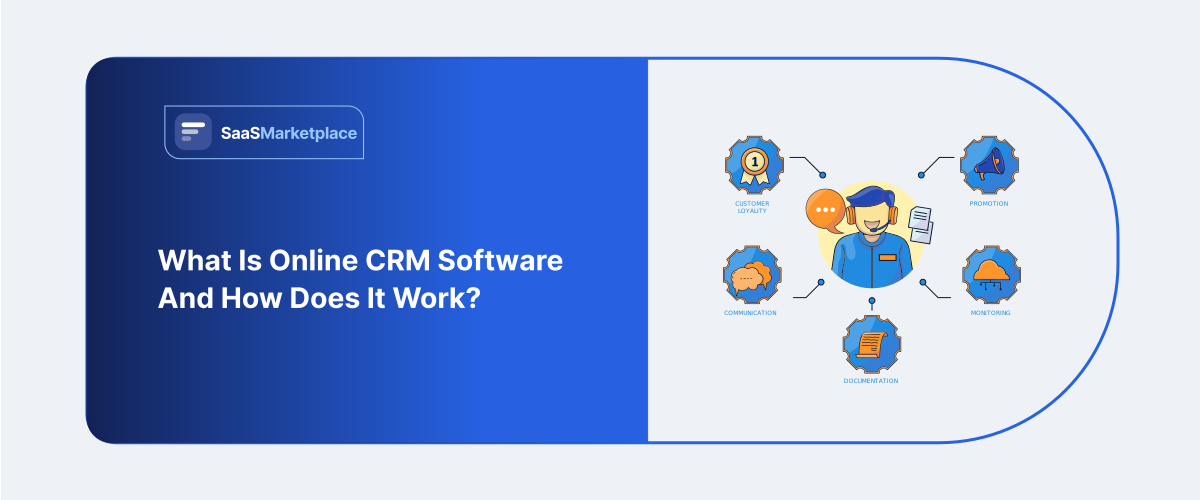
What Is Online CRM Software and How Does It Work?
-min.jpg)
Most sales teams don't lose deals because they lack talent. A follow-up email sits in someone's drafts folder for a week. Two reps email the same lead without either one knowing it. On its own, that's a minor annoyance. Spread across dozens of contacts and a handful of reps, though, it turns into something worse: deals stall, handoffs slip through the cracks, and nobody can say with any confidence where a given account actually stands.
 Looking for Online CRM Software? Check out SaaS Marketplace’s List of the Best Online CRM Software in USA for your business.
That's the gap online CRM software is meant to close. At heart, it's just a cloud-based record of every interaction a business has with a customer or prospect calls, emails, meetings, all of it so none of that history depends on one person's inbox or memory. For teams in the US working remotely or split across offices, having that shared view has stopped being optional. Below is a rundown of what online CRM actually does, how it works behind the scenes, roughly what it costs, and the situations where it isn't worth the trouble.
Key Points
- Online CRM software centralizes customer and prospect data in one cloud-based system.
- It helps teams manage contacts, deals, sales pipelines, emails, follow-ups, and customer interactions.
- Automation reduces manual work by assigning leads, creating tasks, and triggering follow-ups.
- Key features include contact management, pipeline tracking, reporting, email integration, mobile access, and third-party integrations.
- Cloud CRM offers easier setup, remote access, automatic updates, and lower upfront costs than on-premises CRM.
What "Online CRM" Actually Means
CRM stands for customer relationship management. The "online" part just means the software runs in the cloud instead of on a server sitting in a back office somewhere. You log in through a browser, your data lives on the vendor's infrastructure, and updates roll out on their schedule nobody has to file an IT ticket to get the latest version.
This split mattered a lot more ten years back, when going with the cloud over on-premise meant giving up some control in exchange for convenience a real trade-off businesses had to weigh. Not so much anymore. Salesforce, HubSpot, Zoho, Pipedrive, and most of the other names worth considering build cloud-first now, and treat on-premise as a niche option for industries where data-residency rules leave no other choice.
Underneath the interface, though, a CRM is nothing more than a database. The value comes from what's layered on top of it every contact, company, deal, and support ticket gets tied to a running timeline, which is why a rep can open any record and piece together the full history in seconds flat.
How Online CRM Software Works
The mechanics are less complicated than most marketing pages make them sound. Here's roughly how data moves through the system.
It starts with data entering the system through manual entry, a form submitted on your website, an email sync, or an integration with something like your phone system or e-commerce platform. Most modern CRMs will also pull contact details in automatically from email signatures or LinkedIn, which saves a fair amount of manual typing.
From there, the system organizes that data into records. Contacts link to companies, companies link to deals, and deals move through stages "new lead," "qualified," "proposal sent," "closed," that sort of thing. Every stage change gets logged with a timestamp, so it's easy to see exactly how long a given deal sat in each phase.
The repetitive parts get handled by automation. A lead fills out a contact form, and the CRM assigns it to a rep, sends a welcome email, and schedules a follow-up task for three days later nobody has to remember any of that on their own.
All that logging pays off in reporting. Every action leaves a trace, and those traces add up to pipeline reports, conversion rates, and rep performance figures that would otherwise take someone hours to build in a spreadsheet.
What people tend to underestimate is how much of this depends on consistent input. A CRM full of incomplete or stale records isn't really a source of truth it's just a database nobody trusts, and that's usually the first sign adoption is starting to fail.
Core Features to Expect
Not every CRM ships with all of this, but it's roughly the baseline for anything built in the last several years:
- Contact and company management: a searchable database of everyone you've interacted with
- Pipeline or deal tracking: a visual view of where each opportunity stands
- Email integration: logging sent and received messages against the right contact automatically
- Task and reminder automation: follow-up prompts triggered by specific actions or time delays
- Reporting dashboards: pipeline value, win rates, activity volume by rep
- Mobile access: a functional app, not a scaled-down afterthought
- Third-party integrations: links to email marketing tools, accounting software, and support platforms
A handful of platforms go beyond this baseline, tacking on built-in calling, quote generation, or AI-driven lead scoring. Impressive in a sales demo, sure. Less useful to a team that hasn't gotten the basics of clean data entry sorted out yet.
Online CRM vs. On-Premise CRM
|
Factor |
Online (Cloud) CRM |
On-Premise CRM |
|
Setup |
Sign up, configure, start using usually days |
Requires servers, IT staff, longer rollout |
|
Access |
Any device with internet access |
Typically limited to office network or VPN |
|
Updates |
Automatic, handled by vendor |
Manual, scheduled by internal IT |
|
Upfront Cost |
Low subscription-based |
High hardware and licensing |
|
Ongoing Cost |
Predictable monthly/annual fee |
Maintenance, upgrades, IT overhead |
|
Data Control |
Vendor-managed, though often exportable |
Fully internal |
|
Works Best For |
Remote or hybrid teams, small to mid-size businesses |
Regulated industries with hard data-residency requirements |
For a US-based remote or hybrid team, cloud CRM wins by default in nearly every case. The exceptions tend to be organizations in finance, healthcare, or government contracting, where compliance rules dictate exactly where data has to physically sit.
What It Costs
Pricing swings more than most buyers expect going in, and the per-user sticker price rarely tells the whole story.
At the low end, $12–$25 per user per month gets you contact management, basic pipeline tracking, and not much automation to speak of. Push into the $40–$80 range and the automation gets fuller, along with better reporting and more integration options. Once you're paying $100 or more per user per month, you're generally into enterprise territory advanced permissions, custom objects, dedicated support, higher API ceilings.
Two costs tend to get missed during budgeting. Vendors often charge extra for advanced automation or reporting as add-ons rather than folding them into the base tier. And migrating existing data cleaning it up, then importing it correctly often eats up more staff time than the software subscription itself does. Teams that budget for the license alone, without accounting for migration, are usually the ones caught off guard in month one.
Common Mistakes Businesses Make
Buying based on features instead of workflow is a common one. A platform with fifty features doesn't mean much if the team only ever touches five of them.
Skipping the data cleanup before migration is another. Importing years of duplicate, outdated contacts just moves the mess into a nicer-looking interface it doesn't actually fix anything.
There's also a tendency to underestimate the adoption curve. Reps who've worked out of spreadsheets or memory for years don't change habits just because new software showed up. Without a clear mandate and often a transition period where the old methods get actively phased out usage tends to quietly drop off within a few months.
And then there's over-customizing on day one. Teams that spend the first month building custom fields and elaborate automation rules before anyone's actually used the base system usually end up building the wrong things. It's generally better to run with the defaults for a few weeks first and customize once real friction points show up.
When Online CRM Isn't the Right Fit
Not every business needs one, and it's worth saying that outright. A two-person consultancy juggling a dozen active clients can often manage just fine with a tidy spreadsheet or a bare-bones contact app. The complexity of a full CRM pipeline- stages, automation rules, permission structures can slow things down rather than help, when the volume of contacts and deals doesn't really call for it yet.
The tipping point usually shows up around the moment a business can no longer answer "what's the status of this account" from memory, or once more than one person needs visibility into the same customer relationships. Below that line, a CRM is often more overhead than it's worth.
How to Choose One
Start with the workflow automation, not the vendor. Map out how a lead actually moves from first contact to closed deal, then look for a platform that mirrors that process rather than forcing a rebuild around its own logic. Trial the shortlist with real data too a handful of actual contacts and deals, not the vendor's polished demo dataset, since demo data tends to hide how clunky day-to-day data entry can feel.
Check integration compatibility with whatever tools are already in use, especially email and any accounting or invoicing software the business runs on. A CRM that forces manual re-entry into a separate system defeats a good chunk of its own purpose. And it's worth talking to the people who'll actually use it daily before signing anything most sales reps know within the first ten minutes of a demo whether a tool fits how they really work.
Conclusion
Online CRM software works by pulling scattered customer interactions into a single, shared record that updates in real time. The value was never really the software itself it's the discipline of consistent data entry that makes the record trustworthy. Find a tool that matches the actual sales process, budget for the migration effort honestly, and give the team a real adoption period before deciding whether it's working.
FAQ's
Reputable vendors rely on encryption, regular backups, and access controls in line with other cloud business software. If security is a priority in your industry, ask specifically about SOC 2 compliance and data-residency options.
Most platforms let you export data as CSV or something similar, though custom fields and historical activity logs don't always carry over cleanly. Plan on some manual cleanup during any migration.
Not always. A business that can track every active customer relationship without confusion probably doesn't need one yet it becomes worth the overhead once more than one person needs visibility into the same accounts.
Basic setup can happen in a few days. Full adoption data migration, team training, workflow customization usually takes four to eight weeks for a small or mid-size team.
A CRM tracks individual customer relationships and sales activity; email marketing software is built around sending campaigns to segmented lists. Plenty of CRMs now bundle in basic email marketing, but dedicated platforms still tend to offer deeper campaign features.