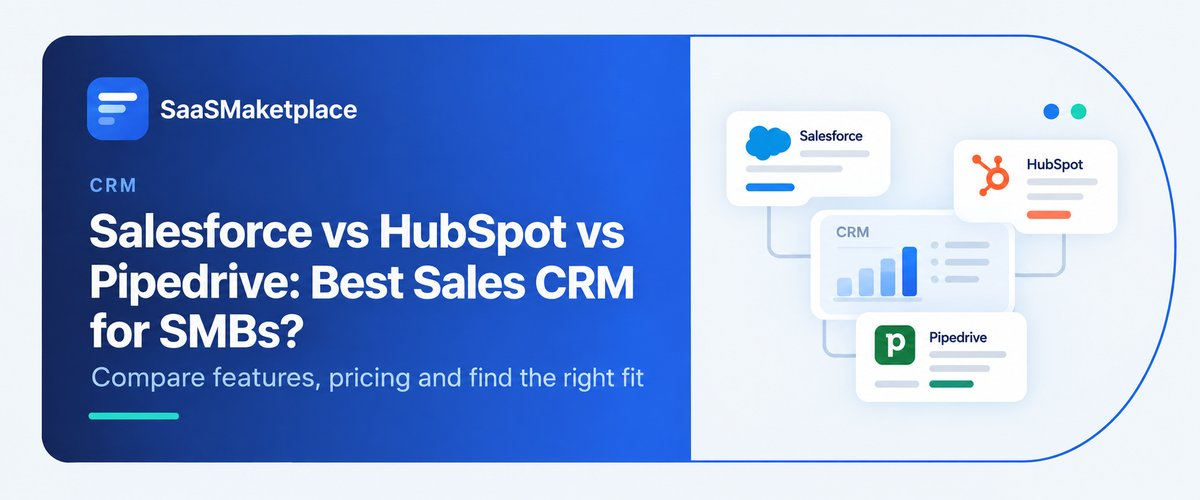
Salesforce vs HubSpot vs Pipedrive: Best Sales CRM for SMBs?
-min.jpg)
A ten-person sales team at a regional distribution company spent four months rolling out Salesforce. The founder had used it at a previous job and figured bigger meant better a reasonable enough assumption at the time. Six months after go-live, reps were still logging deals in a personal spreadsheet, because half the platform's customization options felt like overkill for a team their size. The mistake wasn't wanting a serious CRM software. It was picking one built for a much bigger, messier sales process than the one this team actually had.
Mismatches like that are everywhere, and not just in one direction. Some SMBs grab a lightweight tool and outgrow it in a year. Others buy into an enterprise platform and never use more than a sliver of what they're paying for. Salesforce, HubSpot, and Pipedrive all do the same basic job: tracking deals and managing customer relationships, but they were each designed around different assumptions about who's using them and why. So "best" has less to do with feature counts and more to do with how a company actually sells.
Why "Best CRM" Depends Entirely on What Kind of SMB You Are
A five-person startup selling one product on a short sales cycle doesn't have much in common, day-to-day, with a twenty-person agency juggling a dozen ongoing client relationships while also chasing new business. Both technically count as SMBs. Their CRM needs aren't even close.
Sales cycle length is a big part of it. A company that closes deals in days needs something that gets a rep from lead to close with as little friction as possible. A company running six-month enterprise cycles needs a system built to track a longer, messier chain of touchpoints, approvals, and stakeholders and not lose the thread on any of it. Team structure matters too. A business where marketing and sales are basically one unit has very different needs than one where those functions sit in separate departments with separate tools and separate reporting.
Budget sensitivity also hits SMBs harder than it hits larger companies, and it's worth saying that plainly. A cost that's a rounding error in an enterprise budget can be a real monthly expense for a ten-person company. Five users on a per-seat plan feels manageable. Ten does too, usually. Then the team doubles again, and finance starts asking questions.
Salesforce: Depth, But You'll Pay for It in Setup Time
Salesforce's reputation for depth and customization is earned. You can configure it to match almost any sales process automation, reporting, and integrations, all of it going well beyond what most SMBs will ever touch. For a company juggling complex approval chains, multiple sales teams running different playbooks, or real plans to push past fifty or a hundred employees, that depth pays for itself.
The catch shows up fast for smaller teams, though. Salesforce usually takes longer to set up and often needs ongoing admin work and an in-house person, or a consultant brought in specifically for it. A five-person team with no dedicated technical support can end up paying for and maintaining far more platform than they need, and reps who just want to log a call and push a deal forward can find the learning curve steeper than it should be.
Salesforce tends to make sense for SMBs expecting real growth soon, that already have some in-house technical capacity, or that work in an industry where the sales process is genuinely complicated enough to justify the customization. It's a weaker choice for a small team that just wants to track deals without a lot of setup overhead.
HubSpot: Good When Marketing and Sales Actually Talk to Each Other
The pitch here is that marketing, sales, and customer service all live in one connected system, and the free tier means a very small team can get started without spending much. Where that pays off: a lead fills out a form on the website, and that same record follows all the way through to a closed deal inside one platform. No manual handoff between tools, no lead falling into a gap between two systems that don't talk to each other.
It's generally easier to pick up than Salesforce, too a lot of SMBs get it running without bringing in outside help. The catch is cost, and it creeps up on people. Everything's fine on the free or entry tier, and then a company wants better automation, or deeper reporting, or more contacts, and the bill starts looking different. Worth pricing out what it'd cost a year or two from now, not just today.
Where HubSpot earns its keep is a company where marketing and sales are already joined at the hip, and where inbound leads are doing a lot of the work of finding customers. Where it struggles is the opposite setup a team running almost entirely on outbound calls, or one whose pipeline is so custom it doesn't sit well inside HubSpot's default structure.
Pipedrive: Just the Pipeline, and That's the Whole Point
Pipedrive doesn't try to be everything. Open it up and you're basically looking at a visual pipeline every deal, where it sits, what's next without the marketing modules or service desk that the other two bolt on.
That narrowness is why it's fast to set up and easy for a rep to pick up on their first day, which matters when a small team needs something working this week, not next quarter. The cost of that simplicity shows up later: less marketing automation, thinner reporting. A company that eventually wants tight marketing-sales integration, or reporting with real depth, is going to hit Pipedrive's ceiling sooner than they'd hit HubSpot's or Salesforce's.
Where it shines is a small, sales-first team that would rather start using a tool today than spend a month configuring one. Where it falls short is anywhere marketing automation needs to live in the same place as the pipeline, or where the team knows they'll want heavy customization down the line.
Where SMBs Usually Go Wrong on This Decision
A few patterns keep repeating, company after company.
Picking a platform because it's what someone used at a previous job, rather than actually evaluating current needs, causes real problems. Something that worked well at a two-hundred-person company won't automatically fit a ten-person team with a completely different process and a completely different budget.
Then there's underestimating how painful it is to switch later. Deal history, contact records, custom fields none of that moves cleanly between systems, and it eats real time when it finally has to happen. Companies that don't think even a couple of years out when they pick their first CRM tend to pay for it with a rough migration down the line.
Focusing purely on price, without weighing adoption, trips up plenty of careful buyers. The cheapest platform is still a bad deal if reps won't use it consistently. A slightly pricier tool the whole team actually adopts beats a bargain tool that half the team quietly ignores.
Skipping a real trial with the actual sales team is easy to do and expensive to get wrong. A demo run by one decision-maker rarely shows how a platform handles the day-to-day mess of an entire team's ai workflow automation. A short pilot with the reps who'll use it daily tends to surface problems that no solo evaluation ever would.
Assuming more features automatically means a better fit is another common one. A platform loaded with capabilities a small team will never touch just adds complexity, and that complexity has a real cost in onboarding time and ongoing confusion, no matter how good the feature list looks on a comparison page.
One more, quieter than the rest: letting a single loud voice make the final call without input from the people who'll actually use the tool every day. A founder or sales manager often drives this decision, and their priorities dashboards, forecasting views, reporting don't always line up with what a rep needs to move fast through a busy day. Even briefly including a couple of front-line reps in the evaluation tends to catch usability issues that a leadership-only review would completely miss.
How to Actually Decide Between the Three
Start with the sales process, not the platforms. What's a typical sales cycle actually look like days, weeks, months? How many people have to touch a deal before it's done? Are marketing and sales two separate worlds, or basically one team? And honestly, does anyone on the team have the patience or the skill to configure something complicated, or would out-of-the-box simplicity save everyone a headache?
From there, budget for where the company expects to be in two or three years not just where it stands today. A platform that's a perfect fit at ten employees can become either a painful limitation or an unnecessary expense once the company doubles, and thinking through that trajectory now can save a disruptive migration later. Running an actual trial with the sales team not just one decision-maker reveals more about real-world fit than any comparison chart ever will.
It's also worth asking each vendor directly what pricing looks like at double the current headcount, not just today's size. Per-seat pricing that seems reasonable now can add up fast, and how candid a vendor is about that question during the sales process says a lot about how they'll behave later, at renewal time.
Conclusion
There's no single best CRM for SMBs. Treating this like a question with one right answer misses the point entirely. If a company's expecting serious growth and has the technical chops to back it up, Salesforce probably fits. If marketing and sales are joined at the hip and inbound leads drive the business, that's HubSpot's lane. And if what a team wants is something fast and sales-focused without months of setup, that's Pipedrive. Forget which platform has the most awards or the biggest logo wall of customers the only question that matters is which one matches how this particular team actually sells, now and a couple years out.
FAQ's
HubSpot's free tier and Pipedrive's lower-cost plans both work well for very small teams starting out, though it's worth checking current pricing directly with each vendor, since plans and limits shift over time and it helps to map out costs as the team grows rather than judging purely on entry price.
Often, yes particularly for a small team without dedicated technical support. It can genuinely fit SMBs planning significant near-term growth, or operating in industries with complex sales processes, but for a straightforward small sales team, it's frequently more platform than they need.
Pipedrive generally has the shortest learning curve, thanks to its narrow, pipeline-focused design. HubSpot also tends to be more approachable than Salesforce, especially for teams without in-house technical staff.
Yes, but it's genuinely disruptive. Migrating deal history, contact records, and custom fields takes real time and effort which is exactly why it's worth thinking a few years ahead at the initial decision, instead of optimizing purely for what fits today.
It can, but that's not where it shines. HubSpot's core strength is connecting marketing and sales, so a company relying almost entirely on outbound calling with little inbound lead generation may get more value from Pipedrive or Salesforce instead.