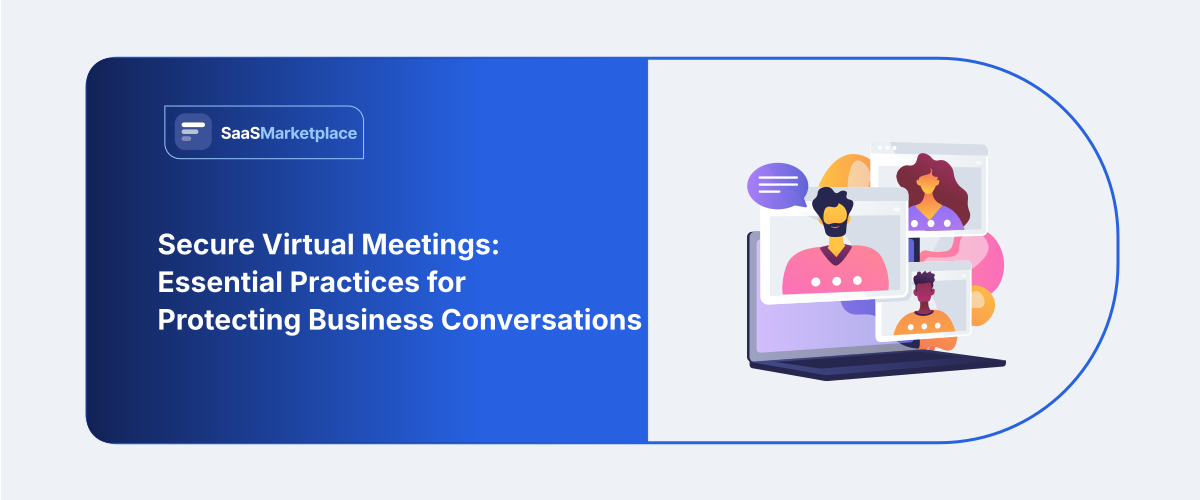
Secure Virtual Meetings: Essential Practices for Protecting Business Conversations
-min.jpg)
Running a business across India’s major commercial hubs like Mumbai, Bengaluru, and Delhi NCR looks very different today. With the workforce distributed between office and home, virtual boardrooms have become the norm. For this reason, the ability to host Secure Virtual Meetings is no longer an option, but a necessity for any corporation that wants to remain competitive. The need for such conferences is justified by the very fact that your employees communicate about sensitive financial, product, and client-related information on an ongoing basis. Standard free chat links simply do not have the heavy digital armor needed to protect sensitive corporate assets from outside eyes. Utilizing top-tier Video Conferencing Software from a trusted SaaS platform allows business owners to instantly lock down their communication loops. Setting up a clear, firm security plan helps leadership build a safe working environment, keeping internal company strategy entirely private.
 Looking for Video Conferencing Software? Check out the SaaS Marketplace List of the Best Video Conferencing Software in USA for Your Business
 Why Virtual Meeting Security Matters
Prioritizing your Virtual Meeting Security setup is the absolute baseline for protecting your company’s intellectual property and keeping operations safe in a remote working world.
1. Protecting Confidential Business Data
Every corporate call involves handling critical business assets. This might include quarterly revenue sheets, legal contracts, or personal customer databases. If you do not maintain strict Business Communication Security rules, these sensitive files can be intercepted by bad actors. Keeping your lines locked keeps your long-term growth plans secret, saving the business from expensive market leaks and legal fallout.
2. Preventing Unauthorized Access
Unwanted participants on a conference call can easily disrupt your daily operations and steal vital trade secrets. Using strict entry rules stops digital troublemakers from listening to your ideas or viewing your private presentation slides. Giving your managers total control over who enters a digital room allows executives to talk about sensitive company numbers with absolute peace of mind. Visitor Identification Software further strengthens meeting security by helping organizations verify participant identities before granting access to confidential sessions.
3. Maintaining Customer Trust
Corporate clients expect their service providers to follow modern data safety and Remote Work Cybersecurity rules without any shortcuts. A single public security slip or a leaked meeting video can destroy years of hard-won brand reputation in a few minutes. Regularly proving that your team uses highly Secure Video Conferencing tools tells your clients that their valuable data is safe under your watch.
Common Security Risks in Virtual Meetings
Knowing where the danger zones lie in everyday online work helps corporate IT teams set up the right defenses against modern online threats.
1. Meeting Hijacking
Meeting hijacking happens when random web users find an active, unprotected link and crash your call to steal data or cause chaos. This usually takes place when employees post meeting links on public message boards or use the exact same room codes for months. A single hijacking incident can ruin an executive presentation and expose your staff to inappropriate content.
2. Data Leakage
Data leakage occurs when an employee accidentally shares private files, passwords, or company secrets during a live call. For example, someone might forget to turn off their screen share before opening private browser tabs, or unverified guests might download files from the chat box. Without tight filters, private company documents can quickly spread outside your office network. Internet Security Software helps organizations defend against online threats that could expose sensitive business information during virtual collaboration.
3. Weak Passwords
Using easy room passwords like "12345" or turning off entry codes completely invites simple hacking attacks. Online bots constantly scan the web for wide-open, password-free meeting lines to exploit. Leaving your digital doors unlocked makes it incredibly easy for outside parties to listen in on your daily business discussions.
4. Phishing Invitations
Scammers often send out fake email calendar alerts that look exactly like internal invites from your official company platforms. If a busy worker clicks these fake links, they land on cloned pages built to steal their corporate login details. These trick tactics bypass standard firewalls by convincing your staff to give up account access voluntarily.
5. Unsecured Devices
When employees log into a business call using old smartphones or unpatched personal laptops, they put the whole company at risk. Personal hardware rarely has enterprise-grade malware protection or system monitoring tools installed. An infected device can monitor a keyboard or even take screenshots without the user's knowledge. These are just a few reasons why you should be very careful while using online meeting platforms.
Some essential practices for secure virtual meetings
Companies can take some essential steps to secure online collaboration by setting a few standards before the conference, such as technical controls.
1. Use Strong Meeting Passwords
Every single online session run by your company must require a complex, unique password for entry. Do not reuse the same basic passcodes for your weekly team syncs. Instead, tweak your platform settings to generate a fresh access code for every single calendar invite. This basic step keeps random web traffic and automated scanning bots far away from your private data.
2. Enable Waiting Rooms
Turning on the digital waiting room feature hands entry control over to the meeting host, stopping people from joining automatically. The coordinator must check each name in the holding line and only allow verified staff or registered clients inside. This simple review check stops accidental entries and keeps uninvited guests from slipping in.
3. Limit Screen Sharing Permissions
Adjust your main platform preferences so only the host can share their screen by default. If a team member needs to present a slide deck or run through a demo, the host can easily grant temporary permissions mid-call. Restricting this tool prevents accidental desktop exposures and keeps uninvited users from taking over the visual feed.
4. Keep Meeting Software Updated
Make sure your company’s tech policy requires everyone to install software updates and patches immediately on all devices. The tech developers roll out frequent updates to plug all the recently discovered loopholes in the security systems. Updating your applications protects your work-related devices against being vulnerable to the quickly developing cyber attacks. Encryption Software adds another layer of protection by securing confidential data shared between meeting participants and reducing the risk of unauthorized access.
5. End-to-End Encryption
It is essential that whenever it becomes necessary to discuss confidential company properties or review the confidential data of your employees, you use encrypted video calls. The end-to-end encryption scrambles your video and audio streams directly on the device. This means the data cannot be read by anyone else, not even the software provider’s own servers. This deep mathematical shield guards your most confidential plans.
6. Lock Meetings After Participants Join
As soon as all your mandatory participants for the call are in the session, you must lock the room through the app itself. Locking the virtual room ensures that no further participant can enter the room despite having the right link and password. This locking habit secures your border during long corporate sessions.
7. Verify Participant Identity
Hosts should check that every single person on the call belongs on the invite list, especially during large calls with external partners. If an unknown user icon or a strange phone number joins the line, ask them to confirm who they are right away. Kick any unverified or anonymous accounts out of the room to keep your workspace safe.
Security Features to Look for in Virtual Meeting Platforms
When you are looking at choices inside a directory, procurement teams need to look past basic video quality and focus on real security features. A high-quality system should connect directly with your company's Single Sign-On (SSO) setup. This lets your IT managers control user access profiles using existing corporate passwords. Furthermore, premium platforms carry official compliance certifications that prove they follow global data protection laws.
Choosing advanced Secure Collaboration Tools gives your admin team granular control over your daily data. For instance, they can turn off local cloud recordings or block chat file transfers entirely. These systems offer audit logs that document every session with timestamps for when users joined, and highlight any suspicious login activity. Purchasing an enterprise-level system also provides the security needed to grow a business remotely.
Common Mistakes To Avoid
To ensure full control of the remote workforce, avoid these common pitfalls that other companies experience in their office environments.
- Posting full entry links on open social media pages: Sharing direct corporate access links on public channels invites internet trolls and corporate snoops to crash your private calls.
- Leaving file sharing open for every attendee: Allowing unmonitored guests to input information into the common chat space is a vulnerable point of attack for malware distribution.
- Reusing the same room ID for weekly updates: Using one permanent link for the virtual meeting space throughout numerous months leaves the possibility open for ex-fellows or external business competitors to identify active call hours.
- Forgetting to check the permissions on external apps: Giving permission to unrecognized browser extensions to access one’s personal information can enable malicious software to clandestinely monitor the user’s activity. Browser Security Software helps prevent malicious extensions, unsafe websites, and browser-based attacks that can compromise virtual meeting security.
Conclusion
Doing business online requires constant attention, clear internal rules, and dependable digital tools. Running Secure Virtual Meetings through tight entry controls and encrypted channels is the most effective way to wipe out network risks and protect your brand. Giving your staff clear, simple guidelines ensures your daily corporate discussions stay private, productive, and safe from evolving web threats.
FAQ's
A secure call relies on multi-layered defenses. This includes unique entry passcodes, active waiting rooms, limited host-only screen sharing, and strong end-to-end data encryption.
Yes, this type of data locking is essential when you are sharing proprietary ideas, financial sheets, or legal strategies.
Companies can stop room crashing by generating completely random session IDs for every single call, requiring strong passwords, and turning on waiting rooms by default.
Free plans generally have reduced security options such as absence of enterprise-grade features like Single Sign-On (SSO), comprehensive admin audit trails, and granular data retention controls.
Before logging into a work call, workers should make sure they are on a private network, close out unrelated browser tabs containing sensitive files, and update their application software.