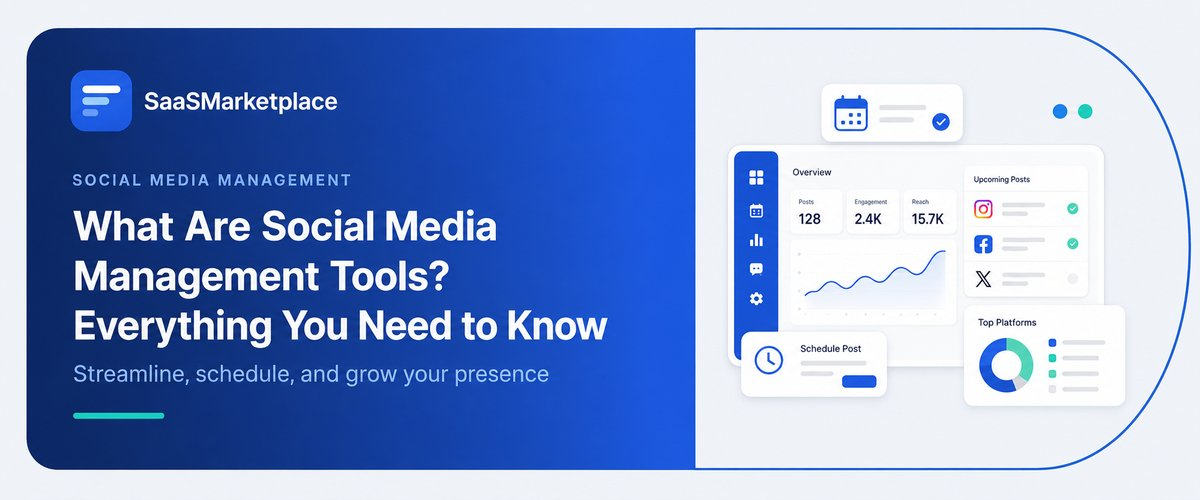
What Are Social Media Management Tools? Everything You Need to Know
-min.jpg)
A marketing coordinator posts to Instagram from her phone during lunch, switches to a laptop that evening to update Facebook, and forgets the company's LinkedIn page exists until a client asks why it hasn't been touched in six weeks. That's usually the moment someone starts searching for "social media management tools." The problem isn't a lack of effort. Most businesses run their social presence across five or six platforms with separate logins, separate content calendars if a calendar exists at all, and no single place to see what's posted, what's scheduled, or what's still sitting in a group chat waiting on approval.
 Looking for Social Media Management software? Check out SaaS Marketplace’s List of the Best Social Media Management Software in USA for your business.
Social media management tools exist to fix that: one dashboard instead of a browser full of open tabs. What these tools actually do, why US businesses are adopting them, the core features worth knowing, how pricing typically breaks down, mistakes companies make when choosing one, and how to figure out whether a dedicated platform is even necessary yet.
What Are Social Media Management Tools?
At the most basic level, a social media management tool is software that lets a business manage multiple social accounts Instagram, Facebook, X, LinkedIn, TikTok, Pinterest, YouTube, and others from a single interface, instead of logging into each platform separately.
Early versions were mostly scheduling calendars with a few extra buttons: type a caption, pick a time, publish it across two or three platforms at once. That's still the foundation most people think of first, but the category has grown considerably since. Modern platforms typically fold in engagement tracking, performance analytics, approval workflows, and in some cases social listening, monitoring what's said about a brand across the internet, not just on the accounts a business intelligence directly controls.
The shift makes sense once a company has more than one or two people touching its social accounts. A single founder posting occasionally doesn't need much beyond what Instagram or Facebook already offers for free. A five-person marketing team juggling six platforms, a rotating content calendar, and a boss who wants a monthly performance report is a different situation entirely.
Why US Businesses Are Using These Tools
A few things are driving adoption, and they tend to compound rather than act alone.
Account volume is the most obvious one. A brand active on four or five platforms is managing four or five publishing workflows and four or five places engagement can quietly go unanswered. Consolidating that into one dashboard isn't a luxury past a certain size. It's closer to a necessity.
Approval workflows matter more than most people expect going in, especially in regulated industries or any company where legal needs to sign off before something goes live. Financial services firms, healthcare companies, and businesses running paid influencer campaigns all have to think about FTC disclosure requirements and brand consistency in a way that one unreviewed post can undo quickly. A tool that routes drafts through approval catches that risk before it becomes a problem, rather than after.
Distributed teams add another layer. When social media sat with one person at a desk, informal tracking worked fine, but remote and hybrid teams need a shared source of truth instead; otherwise, two people schedule the same announcement, or nobody schedules it at all because each assumed the other had it covered. Leadership feels this too, increasingly wanting reporting that doesn't require manually screenshotting numbers from six different apps; a monthly review pulled from one dashboard is a very different task than one built by hand from platform-native analytics pages that don't talk to each other.
Core Features Worth Knowing
Most established platforms share a similar set of core capabilities, even if the execution and pricing differ quite a bit.
Content scheduling and publishing sit at the center of nearly every tool in this category: draft a post once, assign it a time and a set of platforms, and let the software handle the rest. Team collaboration features usually come next: draft, review, approve, and publish stages that keep an intern's post from going live without a manager seeing it first. A unified inbox pulls comments, DMs, and mentions from every connected platform into one place, and this matters more than it sounds: a comment buried in a platform nobody checks daily is a customer service issue waiting to happen.
Analytics and reporting round out the core package, covering engagement rates, reach, and follower growth, along with content performance broken down by post type on more advanced tiers. Social listening, when a platform offers it, extends that further: tracking brand mentions and competitor activity across the web, not just inside the accounts a business owns directly.
A growing number of tools now include AI-assisted caption drafting, too, worth treating as a starting point rather than a finished product, useful for beating a blank page but not a substitute for someone who understands the brand's voice.
Types of Social Media Management Platforms
Not every tool in this category is solving the same problem, which is part of why comparing them side by side gets confusing fast. Pricing in this category spans a wide range, and it's worth going in with realistic expectations rather than whatever number the first vendor's homepage leads with.
Entry-level plans for solo users and very small teams generally start somewhere in the $15 to $40 per month range, often capped at a handful of connected social profiles. Small business and growing-team plans tend to climb into the low hundreds monthly once more users, profiles, or approval workflows get added in.Social listening specialists, not publishing tools. They lean toward tracking sentiment and industry conversation, which fits larger companies where reputation monitoring matters as much as posting itself.
And then there are the native platform schedulers, Meta Business Suite being the most common example. Free, and fine for a business active on one platform but they stop short of cross-platform reporting or the workflow features a growing team eventually needs.
How Pricing Typically Works
Pricing in this category spans a wide range, and it's worth going in with realistic expectations rather than whatever number the first vendor's homepage leads with.
Entry-level plans for solo users and very small teams generally start somewhere in the $15 to $40 per month range, often capped at a handful of connected social profiles. Small business and growing-team plans tend to climb into the low hundreds monthly once more users, profiles, or approval workflows get added in. Enterprise tiers built for large social media marketing departments that need listening, custom reporting, and dedicated support typically move to custom quotes, and those can run well into five or six figures annually depending on scale.
Free tiers exist across a few platforms, usually capped at one or two social profiles and basic scheduling, with the more useful features locked behind a paid plan. Worth checking, before committing to anything, whether a vendor charges per user, per connected social profile, or some combination of both that structure affects total cost more than the sticker price on the pricing page usually suggests.
Common Mistakes Businesses Make When Choosing a Tool
Teams usually find this out after signing a year-long contract, which is exactly why it's worth flagging in advance.
There's a tendency to pick a tool based on whichever platform gets used most right now, rather than where the business is actually headed. A company scheduling only Instagram posts today might reasonably need TikTok, LinkedIn, and paid social integration within a year, and switching platforms mid-stream costs more in lost history and retraining than most people budget for.Approval workflows get skipped more often than they should. Smaller companies tend to assume everyone on the team already knows what should and shouldn't go live an assumption that holds right up until it doesn't.
The unified inbox gets ignored too, and that one's easy to underestimate. A tool with strong scheduling but a weak inbox feature can leave complaints sitting unanswered in a platform nobody's actively checking, which does more brand damage than an inconsistent posting schedule ever would.
Then there's over-scheduling less a software problem than a habit problem. A feed that's entirely automated, with nobody reading comments or joining real conversations, reads as hollow to anyone paying attention Audiences notice.Last one: a mismatch between team size and platform complexity. A two-person team buying an enterprise suite built for a department of twenty ends up paying for capacity it will likely never touch.
When a Dedicated Tool May Not Be the Right Fit Yet
Not every business needs this today, and that's worth saying plainly. A solo owner or very small team managing one or two platforms, posting a handful of times a week, can often get by fine with the free scheduler built into Meta Business Suite or a similar native tool.The tipping point tends to show up once a business crosses roughly three or more active platforms, brings on a second person handling content, or needs a formal approval process before anything goes live. Many businesses assume they need a full-featured platform right away, but a simple scheduling tool or no dedicated tool at all is often the more sensible starting point for the first year or two.
Conclusion
Social media management tools solve a problem that's easy to underestimate until a business is juggling six platforms with no shared calendar and a client asking why nothing's been posted in weeks. For US companies facing growing platform counts, distributed teams, and more scrutiny around brand consistency and compliance, the right tool pays for itself mostly in avoided mistakes and reclaimed time.The decision comes down less to which platform has the longest feature list and more to which one actually matches how the team works day to day. Matching the tool to real usage current platform count, team size, and whether approval workflows are genuinely needed tends to separate a purchase that gets used from one that quietly gets ignored after the first month.
FAQ's
Depends on platform count and team size. A solo owner managing one or two platforms with light posting volume can often rely on free native schedulers. Businesses managing three or more platforms, or multiple team members, tend to see real value from a dedicated tool.
A management tool is software that schedules, tracks, and reports on content a business creates. An agency is a service that typically creates the strategy and content itself. The two aren't interchangeable, though many agencies use management tools internally.
Mostly, but not entirely some newer platform-specific formats and certain ad tools still require going directly into the native app.
Often, yes, for businesses active on one or two platforms with straightforward scheduling needs. That tends to change once a business adds more platforms, more team members, or needs unified reporting and approval workflows.
Picking based on current platform usage rather than where the business is headed, or buying more capability and cost than the team size actually requires.