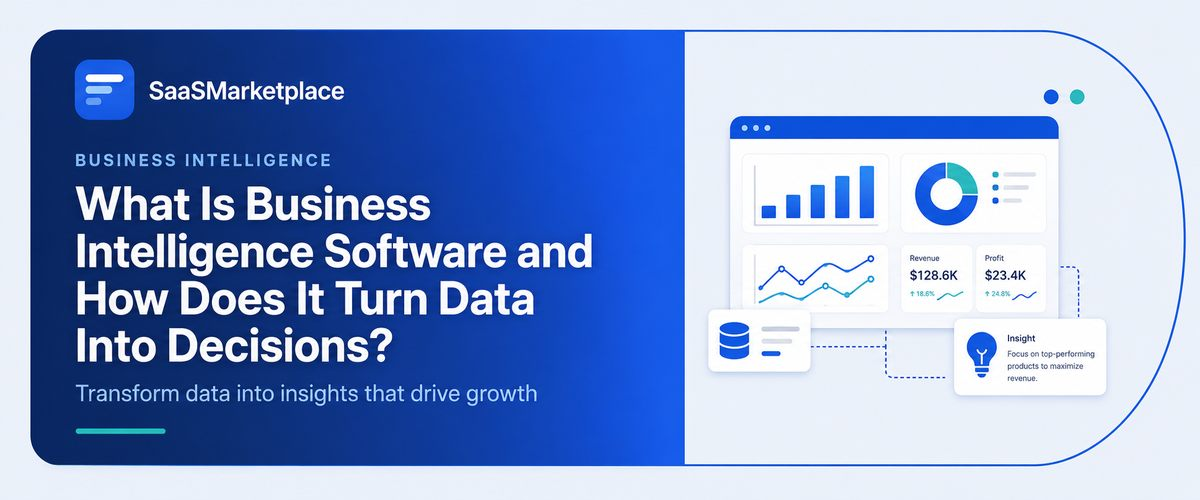
What Is Business Intelligence Software and How Does It Turn Data Into Decisions?
-min.jpg)
Most companies don't actually have a data shortage. What they're missing is a decent way to read what they've already got. Sales numbers live in one system, customer activity in another, and financials somewhere else entirely, and by the time someone pulls it all into a spreadsheet to make sense of it, the numbers are already a week old.
 Looking for Business Intelligence Software? Check out SaaS Marketplace’s List of the Best Business Intelligence Software in the USA for your business.
That's the gap business intelligence software is built to close it pulls all that scattered data into dashboards showing what's happening in the business right now, not what happened last quarter after everyone finally finished reconciling it. The real question was never whether a company needs a dashboard. It's whether the systems feeding that dashboard can actually be trusted enough to make decisions from and that's usually where BI rollouts quietly fall apart.
Key Takeaways
- Business intelligence (BI) software consolidates data from different sources such as accounting software and CRM software, giving leaders a single view of the information rather than having to evaluate information from multiple, disparate sources.
- AI CRM software is increasingly being built to provide predictive signals directly to BI dashboards, rather than being a separate reporting entity.
- Sales teams benefit most from a sales CRM software that is built directly into BI reporting, rather than having to be exported separately.
- Not every company needs enterprise BI. Plenty of smaller teams do just fine with lighter reporting tools until their data volume actually justifies the bigger investment.
- Combining BI with marketing analytics software closes the loop between spend and revenue, which is usually exactly where attribution gaps show up.
Why Spreadsheets Stop Working Long Before Companies Admit It
Every growing company hits the same wall. Someone builds a master spreadsheet that pulls numbers from a few different sources, and for a while it works fine. Then another department wants access, someone adds a tab, formulas break when a column shifts, and within a year the "single source of truth" needs its own maintenance person just to stay accurate.
Business intelligence software gets around this by connecting straight to the source systems instead of depending on someone manually copying numbers over. Set it up right, and it pulls live data from accounting software, sales platforms, and marketing tools, then hands it back through dashboards that update on their own. The manual export step, usually where the errors creep in just disappears from the process altogether.
What Business Intelligence Software Actually Does
At its core, BI software takes raw transactional data and turns it into something a person can actually act on, without needing a data analyst standing by to translate it first.
Connecting Financial and Operational Data
Most BI platforms start with the numbers finance is already tracking. Hook it into accounting software, and revenue, expenses, and cash flow start showing up right alongside operational metrics like inventory turnover or headcount instead of sitting in a separate report finance emails around once a month. That matters more than it might sound like it should. A business can look perfectly healthy on a sales dashboard while quietly bleeding cash underneath, and you don't catch that disconnect until financial and operational data are sitting in the same view.
Pulling in Customer and Sales Data
CRM data is the other big input. CRM software holds the pipeline stages, deal values, and customer history sales leaders are living in every day, and BI tools pull that data in to answer questions the CRM itself usually can't, like which lead source is actually converting into long-term revenue rather than just closed deals. A sales CRM platform on its own will tell a rep what's sitting in their pipeline. BI layered on top tells leadership whether the whole pipeline is trending toward hitting the quarter's targets.
Surfacing Marketing Performance
Marketing analytics software tracks campaign performance, but on its own it rarely shows the full revenue picture. Marketing teams can see clicks, impressions, and cost per lead well enough; connecting that spend to actual closed revenue is where it usually takes pulling data from the CRM and finance systems too. That connection tends to get made inside BI dashboards, and it's often the first time marketing and sales are looking at the same attribution numbers instead of arguing over two separate versions of the truth.
How AI CRM Software Is Changing What BI Dashboards Show
One major trend we’ve seen in the last couple years is that AI-driven CRM systems are evolving from simple repositories for customer data into proactive platforms that score leads, identify deals that are on the verge of falling through, and even anticipate when an account is at risk of cancellation. The latter capability used to be an isolated feature within CRMs - predictive analytics and modeling only accessible in another, separate analytical dashboard. But recently, we’ve seen more and more CRMs bring these insights directly into their Business Intelligence platforms, letting sales leaders view information about revenue forecasts and churn risk in one place.
That shift matters because it's changing what a BI dashboard is even for. These dashboards used to just report on what already happened revenue closed, deals won, campaigns run. Once predictive inputs from AI-driven CRM tools get folded in, dashboards start showing what's likely to happen next quarter instead, which changes the kind of decisions leadership can make from that same screen. Teams tend to stumble onto this after their CRM vendor rolls out a predictive module and the first instinct is usually to treat it as just a CRM feature, rather than data that belongs up in the broader reporting layer.
Online CRM Software and the Access Problem BI Solves
Online CRM software made customer data accessible from anywhere, which solved one problem and created a smaller one. When every rep, manager, and executive can log into the CRM directly, everyone technically has access to the data, but not everyone has the same view of it. A rep sees their own deals. A manager sees their team's pipeline. Nobody outside of someone building a manual report sees the whole funnel next to marketing spend and finance numbers at once.
BI software fixes that by pulling from the same online CRM software instance and presenting a version built for decision-makers rather than day-to-day deal management. The underlying data is identical, but the framing changes completely, from "what does my pipeline look like today" to "how is the business trending against target this quarter."
Financial CRM Software and Where BI Fits for Regulated Industries
In financial services, wealth management, and insurance, financial CRM software handles compliance-sensitive client data that general-purpose CRMs aren't built to manage. Audit trails, disclosure tracking, and household-level relationship views are standard requirements in this space, not add-ons. Many businesses assume that a financial CRM's built-in reporting is sufficient on its own, but in practice, firms managing multiple books of business or advisor teams still need BI layered on top to see performance trends across advisors, product lines, and compliance metrics in one place.
The trade-off here is worth being honest about. Adding a BI layer on top of financial CRM software means another system to maintain, another data connection to secure, and another place where compliance rules need to be enforced consistently. For a small advisory practice with a handful of accounts, that overhead may not be worth it. For a firm managing hundreds of client relationships across several advisors, the visibility usually pays for itself within the first few reporting cycles.
What Implementation Actually Costs, in Time and Not Just Dollars
Vendors like to quote BI software by seat count or data volume, which makes the sticker price simple to compare but hides what it actually costs to get the thing running. Connecting a CRM system to an accounting platform sounds easy enough on a sales call, but data fields almost never line up cleanly between systems. A "customer" in the CRM might not map one-to-one with a "customer" over in billing, especially once you're dealing with multiple contacts per account or separate billing and shipping entities.
Teams tend to find this out the hard way, after the first integration attempt, when the dashboard shows numbers nobody expected. That mismatch isn't really a BI software failure it's a sign the underlying systems were never fully reconciled in the first place. Budgeting extra time for that reconciliation, instead of assuming the whole integration will just be plug-and-play, tends to be what separates the rollouts that go smoothly from the ones that drag on for months longer than planned.
Common Mistakes Companies Make When Adopting BI Software
A few patterns keep showing up when businesses roll out business intelligence software for the first time.
- Connecting every available data source on day one instead of starting with the two or three metrics leadership actually checks weekly.
- Assuming the BI tool will fix underlying data quality problems in the source systems, when in fact it just makes those problems more visible.
- Building dashboards nobody asked for, then wondering why adoption stays low six months later.
- Skipping training for the people who'll actually build reports, which leaves the tool underused by everyone except the one person who set it up.
Smaller companies especially tend to overlook that data quality issue. A dashboard built on messy CRM data still comes out looking like a clean, polished chart and that polish is exactly what creates false confidence in numbers that were never accurate to begin with. It usually takes a few months of making real decisions off inaccurate dashboards before the mistake becomes obvious, and by then the business has already lost time it isn't getting back.
When a Company Might Not Need Full BI Software Yet
Not every business is ready for enterprise BI, and jumping in too early can be its own kind of mistake. A company with a handful of employees and just one or two data sources might get everything it needs from the built-in reporting already inside its bookkeeping platform and CRM, without bolting on another tool to manage. The real tell that BI has become necessary is when someone starts burning real hours each week manually stitching together exports from different tools just to answer a basic question about performance.
The better approach is to map out which decisions are actually getting delayed by missing visibility right now, then judge BI against that specific list rather than some generic feature comparison. Buy a platform because it looked impressive in a demo, without a clear list of questions it actually needs to answer, and you usually end up with a tool that gets set up once and rarely gets opened again.
Conclusion
Choosing business intelligence software comes down to how many disconnected systems a company is already running and how much time gets lost stitching their numbers together manually. The value shows up once accounting software, CRM software, and marketing analytics software are all feeding into one place not just because a company bought the platform with the flashiest dashboards. Whether the CRM behind that data is AI-driven, cloud-based, sales-focused, or built for regulated financial work barely matters; the BI layer on top is only ever as good as the discipline behind keeping the underlying data clean.
That last part is easy to lose in vendor demos, which are designed to show off a polished dashboard rather than the unglamorous work of actually keeping source data accurate. Companies that put in the time cleaning up how their CRM and accounting records get entered, before flipping on BI reporting, tend to end up with dashboards people trust and actually use. Skip that step, and you usually end up with an expensive tool nobody checks because everyone already suspects the numbers on it are wrong.
FAQ's
Not always. Many small businesses get enough visibility from the built-in reporting in their bookkeeping software and CRM software until data volume or team size grows significantly.
This kind of platform adds predictive features like lead scoring and churn prediction on top of standard record-keeping, and that data increasingly flows directly into BI dashboards.
No. These platforms track campaign performance well, but connecting that spend to actual revenue usually requires pulling in CRM and financial data through a separate BI layer.
It handles compliance-specific data well, but firms managing multiple advisors or large client books often still need BI on top to see performance trends across the whole business.
Connecting every data source at once instead of starting with the small number of metrics leadership actually checks on a regular basis.