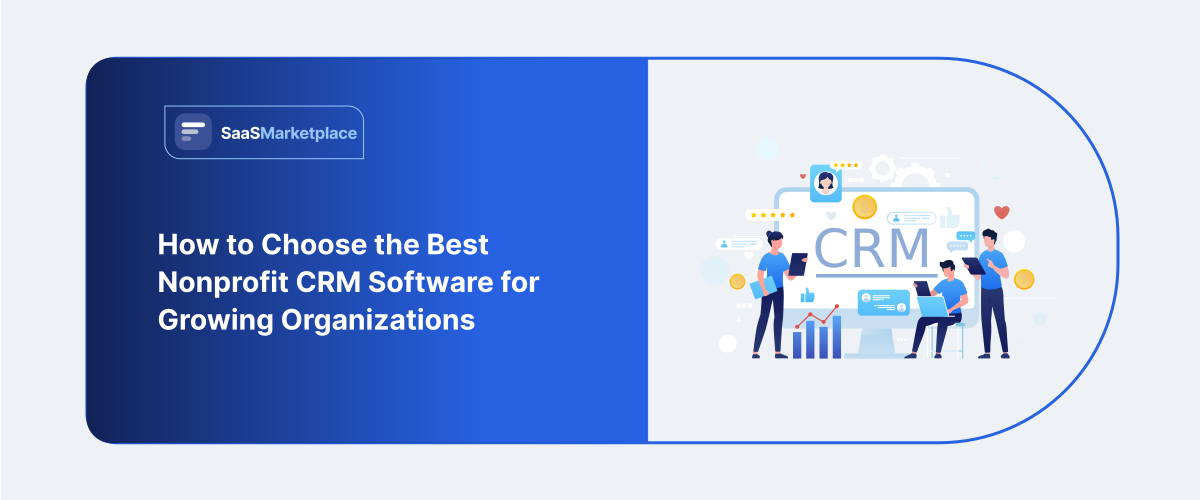
How to Choose the Best Nonprofit CRM Software for Growing Organizations
-min.jpg)
Choosing the right nonprofit CRM software is, honestly, less about spotting the platform with the biggest list of features and more about finding a kind of digital center that really gets how your organization moves day to day. You know, unlike those regular commercial tools that zoom in on sales pipelines only, a nonprofit-focused CRM has to connect donor care, volunteer scheduling, and the fundraising numbers without making everyone feel like they’re wrestling the system. To land on the best match, you have to sketch your organization’s near-term trouble spots as if it’s a confusing tangle of separated spreadsheets, strict donation tracking that never quite fits, or the constant manual receipting work and then filter the options using clear pricing, solid data security, and the ability to grow as your mission grows.
What Is Nonprofit CRM Software and Why Does It Matter for Growing Organizations?
A nonprofit Customer Relationship Management, or CRM, platform is basically a specialized digital ecosystem made to follow, inspect, and tend an organization’s whole network of relationships. You know, the entire web, with individual donors, monthly sustainers, corporate partners, grant makers, and volunteers all tangled together in one place. It’s not like those generic corporate CRMs meant for sales pipelines. Instead, this kind of nonprofit platform blends the usual contact logging functions with more unusual, practical operational tools, like automated charitable tax receipts, wealth screening, and localized compliance tracking.
And in the U.S., in the nonprofit landscape, which is extremely competitive, organizations have to manage complicated patterns in individual giving plus strict rules around reporting. So moving away from disjointed spreadsheets and software fragments that never quite talk to each other is not really optional anymore. A nonprofit CRM software works like a central intelligence layer; it gathers the scattered data feeds into one coherent source of truth, which helps teams recognize donor behavior, link it to program outcomes, and stay transparent with boards and stakeholders.
For growing mid-market organizations in the U.S., adopting a cloud-based CRM is probably the single most critical catalyst for durable scaling. As the organization expands, trying to manually juggle donor communication and watch pledge fulfillments ends up creating big, administrative bottlenecks that then turn into “efficiency plateaus” and somehow also drive up donor churn. Modern CRMs handle this differently by adding cloud native automated workflows, plus predictive analytics engines too. Instead of forcing a small team to spend hours crafting one-off thank you notes, these platforms keep tabs on new contributions, generate individualized tax receipts, and slice communication lists using donor giving history. So that move, away from reactive manual data entry toward proactive donor stewardship, helps nonprofits grow their fundraising ability, improve campaign return on investment ROI, and connect more deeply with their community, all without scaling the overhead in a straight line.
What Key Features Should You Look for in Nonprofit CRM Software?
- Holistic Donor Management & Segmenting: The system needs to sort of go past the basic contact stuff, and instead build full donor profiles that follow giving history, volunteer hours, plus those communication preferences. With smarter filtering, you can split your supporters into smaller groups ( like lapsed donors vs monthly sustainers ), so you end up sending more hyper-targeted messages that actually land, and not some generic blast kind of thing.
- Integrated Multi-Channel Fundraising: Try to locate a platform that can, smoothly, manage online donations, peer-to-peer campaigns, text-to-give drives, and event ticketing all inside one dashboard. When everything is sitting together like that, the manual data imports mostly disappear, and you get a quick, near-real-time picture of how the whole campaign is moving across the board. Not the patchwork spreadsheet situation, not the extra copy-paste either, just one view.
- Automated Communication & Tax-Receipting: What matters here is workflows that automatically trigger personalized thank-you email marketing, pledge nudges, and legally compliant year-end charitable tax receipts. When you automate these little touchpoints, donors tend to feel appreciated right away, while your team saves a ton of time- like hundreds of hours previously wasted on manual admin work.
- Volunteer Tracking & Scheduling: A solid CRM kind of bridges that space between people who give financially and those who jump in hands-on, because it handles volunteer applications, shift planning, and hours logging. With that kind of sightline, you can spot especially engaged volunteers really fast, and they often become the best prospects for turning into actual financial donors.
- Robust Reporting & Grant Tracking: You really want intuitive dashboards, plus they should be customizable enough to watch the numbers that matter most, like donor retention rates, donor lifetime value, and how your campaign performs in terms of ROI. For steady growth over time, the same system should also keep track of grant application due dates, funding milestones, and all the compliance requirements that can’t be overlooked.
- Flexible Integrations & Scalability (Open APIs): Your CRM should connect on its own, or through open Application Programming Interfaces (APIs) with the tools you already use, like accounting software, email marketing platforms, and even social media channels. That way, the data doesn’t stall or sit in separate places, and it keeps moving smoothly as your organization grows, in a rather clean and connected way.
How Does Nonprofit CRM Software Help US-Based Organizations Manage Donor Relationships?
- Creates a single, 360-degree donor View: By bringing together communication history, event presence, volunteer shifts, and donation milestones in one central profile, the software wipes out that tangled, disconnected data-silo mess. With this full timeline in view, your development team can see how a supporter really engages with your mission, so every next outreach is more personal, more grounded, and intentional, not just sprayed and hoped for.
- Helps with data-driven donor Segmentation: the system lets you slice your database pretty fast into clean groupings, like major gift prospects, monthly sustainers, or lapsed donors who haven’t given in the past year. Instead of blasting generic emails to everyone, you can send more finely targeted messages that match each person’s relationship stage, which usually noticeably lifts engagement and response rates.
- Power Tailored moves Management Pipelines: To cultivate prospective major donors or corporate grantors, you need a structured method, and the CRM handles it with visual tracking pipelines. Development officers can set automatic reminders for in-person meetings, monitor proposal submission deadlines, and also log notes from those quick phone calls, so that no high-value connection slips past unnoticed, even when the days get busy.
- Automates Timely, U.S. Tax-Compliant Stewardship: The software can fire off an immediate, personalized acknowledgment letter the second a gift is made, meeting that real donor expectation of fast recognition. Also, it helps automate the making and sending of IRS-compliant annual tax receipts, cutting down admin friction for your team, while giving donors a smoother, more polished experience.
- Predicts Giving Trends and Re-engagement Opportunities: Built-in analytics tools keep watch on donor activity to surface red flags, like a dependable donor skipping their usual giving month, so you can reach out early before they fade away. And by looking at prior giving patterns, the CRM supports spotting mid-level donors with the financial stamina and steady habits needed to be moved into major giving circles.
What Is the Right Budget for Nonprofit CRM Software for a Growing Organization?
Determining the right budget for a nonprofit CRM requires looking beyond the initial monthly sticker price to evaluate the total cost of ownership. For a growing organization, your budget must balance immediate affordability with the flexibility to scale without facing steep financial penalties as your database expands.
- Start with a Baseline Software Subscription Range: a growing organization that’s managing roughly 2,500 to 10,000 active donor records should usually expect something like $100 to $500 per month (so $1,200 to $6,000 each year) for a dedicated nonprofit CRM platform. At the entry level, it often begins lower, and then the more robust options, such as native outreach automation, predictive insights, and event modules, tend to show up at the top end of that span
- Then, don’t ignore upfront Data Migration and Setup Fees: moving from scattered spreadsheets or an older legacy database into a modern CRM almost always comes with a one-time implementation cost that people somehow miss during planning. For a mid-sized group, plan an extra $1,500 to $5,000 upfront for professional data cleanup, custom field mapping, and the initial platform configuration. This helps protect system integrity and prevents messy outcomes later
- Look closely at the Core Pricing Model: Most platforms price by total user licenses, by contact volume, or sometimes by overall organizational revenue. You also want to watch for record-based pricing tiers, because a sudden surge of newsletter subscribers, or even event attendees, can accidentally bump you into a notably higher price bracket, like an overnight kind of effect.
- Put Money aside for Ongoing Staff Training, and the integrations Work: A CRM is only as useful as the people running it, so continuous staff training matters to prevent underuse and those expensive operational slowdown issues. Plan on roughly 10% to 15% of your yearly software fee for ongoing team education and premium support, so you can smoothly connect the CRM to essential systems, not just set it up and hope.
- When you’re Comparing Software Pricing: Pay attention to how the CRM actually manages online donations, because some platforms grab a platform fee as a percentage, while others make you run everything through their own native processor. So, when you set your budget, account for typical processing expenses of around 2.2% to 3.5%, and also about $0.30 for every single transaction. And try to lean toward CRMs that include a donor cover option, so supporters can shoulder those fees, instead of you absorbing all of it.
How Do You Compare the Top Nonprofit CRM Software Options in the US Market?
1. Zoho CRM
Zoho CRM is a pretty flexible, budget-friendly corporate platform that tends to pull in mid-sized nonprofits that want deep system control, not the enterprise-level price tag. It kind of asks for some upfront setup too, because you have to translate sales pipelines into donor journeys, sort of thing. But once that foundation is laid, the automation is strong, and it runs complex multi-channel communications, volunteer shift tracking, and mass email workflows with less fuss. The big marketplace also makes it easier to connect U.S. donation processors. Smaller teams can run into a steep learning curve when they first start customizing; day one, feels a bit messy.
2. Creatio CRM
Creatio is an enterprise-class, no-code platform built on sophisticated business process management (BPM) and an AI native architecture. For bigger, more complicated U.S. nonprofits, it lets non-technical staff drag and drop their way into building fully tailored apps, manage major donor movements like it’s a living system, and keep grant tracking workflows organized even when they get intricate. It also supports a true 360-degree view across layered community connections, though that advanced operational muscle comes with premium pricing and higher configuration demands, so teams should be ready for that.
3. Pipedrive
Pipedrive is a visually driven, streamlined CRM that is basically all about deals and pipeline stuff. For nonprofits, this whole approach translates pretty well into tracking higher-touch corporate sponsorships, where grant application stages and the larger gift stewardship paths kind of overlap. It has a low learning curve, and the interface feels clean and easy, but it also pretty much has no native marketing suite and no donor tax-receipting either, so you have to rely on third-party extensions if you want it to work as a full ecosystem.
4. Apollo.io
Apollo.io isn't exactly a standard relationship-management CRM, more like a hyper-powered B2B database, sales intelligence, and outbound outreach platform all rolled together. U.S. nonprofits tend to use Apollo for the massive library of verified business contacts, so fundraising teams can spot corporate matching-gift prospects, locate foundation contacts, and kick off automated email sequences. Still, it does not really cover usual CRM basics like long-term historical record tracking or payment histories, so it works best as a discovery tool for the top-of-funnel, ideally connected with bi-directional sync to your main database.
What Integration Capabilities Should Your Nonprofit CRM Software Support?
To build a seamless digital ecosystem, an organization’s database has to have strategic priority and bulletproof financial integrations that link natively with standard accounting systems, so everything feels not just smooth but also reliably connected. This synchronization makes it so every online donation, event ticket purchase, or corporate grant is instantly categorized and mapped to the right general ledger code, which completely wipes out the need for manual end-of-month data entry. Beyond that, the platform should cleanly connect with primary domestic payment gateways, so credit cards and bank transfers are processed securely while transaction fees are captured automatically and tax-compliant receipts get triggered immediately.
Just as vital, the system needs the ability to integrate with multi-channel marketing tools and outbound communication suites, basically to keep donor stewardship consistent from one channel to another, without the team constantly trying to patch things together. Organizations benefit from a tight bi-directional sync with email marketing platforms, so when donor segments change, like a one-time giver becoming a monthly sustainer, tailored communication journeys begin automatically, with no manual list rebuilding. In today’s market, it also helps to include automated direct-mail integrations and omni-channel text-to-give platforms, because smaller teams can then scale personalized appeals across physical and digital touchpoints based on real-time behavior data.
A growing team must make sure its core software kind of bridges the space between public outreach and bottom-line donor intelligence, through open application programming interfaces (APIs) and third-party connector utilities. The platform should natively integrate with mainstream website builders so it can embed smooth, mobile-optimized forms that gather tidy constituent data directly at the source. For longer-term growth, the whole system also needs to connect up with specialized corporate matching gift utilities as well as wealth screening engines, so development teams have the quick visibility they need to turn everyday web visitors and workplace donors into high-value, long-lived major supporters.
How Do You Successfully Implement Nonprofit CRM Software in Your Organization?
1. Build a cross-department implementation Team:
Name one specific project manager, and pull in key people from fundraising, finance, and volunteering to push the transition forward, kind of like a single rhythm, even if everyone works different days.
2. Audit, Clean, and Standardize the old Data:
Remove duplicated profiles, correct formatting inconsistencies, and delete legacy donor entries that are no longer valid before you move any information into the new platform. Try to do it cleanly, or you end up with a messy history again.
3. Lay out Workflows and Custom Data Fields:
Define the donor journeys clearly and set straightforward rules for data entry so the tracking actually mirrors your operational needs from day one, not “close enough” later on.
4. Create the core Accounting and Marketing Linkages:
Connect payment gateways, financial ledgers, and your email suites so the information moves automatically, with no repetitive manual input.
5. Run a pilot phase with a Small Dataset, more or Less:
Try the system with a select group of staff members using active donor records, to catch configuration issues early.
6. Deliver tiered staff training and Document Protocols, basically:
Give role-specific training sessions for all system users, and create a standard operating guide so data integrity stays stable.
How Do You Make the Final Decision When Choosing Nonprofit CRM Software?
- Request Customized Sandbox Demos with your real, Actual Data: see how the system does in the wild by asking vendors to run exact workflows. Like, processing a split designation donation, not just sitting through a generic, scripted sales thing that looks polished.
- Calculate the Whole Multi-year Total Cost of Ownership: don’t stop at the subscription headline. Build a three-year financial view that includes implementation, data transfer/migration, compulsory payment gateway fees, and the expected record growth-related price bumps over time.
- Evaluate user Adoption and interface Accessibility for non-tech Staff: get the everyday folks on your dev and admin teams to test the platform’s daily interface. The point is to make sure the learning curve doesn’t stall productivity.
- Verify Vendor Security Frameworks and Regulatory Data Compliance: Check the provider’s encryption protocols, how often backups happen on servers, and what compliance badges/certifications they claim. to make sure donors' personal financial data stays protected, like completely protected.
- Audit user Community Reviews and Customer Support Responsiveness: Look up what independent review sites say, and also talk to peer organizations. Confirm whether the vendor’s real troubleshooting response times actually match their service level commitments, not just what’s written.
- Assess the software’s Structural Capacity to scale with your Mission: ensure the platform has open architecture, integrations that are actually usable, and the upper-tier data limits. So it can handle a big influx of future donors without a full system migration later.
Conclusion
Picking the right CRM is mostly this act of balancing what the software can technically do, with what your team can actually handle day to day, in a very real way. And when you think you’re ready to get out of the theory mode and into making a concrete decision, using an external discovery platform helps smooth the whole procurement part. You can basically lean on a curated digital directory like SaaSMarketplace to look around for options, so you’re able to discover, compare, and then buy business software that matches your operational targets. By tapping into organized data, real user feedback, and clear cost breakdowns, your team can reduce the risk of technical bottlenecks and move forward with confidence, investing in a system that supports sustainable long-term outcomes.
FAQ's
Donor management tools focus strictly on tracking financial gifts, whereas a CRM manages comprehensive relationship networks across donors, volunteers, grantors, and community partners.
Purpose-built systems offer immediate, native features like tax-receipting and donor pipelines, while commercial platforms offer superior general automation but require significant, technical custom building.
Always factor in upfront costs for professional data cleaning, data migration, compulsory payment processing transaction fees, and pricing tier jumps as your contact records increase.
Request a customized vendor sandbox demo and have your everyday administrative team independently test core tasks like running a basic donor report or generating an email receipt.
The software automatically tracks donor giving history and behavior patterns, prompting your development team to send timely, personalized re-engagement messages before a donor lapses.