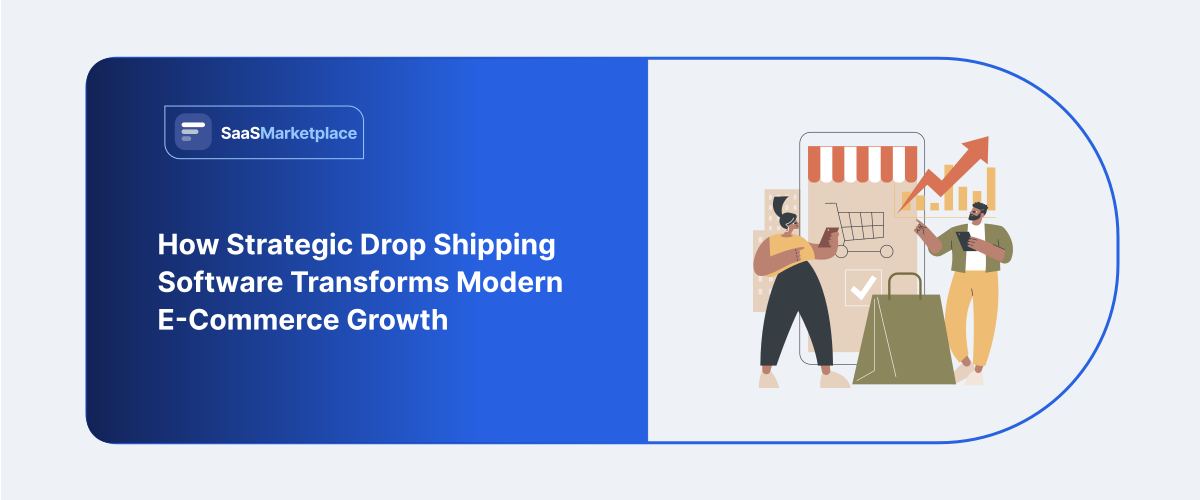
How Strategic Drop Shipping Software Transforms Modern E-Commerce Growth
-min.jpg)
Starting an internet shop provides a clear route into business ownership without needing to hold large stock levels. Yet, handling where orders go, checking if suppliers have items, and ensuring product descriptions stay correct on many sites soon feels too much when sales grow bigger.
 Looking for Drop Shipping Software? Check out SaaSmarketplace’s List of the Best Drop Shipping Software in USA for Your Business.
Grasping how system integration turns routine jobs into automatic back-end routines lets current online retail bosses go past simple office chores and create a lasting, growable company structure. When you understand what Drop Shipping Software should handle, you can avoid costly mistakes and build a process you can actually trust.
The Real Operational Challenge in Direct-to-Consumer Retail
The core retail system strategy behind direct fulfillment appears simple on paper. An online store lists an item, collects a retail payment from a consumer, and purchases that item at a wholesale price from a supplier who packages and ships it straight to the end buyer.
[ Customer Order ] ➔ [ Digital Storefront ] ➔ [ Automated Data Sync ] ➔ [ Supplier Warehouse ] ➔ [ Direct Customer Delivery ]
Despite this clean operational model, manual management quickly creates administrative bottlenecks. Store operators face significant daily challenges:
- Inventory Misalignment: A supplier runs out of stock, but the retail product listing remains active. Customers purchase out-of-stock items, leading to forced refunds and negative store reviews.
- Order Forwarding Friction: Copying customer shipping addresses into wholesale forms line-by-line takes valuable time and increases the risk of delivery errors.
- Price Volatility: Vendors alter wholesale costs with no prior notice. Lacking automatic corrections, earnings margins contract or disappear entirely.
- Tracking Communication Delays: Customers expect real-time delivery notifications. Manually collecting shipping numbers from multiple suppliers creates communication delays and floods support channels.
Bringing in dedicated drop-shipping tools addresses these operational hurdles. Rather than depending on hand-entered data, company leaders may employ current programs to manage recurring tasks without human touch.
Core Features of Modern Drop Shipping Software
To run a reliable digital storefront, your software needs to do more than just forward basic order emails. Comprehensive platform management tools build a connected digital ecosystem that incorporates warehouse management capabilities to ensure business continuity.
Real-Time Inventory Synchronization
When handling various vendors through separate retail paths, live stock alignment becomes necessary. Top-tier drop-ship tools often read vendor storage inputs and instantly refresh shop inventory counts. If a vendor's supply hits nil, the inventory system flags the product as gone from your web page, safeguarding client faith and operational scores.
Automated Order Processing and Routing
Manual data input remains slow and error-prone. Using connected drop-ship tools sends client requests straight to vendor dashboards once funds clear. Sophisticated platforms further enable multi-vendor distribution, immediately dividing complex orders containing several goods and directing each item to its proper shipping center.
Dynamic Markup and Price Guardrails
Pricing from wholesale suppliers may be driven by variations in costs of goods, exchange rates, and shipping expenses. Modern dropshipping software can help establish efficient pricing policies. For instance, one can set rules to maintain a fixed margin of profit, say, 35%, or increase prices in a certain seller’s warehouse in case of any increases on the part of providers, thus ensuring stable profits without spending much time on the task.
Comparing Operational Styles: Manual Handling vs. Automated Systems
Moving away from hand-managed administration toward entirely computer-run processes greatly boosts everyday output.
|
Operational Area |
Manual Retail Workflow |
Integrated Drop Shipping Software |
|
Order Processing |
Copy and paste address fields by hand |
Instant automated order dispatch to suppliers |
|
Inventory Tracking |
Manual inventory checks once or twice a day |
Continuous, real-time inventory updates |
|
Fulfillment Updates |
Manually emailing customer tracking codes |
Automated email notifications sent upon dispatch |
|
Price Adjustment |
Periodic manual spreadsheet reviews |
Automated pricing rules aligned with profit goals |
|
Multi-Store Scaling |
Highly labor-intensive for every additional SKU |
Easily handles thousands of SKUs across platforms |
Building a Sustainable Long-Term Commerce Strategy
While relying on software speeds up processing, software alone cannot replace sound business strategy. Successful stock and inventory management requires combining automated efficiency with strong supplier partnerships and quality service.
Diversifying Supplier Networks
Depending solely on one origin leaves your shop vulnerable should logistics halt or storage issues arise. Adopting adaptable drop-ship tools enables merchants to link with various providers offering comparable goods. Should a provider deplete stock, the platform may shift requests to an alternative seller, ensuring operations continue smoothly despite setbacks.
Creating Standardized Return Protocols
Managing returns becomes difficult if items originate at outside storage facilities. Creating defined return procedures guarantees efficient workflows:
- Clear Customer Returns: Set up straightforward return instructions on your website that match your suppliers' actual return capabilities.
- Automated Support Tickets: Leverage integration tools to gather product images, confirm if returns qualify, and create postage stickers on their own.
- Dedicated Return Locations: Set up main locations for goods sent back, allowing customers' returns to be checked, put into packages again, or sold nearby.
Ensuring Long-Term Quality and Customer Trust
While automation manages data processing with efficiency, sustaining product quality demands active human supervision. Software updates inventory levels and routes order information within your broader e-commerce system, but it cannot physically inspect items before delivery.
To keep brand standing high, run frequent quality tests on best-sellers. Check vendor work often, watch client feedback, and fix shipping lags fast. Applying auto-tools for daily jobs lets you spend time on help desks, picking items, and long-term firm expansion.
Do You Know?
Retail stores that combine automated order routing with proactive customer support resolve delivery issues faster, leading to higher repeat purchases and lower refund rates over time.
The Real Workflow Behind Drop Shipping And Where Automation Matters
Let’s break a typical Drop Shipping day into stages. This is the part most people skip—then they wonder why customers complain.
Stage A: Product discovery and listing
You decide what to sell and publish listings on your store. This is where product data accuracy matters.
Key risk: You publish a product, but the supplier’s real specs, pricing, or variants don’t match your listing.
Stage B: Checkout and order placement
When a buyer checks out, your store creates an order.
Key risk: If your system can’t translate the order correctly (size, color, variant, address format), order routing fails or goes wrong.
Stage C: Order routing to the supplier
This is the handoff moment.
Drop Shipping Software should correctly map:
- product variant/SKU
- quantity
- customer shipping address
- any order notes required for fulfillment
Key risk: Mapping errors. This is one of the most common reasons customers receive the wrong item.
Stage D: Fulfillment confirmation
Suppliers update their status, then the shipment is created.
Key risk: Long delays before status changes—customers feel ignored.
Stage E: Shipping updates and delivery
Tracking moves from label created to in transit to delivered.
Key risk: Tracking gaps, unclear carriers, or tracking that never updates.
Stage F: Returns and refunds (yes, this will happen)
Even if everything goes well, some orders get returned or canceled.
Key risk: If your process doesn’t handle refunds consistently, you’ll lose money and trust.
When you think in stages like this, you can evaluate whether Drop Shipping Software is actually supporting your operation—not just running tasks.
The Most Common Drop Shipping Failures And How To Prevent Them
Here are the mistakes that repeatedly damage stores, even when they use automation.
Failure #1: Over-automation too early
Many sellers connect everything immediately and hope it works. Instead:
- test with a small product set
- confirm order mapping
- run a few test orders end-to-end
This prevents the hundreds of orders messed up scenario.
Failure #2: Publishing products without variant discipline
If you allow messy variant naming, you create a translation problem.
Fix: standardize naming and SKU structure before you automate.
Failure #3: Ignoring shipping expectations
If your store marketing says fast shipping but your supply chain can’t deliver it, customers will blame you.
Fix: set realistic delivery windows and communicate clearly.
Failure #4: No rule for missing tracking
If tracking is delayed or never updates, your customer questions become support tickets—and chargebacks.
Fix: build a process:
- when tracking is missing beyond a time threshold
- what you send to the customer
- when you trigger a refund or replacement policy
Failure #5: Not planning refunds and disputes
Refunds are not rare. They’re a normal part of Drop Shipping.
Fix: define:
- who pays restocking (if applicable)
- whether refunds include shipping fees
- your dispute timeline
A Practical Checklist Before You Rely On Drop Shipping Software
Use this checklist to decide whether your automation plan is ready. This is the part that keeps things calm.
Pre-launch checklist
- Do you have a small product set ready for testing?
- Are your variants mapped cleanly (color/size/SKU)?
- Do you understand how inventory sync behaves?
- Do you know what happens when an item sells out?
- Can you view order status history from start to finish?
- Do you have rules for missing tracking?
- Are refund and return steps documented?
If you can answer these, your Drop Shipping Software setup will be far less stressful.
Conclusion
Adopting dedicated drop shipping tools is vital for moving away from hand-managed retail control toward a streamlined operation that scales well. Through automatic handling of live stock updates, shipment paths, and pricing changes, merchants remove expensive mistakes made by people and secure their earnings. Although programs make hidden tasks easier, lasting achievement really needs mixing digital help with good vendor ties and careful client care. Using such connected setups creates free hours so leaders can work on big picture brand building and keeping customers over time.
FAQ's
It automates background processes by connecting store channels directly to supplier systems to sync stock, dispatch orders, and update tracking details.
Yes, but manual processing takes significant time and increases the risk of inventory errors, delayed shipments, and customer service issues as order volume grows.
It uses dynamic pricing rules to adjust store prices automatically whenever wholesale rates change, maintaining target profit margins.
No, software manages data transfers efficient, but physical handling still depends on supplier warehouse accuracy and carrier reliability.
Yes, most modern management systems connect multiple sales platforms to central supplier feeds from a single dashboard.