What Is HR Analytics Software and How Does It Improve Workforce Decisions?
-min.jpg)
Most HR teams aren't actually short on data. They have a data location problem. Attendance data sits in one spreadsheet. Performance reviews live in a different system entirely. Payroll numbers are locked away in finance software, and nobody has real numbers on turnover, just a vague sense of it from whoever's paying attention on the leadership team. Ask a simple question, like why the best sales reps left last quarter, and someone ends up spending a week digging through four separate systems just to answer it.
 Looking for HR Analytics Software? Check out SaaS Marketplace’s List of the Best HR Analytics Software in the USA for your business.
That's the gap this kind of platform is built to close. Instead of treating employee data as a filing exercise, it treats it as a decision-making tool something a manager can actually use before a problem becomes expensive. This article looks at what the software does, why companies adopt it, where it tends to go wrong, and how it fits alongside broader HR software, HRIS software, and HCM software already in place at most organizations.
What Keeps Businesses From Using Their Data
Ask an HR director why they aren't using more data, and it's rare to hear that they don't think it matters. What comes up instead, almost every time, is some version of not having the time to actually pull it together.
That's the actual barrier. The data is there. It's just scattered across systems, formatted differently depending on where it lives, and owned by departments that don't always have the same priorities.
Smaller companies tend not to notice until something forces the issue a wave of resignations, a failed audit, a board member asking a question nobody can answer with any confidence. Larger organizations hit the opposite wall. They're not short on data at all. They just have it spread across too many systems with no pipes built to connect any of it.
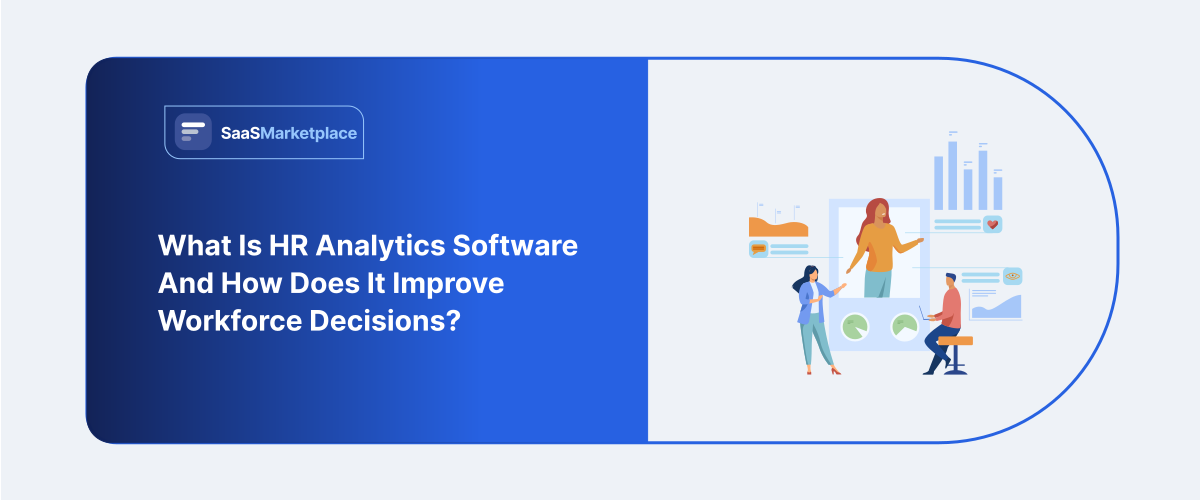
This is the problem this kind of software solves it takes out the manual step entirely. It draws data from payroll, attendance, recruitment, and performance systems into a single place and puts it in front of a manager in a form they can read without a background in statistics.
What the Software Is Actually Doing Behind the Scenes
Strip it down, and the software is doing three things: pulling data together, organizing it, and surfacing patterns that would be nearly impossible to catch by hand.
Centralizing Scattered Records
Most mid-size businesses are running HR software for onboarding, a separate HRIS platform for records, and a payroll tool that doesn't really talk to either one. Analytics platforms usually plug into all of it through APIs, pulling everything into a single dashboard instead of leaving someone to reconcile spreadsheets by hand every month.
Making Sense of the Raw Numbers
A number by itself doesn't say much. An 18% turnover rate is basically meaningless without context: is that high for the industry, is it concentrated in one department, does it jump around a particular tenure mark?A decent analytics tool answers those questions on its own, catching things like absenteeism creeping up in one team or resignations spiking right after a manager change.
It Supports the Decision, It Doesn't Make It
Worth being upfront about this: the software isn't making any decisions. What it does is give HR leaders and department heads a clearer picture, so what they decide is based on something sturdier than a gut feeling. If overtime in the warehouse team has climbed 40% over two quarters, a manager can catch that and step in before it turns into a wave of resignations, instead of finding out after people have already quit.
Where This Fits Alongside Existing HR Systems
Companies rarely buy analytics software as a first HR purchase. It's usually the second or third HR purchase, added once HRM or HCM software is already handling the day-to-day work onboarding, benefits, time tracking. Analytics sits on top of that layer, pulling from it rather than replacing anything.
That order matters, because it changes what you should actually be evaluating the software on. The question isn't "does this platform run HR operations well." It's "does this platform make sense of the operational data that's already being generated." Teams that skip this distinction sometimes end up disappointed, expecting a reporting tool to also manage compliance or payroll, which usually isn't its job.
Common Use Cases That Actually Matter
Vendors like to talk about "workforce intelligence" in abstract terms, but the practical use cases tend to be narrower and more specific than the marketing suggests.
Turnover and retention modeling: Rather than reacting to resignations individually, teams can look at patterns by department, tenure, manager, and compensation band to identify where attrition risk is concentrated.
Headcount and hiring forecasts: Growing companies use historical hiring and attrition data to plan staffing needs several quarters out instead of reacting to gaps as they appear.
Compensation equity checks: Analytics tools can surface pay gaps between similar roles well before they turn into a legal or reputational headache.
Absenteeism and productivity trends: Attendance patterns, especially set against team or seasonal data, often point to a management issue well before anyone says something about it directly.
DEI progress tracking: Instead of a single static report once a year, a lot of organizations now track representation and promotion trends continuously through a dashboard.
What Businesses Commonly Get Wrong
One issue that often appears during implementation is treating the software as a replacement for judgment rather than an input to it. Dashboards can show that turnover is high in a department, but they won't explain the underlying cause that requires a conversation with the team, not another chart.
Another common mistake is buying more platform than the organization needs. A 40-person company almost never needs the depth of predictive modeling a 4,000-person enterprise relies on. Small-business HR software tends to build in lighter analytics rather than a full standalone platform, and for a lot of smaller teams, that's plenty.
Teams usually discover the third mistake after go-live: data quality problems that existed in the old systems don't disappear just because a new dashboard is layered on top. If job titles were inconsistent in the source system before, they'll still be inconsistent in the analytics reports the software surfaces bad data just as clearly as it surfaces good data.
Small Business and Enterprise Software Requirements
Small business HR software with built-in analytics tends to focus on a handful of metrics that owners actually check: turnover, time-to-hire, absenteeism. Predictive modeling doesn't really land when a company has thirty employees and the founder already knows most of them by name.
Reporting requirements have become weightier, user numbers are climbing, and a cumbersome interface creates genuine resistance since such a vast number of individuals interact with the platform daily. Neither option stands out as superior by nature. Suitability hinges upon the volume of choices the information underpins alongside the number of individuals expected to consume it.
Also present is a divergence regarding ownership of the data dialogue. Within a small firm, this role usually falls to one individual, such as a proprietor, an administrative supervisor, perhaps a solitary HR specialist, reviewing several figures monthly. Inside a large corporation, there could exist numerous supervisors accessing the identical system, every single one examining the segment relevant to their unit, whereas senior HR executives monitor the combined view spanning the entire organization. This variance concerning actual users alters how applications must be constructed, beyond merely affecting price points.
Best Practices for Software Implementation
The purchase itself is the easy part. Getting actual value out of it takes more deliberate effort, and that's usually where rollouts quietly stall out.
Start with clean source data. Before connecting any analytics tool to the existing HR system, it's worth auditing how consistently job titles, departments, and employment dates are recorded. A platform can only be as accurate as what it's fed.
Limit the first set of dashboards. Try to track fifty metrics from day one, and most of them will be ignored within a month. A tighter set of dashboards, each tied to an actual decision, tends to get used week after week. An overwhelming one gets opened once and never again.
Assign ownership. Someone needs to be responsible for reviewing the dashboards regularly and following up on what they show. Software that nobody checks doesn't improve decision-making it just adds another login nobody remembers the password to.
Revisit the metrics periodically. What matters in year one maybe hiring speed during a growth phase may not matter as much in year three, when retention or internal mobility becomes the bigger concern. Static dashboards built once and never revisited tend to lose relevance quietly.
After the first few months of use, most teams find that only a handful of the original dashboards get checked regularly. That's normal, and it's usually a sign the team has figured out which numbers actually drive decisions, rather than a failure of the software itself.
When Analytics Software Might Not Be the Right Move Yet
Not every company is ready for a dedicated analytics platform, and there's no reason to dance around that. If the underlying HR records are messy to start with, adding an analytics layer on top just produces better-looking dashboards sitting on the same shaky foundation.
Some businesses are also better served by improving basic reporting inside their existing HRM software before investing in a separate tool. If the current system can already generate a decent turnover report or headcount summary, a standalone analytics platform may be solving a problem that doesn't exist yet.
Making the Decision
The most practical starting point is identifying the specific decisions that are currently hard to make not the metrics that sound impressive in a sales demo. If leadership genuinely struggles to answer "where is our attrition risk concentrated" or "are we paying people fairly across similar roles," that's a real signal analytics software would help. If the honest answer is "we just want more charts," the investment is unlikely to pay off.
It also helps to involve the people who'll actually use the dashboards day to day, not just senior leadership. A tool that only makes sense to one executive tends to get abandoned within a year.
Conclusion
HR analytics software isn't a magic fix for workforce problems it's a way to see them clearly enough to act early instead of late. Paired with solid HR software, HRIS software, and HRM software underneath it, it turns scattered records into something a manager can actually use on a Tuesday morning, not just in an annual report nobody reads twice. The businesses that get real value out of it are the ones that start from an actual question, not a checklist of features.