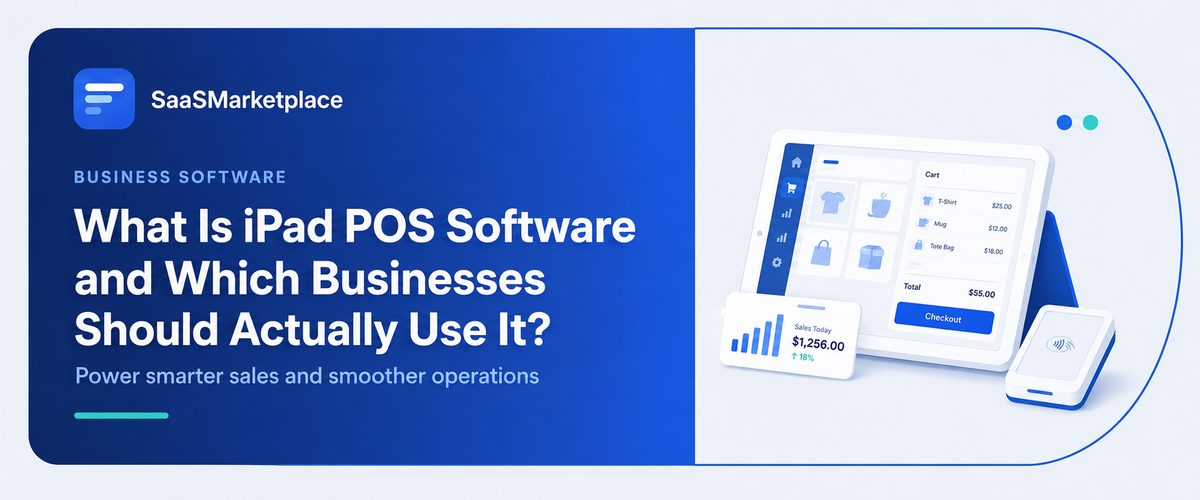
What Is iPad POS Software and Which Businesses Should Actually Use It?
-min.jpg)
If you plan on running a physical establishment, you must have some form of a quick and efficient system for processing payments. Traditional point-of-sale systems, typically utilizing bulky desktops, local servers, and a tangle of cabling, can impede this process.
 Looking for iPad POS Software? Check out SaaSmarketplace’s List of the Best iPad POS Software in USA for Your Business.
The modern alternatives make use of the cloud and tablet computers to enable a swift and reliable payment experience. iPad POS software aims to harness the processing power of a familiar medium in the Apple iPad, transforming it into a secure payments processor that can handle day-to-day operations.
What Is iPad POS Software?
iPad POS software, usually in the form of a particular application, helps companies process payments from customers and store relevant information in the cloud. Such applications are designed to work with card readers, receipt printers, and other peripherals to create a complete POS system. It is noteworthy that these peripherals must be purchased separately, which, fortunately, is not expensive.
iPad, with the help of special apps and peripherals, can become a full-fledged point-of-sale. It should be noted that in most cases, such software differs from traditional POS applications mainly in the interface and is much more convenient to use. A tablet, thanks to its touch screen, does not require lengthy training of employees and is ready to work several times faster than a computer.
Do You Know?
Cloud-connected iPad POS platforms save small businesses an average of 4 to 6 hours per week on inventory management alone by replacing manual stock counts with automated transaction syncs.
Core Features of Modern iPad POS Systems
Choosing the right iPad POS software involves looking past simple payment handling. Top-tier platforms include integrated business tools that centralize back-office tasks into a single business dashboard.
1. Real-Time Inventory Control
Managing inventory manually takes hours and leads to stockout risks. POS software installed on an iPad tracks stock movements automatically as items pass through checkout. When an item sells, unit counts update immediately across all channels. Advanced POS software platforms send automated low-stock warnings, allowing owners to reorder supplies before running out.
2. Mobile Transaction Handling
Flexibility on the sales floor transforms the customer experience. Rather than confronting a physical counter, shoppers observe iPads held by retail staff. The capacity to verify stock levels while mobile, process transactions instantly at the register, and dispatch digital receipts immediately eliminates the need for queuing.
3. Staff & Access Management
Every business has different requirements when it comes to roles and permissions. Powerful retail POS software and restaurant POS software solutions offer a robust role management system that dictates what cashiers can do (process refunds, sales) versus what shift supervisors can do (reconciliation of cash drawers, deeper reporting access). Time-clock functionality makes clocking in and out easy for payroll tracking.
Key Benefits of Upgrading to iPad-Based POS Software
Organizations that shifted from traditional cash registers to tablet devices saw improvements in these particular areas:
- Reduced Initial Hardware Expenses: Older cash register configurations could require spending thousands of dollars per station to acquire dedicated hardware.
- Faster Employee Onboarding: Most workers are already familiar with iOS interfaces. Training new hires takes minutes rather than days.
- Automatic System Updates: Rather than funding manual system upgrades, cloud POS billing applications obtain remote feature enhancements and security fixes via straightforward application updates.
- Enhanced Data Protection: Running on iOS provides robust native hardware protection, lowering the chances of data leaks when contrasted with unpatched local machines.
Which Businesses Should Use iPad POS Software?
Although tablet configurations provide distinct benefits, particular operational frameworks achieve the greatest return on investment.
Quick Service & Full-Service Restaurants
In fast-casual dining settings where pace matters, velocity affects income. Putting restaurant POS systems onto portable iPads lets waiters transmit tickets straight to kitchen screens right at tables. This cuts mistakes in ordering and quickens how often tables turn over. Regarding fast-casual venues, using mobile tablets enables workers to capture orders within queues when rushes happen.
Boutiques and Specialty Retailers
For physical stores, space optimization is critical. Large checkout counters waste valuable floor area that could showcase merchandise. Using compact retail POS software setups frees up floor space for display stands. Retail teams can check stock across multiple store locations right from the sales floor, reducing lost sales.
Mobile Services, Pop-Ups, and Event Vendors
Organizations functioning beyond conventional brick-and-mortar locations, including temporary retail spaces, mobile food units, and time-limited kiosks, derive substantial advantage from utilizing tablet-based point-of-sale systems. The integration of smartphones capable of connecting to cellular networks, extended power duration, and small form-factor payment terminals enables merchants to process protected transactions at any location where internet access exists.
Service-Based Businesses and Boutiques
Salons, fitness studios, and personal repair shops benefit from unified appointment scheduling and sales checkout. Staff can review client histories, manage bookings, and accept payments using one simple tablet layout.
Evaluating Hardware & Peripherals
To turn an iPad into a fully functional checkout station, businesses combine core software with selected hardware accessories:
|
Hardware Accessory |
Primary Function |
Primary Benefit |
|
Card Reader |
Processes chip, contactless, and swipe payments |
Enables flexible payment options |
|
Enclosure Stand |
Secures the iPad to the counter with swivel capabilities |
Allows customer-facing sign-offs |
|
Receipt Printer |
Prints physical receipts via Bluetooth/LAN |
Satisfies paper receipt preferences |
|
Barcode Scanner |
Bluetooth laser scanning for product SKUs |
Speeds up checkout for large inventories |
|
Cash Drawer |
Triggers opening automatically upon cash transactions |
Ensures cash management security |
Strategic Criteria for Selecting the Right iPad POS Software
Choosing a suitable platform demands aligning technical features with your exact business size. Spending money on tools unable to manage high traffic or missing essential internal connections will damage future expansion. Evaluating potential options against core operational benchmarks ensures your investment yields strong returns.
1. Payment Processing Flexibility and Hardware Compatibility
Many commercial point-of-sale vendors lock users into proprietary payment processing contracts with high transaction rates. Opt for flexible iPad POS software platforms that support multiple payment processors. This freedom allows you to negotiate lower merchant fees as sales volume increases over time. Also, check that the program works well alongside common Bluetooth and LAN devices so costly special-purpose equipment purchases can be avoided.
2. Integration Capabilities with Accounting and E-Commerce Tools
Disconnected payment tools require hand-typing figures, which causes preventable errors in ledgers. Dependable retail point-of-sale systems move day-to-day revenue numbers, applicable tax sums, and stock levels directly into common accounting programs such as QuickBooks or Xero. For merchants running web-based shops, live matching of goods counts between digital and brick-and-mortar locations removes dangers of double-selling and mismatched stock records.
3. Scalability for Multi-Store Management
When intending to launch further retail outlets, your transaction processing system has to scale with that growth. Seek out solutions offering unified oversight of numerous sites via one administrative login. Introducing new terminals or new branches ought to require merely moments. Managers overseeing several sites require consolidated analytics to evaluate revenue totals, labor expenses per shift, and stock rotation metrics for every outlet simultaneously.
4. Software Reliability and Offline System Support
Online disruptions happen, but revenue creation should remain active. Make sure your potential system offers robust offline processing functionality. The credit card application should save money on the device, generate a kitchen or invoice via nearby wireless networks, and instantly merge payment records into remote databases when connectivity is restored.
5. Cost Transparency and Contract Terms
Avoid software systems that hide additional charges within extended service contracts. Evaluate the full operating costs, covering recurring subscription fees, equipment acquisition, initial cost estimates, and transaction handling costs, before finalizing decisions. A clear monthly billing structure lacking long-term commitment terms provides the best financial flexibility for developing projects.
Implementation Checklist: Transitioning to iPad POS Software
Switching payment platforms is straightforward when planned in phases:
- Audit Current Software Workflows: Identify required capabilities such as inventory monitoring, client profiles, present vouchers, or rotation records.
- Review Compatibility: Make sure selected applications link well to current bookkeeping systems plus money handling tools.
- Select Hardware: Ascertain if personnel require fixed desk units, portable arrangements, or some mix thereof.
- Import Inventory Tables: List supplier data, pricing schedules, and unit data in comma-separated values before you begin developing the process.
- Train Frontline Staff: Execute sample runs and cancellation procedures to ensure personnel feel assured regarding the start date.

Pro-tip
When choosing an iPad point-of-sale system, buy models with cellular capabilities, even if you plan to rely mostly on the store’s network. Having a live SIM card backup ensures your business operations can continue without disruption during network outages.
Conclusion
The transition to cloud-based, now, iPad POS software is no longer about modernizing your checkout counter; it’s about building an agile, efficient, and operational data-driven foundation. By replacing legacy hardware with intuitive, native platforms, businesses can dramatically lower capital costs, shorten employee turnaround times, and streamline today’s inventory management. Whether you’re a fast-paced restaurant operator needing seamless table management, a boutique retail store looking to eliminate queues, or a mobile provider looking for the flexibility of a secure payment on the go, an iPad POS system adapts to your unique workflow.
FAQ's
Yes, the top iPad POS platforms offer offline modes that process credit transactions locally and sync data once internet connectivity returns.
In fact, iPad platforms use iOS security along with encrypted physical scanners to secure credit card transactions.
Most standard iPad point-of-sale systems currently available on the market work with common Bluetooth and local area network receipt printers with cash registers.
The iPad sends receipts directly over the local area network to kitchen monitors or printers for receipt printing.
The standard 10.2-inch or 10.9-inch iPads provide good screen space for fixed counters, while the iPad mini is better suited for moving orders to tables.