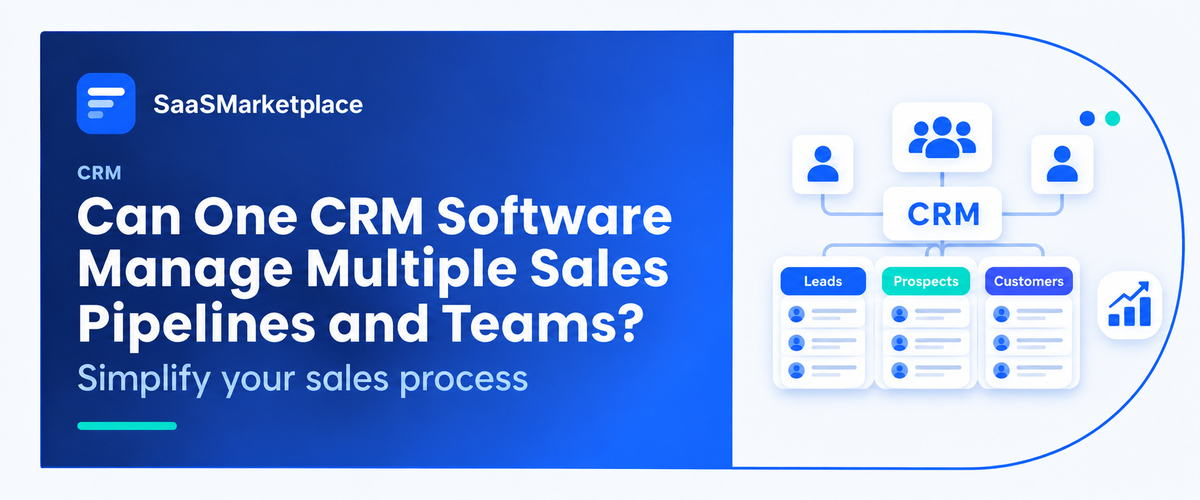
Can One CRM Software Manage Multiple Sales Pipelines and Teams?
-min.jpg)
Picture a company with a field team closing large contracts and an inside team handling small online orders. Both log deals in the same CRM software, and the board fills up with deals that follow different steps, timelines, and rules. Forecasts stop making sense, and nobody trusts the numbers.
 Looking for CRM Software? Check out SaaSmarketplace’s List of the Best CRM Software in USA for Your Business.
So can one CRM software manage multiple sales pipelines and teams? In most cases, yes, provided you set it up with care. This guide explains when separate pipelines make sense, how teams share data without collisions, and what to check before you choose a tool.
Key Takeaways
- One CRM software can manage multiple sales pipelines and teams, as long as each process and owner is clearly defined.
- Add a new pipeline only when the stages differ, not just the product name.
- Permissions, written handoff rules, and duplicate checks stop teams from overlapping.
- Real estate, recruitment, healthcare, nonprofit, and financial teams often gain the most from parallel pipelines.
- AI features can route leads and flag stalled deals, but clean stage definitions matter more.
- Support, success, and feedback needs may call for connected tools such as help desk software.
What Does Managing Multiple Sales Pipelines in CRM Software Actually Mean?
A pipeline is the path a deal follows from first contact to a closed result. Each one has its own stages, such as qualified, proposal sent, and contract signed. Managing several of them means one account holds more than one path, and each deal sits in the path that fits it.
A team is a different thing. It is a group of people with its own targets, owners, and visibility. Good sales CRM software lets you link the two, so one team can work one pipeline, several teams can share one, or a single team can run two. Online CRM software adds convenience because every team can open the same account from anywhere and see the same live data.
Why Would a Business Need Separate Pipelines Instead of One?
One pipeline works until deals stop looking alike. Separate pipelines help when:
- Products Differ: A subscription may close in days, while a custom project takes months.
- Customer Types Differ: Individual buyers and corporate buyers need different approval steps.
- Deal Sizes Differ: Large deals often add stages such as legal review.
- Channels Differ: Partner-led and direct sales follow different handoffs.
Mixing these in one list distorts the picture. A slow, large deal looks stalled, and quick wins hide real problems. Splitting them gives each team accurate stage conversion and a forecast it can defend.
How Do You Set Up Multiple Sales Pipelines Step by Step?
A careful rollout prevents most problems later. A practical sequence looks like this:
- Map each sales process: List the steps deals actually follow, using recent closed deals rather than theory.
- Name the stages clearly: Use plain labels that every rep reads the same way, and keep each pipeline short enough to scan.
- Assign owners: Every pipeline needs a manager to approve changes so stages don't drift over time.
- Set permissions: Match access to roles before anyone enters live data.
- Pilot with real deals: Run one team for a few weeks, then adjust before the wider rollout.
How Do Different Teams Share One CRM Software Without Stepping on Each Other?
Smaller companies can keep this simple. CRM software for small businesses often needs just two pipelines and a handful of roles, and that is enough to prevent most confusion.
Permissions and Visibility
Start with roles. A sales rep may need to see only their own deals, a manager reviews the whole team, and an executive sees everything. Strong permission settings let each team work in its own space while shared contact and company records stay consistent.
Handoffs Between Teams
Trouble usually starts when a lead moves from one team to another. Define the handoff in writing: who owns the contact, which pipeline receives the deal and what happens to old notes. Duplicate checks help, because two teams calling the same buyer in one week is common and avoidable.
Do You Know?
A new pipeline is usually worth adding only when the stages differ, not just the product name. Two teams selling different items through the same steps can often share one pipeline and be separated by a field or tag.
Which Industries Gain the Most From Multiple Pipelines in CRM Software?
Any business with more than one sales process can benefit. These examples show how it plays out.
Real Estate Teams
Real estate CRM software often runs buyer, seller, and rental pipelines side by side, because each follows different milestones. It is the first feature to check when you shortlist CRM software real estate agents will use every day.
Recruitment Firms
Recruitment CRM software typically needs one pipeline for client companies and another for candidates, with each placement tying the two together.
Healthcare Providers
Healthcare CRM software may separate patient acquisition from referral partner relationships. Privacy rules such as HIPAA apply to patient data, so confirm access controls with your compliance advisor.
Nonprofits
Nonprofit CRM software often tracks donors, grant funders, and volunteers as separate journeys, each with its own follow-up rhythm.
Financial and Legal Practices
Financial CRM software can split wealth clients, lending leads, and referral partners. Firms that use immigration CRM software see a similar pattern, since each case type follows its own steps.
How Can AI CRM Software Help Manage Several Pipelines at Once?
AI CRM software adds a layer of assistance on top of the pipeline view. It can suggest which pipeline a new lead belongs in, flag deals that have gone quiet, and estimate which opportunities are likely to close.
With several pipelines running, that saves managers from scanning every board by hand. A rep who handles both small online orders and large contracts, for example, can see which deals need attention first without switching views.
Treat the suggestions as input, not a verdict. Predictions depend on data quality, so clear stage definitions matter more than any clever feature.
When Does One CRM Software Stop Being Enough?
A single system covers sales well, but some teams need more than deal tracking. Support teams often need ticket queues, so they may do better with dedicated help desk software or customer support software.
A team measuring retention may look at customer success software, while one gathering reviews may prefer customer feedback software. Programs for repeat buyers fall under customer loyalty software.
These tools usually connect to the CRM instead of replacing it. The aim is a clear view of the whole customer experience, with sales data feeding service teams and service data warning sales when an account is unhappy. If a customer service software tool cannot share records with your CRM, someone will end up copying them by hand.
Which Features Should You Check Before Choosing CRM Software for Multiple Teams?
Use this checklist during demos:
- Separate stages, fields, and automation rules for each pipeline
- Role-based permissions by team, pipeline, and record type
- Reports for one pipeline alone and for all pipelines combined
- Duplicate detection across teams
- Clear plan limits on pipelines, users and custom fields
- Pricing that stays reasonable as teams are added
Check how CRM software for business plans scale in price as you add users and teams. Many buyers also prefer online CRM software with a free trial, since a short pilot with real deals exposes gaps quickly. The right sales CRM software is the one your teams update every day.

Pro-tip
Before buying, sketch each sales process as five or six stages on paper. If two sketches look almost identical, plan one pipeline with a filter. Only the processes that clearly differ need their own.
Conclusion
One CRM software can manage multiple sales pipelines and teams, and for many businesses it is the cleaner choice. The deciding factor is less the tool than how clearly you define each process, owner, and handoff. Start with the fewest pipelines that reflect real differences, match permissions to your org chart, and review combined reports every month. The same approach holds whether you run a five-person shop or a multi-team company.
Related Reads:
- AI Invoice Matching: How Three-Way Reconciliation Works Without Manual Checks
- Recruiting Stack Consolidation: When Your ATS, CRM, and Sourcing Tools Overlap
- What Is Restaurant Scheduling Software and How Does It Reduce Labor Costs?
- ATS and Job Board Integrations: What Breaks During a Posting Sync
- Payroll Implementation Windows: Why Q1 and Q4 Switches Go Wrong
- Best Recruiting Stack: ATS, CRM & Sourcing Tool Overlap
FAQ's
Yes, most modern platforms let you create several pipelines with separate stages, though the number allowed depends on your plan.
One for each sales process with clearly different stages, so many companies need only two or three.
Only if your permission settings allow it, and most tools let you restrict or share visibility by team.
Many entry-level plans include a limited number of pipelines, so check the plan details before you buy.
Not when the tool offers both per-pipeline and combined reports.