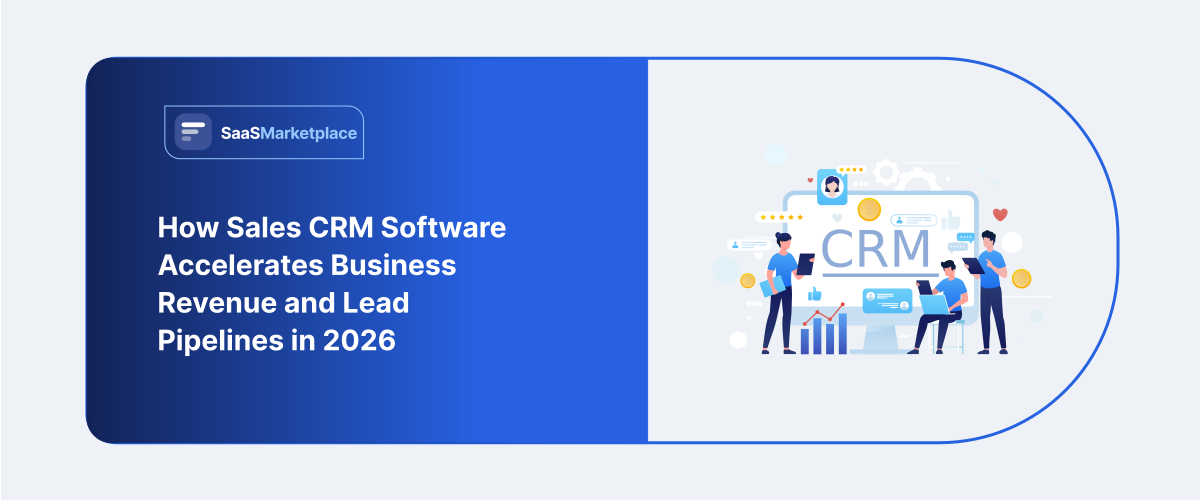
How Sales CRM Software Accelerates Business Revenue and Lead Pipelines in 2026
-min.jpg)
Buying sales CRM software is one of the fastest ways to bring order to lead management. But many teams choose a system too early, based only on features. The result is usually the same: the CRM becomes “another place to type data,” and the pipeline stays unclear.
Using specialized Sales CRM software provides corporate management with unified control over all sales interactions with buyers, automates the most routine sales tasks, and allows accurate forecasting of future revenues. By relying on the right software, a company can ensure that its individual sales representatives engage in regular, consistent communication with the corporate sales structure. Thus, the sporadic and irregular nature of sales activity is transformed into a consistent source of revenue.
What is Sales CRM Software?
Sales CRM software is a system that helps sales teams manage sales prospecting and customers through the pipeline. It centralizes information such as:
- Lead and contact details
- Communication history (calls, emails, meetings, notes)
- Deal stages (example: New lead, Qualified, Proposal, Closed Won)
- Tasks and reminders for follow-ups
- Reporting on pipeline and performance
In simple terms, sales CRM software helps your team answer questions like:
- Who is waiting for a response right now?
- Which leads are likely to close this month?
- What happened after the last meeting?
- Which channel produces the best opportunities?
If your team currently tracks leads in spreadsheets, email threads, or multiple inboxes, a sales CRM software setup creates one place to manage the entire buying journey.
Why Sales Teams Need A Real Pipeline System
Most companies do not fail because they lack leads. They fail because leads fall through the cracks.
A CRM improves the operational side of sales by enforcing consistency:
- Every lead gets a next step
- Follow-ups happen on schedule
- Deals move forward using defined stages
- Activity is logged so you can learn what works
That last point matters. Without CRM software, it’s difficult to understand what truly drives conversions. With good tracking, you can connect actions to outcomes and refine your process over time.
Did you know?
A functional sales CRM software does more than hold contact information. It creates a standard for how employees follow up with contacts, monitors the progress of deals and ensures that every potential customer receives the correct response at the appropriate moment.
Sales CRM software vs Real estate CRM
Many teams start with a general sales CRM. That can work well in early stages. But over time, the requirements of your industry can become too specific for a generic workflow.
Example: Real Estate CRM Needs
A real estate CRM often needs to manage:
- Property-specific details linked to each lead
- Listing-related updates
- Longer buying cycles
- Multiple touchpoints across both buyer and seller journeys
- Scheduling and document collection
A general sales CRM software can handle many of these tasks. But a real estate CRM often matches the workflow faster because it reflects how real estate deals naturally progress.
What a Strong Sales CRM Software Should Handle
When people ask for Sales CRM software, they usually want three outcomes:
- Better lead follow-up
- Clear pipeline visibility
- More predictable revenue reporting
To achieve these outcomes, you want your system to cover these core areas.
1) Lead Capture and Organization
A CRM should support lead ingestion from common sources (forms, web inquiries, event leads, referrals). Even if your sources are simple, organization matters:
- Prevent duplicates
- Keep lead source details
- Assign ownership quickly
- Track lead status consistently
If your process is “whoever replies first gets the lead,” you will see uneven performance. A good sales CRM software improves assignment and tracking.
2) Deal Stages that Match Your Sales Process
Your pipeline stages must reflect reality. Avoid generic stages that don’t describe what your team actually does.
Good stages help you answer:
- What does “Qualified” mean for your sales team?
- What must happen before “Proposal”?
- What qualifies a deal as ready for closing?
A CRM becomes useful when it matches how your team sells.
3) Tasks, Reminders, and Follow-up Automation
Sales teams often struggle with timing. A system that triggers next steps helps reduce delays.
The best approach is rule-based follow-up:
- When a lead reaches a stage, schedule tasks
- Set reminders for call outcomes and next meetings
- Maintain follow-up timing so leads don’t go silent
This doesn’t mean you should automate everything. But sales CRM software should remove the “we forgot” moments.
4) Activity Tracking and Communication History
Sales is relationship-driven. Your CRM must log interactions so you can maintain context.
When Sales CRM software tracks activity properly, it helps:
- New reps ramp faster
- Team leaders understand deal progress
- You reduce repeated questions
5) Reporting that Supports Decisions
A CRM must provide visibility into:
- Pipeline value by stage
- Win/loss reasons
- Activity and conversion rates
Even simple reporting can help you spot patterns, like:
- Leads from one channel convert better
- Deals stall at a specific stage for certain reasons
- Certain follow-up timing increases close probability
This is how you move from “gut feel” to process-driven sales.
How to Choose the Right Sales Crm Software for Your Team
The act of selecting sales CRM software becomes simpler when an owner measures the tool against a daily workflow instead of a list of desired features. There is a list of steps provided here.
Step 1: Define your Pipeline Stages
Write your current sales stages and describe what “success” looks like at each step.
For example:
- New lead: contact attempted and meeting booked (or not)
- Qualified: fit confirmed, decision process identified
- Proposal: scope agreed, pricing shared
- Closed won/lost: outcome recorded with reason
If you do not define stages, you cannot evaluate whether the CRM fits.
Step 2: Map Lead Sources and Intake Volume
How many leads come in per week? Which channels create them?
A system should support your real volume and handle intake without slowdowns. Even at smaller volumes, tracking needs to be accurate and consistent.
Step 3: Confirm Team Roles and Ownership Rules
Ownership rules are critical. Many CRM implementations fail because roles are unclear.
Who owns new leads?
How do you assign leads for different product types or geographic areas?
What happens when multiple reps work the same account?
Step 4: Decide What Data You Must Track
Overloading your CRM with fields creates low-quality data entry.
Start with the essentials:
- Contact info
- Deal stage
- Next step date
- Lead source
- Deal value
- Notes and communication history
You can expand later once your team is consistent.
Step 5: Look for Reporting that Answers Real Questions
A CRM dashboard should help you answer questions like:
- What deals will likely close this month?
- Which stage is stalling opportunities?
- Which lead sources produce the best conversion rate?
If reporting is confusing, adoption will drop.

Pro Tip:
Mandate that no active deal can exist in your sales pipeline without an assigned next step and due date. Enforcing this rule inside your system prevents promising opportunities from sitting idle and forgotten.
Sales CRM Software Use Cases Across Industries
Even if the CRM is not industry-specific, the sales workflow outcomes are shared. Here’s how the same concept applies across common verticals you might see in CRM research and category listings.
Real Estate Teams
A real estate CRM helps manage leads, listings, and deal stages across longer cycles, while keeping communication organized.
Healthcare Teams
Healthcare CRM usage is common where lead nurturing and appointment workflows matter. The CRM supports follow-ups, scheduling, and tracking communication outcomes.
Nonprofits and Fundraising
A nonprofit CRM allows staff to monitor contributors, levels of participation, and interactions during a fundraising drive within an organized system.
Recruitment Teams
For hiring professionals, recruitment CRM configurations help those employees organize applicants, meetings, and stages of employment through regular communication.
AI and Data-Forward Operations
AI CRM software is often searched when teams want smarter prioritization and improved insights. Regardless of the approach, the key is whether the CRM still supports clean pipeline execution.
Financial, Compliance, and Process Needs
For teams that manage regulated workflows, financial CRM tracking often needs careful organization and role-based processes.
Online Selling and Service Teams
When organizations handle online inquiries at scale, online CRM software becomes important for managing intake, routing, and responsiveness.
A Simple Onboarding Plan for Your Sales CRM Software
If you want adoption, your rollout plan must be short and practical.
Week 1: Set up Basics
- Import leads and contacts
- Create pipeline stages
- Set owner/assignment rules
- Configure your minimum required fields
Week 2: Train with real leads
- Use today’s leads
- Run follow-up tasks
- Record call notes and outcomes
Week 3: Start reporting
- Track pipeline value by stage
- Review stalled deals
- Identify top lead sources by conversion
Week 4: Improve the system
- Remove fields people ignore
- Adjust stages to match actual behavior
- Standardize follow-up timing
This approach makes Sales CRM software feel useful, not mandatory.
Common Mistakes When Implementing Sales CRM Software
A business dashboard isn't enough; individuals need to refer to it frequently and modify their actions accordingly. The following issues are typical barriers to delivering real results with CRM.
Mistake 1: Your pipeline evolves as your salespeople gain experience. Your CRM should evolve to the same extent.
Mistake 2: The employees stop using the system if the CRM requires them to input a large amount of data.
Mistake 3: There is a risk of irregular communication with potential customers if managers do not distribute leads according to a fixed pattern.
Mistake 4: The visual pipeline provides false information if the steps in the software do not represent the actual sales process.
Mistake 5: Reports without the corresponding discipline.
Quick Insights:
Companies using formalized relationship tracking tools experience an average of up to 29% increase in sales conversions and 34% higher productivity of sales representatives.
Conclusion
The selection of a specific Sales CRM software involves factors beyond a list of functions. The software improves how employees contact potential customers, makes the stages of a sale visible and generates reports that allow managers to choose actions more effectively. If a company uses workflows specific to an industry, a real estate CRM or similar vertical alignment decreases difficulties because the tool matches the steps of a typical transaction. And if employees are currently developing a method, the leaders should begin with defined stages, uncomplicated data and regular training. When the CRM matches the methods that employees use to sell products, the software functions as a central system for daily tasks rather than a collection of data.
FAQ's
The sales CRM software enables the sales teams to track leads, deal stages, tasks and reporting within one system.
No, sales CRM software is ideally suited for small teams, where structuring lead follow up processes can be helpful.
A real estate CRM often supports industry workflows like property-linked leads and longer deal cycles.
Yes, the sales CRM software can be used by healthcare teams to track leads and improve follow up process if required.
CRM reporting can enable measure and forecast of faster follow ups and improved conversion rates.