What Is a Grocery Store POS System and What Features Does It Need?
-min.jpg)
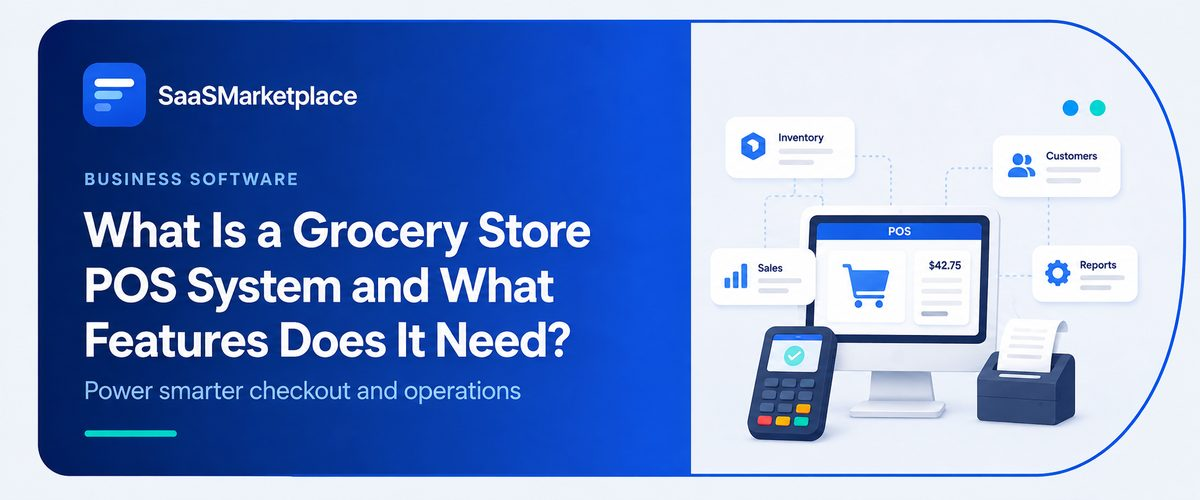
Walk into almost any independent grocery store in the U.S. right now, and the checkout counter looks nothing like it did ten years back. What used to be one cash register has turned into a whole little setup: scanners, scales, card readers, screens, all working together quietly behind the scenes through point-of-sale tech.
 Looking for a Grocery Store POS System? Check out SaaS Marketplace’s List of the Best Grocery Store POS System in the USA for your business.
In the high-volume, low-margin world of grocery retail, point-of-sale infrastructure directly impacts profitability. Modernizing checkout hardware is rarely about aesthetics; it is a strategic investment in operational efficiency. Standard retail software routinely falls short when subjected to the unique demands of grocery management—such as managing high-transaction speeds, processing integrated weight measurements, and tracking complex variable-weight inventory.
Key Takeaways:
- A grocery store POS system has to handle weighted items, perishables, and high SKU counts; that's what separates it from generic retail POS software.
- POS billing software built for speed at checkout directly affects how many customers a lane can process per hour.
- iPad POS software has become popular for smaller grocery formats because of lower upfront hardware costs and easier staff training.
- Pairing POS data with accounting software or retail accounting software saves hours of manual reconciliation each week.
- Not every grocery business needs an enterprise-grade system; store size and product mix should drive the decision.
Why Grocery Stores Can't Run on Generic Retail POS Software Alone
Most off-the-shelf retail checkout systems are built with a boutique or apparel shop in mind a few hundred SKUs, no scales, no expiration dates to track. Groceries break that model almost immediately. A mid-sized store can be carrying anywhere from 15,000 to 30,000 SKUs, and a good chunk of those get sold by weight instead of by unit. Throw in produce that needs PLU codes, dairy that needs date tracking, alcohol or tobacco that needs age verification and it's easy to see why a plain retail template just doesn't fit.
One thing that trips owners up during setup is assuming any POS software can be configured to "just add" grocery-specific fields down the road. In reality, weight-based pricing and perishable tracking need to be built into the system from day one, not bolted on later. Teams that try to retrofit a basic system usually end up doing manual price overrides at the register which slows down lines and opens the door to pricing errors.
Core Features Every Grocery Store POS System Needs
A system built specifically for groceries tends to share a handful of features that just aren't optional, no matter which vendor you go with.
Inventory and Perishable Tracking
Grocery inventory doesn't sit still the way a hardware store's does. Produce shrinks, dairy expires, seasonal items rotate constantly. A capable POS system tracks expiration dates, flags shrinkage trends, and updates stock counts in real time as items get scanned. Without that, owners end up doing physical counts way more often than they should have to.
Barcode and Scale Integration
General-purpose systems fall down here more than anywhere else. The POS has to be talking directly to whatever scales are on the floor a customer grabbing loose apples or bulk rice needs a real price, on the spot, not a number a cashier types in by hand. Whether something's genuinely built for grocery or just wearing a retail-POS label often comes down to this one thing.
Fast, Reliable POS Billing Software at the Checkout
At the register, speed is everything. POS billing software that lags during peak hours whether it's a slow network connection or just a bloated interface means longer lines and customers who might simply walk away and leave their cart behind. Grocery owners consistently say checkout speed has a real, measurable effect on daily transaction volume, especially during evening rush and weekends.
Tax Rules and SNAP/EBT Handling
U.S. grocery stores deal with a layer of complexity that most retail categories never touch: mixed tax rates on the same receipt. A candy bar might be taxable while a loaf of bread isn't, depending on the state, and a system that can't apply those rules item by item creates compliance headaches at tax time. On top of that, stores accepting SNAP benefits need a POS that correctly splits eligible and ineligible items in a single transaction, since EBT cards can only be used for qualifying food purchases. Getting this wrong isn't just an inconvenience; it can trigger issues during a USDA program review.
Retail POS Software Features That Matter Beyond Groceries
Even within a grocery-specific system, a lot of the features borrowed from broader retail checkout platforms still matter. Loyalty programs, gift card support, and promotional pricing rules are all standard retail functions that grocery stores lean on just as much as any other retailer. Multi-location support matters too, especially for regional chains that need centralized reporting across several stores instead of checking each location's numbers one by one.
Many businesses assume that because groceries are such a specialized category, they need an entirely separate software category from mainstream retail tools. In practice, the best grocery POS systems are usually retail platforms with a grocery-specific module layered on top, rather than something built from scratch outside the retail software ecosystem.
How Accounting Software and Retail Accounting Software Fit Into the Picture
A POS system generates sales data constantly, but that data only matters if it flows cleanly into the store's books. That's where integration with the store's bookkeeping platform comes in. Typing daily sales totals by hand into a separate accounting platform is more than just a hassle it's how errors sneak in, especially once returns, discounts, and different tax rates get mixed into the mess.
General accounting software just isn't built for a business this heavy on merchandise. Retail accounting tools made for that world tend to get cost of goods sold, inventory valuation, and vendor payments right in a way generic tools don't. When a store's juggling hundreds of vendors and restocking constantly, that gap isn't small. Most owners figure this out the hard way a few months into running everything separately, watching staff burn hours reconciling numbers that should've lined up on their own.
Grocery vs Restaurant POS Software
|
Capability |
Retail / Grocery POS |
Restaurant POS |
Hybrid System Requirement |
|
Inventory & Pricing |
Scale integration, barcoding, high SKU volumes, price-by-weight |
Recipe costing, ingredient-level tracking, rapid menu changes |
Barcode scanning alongside automated ingredient depletion for prepared items |
|
Order Processing |
Rapid barcode scanning, belt-style checkout, customer-facing screens |
Kitchen Display Systems (KDS), ticket printing, table/counter management |
Immediate routing of customized food orders directly to kitchen or deli screens |
|
Customization |
Standard items, limited item variations |
Complex modifiers (e.g., extra cheese, sauce on the side, special instructions) |
Custom food modifiers selected directly at the retail checkout counter |
|
Reconciliation |
High-volume item sales, batch inventory counts, register balancing |
Shift management, tip pooling, waste tracking |
Unified daily sales reporting without running two separate back-end systems |
Common Mistakes Grocery Owners Make When Choosing POS Software
A few patterns show up repeatedly when grocery businesses select the wrong system.
- Choosing based on price alone, without checking whether the software actually supports scale integration or perishable tracking.
- Skipping a real trial run during a busy shift, then discovering checkout speed issues only after go-live.
- Underestimating how much staff training a switch requires, especially for older systems being replaced after many years of use.
- Ignoring how well the POS integrates with existing bookkeeping tools, which leads to duplicate data entry down the line.
Smaller companies often overlook the training curve in particular. A system that looks intuitive in a sales demo can still slow down cashiers considerably during their first few weeks of real use, and that dip in speed directly affects customer experience during the transition period.
There's another mistake worth flagging too: signing a long-term contract before checking how easy it actually is to export your data if things don't work out. Sales history, vendor records, customer loyalty data all of it needs to be portable. Some vendors make that easy; others make switching deliberately painful, and owners usually only find that out once they're already locked in, dealing with slow support and fees that crept up after the first renewal.
When a Grocery Store Might Not Need a Full POS Overhaul
Not every store needs to rip out its existing setup. A small neighborhood market with a limited product range and low transaction volume can do perfectly well with something simpler and cheaper than what a full-service supermarket would need. Overbuying features a business will never touch just adds cost without adding value and it can mean saddling staff with a steeper learning curve than the store actually needs.
The better approach is usually to map out actual daily operations first how many SKUs, whether scales are involved, whether there's a hot food counter, how many lanes run at peak times and work backward from there to the software that fits. Buying capacity a business doesn't need yet, on the theory that growth will eventually justify it, usually just delays a smarter purchase down the road.
Conclusion
At the end of the day, this is about matching software to how the store actually runs day to day not chasing whoever's feature list is longest. Weight-based pricing, perishable tracking, checkout speed: these move the needle far more than the extras most vendors push hardest. Get the checkout software talking to the accounting side properly, and the manual reconciliation work mostly disappears, along with a much more honest read on how the business is actually performing.
The checkout counter tends to be the last thing grocery owners think to upgrade, mostly because it already "works" transactions go through, so why mess with it. But working and working well aren't the same standard. Shave even a few seconds off or add them, more to the point and multiply that across hundreds of transactions a day, and it turns into real money, either eaten by labor cost or by customers who ran out of patience. The owners who end up happiest with their purchase are usually the ones who treated the register as real infrastructure from the start, not something tacked on as an afterthought.
FAQ's
No. Smaller stores with lower transaction volumes and fewer SKUs often do well with simpler, lower-cost systems, while large supermarkets typically need more robust infrastructure.
Many iPad-based systems now support scale integration, though it's worth confirming compatibility with the specific scale hardware before purchasing.
Basic POS reporting is useful for daily sales snapshots, but dedicated accounting software or retail accounting software handles tax compliance, vendor payments, and cost tracking more thoroughly.
Restaurant POS software focuses on order tickets, kitchen displays, and food modifiers, while a grocery-focused system is built around SKU volume, weighted pricing, and perishable inventory.
Choosing based on upfront price without testing checkout speed and scale integration under real, busy-shift conditions.