How Expense Management Software Saves You Hours Every Month
-min.jpg)
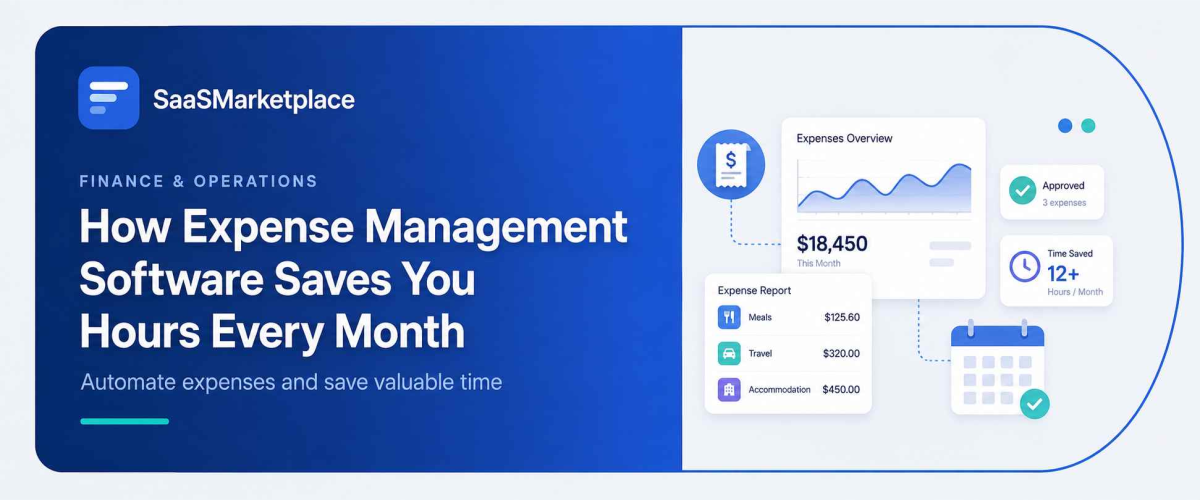
Keeping track of every single business purchase yourself is a big drain on your schedule. Like, you end up chasing down paper receipts, then you’re cross-referencing credit card statements, and after that you’re still typing numbers into spreadsheets, and it takes hours every month. Expense management software flips that whole routine around because it does the heavy lifting for you. It pulls transactions straight from your accounts, helps you categorize spending in the moment, and if you want, you can scan receipts with your phone too. With that, you get those wasted hours back, so you can focus on actually running and growing your business.
What Is Expense Management Software and How Does It Work?
Expense Management software is this digital tool meant to automate the way businesses and individuals record, sort, and keep an eye on spending. It replaces a box full of paper receipts, or the whole thing where you retype stuff into complicated spreadsheets, because the software basically becomes a central hub for financial transactions. It connects your bank accounts and credit cards, and then you get this real-time view of where your money is going, so everyday money management feels faster and more precise.
Through smart automation, plus optical character recognition (OCR) technology. When you make a business purchase, you can just snap a quick picture of the physical receipt with a mobile app. The software then reads the main bits, like the merchant name, the total cost, and the date, and it matches that info straight to the correct bank transaction. After that, more advanced algorithms handle the labeling, like putting the expense under Client Meals, Office Supplies, or Travel. So your accounting stays current all the time, without you doing manual entry.
For business owners and freelancers, this automated workflow transforms tax season prep and overall financial planning more smoothly. The platform keeps compiling your spending data into clean, exportable reports, and it syncs straight with popular accounting tools. And because it cuts out manual errors, keeps you from losing receipts, and even can help identify deductible expenses, expense Management software helps your finances stay audit-ready with very little daily effort.
Why Does Expense Management Software Matter for Your Business?
Running a business without expense management is like driving with your eyes closed; you might keep going for a little, but sooner or later, a costly crash is inevitable. Those small leakages, like a forgotten subscription, slight overspending, or untracked mileage, just quietly chew away at your bottom line every single month. Expense Management software gives you that real-time view into your cash flow, so you can see where every dollar goes, and then make smart, data-driven choices that keep the business profitable instead of just hoping it is.
And beyond protecting your profits, staying organized matters a lot. When tax season shows up, digging through shoe boxes of faded receipts or guessing at what counts as a write-off, it’s not only stressful, it can also leave thousands of dollars in legal tax deductions sitting there unused. With automated software, your spending gets sorted into IRS-compliant categories as it happens, creating a solid paper trail that’s way more bulletproof than a bunch of scattered paperwork. That system helps you maximize your return and handle any potential audit with way more confidence.
Your time as an owner is far better spent trying to win new clients and pushing your revenue up, rather than getting stuck in manual bookkeeping. Modern expense tools remove the hours of dull data entry with quick receipt scans, plus direct bank syncs. When you set your financial CRM on autopilot, you keep your margin safer, make tax season more streamlined, and you reclaim that rare energy to focus on what truly shifts the dial for your company.
How Does Expense Management Software Save You Hours Every Month?
Automating your financial paperwork removes the tedious administrative friction that bogs down your workday. Here is how modern expense Management software hands back valuable hours every single month:
- Instant Mobile Receipt Capture: Instead of keeping stacks of physical paper and typing the line items by hand, optical character recognition (OCR) pulls out the seller, day, and total amount from a quick smartphone picture in just seconds.
- Real-Time Bank Syncing: Transactions get imported straight into the app from your business accounts and credit cards automatically, so you do not need to recheck bank statements at month-end.
- Automated Categorization: Smart rules quietly label repeat buys think gas, software subscriptions, or office supplies- without making you manually sort everything or do a line-by-line review.
- Streamlined Approval Workflows: Employees send the reports digitally through the app, then managers can look over, approve, and some platforms support reimbursement workflows or integrations in a few clicks, instead of hunting down lost paperwork.
- Direct Accounting Integration: Two-way sync that pushes transactions right to your general ledger, which means no more duplicate data entry.
- One-Click Financial Reporting: Exporting detailed spending breakdowns for tax prep, client invoices, or internal audits takes seconds, not hours wrestling with custom spreadsheets from scratch again.
What Key Features Should the Best Expense Management Software Have?
The best expense Management platforms go beyond simple record-keeping to actively automate your financial administration. If you are evaluating tools for your business, look for software that delivers these six essential core features:
- AI-supported mobile receipt Scanning: high-grade optical character recognition lets you capture paper receipts by smartphone photo, then the software instantly parses it and auto-fills the key bits like merchant name, tax, date, and those total dollar amounts.
- Direct accounting and ERP Integration: There’s a direct two-way sync with your transaction records that move straight into your general ledger without needing duplicate manual entry or those manual CSV imports.
- Automated corporate card and Spending Controls: Built-in management for both physical corporate cards and virtual ones helps admins enforce merchant rules in real time, set pre-approved spend limits, and trigger automated linking from card to the receipt.
- Customizable Approval Flows: multi-level approvals route reports on their own to the right manager or department leader, based on spending thresholds, project categories, or general policy guardrails, so it does not get stuck.
- Built-in policy compliance and audit Trails: A real-time policy engine flags duplicate submissions, out-of-policy purchases, or spending that was unapproved before you submit, which leaves a tidy digital audit trail for tax compliance.
- Real-time insights and tailored Reporting: Interactive dashboards show live cash flow indicators, category-by-category spending summaries, and project budget monitoring, and you can export everything in one click for quicker financial reporting. Sometimes it feels a little more immediate, even when the numbers are moving, and you do not need to fuss.
Can Expense Management Software Cut Your Costs and Boost Profits?
Expense Management software directly impacts your bottom line by eliminating hidden waste and protecting your cash flow. Here are five specific ways these platforms lower your overhead and increase profitability:
- Uncovers odd subscriptions & duplicate invoices: Automated spend Management continuously watches recurring transactions so it becomes simpler to spot unused software seats, duplicate charges from the same vendor, or those auto-renewing services you’re not actually using anymore, ever.
- Captures every deductible business expense: By digitizing receipt capture right at the point of sale, the whole process helps stop those out-of-pocket purchases and also untracked mileage from quietly slipping through. It can maximize your IRS tax write-offs and save you thousands by year-end.
- Can Reduce the Risk of Fraud & Policy Violations: Built-in compliance checks automatically raise a flag on duplicate receipt submissions, unauthorized personal purchases, or spending that’s out of policy, before reimbursements are ever paid out.
- Cutting costly manual typing blunders by automating transaction imports: You reduce the likelihood of double entries, wrong totals, or misplaced decimal points that can really scramble financial records and then set off expensive reconciliation fees or penalties.
- You get back those hourly productivity losses: When you remove the many hours employees and managers spend wrestling with spreadsheets, your team can pivot to billable client work, sales, and other revenue-generating tasks.
How Does Expense Management Software Help With US Taxes and Compliance?
Expense Management software serves as your primary defense against IRS red flags, missing tax write-offs, and compliance bottlenecks. Automating spend management ensures your business stays fully audit-ready while keeping maximum dollars in your pocket.
- Enforces the IRS $75 Receipt Rule Automatically: The IRS has substantiation rules for business expenses, and receipts are especially important for travel, meals, lodging, and other deductible expenses. Lodging generally requires documentary evidence regardless of amount, and businesses should maintain complete records to support deductions. Expense tools will flag the purchase as it happens and nudge the employee to upload a receipt right away.
- There’s the 5 required IRS data Points Part: To claim a business deduction under IRC Section 274, you have to document five things: Amount, Date, Merchant/Place, Business Purpose, and Business Relationship (especially for meals). The software just locks in the required fields so a deduction doesn’t slip away because of missing info.
- Generates IRS-compliant digital Records: The IRS does allow businesses to keep electronic records, provided they are accurate, accessible, and properly maintained. Businesses should confirm their recordkeeping practices align with current IRS requirements. If they’re complete, readable, and kept systematically. Expense apps store high-resolution scans in the cloud, so you avoid physical paper decay, plus it stays retrievable.
- Mileage is tracked via GPS for Standard Rates: instead of messy paper logs, tax software uses automatic GPS tracking mileage capture. It records the dates, the start and end points, and the exact distance, which is how it aligns with IRS Revenue Procedure expectations for vehicle deductions.
- For non-taxable Reimbursements, it maintains Accountable Plans: Under IRS guidelines, employee reimbursements stay tax-free only if they’re handled under a formal Accountable Plan. Modern tools digitize the workflow, so reimbursements meet IRS requirements and don’t get treated like taxable employee wages by mistake.
- The IRS 3-to-7-year Retention Rule: The IRS says businesses must keep supporting tax records for at least 3 years after filing (and sometimes up to 6–7 years depending on special situations). Cloud platforms sort each year of spending into searchable digital archives you can export for an auditor in minutes, not hours, not days.
How Do You Choose the Right Expense Management Software for Your Needs?
Picking the right expense Management software is like doing a double check; on one hand, you want it easy for employees, on the other hand, finance teams need solid compliance features too. When you compare candidate platforms using these six big criteria, it helps you land on the best match for how your business actually runs:
1. Compatibility with your current tech Stack: confirm the tool offers a real-time, direct two-way integration with the accounting setup you already have. If the sync goes smoothly, you won’t keep re-doing manual file uploads, and you sidestep those stubborn data silos. Then your general ledger stays current most of the time, without that extra hassle.
2. Receipt Capture Quality & Mobile Usability: Look for a solution with high-accuracy Optical Character Recognition (OCR) that you can access from an easy mobile app. If the app feels sluggish, or it fails at key moments, employees tend to go back to saving paper receipts, or they just stop submitting altogether, and then everyone is stuck later.
3. Configurable Approval Workflows & Spend Controls: Choose software that lets you build custom multi-step approval paths based on spend thresholds, teams, or project groupings. The best options offer pre-approved limits, or they can tie in straight with corporate cards so spending policies are enforced before money leaves your account, not after.
4. Pricing Structure & Total Cost of Ownership: Check how the platform charges, for example, flat monthly rates, per active user pricing, or per report fees. Think about what happens as your organization grows, because costs can stack up fast, and you want it to stay economical as you scale.
5. Compliance, audit trails, & Security: Confirm the platform supports IRS-friendly digital record storage, and it should automatically flag receipt needs (like the $75 rule) so nothing gets missed. Also verify it has standard security certifications such as SOC 1/SOC 2 or ISO 27001, so sensitive financial data is properly protected.
6. Quality of support & Onboarding Resources: Make sure the vendor provides solid customer service, obvious onboarding routes, and truly responsive help options, ideally 24/7 live support. Strong technical support matters because missing receipts, sync issues, or reimbursement delays can easily slow down your monthly close.
Conclusion
Keeping manual expense Management as your default is an inefficient use of those valuable business hours, but once the right automation tools are in place, it can give that time back to your team. By streamlining spend management, you cut through administrative bottlenecks, safeguard your profit margins, and make sure your finances are audit-ready pretty much year-round. And when you’re ready to modernize your financial stack, SaaSMarketplace is a solid place to start finding the ideal tool feels pretty effortless. It’s a dedicated platform meant to help businesses discover, compare, and actually acquire top-tier business software, so procurement becomes simpler, and you can choose the right solution with real confidence.
FAQ's
Most small business owners and finance teams save between 5 to 15 hours per month by automating manual data entry, paper receipt organization, card reconciliation, and report generation.
The software uses Optical Character Recognition (OCR) technology to parse photos of paper receipts. It automatically pulls critical details—such as the merchant name, date, total cost, and taxes—and matches them to bank feed transactions.
Yes. Under IRS rules (Revenue Procedure 98-25), legibly digitized receipts stored electronically are fully compliant and legally binding proof of business expenses for tax deductions and audits.
Most modern platforms offer two-way API integrations with popular. Approved expenses flow straight into your general ledger, mapped to the correct accounts without manual exports.
Yes. Even for sole proprietors, the software pays for itself by preventing missed tax write-offs, eliminating errors, and freeing up high-value hours that can be spent on client work and revenue growth.