The Top Features to Look for in Accounting Practice Management Software for Small US Firms
-min.jpg)
Owning a small accounting firm in the US means keeping client commitments in mind, following strict IRS deadlines, making sure the firm is compliant at the state level, and plotting the growth of the business. The ideal practice management software serves as the hub, ensuring operations go smoothly in any esoteric paperwork. It’s important to pay special attention to some features of the software, such as automated bookkeeping and tax workflows fitted to the US tax filing calendar, IRS-approved online client portals where clients can sign documents, secure payment portals that allow for any billing method (hourly or flat-fee) as well as ACH payment geoss, consolidated communication channels for clients, and integration with cloud plans that help managers understand the workload of the employees and avoid any unnecessary distress.
What is Accounting Practice Management Software?
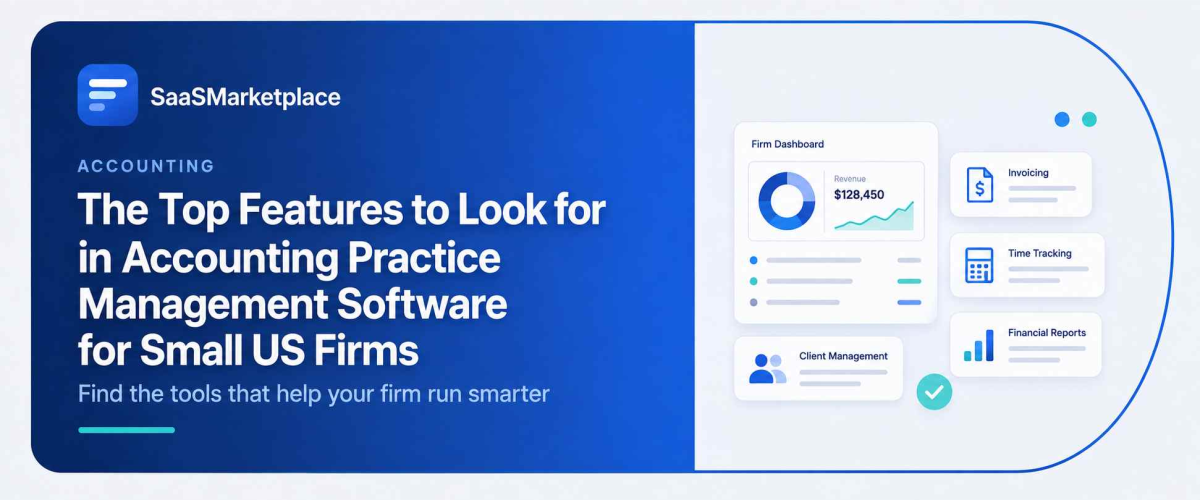
Accounting practice management software is the backbone of operations designed specifically for public accounting firms, CPAs, and bookkeeping companies to handle their daily work. Contrary to regular accounting applications, which keep track of clients money, this software is focused on managing your company affairs, tasks, deadlines, and client interaction. It unifies various tools for workflow management, task management, time tracking, invoicing, file storage, and communication all in one screen, which keeps your business in order as compared to using multiple emails or spreadsheets.
This software is of great importance to small- to mid-sized firms in the US since it protects their interests from trouble associated with missing tax deadlines, facing operational delays, or suffering from management burnout. Streamlined processes are implemented for the most common tasks performed by accounting firms such as monthly bookkeeping, filing 1040 forms, and ensuring compliance with quarterly payroll tax laws. As a result, accounting firms’ management now has a better idea of what their subordinates are working on, whether some of the delivery deadlines are missed, and what the profitability of their clients is. Finally, it allows them to devote more time to consulting their clients and less time to administrative tasks.
Does Your Accounting Practice Management Software Have Robust Client Management Tools?
The question to ask while determining the effectiveness of client management software is whether it simplifies the administrative task of managing your clients. In the case of small-to-medium-sized accounting practices, client management is more than having just an address book; it's actually a center of operations through which a firm can forward its actions by accessing client information along with the ongoing projects, deadlines, and communications.
1. Centralized Client CRM and Interaction History: A consolidated profile for every client containing archives of previous email marketing software, notes from phone calls, structures of business entities (like S-corps, LLCs, and 1040s individual returns), and information on tax identification. With one click, any of your team will be able to access a client’s profile and read the entire history of cooperation with this client.
2. IRS-Compliant Client Portal and Document Exchange: Secure 256-bit encrypted document-sharing with automatic document requests, knowledge-based authentication (KBA) for e-signatures, and accessibility from mobile devices. An intelligent system forces your clients to upload missing W-2 or 1099 forms so your employees spend less time on demand for papers.
3. Automated Client Communication and Requests: The opportunity to send mailing letters to clients, tax organizers, and updates on the status of their tax returns.
4. Integrated Time, Billing, and ACH Processing: Systems enabling you to manage clients with the help of billing models such as flat-fee, retainer, and hourly billing connected with US wire payment methods.
Can Accounting Practice Management Software Automate Your Workflow?
- Template-Based Job Generation: Automatically schedules repetitive operations like monthly bookkeeping close, quarterly 941 filings, or yearly 1040/1120-S tax filings based on a defined planning strategy and doesn’t require further manual actions.
- Automated Task Transitions: Moves on to the next task right after the previous one is finished and assigns it automatically to the operator who is to be performing the task (e.g., when the file is moved from Document Gathering to Tax Preparation, the staff person who was assigned to Tax Preparation is alerted at once).
- Client Information Collecting Reminders: Sends automated reminders to clients via emails or SMS informing them about the missing W-2s, bank statements, or signed contracts until the client uploads them into the secure portal.
- Client Notifications Generation: Automatically sends email notifications to clients about their job progress (e.g., sends an email notifying the client that their job has been submitted for review or finished).
- Automated Recurring Payment Collection: Payments are collected automatically through recurring ACH or credit card payments at the end of the job or on a fixed monthly retainer basis.
- Tax Software Information Synchronization: Synchronizes customer information and work progress with the core tax preparing software.
How Well Does Accounting Practice Management Software Handle Document Management?
- IRS and FTC Regulatory Compliance: SOC 2 Type 2 encryption, 256-bit security, and comprehensive data security policies developed to comply with IRS Publication 4557 (Safeguarding Taxpayer Data) and the requirements of the FTC Safeguards Rule.
- KBA-Compliant E-Signatures: Hassle-free e-signatures for 8879, engagement letters, and Power of Attorney documents (Form 2848) with knowledge-based authentication (KBA) that the IRS requires for remote approval of tax returns.
- Standard File Structure: Automated creation of client folder templates whenever a new client is introduced, or it’s a new year, preventing staff members from creating inconsistent files.
- Virtual Drives & Tax Print Drivers: Allow tax preparers to print tax returns or working papers directly from their tax software to their client’s secure cloud folder or edit files on their desktop via a virtual drive.
- Audit Logs and Version History: Comprehensive remarks showing who really uploaded, viewed, edited, downloaded, or deleted a file while ensuring an audit trail for the client.
- OCR and Full-Text Search: Optical Character Recognition tools are equipped with the ability to read scanned files such as PDFs, W-2s, receipts, etc., thus letting users perform instant file search using keywords.
Does Accounting Practice Management Software Include Time Tracking and Billing Features?
- Timers: Users can maintain timers and record hours informally in the respective client tasks and documents, thereby avoiding billing loss of labor.
- Automatic Invoice Generation: By only pressing a button, users can convert tracked billable hours, expenses, or completed milestones into ready-made client invoices.
- Various Pricing Models: The system is equipped to handle any of the billing methods in the United States, such as charge-by-hour, the flat fee payment method, or position compensation.
- US Payment Processing: Clients are enabled to pay electronically by means of ACH transactions, eChecks, and conventional credit cards.
- Budget and Ongoing Profitability Monitoring: The system makes it possible to compare the hours recorded by employees with the predicted time and thus to determine profitability for clients and particular projects on the spot.
- Accounting Synchronization: Billing information and payment status can be transmitted from one account to another automatically.
Will Accounting Practice Management Software Keep Your Team on Track with Deadline Management?
- Automated Tax Calendar Management: Facilitates real-time integrations with fixed federal and state deadlines incorporated into project schedules of the team.
- Visual Capacity & Workload Dashboards: Provides real-time data regarding open projects, bottlenecks in the process, and employee availability, which can be used for redistribution of responsibilities before deadlines.
- Dependencies & Milestone Monitoring: It enables smooth progress of work by providing the team with notifications when tasks have been accomplished (e.g., letting the reviewer know that the tax preparation stage has been completed).
- Automated Reminder Emails: Sends automatic notification emails to remind clients that they need to submit W-2s, 1099s, and signatures, so no tasks within the company will be halted due to failure of clients to send documents.
- Custom SLA & Overdue Alerting: Enables real-time data flow to managers through alerts about any overdue task.
- Automated Delivery Generation: Automatically generates and processes client tasks on a daily, monthly, and annual basis.
How Easily Does Accounting Practice Management Software Integrate with Your Existing Tools?
Accounting practice management software is intended to occupy a central position in your technological stack, functioning in coordination with the specialized applications your company is currently utilizing. Integration depends on whether or not the platform uses direct API links, desktop virtual drivers, or middleware.
- General Ledger & Accounting Systems: The current practices make the use of systems that have the ability to sync automatically, i.e., two-way syncing. Client contacts, payment status, invoices, and the data of the chart of accounts are transferred and received back automatically, resulting in no need for any kind of manual data entry.
- Tax Preparation Software: Virtual printing is used to connect cloud-based software (browser-based) with desktop ones, allowing the completion of tax preparation processes directly to the secure cloud storage of clients.
- Mail & Calendar Programs: Solutions such as Link work automatically. The client's mail of a client is automatically connected to the client’s CRM account, and meetings are automatically added to the calendar.
- Payment Processing: Integrated credit card and ACH technologies enable financial procedures to be done at the level of invoices and proposals.
- Third-Party Automation: For those applications that do not have integration options, it is still possible to set up automation processes with the help of the services.
Conclusion
Choosing the appropriate accounting practice management software is important for US-based small businesses that need to automate their workflows, ensure compliance with IRS rules, and foster customer loyalty. The right platform optimizes your business processes, allowing your team to concentrate on development rather than management issues. In order to look for the best software solutions, SaaSmarketplace has created a unique marketplace where you can find, compare, and purchase any software that will satisfy the needs of your company. By reading user feedback, descriptions of integration possibilities, and feature comparisons, you can easily make the right choice.
FAQ's
It is a centralized operational platform that manages workflows, client communications, time tracking, billing, and document storage for accounting and tax practices.
Workflow automation handles recurring deadlines, auto-assigns tasks, and sends client document reminders to reduce manual administrative effort.
Yes, top platforms use SOC 2 Type 2 256-bit encryption and KBA-compliant e-signatures to meet IRS Publication 4557 security standards.
Yes, it connects via direct APIs or print drivers to platforms.
It compares tracked billable hours and staff time against fixed-fee or hourly project estimates to show real-time margins per client engagement.