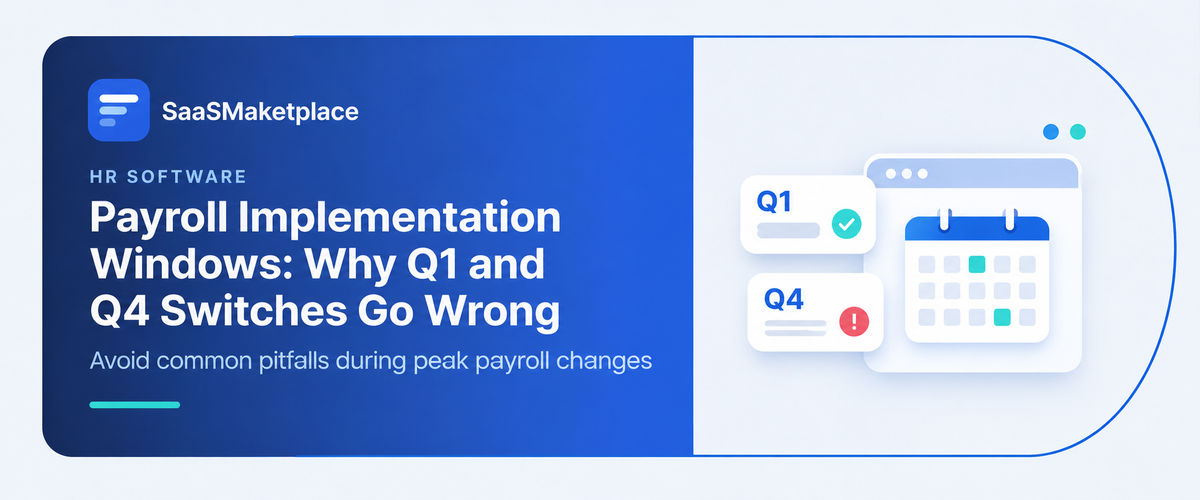
Payroll Implementation Windows: Why Q1 and Q4 Switches Go Wrong
-min.jpg)
Switching payroll software during the middle of the fiscal year is notoriously difficult. Therefore, the two best times for human resource and financial departments to implement a new payroll system are October 1st (Q4) and January 1st (Q1). Both of these dates have the advantage of being clean slates. Q4 gives you an entire quarter to practice processing your year-end reports. Q1 starts a fresh tax year and prevents you from having to import mid-year YTD historical data. Unfortunately, the peak switchover periods do not always go as planned. Many Q4 switches end up in disaster due to the stress of completing year-end reporting, vacations, etc.
What is Payroll Implementation, and how does it work?
Payroll implementation is basically switching to a new system or updating what you already use so payments go out right and on schedule, with the tax rules followed. Most people figure it's just software, but it involves more like making employee accounts and setting their pay rates, plus sorting out the right tax areas for each person. It also means linking everything to time tracking and accounting so the numbers process without extra work each time.
You end up creating this whole setup inside the company so things like hourly rules, overtime, and taxes across states get figured out automatically. I think the final stage starts once the test runs match perfectly and deposits are cleared. Timekeeping hardware connects at that point, and training gets done for the HR side on how cycles run, plus showing staff the portals for their own stubs.
It finishes after the first full cycle succeeds on its own, with some later checks for small fixes and making sure tax stuff files correctly. The whole thing feels bigger than expected when you get into the details. Some parts like integration seem straightforward but maybe not always.
Did you know?
Automated payroll software is supposed to cut down on mistakes by a lot, according to the American Payroll Association. Yet over a third of businesses still end up with IRS penalties each year. It seems like incorrect withholdings or just missing a deadline can trigger that. The number of things to sort out for one paycheck is pretty big. Federal taxes, state rules, local stuff, garnishments, and different deductions all come into play. Maybe one small mix-up in classification ends up causing real problems with the government. That part gets messy when you think about liabilities stacking up. Employees might lose some trust too if things go wrong. I am not totally sure how all the pieces fit together, but it feels like the risks stay high even with the tools out there. Some people see automation as a fix while others run into the same issues anyway.
Why does the Timing of a Payroll Switch matter so much?
A payroll software that is configured properly, hence, stands out as one of the most important security steps that a firm can undertake. In addition, the time at which the transition takes place will also play a huge role because of its relationship with tax cycles, historical pay records, and filing deadlines. A wrongly timed transition period leads to future administrative and financial challenges.
1. Year-To-Date (YTD) Data Transfer Complexity
In the middle of quarters, the administrators are forced to manually transfer or extract gross, taxes, pre-taxes, and garnishments of all current and past employees. An incorrect transfer of YTD data leads to resetting statutory taxes (for example, social security and SUI limits), leading to overtaxation of the employees or underpayment of the employers.
2. Tax Filing Requirements on a Quarterly Basis and Yearly Basis
There are specific tax filing requirements by federal, state, and local government (For example, Form 941 in the U.S.) quarterly to reconcile exactly the amounts paid to calculate taxes for each employee.
A switch in the middle of the quarter results in a split of one quarter’s tax liability between two providers,
Why do Q1 Payroll Switches often go Wrong?
1. Tighter December Timeline & Holidays
A January 1 deadline entails significant configuration in November/December, when important project stakeholders are usually on holiday. The rush to configure or avoid thorough end-to-end system testing to ensure compliance with the January 1 deadline leads to certain omissions that manifest themselves on the first live pay run.
2. End-of-Year Taxation and W-2 Processing
For payroll departments, the months of December and January are the busiest, as they face a dual challenge: closing annual tax reconciliations and W-2/1099 for the old system.
Processing of the first pay run, enrollment, direct deposit setup, and other configuration for the new year using new payroll software. Dividing their attention between closure of the tax year for the old system and adaptation to the new system increases chances of late filing of tax returns, late or inconsistent delivery of W-2s, and other problems.
3. Open Enrollment & Benefits Desynchronization
Most companies have benefit plans, including deductions from paychecks of premiums for health insurance, HSA/FSA contributions, or 401k. Implementation of a new payroll system means that employees should be transferred to the new system simultaneously with switching of benefit elections. One misconfigured mapping may lead to incorrect pre-tax reductions and unfunded benefits
What makes a Q4 Payroll Changeover so Risky?
- Payroll Reconciliation to New System (Dual System Tax Reconciliation): In order to run payroll on a new system, one needs to fully migrate YTD wage and tax history for the first three quarters. Any discrepancy in data entry will lead to incorrect Q4 tax filings/Q4 Forms 941 (duplication), as well as incorrect W-2/1099 calculations for year-end.
- Severe Capacity Overload: Fourth quarter is the busiest quarter for HRs and Finance teams due to corporate budgeting, year-end reviews, open enrollment setup, and year-end accounting closes. Adding software implementation causes burnout of the team, leading to severe oversight errors.
- Year-End Regulatory Deadlines: Q3 tax return deadline (October 31) and year-end W-2/1099 preparation deadline (January 31) are very short for everyone. Overlapping legacy system closures and live payroll launches do not allow any mistakes.
- Open enrollment and benefit rate shifts: Benefits year typically starts late fourth quarter or right on January 1st; migration of benefit deduction rates into a new system happens at the same time as employees make modifications to their health care plans, HSA/FSA contributions, and 401(k) allocations. There is a possibility of not capturing pre-tax deductions or even losing benefit coverage.
- Risk of resetting of statutory tax limit: Historical data migration in the middle of the year into a new system can cause wrong resets of social media management Security tax wage bases (caps) and SUI limits, causing withholding of excess taxes from the employee or overpayment of the employer’s taxes.
What are the most Common mistakes during a Payroll Switch?
- Parallel Payroll Runs Skipping: The absence of parallel payroll runs on the legacy payroll system and on the new software in at least one pay cycle is the reason that makes it impossible to calculate the differences before processing payroll.
- Historical YTD Mismatch: The improper migration of year-to-date (YTD) earnings, deductions, and taxes to the new system leads to resetting critical payroll taxes or wage limitations (such as Social Security maximum taxable earnings).
- Incomplete Cleansing of Employee Master Data: The migration of the erroneous employee data (home address, tax status, direct deposit account and routing numbers, and wages data) causes payment failures due to direct deposits, late paychecks, and incorrect payroll tax calculations in the state and local jurisdictions.
- Delayed Integrations of the New System: The delay of the API integration of the new system with timekeeping devices, financial general ledger systems, and third-party administrators for pension and health plans results in manual data transfers.
- The Lack of Banking Timeframes Alignment: The failure to synchronize with the banking timelines (prenote test) and federal holiday schedule for ACH transactions leads to direct deposit paycheck failures in the first pay period after launch.
- Underestimated Change Management and Training Requirements: If there is no sufficient software training for the HR administrator and for the self-service portal for employees, then a lot of inquiries from the users can occur, and that will affect negatively the experience of the new software.
- The Inability to Handle Multiple State and Local Tax Jurisdictions: As a result of the software’s inability to handle payroll tax reporting and processing, payment failures, delinquent tax reports, and penalties occur. Also, the inability of the software to open new state unemployment insurance and tax IDs during implementation can stop payroll processing completely.

Pro-tip
For flawless execution, initiate a data freeze for two weeks before go-live to prevent changes in profiles by non-essential employees that would dirty up your final data migration process. Never run less than two payroll runs in parallel, verifying each item to the penny and assigning project leads from the HR & accounting departments instead of allowing the IT department to handle the project. Finally, keep your accounts open with your old vendor through year-end tax (W-2s/1099s) reporting, and have your new bank account pre-noted for at least three weeks prior to your first live payday.
How can a poorly timed switch hurt your Business and your Employees?
- Severe financial & statutory penalties: Underwithholding wages, failing to file tax reports on time (i.e., quarterly Form 941s), and not remitting your employer payroll taxes properly will cause your company to incur automatic statutory fines and penalties.
- Double Taxation & Reset Statutory Wage Caps: If year-to-date (YTD) historical data is mis-migrated midyear, it may trigger resets to statutory tax limits such as Social Security caps, or state national unemployment Insurance limits. It will force companies to double pay their employer-side payroll taxes for their entire workforce
- Lost operational Productivity: Whenever there is a failure in the payroll go-live process, it puts HR into a crisis management mode. Instead of focusing on strategic priorities, the head of the HR team spends weeks auditing paychecks, responding to panicked employees, and entering data by hand
- Inconsistent accounting and GL: Any calculation error or improper mappings in GL codes may mess with financial statements and departmental expense allocation, thus affecting cash flow forecasts during the important fiscal close periods.
- Increased exposure to legal risks: Late paychecks, inaccurate calculation of overtime hours, or any other issues with pre-tax deductions can lead to DOL audits, class-action lawsuits, and other problems related to violations of the state labor law.
- Personal Financial Hardship: Late or erroneous paycheck can prevent employees from paying rent, mortgage, utility, and child-care bills.
- Taxes & less money to take home: If the new tax tables and/or the Year-To-Date income thresholds are improperly mapped during the implementation, employees might end up paying more in taxes than is supposed to be withheld, which would mean less money to take home.
- Health benefits/retirement savings disruption: An improperly mapped health insurance enrollment or payroll mapping error could result in employees not being enrolled in health insurance benefits for a period of time, leaving them unable to access their health insurance benefits, or even losing the ability to save for retirement with their 401(k).
Conclusion
Even though the first and the last quarters of the year are regarded as the best time frames to implement new changes, at times these periods can pose serious difficulties that result in problems with taxes and administration. The only way out is to find the right platform that would fit your company’s needs and migration options. In order to do that, you may take advantage of SaaSMarketplace, where you’ll be able to find a solution that will allow you to make a successful software transition and deal with payroll activities on time and with no problems.
FAQ's
They frequently fail because Q1 and Q4 coincide with heavy year-end tax reconciliations, annual reporting deadlines, and holiday freeze periods that leave zero buffer for data migration errors.
The primary risk is misaligned year-to-date (YTD) wage and tax totals, which can lead to duplicate tax withholdings, incorrect W-2s/1099s, and costly tax filing penalties.
Q1 switches require importing historical prior-year data while simultaneously setting up new annual tax rates, benefits deductions, and updated statutory caps, compounding field-mapping mistakes.
End-of-year holiday schedules result in key personnel, payroll vendor support, and banking staff taking leave precisely when critical parallel runs and system cutovers occur.
Companies can prevent failures by locking data schemas early, conducting at least two complete parallel payroll runs before cutover, and freezing non-essential HR/benefits configuration changes.