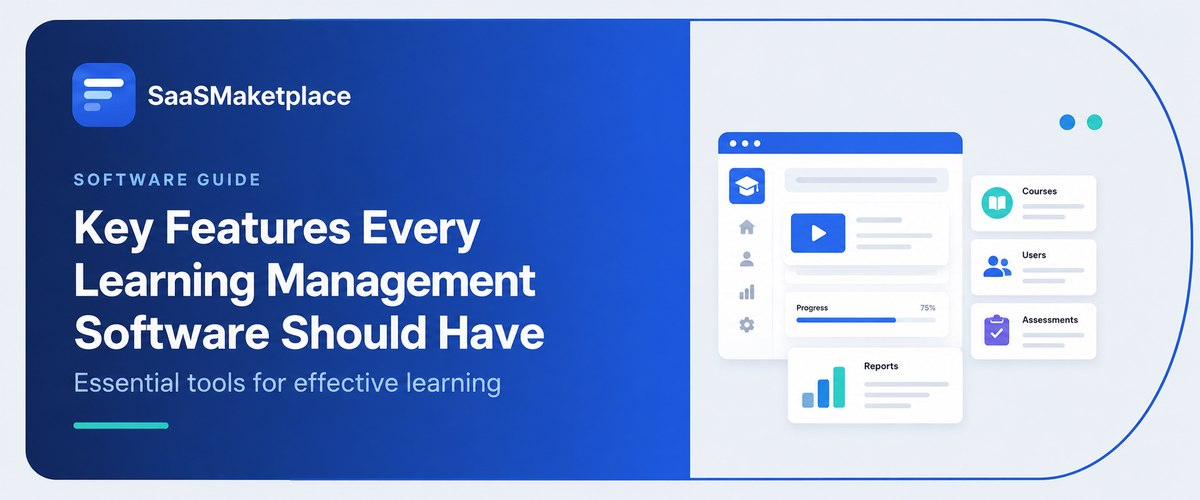
Key Features Every Learning Management Software Should Have
-min.jpg)
Modern Learning Management Software acts as a digital backbone for organizations' training efforts and allows for continuous employee skill advancement, compliance, and training retention. The efficiency of the investment will only be achieved if the LMS is user-friendly and adapted for use through mobile devices, works with training content formats via SCORM and xAPI standards, and offers adaptive learning paths powered by intelligent recommendations. Critically important are compliance tracking and analytical reporting features that would give information about training effectiveness, plus elements of gamification, which would increase users' motivation. Perfect integration with previously used enterprise software provides an efficient workflow.
What is Learning Management Software and why do US organizations use it?
Learning Management Software (LMS) is an all-in-one digital platform designed to create and administer educational courses as well as corporate training programs. The LMS is the nerve center through which administrators manage educational content, monitor students’ progress, and automatically process common training. Thanks to a secure and easy-to-access solution available both on desktops and mobile devices, LMS successfully marries education and training platforms.
LMS is widely used in America by organizations to ensure regulatory compliance, improve the skills of employees, and increase productivity. In a fast-moving business environment, with employees working remotely or in hybrid mode, LMS introduces a possibility to standardize training and view the process of certification in real time, saving on traditional in-person learning experiences. In a nutshell, using learning management software allows American companies to effectively eliminate skills shortages in their workforce.
How does Learning Management Software support employee training at scale?
The advancement of Learning Management Software (LMS) has revolutionized training in big organizations. This software has automated the process of many components of training and thus enables organizations to train numerous employees in a quick manner. As opposed to scheduling classes manually, such technologies use human resources’ data to enroll workers in training programs. The fact that the learning content is now delivered through the cloud means that all employees receive the same training materials without discrepancies.
Currently, the use of microlearning through mobile technology allows employees from various locations to complete learning modules at any time that is convenient for them. The availability of modern features such as artificial intelligence (AI) suggests that it is no longer necessary to increase the number of trainers, as the changes have enhanced employee performance.
Digital management systems give real-time tracking and common analysis needed to assess the results of big training management initiatives with ease. Executive dashboards collect completion data, test results, and compliance rates throughout all departments, allowing executives to quickly spot skill gaps in the organization. Moreover, thorough reporting capabilities yield precise records for U.S. regulatory processes, allowing fast-growing companies to document compliance with regulations and determine training ROI without investing hours in collecting data manually.
Which core Features should every Learning Management Software include?
- Centralized Content Management & SCORM/xAPI Support: This allows for ease of administration through the upload, storage, and distribution of training materials (regardless of the format) as per industry standards.
- Ongoing Compliance & Certification Tracking: This automates the process of regulatory training by assigning required training courses based on employee positions, sending automated reminders about due dates, and issuing compliance certificates accordingly.
- Personalized & Adaptable Learning Paths: This harnesses the power of smart recommendations to create training itineraries for individual employees based on their квалификации, jobs, and career aspirations.
- Mobile-First Accessibility: The accessibility feature automatically adjusts to mobile devices, allowing for a seamless transition to the mobile platform, thereby allowing training to be accessed anytime and anywhere, as is done through mobile apps.
- Advanced Analytics & Real-Time Reporting: Enables customization of the dashboard to cater to tracking course completion rates of employees, evaluating assessment performance, reviewing engagement, and overall evaluating return on investment for the organization.
- System Integrations (HRIS/API): Perfectly assimilates and fits into existing enterprise software, merging with HR software tools, customer relationship management software, and conferencing software, ensuring that data processing is automated.
How important is mobile access in Learning Management Software?
- Caters to Hybrid and Mobile Workforces: Employees in the field, those on the frontline, and remote workers can receive training using their smartphones or tablets and do not require a dedicated desk or workstation.
- Promotes Greater Course Completion: Utilizing mobile-ready platforms allows employees to take short microlearning modules during their free time, enabling them to spend only 2 to 5 minutes on the course at a time, resulting in greater engagement and course completion rates of up to 45% faster.
- Provides Timely Knowledge: Employees can have all the relevant information, including guides, procedures, or instructions on products or services, on their devices at moments of need, such as before making the sales pitch or calling a customer service representative.
- Facilitates Learning With No Internet Connection: Special LMS mobile applications enable students in remote places, as well as workers in manufacturing or transportation, to download training courses and complete studying offline.
- Enhances Retention With Push Notifications: The effectiveness of compliance adherence and re-engagement in courses is achieved through reminders and alerts sent to the lock screen of users’ devices.
What reporting and analytics should Learning Management Software provide?
- Tracking of Certification and Compliance: It gives rise to automatic audit trails, completion timestamps, as well as real-time updates on the status of compliance (completed, overdue, and expiring) for mandatory exercises.
- Tracking of Progress and Completion Rates of Learners: It shows metrics at individual, group, as well as departmental levels for enrollments in courses, drop-off points in modules, and completion rates.
- Tracking of Performance Level and Item Analysis: It provides knowledge on the number of passed tests and the level of passing the test, as well as analysis of the difficulties of the assessment.
- Tracking of Engagement and Activity Metrics: It tracks the frequency of user logins, duration of participation in every module, frequency of interaction with the content, and the level of participation in forums.
- Tracking of Competency and Skill Gap Mapping: It tracks the results of the performance of learners concerning the benchmarks conditions.
- Availability of Customizable Dashboards and Scheduling for Exporting the Data: It gives rise to a possibility of building the reports with the usage of drag-and-drop technology.
How does Learning Management Software handle compliance and certification tracking?
- Automated role-based enrollment: With HR system integration, the LMS can automatically allocate compliance modules to employees based on their job functions, position, and organization once they are employed or promoted.
- Management of expiring credentials: The LMS keeps track of the expiry times of certificates. When a certificate expires, the LMS sends a notification to an employee regarding the expiry and invites him/her to participate in the re-certification process.
- Records creation for Auditing: Any progress, results of any test, and confirmation of the accepted policy will be logged into the system automatically to have the necessary evidence required for legal inspections.
- Real-time dashboards for managers: Top managers and HR managers get the possibility of monitoring compliance of employees in real-time.
What integrations should Learning Management Software offer for US businesses?
For maximum operational effectiveness, a US enterprise Learning Management System must integrate seamlessly with existing HRIS software and identity management systems. This direct connection enables automation of employee lifecycle management - registering new employees in onboarding processes without any delay, updating or cancelling course access in light of changing responsibilities or departures. In addition, integration with the Single Sign-On (SSO) protocols prevents password fatigue and makes the connection secure and convenient.
Connections to productivity tools and remote training applications are equally essential. The sophisticated incorporation of communication platforms such as Microsoft Teams, Zoom, or Webex makes hybrid education easy, as coordinators can manage, plan, and monitor real-time classes without leaving an LMS. Access to Learning Libraries like LinkedIn Learning or OpenSesame makes the platform even more convenient, as workers can get into an array of ready-made professional development courses whenever they wish, using the central dashboard for their learning process.
Strong connections with CRM systems and analytics applications make training a powerful means to ensure companies' growth. The integration with CRMs such as Salesforce enables companies to connect sales courses with revenue indicators and provides an opportunity to conduct training without external assistance.
How do you choose the Right Learning Management Software for your Needs?
- Identify Business Goals & Intended Users: Determine the intended users of the system (internal staff, external partners, or end-users) and identify key business objectives, such as reducing time to onboard users, scaling up compliance training, and filling skills gaps.
- Evaluate Technological Requirements & Integrations: Create a comprehensive overview of currently used software (such as HRIS, CRM, and SSO) and choose the solution that has a suitable architecture enabling effective API connectivity, cloud-based hosting, and data security.
- Create Categories for Essential and Non-required Features: Separate critical features such as cloud compatibility, SCORM/xAPI support, and automatic compliance tracking from those which are not essential to avoid unnecessary extra costs.
- Analyze TCO: Consider types of licenses (for every user, subscription, or pay-as-you-go) and additional costs including initiation, transfer of data, custom development, operations maintenance, and training.
- Request Free Trials & Demos: Use real training processes to test the chosen platform, gather data about its usability for administrators and students, and estimate how easy its reporting is.
- Research Support and Implementation Facilities: Evaluate the company’s support services, time zones, assistance during onboarding, and their records in customer support.
Conclusion
Selecting the appropriate Learning Management System is vital in maximizing the training potential and fostering active engagement. It is important to focus on efficiency, an intuitive interface, and automated evaluations to ensure even everyday training turns into competitive power. To find the best software for your organization, you should read the extensive database of vendors and reviews on the SaaS Marketplace platform.
FAQ's
An intuitive user interface paired with mobile accessibility is the most critical feature, ensuring high adoption rates and seamless learning across any device.
It automates course enrollments based on employee roles, tracks completion deadlines, sends renewal reminders, and generates audit-ready certification records.
Compliance with SCORM and xAPI standards ensures seamless compatibility when importing, exporting, and tracking content across different e-learning authoring tools.
Yes, enterprise LMS platforms offer native APIs and integrations to connect seamlessly with HRIS tools, CRMs, single sign-on systems, and video conferencing apps.
Real-time analytics provide actionable data on learner engagement, course completion rates, assessment scores, and organizational skill gaps to measure true training ROI.