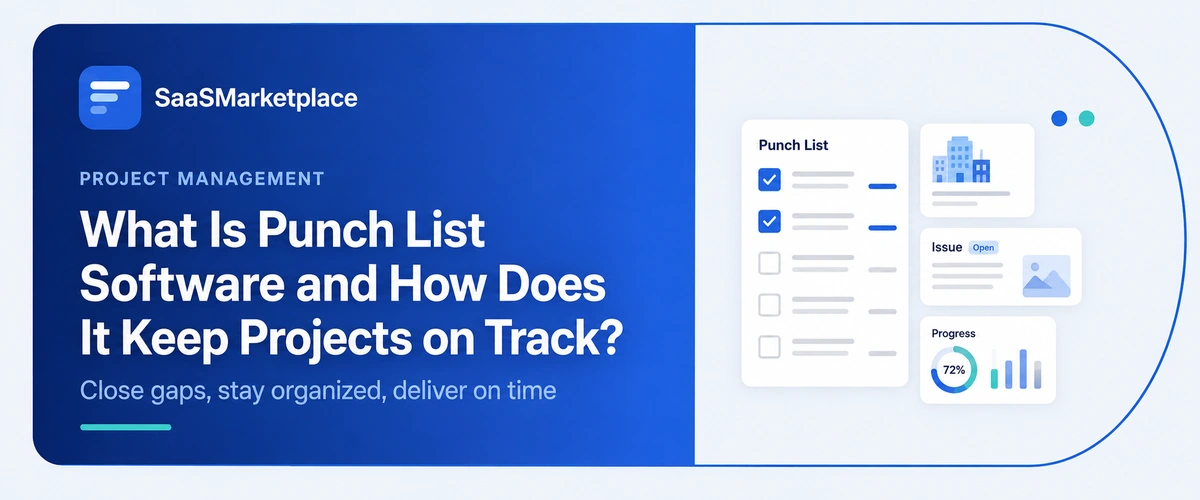
What Is Punch List Software and How Does It Keep Projects on Track?
-min.jpg)
A project can be 98% finished and still take another six weeks to actually close, because the last two percent is scattered across sticky notes, group texts, and a superintendent's memory of what the owner mentioned during a walkthrough. Punch list software bridges the gap between substantial completion and final project sign-off. In construction and project management, transition phases frequently stall due to fragmented communication rather than actual labor delays. Scratched finishes, misaligned fixtures, and incomplete field items often get logged across disparate texts, email threads, and paper notes, causing redundant follow-ups and prolonged payment disputes.
 Looking for a Punch List Software? Check out SaaS Marketplace’s List of the Best Punch List Software in the USA for your business.
Key Takeaways
- Punch list software swaps out scattered notes and texts for one shared list the whole job can see and update.
- It's most useful tied into broader construction management software, so closeout items stay connected to the original scope and schedule instead of floating on their own.
- Photo-based punch items cut down on the back-and-forth that a plain text description used to leave room for.
- Data from takeoff software and BIM software can help predict which parts of a job are likely to rack up the most punch items.
- On a small job with only a handful of outstanding items, a dedicated platform might just be more than you need.
Why Punch Lists Turn Into a Bottleneck Without the Right Tool
Every project ends with a punch list; that part's unavoidable, no matter how smoothly the job ran. What actually causes problems isn't whether a list exists; it's whether everyone's looking at the same version of it. A superintendent walks the site with a legal pad, a subcontractor gets a call an hour later about something different, and the owner fires off three more items over email that never make it onto either one. By the time closeout rolls around, nobody can really say which items got done and which ones just fell through the cracks.
One thing that tends to happen in the final weeks of a job: the punch list keeps growing even as items get fixed, simply because there's no single record of what's already resolved. Subcontractors end up double-checking work they already finished, and owners start losing faith in a closeout process that seems to drag on forever.
What Punch List Software Actually Does
A digital punch list just replaces the legal pad and the group chat with one shared record anyone on the project can pull up from a phone or tablet.
Creating and Assigning Items in the Field
Anyone walking the site an owner's rep, an architect, a superintendent can log an item right there with a photo, a location tag, and a quick note on what needs fixing. That item goes straight to the subcontractor responsible, with a due date attached, instead of getting relayed secondhand through a phone call that may or may not make it through accurately.
Tracking Status Without the Guesswork
Once someone marks an item complete, whoever raised it gets a notification and can sign off on it before it's really closed. That closes a loop paper lists and text threads never quite manage a sub saying a fix is done and an owner confirming it's actually done used to be two separate steps that ran entirely on trust, with nothing to back it up.
How Punch List Software Fits Into Broader Construction Management Software
Punch list tools rarely operate on their own on a modern jobsite. Most contractors run them alongside the broader construction management software already handling budgets, scheduling, and daily field reports for that same project. Once punch items link back into that system, closeout stops feeling like something disconnected from everything that came before it.
A lot of businesses figure any all-in-one job-tracking platform with a basic checklist feature does the same job as a dedicated punch list tool. It doesn't, really purpose-built punch list software usually goes further with detailed field logging, photo annotation, and sign-off workflows than a checklist feature bolted onto something bigger. Larger general contractors tend to run a dedicated punch list tool and just feed its data back into their main job-management platform, so closeout shows up in the same reports owners are already expecting.
Connecting Punch List Data Back to Takeoff Software and BIM Software
Worth looking at where punch items actually come from in the first place. Takeoff software sets the original quantities and scope at the bid stage, and BIM software often tracks detailed component data all the way through design and construction. Compare punch list data against those earlier records, and patterns start showing up that closeout data alone would never reveal.
Teams tend to notice this after a few completed projects certain trades, or certain building components, keep generating a disproportionate share of punch items, job after job. Maybe a door hardware package specified during design keeps causing touch-up work because of how it interacts with a particular wall assembly. That's the kind of pattern you'd only catch by comparing punch data from multiple jobs against the original scope from takeoff. Feeding that back into future bids priced through the same estimating tool used at the start is one of the more underused links between the beginning and end of a project.
Where Punch List Data Goes: ERP Software and Project Management Software
Closeout isn't just something that happens in the field. It has real financial and scheduling consequences. ERP software needs to know when punch items get resolved so retainage can be released and final invoices sent out holding payment until closeout is standard on most commercial contracts. Project management software needs that same completion data to close the schedule and confirm the project's actual finish date against what was planned.
Smaller companies often underestimate how much manual work happens at this handoff. A punch list closes out in one tool, but if that status doesn't flow automatically into the ERP software handling retainage or the project management software tracking the schedule, someone has to go update both by hand and that extra step is exactly where a completed item slips through and a final payment ends up delayed weeks longer than it needed to be.
Project Portfolio Management Software and Closeout Trends Across Jobs
For contractors juggling several projects at once, one punch list only tells part of the story. Project portfolio management software looks across every active and recently closed job, so leadership can see whether closeout is consistently running longer than planned company-wide, not just on one troublesome project.
That view matters because a single delayed closeout could just be a difficult client or a messy scope nothing to read into. But a pattern across a dozen jobs, all trending toward slower punch list resolution than the company's own targets, usually points to something systemic worth fixing: a subcontractor relationship, a documentation gap, an internal process that needs tightening before the next job kicks off.
Where IT Project Management Software Terminology Gets Confused with Construction Tools
Contractors researching project software sometimes run into a naming problem. IT project management software is built for software development teams tracking sprints, tickets, release cycles not physical construction closeout. The category names sound close enough that a search for "project tracking software" can turn up platforms with no concept of a punch item, a subcontractor, or a final walkthrough at all.
It's an understandable mix-up, honestly "project management" is such a broad label. But a platform built for shipping code just doesn't translate to tracking a scratched countertop or a mislabeled breaker panel, and forcing that fit usually costs more time than it saves.
Common Mistakes Contractors Make When Choosing Punch List Software
A few patterns show up again and again when construction companies pick the wrong punch list tool.
- Choosing a tool that's great on desktop but clumsy on a phone, when most punch items actually get logged from the field, not an office.
- Skipping a trial run during a real closeout, then finding out photo uploads or offline mode don't hold up on an actual jobsite with weak signal.
- Underestimating how much subcontractor buy-in matters the software only works if the trades using it actually log in and update their items.
- Picking a tool that doesn't connect to the accounting or scheduling systems already in place, which just recreates the same manual re-entry problem the software was supposed to fix.
- Smaller companies especially tend to overlook subcontractor adoption. A tool the GC loves but subs ignore just turns into another list the GC ends up manually updating after phone calls anyway, which defeats the whole point of switching to software.
After a project or two on a new system, most GCs also realize how much response time to punch items depends on how notifications are set up. A subcontractor checking email once a day is going to treat an urgent item the same as a routine one unless the software actually pushes a real-time alert to their phone. Getting notification settings right during onboarding, instead of leaving everything on default, is a small fix with an outsized effect on how fast items actually get closed.
When a Contractor Might Not Need Standalone Punch List Software
Not every job needs a dedicated platform. A small residential project with a short punch list and just one or two trades can often get by fine with a shared spreadsheet, or the basic checklist feature already inside whatever job-tracking platform the company uses. The investment starts making more sense once you've got multiple subcontractors, longer closeout periods, or a recurring pattern of disputes over what actually got fixed.
The right way to think about it: look at how long closeout has actually been taking on recent jobs, and whether disputes over completed items have caused real payment delays. Bringing in a dedicated tool before that pain shows up just adds another subscription without a clear problem for it to solve.
Conclusion
Choosing punch list software comes down to how many people need visibility into closeout at once, and how much disagreement over completed work has actually cost on past projects. The real value shows up once punch data connects cleanly to the ERP software handling retainage and the project management software tracking the finish date not when a tool just looks polished in a sales demo.
That connection is easy to underestimate until a closeout drags on for weeks over a disagreement about whether something was actually fixed. A photo timestamped in the field settles that argument in seconds. A phone call from three weeks ago settles nothing and that gap is usually where the real cost of skipping dedicated software shows up.
FAQ's
No. It documents what's found during walkthroughs and tracks resolution, but someone still needs to physically inspect the work.
Most punch list tools sync completion data back into the broader job-management platform handling budgets and scheduling, so closeout status shows up in existing project reports.
Not directly, but comparing punch list history against original design component data or bid quantities can reveal which building elements or trades consistently generate the most closeout items.
Generally not. It's built for software development workflows and lacks features like photo-based field logging or subcontractor sign-off that construction closeout requires.
Once a contractor runs enough simultaneous jobs that leadership needs to compare closeout speed and dispute patterns across the whole portfolio, not just one project at a time.