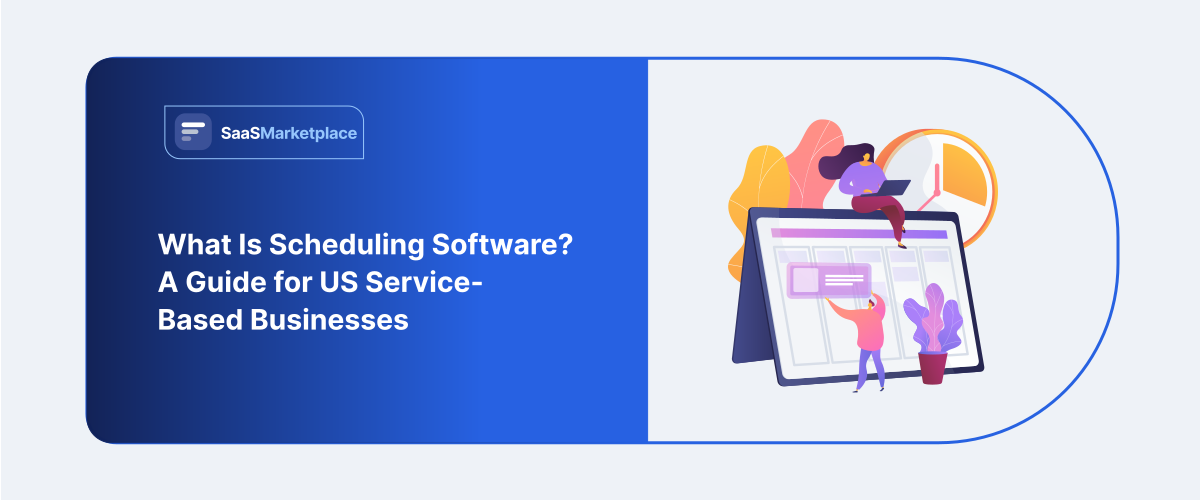
What Is Scheduling Software? A Guide for US Service-Based Businesses
-min.jpg)
A salon owner in Austin kept her bookings in a paper ledger by the register, right up until a Saturday morning when two clients showed up for the same 10 a.m. slot with the same stylist. Nobody had really done anything wrong. Two different phone calls, two different people writing in the same book, and nobody caught the overlap until both clients were standing there. She switched to scheduling software the following week, not because she'd read about it somewhere, but because she'd just lost a client over something a shared calendar would have caught in seconds.
 Looking for Appointment Scheduling Software? Check out SaaS Marketplace’s List of the Best Appointment Scheduling Software in USA for your business.
 That's usually how the decision gets made, in this line of work. Service businesses rarely go looking for scheduling software out of curiosity. They go looking after a double-booking, a no-show nobody saw coming without a reminder system, or a scheduling conflict that cost them a client who wasn't going to give them a second chance.
What Scheduling Software Actually Does
At its core, scheduling software manages appointments, staff availability, and bookings in one place, replacing the mix of phone calls, paper calendars, and group texts a lot of service businesses still lean on. That sounds simple enough, and the basic version is. But the more useful question isn't what it does in theory. It's what problem it's actually solving for a specific business, and that varies more than the marketing pages for these tools like to suggest.
For a solo massage therapist, the problem is mostly about not missing calls mid-session and giving customers a way to book without playing phone tag for two days. For a twelve-person HVAC company, the problem looks different entirely: getting the right technician to the right job based on location and skill set, with the office staying in the loop in real time. For a multi-location fitness studio, it's coordinating class capacity, instructor availability, and member bookings across several sites at once. Same category of software. Genuinely different jobs.
Worth sitting with before shopping for a tool, because plenty of businesses end up either overpaying for capability they'll never touch or underbuying something that can't grow with them. A single-location barbershop doesn't need multi-location dispatch logic. A twenty-technician field service company needs a lot more than a booking widget bolted onto a website.
What are the challenges for service businesses specifically
Service businesses run on time in a way product businesses mostly don't have to think about. A retailer can sell the same item to someone at 9 a.m. or 9 p.m., and the transaction looks identical either way. A dentist, a dog groomer, an electrician they've got exactly one appointment slot at 2 p.m. on a Tuesday, and once that slot's gone, it's gone. There's no restocking a missed hour.
That scarcity is what makes scheduling errors so expensive relative to their size. A double-booking in retail might mean refunding one order. A double-booking for a home services company means an angry customer, a wasted trip for a technician, and often a canceled job that never gets rebooked. The margin for error is thinner here, specifically because what's being sold is a fixed block of time that can't be recovered once it passes.
No-shows compound the problem. Industry estimates for service-based businesses, particularly in healthcare and personal care, commonly put no-show rates somewhere between 10% and 30% without any reminder system running. That's not a small leak. For a business operating on tight margins with a fully booked calendar, a real chunk of that revenue just evaporates every week not because customers didn't want the service, but because nobody reminded them the appointment even existed.
Core Features of scheduling software
Online booking is the feature most people think of first, and fair enough: letting customers book a slot themselves at 11 p.m. if that's when they happen to be thinking about it removes real friction compared to waiting around for business hours to call. But the feature that quietly does more of the work is calendar sync. A scheduling tool that doesn't sync cleanly with the calendars staff already use tends to create a second system nobody trusts, and that usually means someone reverts to the old method within a few months anyway.
Automated reminders come close behind in terms of actual payoff. Text and email reminders sent 24 to 48 hours out are consistently among the highest-impact features for cutting no-shows, and they're also cheap to implement well; most platforms bundle this in by default rather than charging extra for it.
Staff and resource management matters more for multi-person operations than for solo practitioners, and it's usually where businesses discover the software they picked doesn't actually fit. This covers things like assigning appointments based on which staff member holds the right certification, which room or piece of equipment is free, or which technician sits closest to a job geographically. A single-provider business can skip this layer entirely. A twenty-person medical billing practice or a home services company running multiple crews cannot.
Payment integration has become expected rather than a nice-to-have, especially for businesses dealing with deposits or cancellation fees. Collecting a deposit at the time of booking is one of the more effective ways service businesses cut down on no-shows a customer who's already paid something is measurably more likely to actually show up than one holding a free reservation.
Reporting and analytics tend to get ignored, which is a shame, because this is often where a business actually finds money it didn't know it was leaving on the table. Booking patterns, peak hours, staff utilization, cancellation trends all of it usually sits inside the platform already, and a lot of businesses never look past the first month of setup.
Benefits of scheduling software
Home services HVAC, plumbing, electrical, landscaping lean hard on dispatch and routing logic, since a technician's time and location matter just as much as the appointment slot itself. Tools like Jobber and Housecall Pro built their entire positioning around this need, folding scheduling together with route optimization and job tracking in a way a generic booking tool doesn't even attempt.
Healthcare and wellness practices, from dental offices to physical therapy clinics, tend to prioritize compliance and reminder automation over dispatch logic, since the appointment happens at the practice rather than out in the field. No-show reduction is usually the headline benefit these businesses care most about, given how expensive an empty chair is when there's fixed overhead and a licensed provider on the clock regardless.
Personal care and beauty businesses salon , spas, barbershops often care most about the booking experience itself, since a large share of clients are booking from a phone, frequently outside business hours. Tools like Acuity Scheduling and Square Appointments lean into exactly that, prioritizing a clean, fast booking flow over the heavier dispatch or resource-management features a field service company would actually need.
Fitness studios and group class businesses run into a different problem altogether: managing capacity instead of individual appointments. A yoga studio doesn't care which instructor lives closest to a client's house. It needs to know a class caps out at fifteen, track a waitlist accurately, and handle recurring class packages and membership billing. Platforms like Mindbody were built specifically around this use case for a reason generic scheduling tools tend to handle class-based capacity badly.
What are the mistakes businesses do When Adopting Scheduling software
The most frequent mistake is picking a tool based on price or a friend's recommendation instead of actual fit for the business's booking pattern. A home services company that adopts a salon-style booking tool often finds itself missing dispatch and routing features it didn't realize it needed until the technician count grew past four or five people.
A second mistake rolling out scheduling software without migrating the client communication habits that came with the old system. Businesses often assume that once the software goes live, clients will just start using it. In practice, a meaningful share keep calling or texting out of habit for months, and a business without a plan for that transition period ends up running two systems in parallel far longer than expected.
A third mistake, and this one shows up a lot in smaller operations, is underusing the reporting features entirely. Teams get scheduling software running, confirm it's preventing double-bookings, and stop right there never checking which hours go consistently unbooked, which services get canceled most, or which staff member's utilization is meaningfully higher than everyone else's. That data usually just sits there, unused, even though it's often the more valuable half of what the software actually provides.
A fourth mistake is underestimating the cancellation policy conversation. Scheduling software makes it technically easy to enforce a cancellation window or deposit requirement, but the policy still has to be communicated clearly to clients before it gets enforced. Businesses that quietly flip on strict cancellation rules without warning existing clients tend to generate more complaints than whatever no-show reduction they gained was worth.
When Scheduling Software is needed
A solo practitioner handling a handful of appointments a day, with a client base built mostly on repeat business and personal relationships, may not see much return from a full platform yet. A simple booking link, or even a well-managed shared calendar, can cover that volume without added cost or a learning curve. The math changes once appointment volume, staff count, or no-show losses start costing more than the software would.
The more useful way to think about timing: scheduling software earns its cost once the manual coordination it replaces starts producing real errors double bookings, missed reminders, no-shows that actually hurt rather than just being mildly annoying. Below that threshold, it's often more tool than the business needs. Above it, the cost of not having it tends to show up in the numbers before anyone bothers running a formal calculation.
Conclusion
The businesses getting the most value from scheduling software are the ones that picked a tool matching their actual booking complexity, rather than reaching for the most feature-rich option on the market. A field service company needs dispatch logic. A solo provider mostly needs a clean booking link and reliable reminders. Buying past that need just adds cost and a steeper learning curve without much real benefit to show for it.
The honest takeaway here: scheduling software doesn't replace good client relationships or reliable service. What it does is remove the coordination failures the double bookings, the missed reminders, the appointments nobody wrote down properly that tend to undo good service before a client's even walked through the door.
FAQ's
The terms get used interchangeably, but scheduling software usually refers to the broader system managing staff, resources, and calendars, while a booking app is often a narrower, customer-facing piece of that larger system.
A provider handling a handful of appointments a day may not need a full platform. One juggling a growing client list and phone-based bookings often sees a fast return just from reduced no-shows.
Yes, though the business should look specifically for tools built around dispatch and route logic Jobber and Housecall Pro are common choices rather than a general booking tool designed for a fixed-location business.
Rates vary by industry, but automated text and email reminders are consistently cited as one of the more effective, low-cost ways to cut no-shows across healthcare, personal care, and service-based businesses generally.
Choosing a tool based on price or popularity instead of actual fit for how the business books and manages appointments a gap that usually only shows up once the business has scaled past what the tool can actually handle.