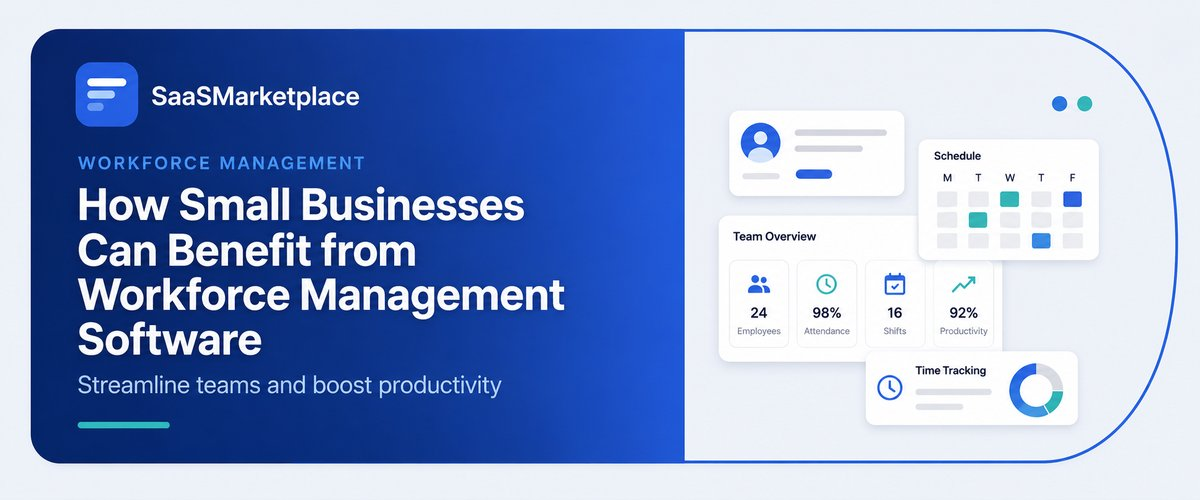
How Small Businesses Can Benefit from Workforce Management Software
-min.jpg)
Through the use of workforce management software, small business owners gain a significant edge in the competition, since the program eliminates the necessity to deal with mundane daily chores and tasks such as scheduling shifts, monitoring work hours, and ensuring successful processing of salary payments. Owners of firms do not have to spend long hours keeping records with the help of different spreadsheets or worrying about how to solve issues with urgent schedule changes. Due to the new automated system, companies avoid additional administrative expenses, as the new software saves them on overpayments, allows employees to communicate their schedules at any time, and gives business owners opportunities to invest their time into improving their firms.
What is Workforce Management Software, and How does it work for Small Businesses?
Workforce management software has been specifically built as an integrated technology to enhance the daily management of labor processes carried out by small companies. Instead of depending on paperwork and fixed spreadsheets, this computerized system puts many complicated operations together in one place. Thus, businessmen can create flexible work schedules for their employees, control their working hours and overtime, keep track of vacations and sick leaves, as well as carry out payroll systems. Furthermore, many applications feature compliance functions that keep an eye on local laws and regulations on the issue, which saves business owners from being fined.
The software works for small businesses by using a simple-to-use desktop or mobile app for connecting its managers and employees. Business owners can plan weekly shifts very quickly in accordance with labor costs or expected traffic flow and send those schedules directly to the employees’ smartphones. The employees can specify their hours with the help of digital time clocks or GPS-driven mobile attendance, trade shifts, and submit their PTO requests. By incorporating this continuous data flow into the payroll systems, the software allows the business to get rid of manual data entry, thus minimizing mistakes and giving its managers significantly more free time every week.
Why do Small Businesses in the US need Workforce Management Software Today?
The current labor market in the US is increasingly tightening for small businesses, combined with strict wage mandates in various regions, which can mean business owners still reliant on manual employee scheduling and paper-based timesheets ultimately end up dealing with inefficiencies. Nowadays, workers demand more flexible and mobile scheduling options to be able to swap shifts and check their pay stubs easily with the help of their mobile devices. Using workforce management software gives business owners the chance to match today’s expectations, raise their employee retention levels, and keep up with competition from larger players in the industry.
With the costs of operation rising, every dollar matters for small business owners. The use of workforce management tools gives business owners lots of insight into the functioning of their labor force and allows them to avoid accidental overtime, take care of buddy punching, and optimize the supply of workers according to demand. Moreover, by automating some of the HR processes and simplifying things with time tracking, managers are able to save hours each week on the administrative process of work.
Dealing with complicated labor laws in the U.S., requirements regarding predictive scheduling, as well as those regarding overtime pay, can be extremely tricky for small HR teams. New software can easily collect all compliance-related data, check if regulations regarding breaks are followed, and maintain the documentation and history of records for companies.
How Can Small Businesses Benefit from Workforce Management Software?
- Lowers Labor Expenses: It cuts down total payroll costs by removing time theft, buddy punching, and the kind of overtime that just happens without anyone meaning it.
- Conserves Administrative Efforts: It takes away the time that used to go into making schedules, measuring hours worked, and tracking PTO, because it basically automates these processes, so you don't have to.
- Provides Error-Free Scheduling: It uses smart tech to catch double bookings, plus those weird availability conflicts, right away.
- Guarantees compliance with Labor Laws: It helps avoid legal penalties by call monitoring mandatory, overtime caps, and local wage rules, so stuff stays on track.
- Enhances Workplace: It gives employees the means they need to trade shifts, send leave requests, and review their work hours, directly from their phones, whenever they want.
- Makes Payroll Simple: It removes mistakes caused by manual entry by sending digital timesheets straight to payroll systems.
How does Workforce Management Software help you save time and cut costs?
Workforce management (WFM) software replaces manual paperwork and spreadsheet management with automated, data-driven systems. By streamlining daily HR operations, it eliminates administrative drag and controls labor expenditure through several key mechanisms:
- Prevention of Errors Related to Manual Payroll & Timekeeping Process: With the help of a technology-based time tracking system, payroll calculation is done automatically. This will eliminate any errors that may arise due to human calculations and also save the time spent on calculating the time sheets at the end of each pay period.
- Avoidance of Supposed Overtime: This software assists managers in knowing whenever there’s a probability of employees overworking. In this case, managers can reschedule shifts on time to avoid paying overtime.
- Avoidance of Fraud: GPS geofencing system and other innovative technologies prevent employees from cheating with time tracking.
- Increasing Efficiency of Staffing Process: The software can compare data concerning schedule and sales history, which helps avoid overstaffing during slow periods and understaffing during peak consumption times.
- Simplifying Shift Trading and PTO Logging: All employees will be able to change shifts on their own with no need to call and ask for approval.
- Facilitating Compliance with Labor Law Requirements: An advanced time tracking system allows for avoiding manual tracking procedures while ensuring compliance with labor law enforcement.
Can Workforce Management Software make Employee Scheduling Easier and more Accurate?
- Automates Schedule Creation: Drag-and-drop builders plus scheduling templates you can reuse make it so managers can throw together a full weekly shift plan in minutes, not hours, sort of instantly.
- Cuts Scheduling Conflicts: The system flags double-bookings, overlapping shifts, and even time off clashes before anything gets published, so it feels less chaotic and more steady.
- Brings In Real-Time Availability: Employee preferences and approved PTO requests sync right into the scheduling view, so staff gets slotted only when they are actually free.
- Lessens Human Data Entry Errors: Automated tools remove a lot of the misplaced shift details, miscalculated shift lengths, and lost paper requests that usually show up in manual spreadsheets.
- Enables Auto Scheduling: Advanced models look at past foot traffic, sales patterns, and employee know-how to match the best people to the busiest windows.
- Keeps Labor Law Compliance On Track: Built-in rules automatically notify managers about possible violations, like max weekly hours, required downtime between shifts, and smaller labor restrictions that still matter.
- Streamlines Shift Swaps: Employees can trade shifts or grab open slots from a mobile app, and all it usually needs is quick manager approval so the live schedule updates right away.
- Delivers Instant Updates: After a schedule is published, changes push immediately to staff with mobile notifications, so everyone sees the latest roster with less delay.
How does Workforce Management Software keep you Compliant with US Labor Laws?
Workforce Management (WFM) software protects US businesses from costly lawsuits, audits, and wage violations by embedding state and federal regulations directly into daily operations.
- Enforces FLSA Overtime Rules: the system keeps running track of cumulative hours in real time over the workweek, and it pings managers right before employees hit 40 hours, kind of like, so the overtime doesn’t get mishandled or end up with unplanned time-and-a-half pay.
- Automates State Meal & Rest Break Laws: There are built-in safeguards that gently push employees to take required breaks, like California’s 30-minute meal period, and it also requires digital sign-offs just to confirm the break happened uninterrupted- no guesswork.
- Complies with Fair Workweek & Predictive Scheduling: In places with predictive scheduling requirements, say Oregon, New York City, and Chicago, the platform manages the schedule publishing deadlines well ahead of time and works out the penalty pay that may apply when shifts change last minute.
- Monitors Child Labor Restrictions: The guardrails automatically mark minor employees to prevent them from being assigned during school hours, or working beyond legally allowed evening cutoffs, or even when a shift goes over the daily maximums.
- Maintains Audit-Ready Digital Records: Under the Fair Labor Standards Act (FLSA) employers need detailed timecards and payroll histories, so WFM tools store time-stamped digital logs that can’t be edited, which makes defense smoother during Department of Labor (DOL) audits.
- Prevents Off-the-Clock Work: Mobile geofencing plus terminal IP locks help make sure non-exempt staff can’t clock in too early, do off-the-clock work, or wrap up job tasks outside the approved shift windows.
- Standardizes Complex Pay Differential Rules: The software calculates local pay rules on its own, including split-shift premiums, spread-of-hours pay, plus location-based hazard differentials or night-shift adjustments.
Is Workforce Management Software Scalable as your Small Business Grows?
Workforce Management (WFM) software is inherently scalable, designed to adapt seamlessly as a small business expands its team, revenue, and physical locations.
- Flexible User-Based Pricing: Cloud-based platforms use per-employee subscription tiers, so you can sort of pay only for your present headcount and tack on new licenses right away as you hire people, no big ceremony.
- Multi-Location Management: The software grows from one shop into several branch locations, letting local managers watch the nearby rosters while headquarters keeps a grip on the labor budgets, more or less in one place.
- Modular Feature Expansion: Teams can begin with plain time tracking and scheduling, then later enable more advanced bits such as demand forecasting, performance analytics, and applicant tracking, depending on how operations start expanding.
- Handles Complex Team Structures: When your company gets bigger, WFM tools can manage multi-department setups, different pay rate structures, custom role permissions, and a mix of workforce categories (full-time, part-time, seasonal, and contractors), without it feeling messy.
- Cross-State Legal Adaptability: If you move into new cities or states, the built-in compliance engines automatically adjust to local minimum wage rules, meal break requirements, and predictive scheduling laws, so you do not need to change the software.
- Seamless API Integrations: Scalable platforms connect with broader software ecosystems, tying together with payroll systems, POS setups, and HRIS tools as your tech stack evolves, with minimal friction.
What kind of ROI can you expect from Workforce Management Software?
1. Direct Payroll Savings
- Slashing Time Leakage: Digital clock-ins help block early sign-ins, stop unearned rounding, and reduce buddy punching too. Overall, this can shave gross labor expense about 1% to 3%, depending on the operation.
- Keeping Overtime Under Control: Automated schedule limits plus live alerts catch overtime before it gets ugly, so unplanned overtime is much less likely. That in turn cuts the pricey time-and-a-half payouts by as much as 70%.
2. Administrative Time Recovery
- Speeding Up Schedules: Shift building goes from hours down to minutes, thanks to reusable templates and demand forecasting.
- Making Payroll Prep Easier: Direct timecard integration means less manual keying and fewer little errors. Weekly payroll processing time can drop roughly 50% to 70%.
3. Turnover & Retention Impact
- Helping People Feel More In Control: Mobile shift swaps, self-service PTO, and schedule visibility that is actually clear tend to lift satisfaction at work.
- Lowering Replacement Costs: Even a 5% reduction in annual turnover can translate into thousands saved per employee. Mostly from hiring, onboarding, and the lost productivity during transition.
4. Risk Mitigation & Legal Protection
- Steering Clear of Labor Fines: Built-in safety rails help enforce FLSA compliance, local meal/rest break rules, and predictive scheduling expectations.
- Preventing Audit Headaches: Time-stamped digital logs create a stronger defense when DOL audits happen, or when wage disagreements come up, plus in class action back pay situations.
Conclusion
Rolling out workforce management software changes the way small businesses run, because it rinses out administrative chaos, reduces runaway labor expenses, and helps keep teams aligned with complicated labor laws. The newer tools also give managers and employees a clearer view of shift plans, time capture, and even day-to-day performance. If you want the right option that matches how you operate, stop by SaaSMarketplace, your go-to place to uncover, compare, and purchase business software, so you can keep moving your growth forward.
FAQ's
It is a digital platform that automates daily staffing tasks like shift scheduling, time tracking, PTO management, and payroll processing into one system.
It prevents unearned overtime, eliminates time theft and buddy punching, and uses demand forecasting to stop expensive overstaffing.
Yes, it automatically tracks state and federal rules for overtime caps, mandatory meal/rest breaks, and predictive scheduling mandates.
It empowers staff with self-service mobile apps to view schedules, submit PTO requests, and trade shifts directly from their phones.
Yes, most platforms feature built-in integrations that push digital timecard data directly into popular payroll tools without manual entry.