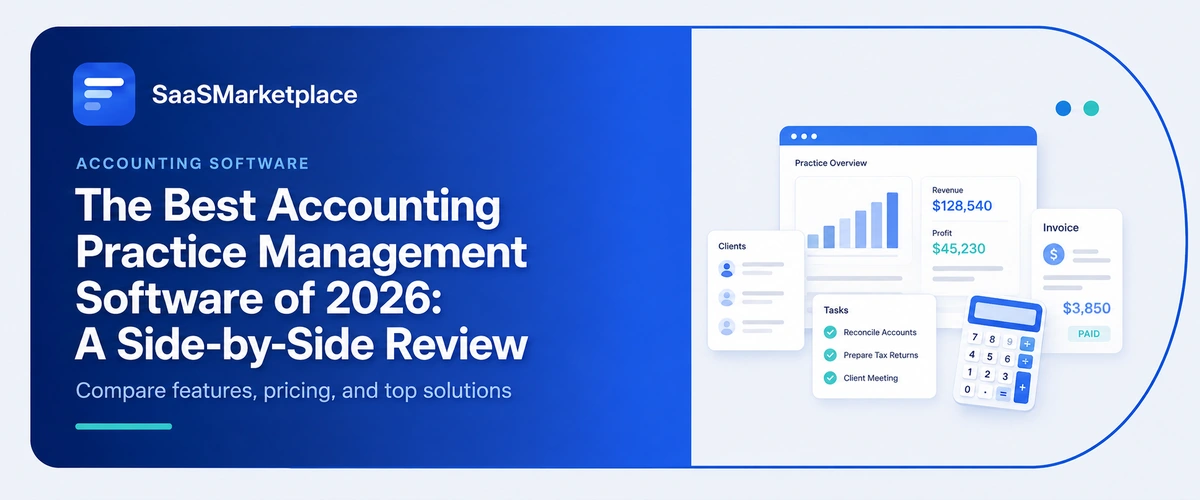
The Best Accounting Practice Management Software of 2026: A Side-by-Side Review
-min.jpg)
With every passing day and new IRS deadlines, and the somework of the shortage of qualified personnel influencing US bookkeeping and accounting practice management software industries, it becomes obvious that operating a business that works according to the old school of fragmented spreadsheets and many emails has turned out to be not only boring but dangerous economically. Practice operations software has gone through a big evolution from a simple time tracking tool to the organization's command center performing the functions of client registration, e-signature processing, and automated routing of the workflow. In order to help our readers with vendor information and select the most suitable operational hub based on several criteria, we made an analysis and comparison of software functioning in 2026.
What Is the Best Accounting Practice Management Software of 2026?
In each particular accounting firm, the answer to the question of which is the ultimate accounting practice management software? will depend on unique bottlenecks within that same firm's operations, as well as how many employees it has working for it or how it bills for its services. In contemporary US accounting practice management software, we generally find two prevailing designs: the integrated product, with many features and options for automating document flow through the practice, and collaboration tools, focused on workflow management through emails and assignment of work cycles. The right solution can be determined by identifying which problem is more prominent with particular team members, who may either fail to get documents back from clients or may not undertake transfer of work internally from one employee to another.
For companies concerned with taxes and bookkeeping services that deal with a lot of work, choosing an integrated platform with client portals, customized planners, and automatic notification processes can be beneficial as it cancels out the need for manual reminders and accelerates the time needed to assemble the files. On the other hand, mid-sized and developing companies that are into CAS or ongoing accounting might have better results with a system that has good email connectivity and visual task boards that allow converting emails into tasks and assigning them to various teams. Calculating total cost per spot of use, the ease of implementation for the clients, and its connection with the accounting software or database used will facilitate the choice of the right system for the company's operations center.
Why Do US Firms Need Accounting Practice Management Software in 2026?
For companies concerned with taxes and bookkeeping services that deal with a lot of work, choosing an integrated platform with client portals, customized planners, and automatic notification processes can be beneficial, as it cancels out the need for manual reminders and accelerates the time needed to assemble the files. On the other hand, mid-sized and developing companies that are into ongoing accounting software have better results with a system that has good email integration and visual task boards that allow converting emails into tasks and assigning them to various teams. Calculating total cost per spot of use, the ease of implementation for the clients, and its connection with the accounting software or database used will facilitate the choice of the right system for the company's operations center.
Clients in accounting today want their interactions with them to be smooth and safe, instead of exchanging numerous emails or heavy paper. A common platform for implementing the practice makes it possible to use client portals, share files with security, and collect digital signatures. Making this possible on one platform improves customer satisfaction and provides reliable data protection, including authentication and two-step verification that is required to prevent data leaks.
What Features Should You Look for in Accounting Practice Management Software?
1. Automated Workflow & Task Management
Brings order into complex multiple-step processes such as tax processing and end-of-month closing through the automatic delegation of tasks and setting deadlines. Eradicates manual process call monitoring and allows files from clients to be processed during the busy period without problems.
2. Secure Client Portal & File Sharing
Gives clients a dedicated, branded website at which to upload documents, fill in forms, and chat with the company. Leads to a decrease in repetitive emails and keeps client documents safe due to bank-level encryption.
3. Integrated Email & Communication Hub
Links the system to the company’s email and makes all new emails transform into actions for the team. Provides full visibility into the previous communications of the firm so that any of the employees can step into any correspondence instantly.
4. E-signatures and Document Storage System
Includes electronic signatures on contracts, tax approval papers, and signatures without using any other third-party applications. Consolidates filing, including automatic arrangement of files by type of client, year, and type of service.
5. Time Tracking, Billing, and Invoicing
Makes it possible to track hours worked, handle monthly subscription fees, and automatically generate invoices with ease. Ensures faster payment options that allow you to process credit cards and ACH transfers without a hitch.
How Do the Top Accounting Practice Management Software Options Compare Side-by-Side?
1. Sage Accounting
Sage Accounting is a reputable cloud financial tool made for growing small businesses, accountants, and professionals who want a high-quality ledger management solution. It includes features such as multi-currency processing, automatic bank data transfer, inventory management, and seamless compliance reporting. For accounting companies, Sage helps by offering partner collaboration tools that allow them to control multiple client files from the main dashboard. Its use as a flexible framework for companies moving away from manual spreadsheets toward data-based financial reporting is also noteworthy. While it works well in the case of basic accounting and compliance issues, companies that need in-depth client portal automation or superior workflow control might need a bit more.
2. Fiscus.nl
Fiscus.nl is a specialized online tax and administrative solution designed for zzp'ers and small businesses in the Netherlands. It simplifies the submission of income tax and VAT to the Dutch tax authority. It includes user-friendly expense reporting and mileage tracking and allows for the quick generation of invoices, all without needing to maintain a complete double-entry accounting system. For accounting professionals, it provides an efficient service to uncomplicated sole proprietor clients when it comes to their compliance submissions. However, it doesn't have any sophisticated capabilities in terms of practice management, including multi-preparer planning, complex project monitoring, or advanced workflow management.
3. SnelStart
SnelStart is one of the most popular accounting and invoicing software programs in the Netherlands, which is a suitable software solution for smaller and medium-sized companies. The main principle of the software is to automate very simple bookkeeping processes, such as integrating bank accounts, providing automated receipt OCR scanning, and submitting VAT reports. SnelStart is unique because of its collaborative accounting model. The software allows accountants and entrepreneurs to work in the same environment simultaneously. The functionality of the software goes from simple invoicing to wholesale ordering and inventory management. However, the software is not a complete business solution like many others on the market, being more of an accounting and bookkeeping software program.
4. Jortt
The Dutch bookkeeping software, Jortt, uses an advanced AI-powered application called Boekhoudbot to allow entrepreneurs and microbusinesses to do away with manual administrative tasks. The program will automatically execute bank transactions, classify expenditures, create financial reports, and compute tax responsibilities anytime. Moreover, the interface is simple, allowing business people to manage their finances themselves, while accountants receive clear data to make yearly financial evaluations. The software is useful due to its hands-free automation features and simple interface for small business customers. However, while Jortt acts as a dependable ledger for accounting companies, it is necessary to rely on other means for carrying out practice activities like managing the workforce or billing.
Which Accounting Practice Management Software Is Best for Small US Firms?
1. Quick Setup & Minimal Onboarding Friction
Small practices seldom employ IT professionals or managers to spend weeks setting up complicated enterprise systems. The ideal software for a small office contains user-friendly interfaces, pre-loaded template libraries for tax closures or bookkeeping processes, and programs that allow teams to be functional within days rather than months.
2. Easy No-Login Client Entry
Historically speaking, client acceptance has been the main issue encountered in the operation of a small office. Solutions that provide direct magic link-protected uploads enable non-technical clients to fill in organizers, sign contracts, and file taxes without having to memorize passwords.
3. Smooth General Ledger Integration
Small businesses utilize conventional accounting ledgers for their daily operations. It is important to adopt a solution that supports native two-way synchronisation of information to keep data on client contacts, time and billing and invoicing, as well as invoicing up to date without any manual data entry.
4. Stable Pricing Based on the Number of Users
Volatile subscription costs may be an obstacle for small entities to earn profits. The right software serves the purpose of a small practice and should be properly tiered so that an owner or a small team would have access to the essential client portals without pushing for an upgrade to expensive tariffs.
5. Integrated Dashboards
Even with a few tax preparation staff, it is hard to manage dozens of tax returns or the monthly close process manually. An appropriate dashboard will let users see the whole range of tasks easily, thus avoiding missed deadlines.
How Much Does Accounting Practice Management Software Cost in the US Market?
1. Monthly Charges based on User ($30 to $90 per user)
The majority of cloud-based software companies charge their customers based on every user seat they are using per month, or year. Inexpensive task sustainability practices start from $30-$40 per user monthly, and more developed systems that offer advanced scheduling and client information are between $50 and $90 per user.
2. Per-active client pricing model ($8 to $35 per client monthly)
Some contemporary companies sell using the per-active-client pricing model, meaning they charge their customers based on the real number of active customers they have. This pricing scheme has proven to be useful for developing companies with staff operating on a part-time or flexible basis.
3. E-signature and Document Processing Add-Ons ($1-$3 per envelope)
Although basic document storage is generally included, the processing of multiple e-signatures (for example, Form 8879 tax authorizations or engagement letters) often results in a charge per document or limit on usage. Standard outside e-signature integrations can add $20-$50 per user every month unless bundled into the main platform.
4. Implementation and Onboarding Fees ($500-$3,000+ fixed price)
Switching from old legacy desktop systems or spreadsheets is often accompanied by an installation fee at the beginning. Providers usually have one-off installation fees for historical data migration, customization of workflow templates, integration with already existing tax/ general ledger software, and live training of team members.
Conclusion
Picking the best accounting practice management software depends mainly on matching a platform's strengths with your firm's most significant workflow problems - whether automating client onboarding or optimizing team capacity during tax season. Innovative solutions keep changing the game and turning mundane chores into automated, cross-firm machines. Use SaaSMarketplace to find your match without going through countless sales demonstrations. As the all-in-one resource for finding, assessing, and acquiring top-notch business software allows comparing actual reviews and prices of the products side by side.
FAQ's
It is a centralized cloud platform that streamlines firm operations by managing client communications, task workflows, document sharing, e-signatures, and billing in one place.
General ledger software tracks client financial records and transactions, whereas practice management software organizes your firm's internal workload, deadlines, and staff capacity.
Yes, modern platforms utilize bank-level encryption, multi-factor authentication, and SOC 2 compliance to meet strict IRS and industry security standards.
Most leading platforms offer direct integrations with major general ledger systems and tax software to eliminate duplicate data entry across your tech stack.
Onboarding typically ranges from a few days for lightweight task managers to 2–6 weeks for full-suite enterprise platforms requiring data migration.