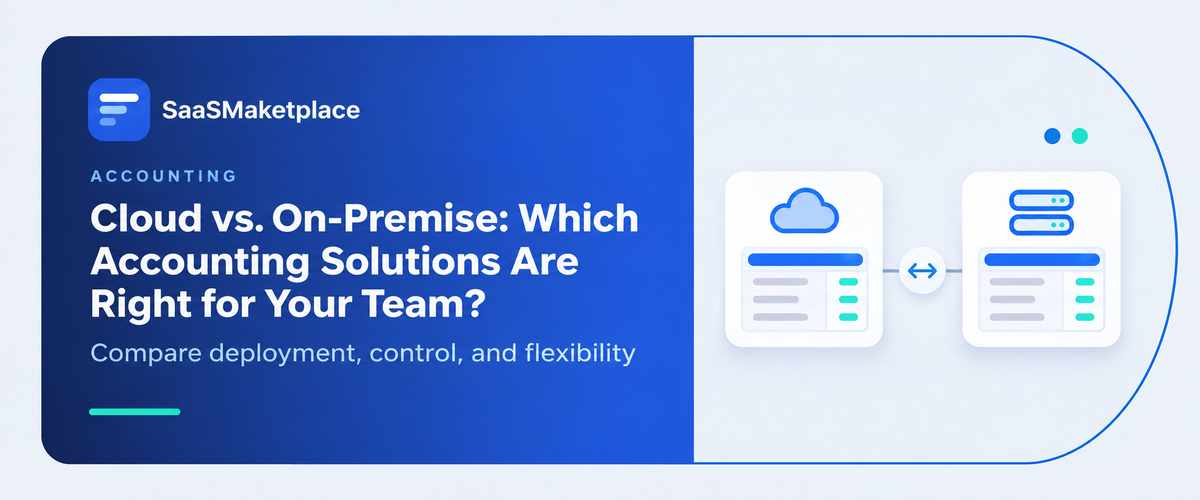
Cloud vs. On-Premise: Which Accounting Solutions Are Right for Your Team?
-min.jpg)
Choosing the right financial infrastructure for your organization is about much more than just a technology decision—it is about defining how your team works, scales, and protects sensitive data. Today, leaders face a growing choice between cloud accounting software and traditional on-premise solutions. While both approaches handle fundamental financial tasks, they present fundamentally different approaches to cost, accessibility, security, maintenance, integrations, scalability, and internal control.
To give you the conclusion upfront: cloud is generally the better fit for most modern small and growing teams because it offers flexibility and lower infrastructure burdens. Conversely, on-premise can make sense where absolute physical control, specialized customization, strict regulatory requirements, or massive existing server infrastructure are non-negotiable priorities.
In this comprehensive guide to cloud vs on-premise setups, you will learn the precise differences between the two, how to evaluate total cost of ownership, and how to determine which on-premise vs cloud framework aligns best with your operational goals. Whether you are browsing for the first time or actively comparing specific accounting software solutions, we will help you decide if migrating to cloud accounting software is the right strategic move for your finance team.
What Is Cloud vs On-Premise Accounting Software?
To make an informed decision, it is essential to define exactly what each deployment model entails.
What Is Cloud Accounting Software?
Cloud accounting software refers to software hosted on remote servers managed by a third-party provider. Instead of buying hardware, your data is securely stored in the provider's enterprise-grade infrastructure. You simply log in and access your financial dashboards through a web browser or dedicated mobile app.
Because it operates on a Software-as-a-Service (SaaS) model, the provider generally handles all routine updates, server infrastructure, system backups, and ongoing maintenance. Common examples of this model include popular subscriptions where users pay a monthly or annual fee to access the platform. When considering on cloud vs on premise systems, the defining hallmark of cloud accounting software is that you are outsourcing the IT heavy lifting.
What Is On-Premise Accounting Software?
On the other side of the spectrum is on-premise accounting software, which is installed locally on company-owned and controlled servers or individual desktop computers. In this model, your organization outright purchases the software licenses and takes full responsibility for managing the underlying infrastructure.
This means your internal IT team handles updates, schedules backups, configures security firewalls, and executes routine maintenance. While comparing on premise software vs cloud, the central advantage here is greater direct control over your environment. However, whether you use an on premise server vs cloud or an on premise cloud hybrid, deploying locally requires significantly greater internal IT responsibility.
What Is the Difference Between Cloud and On Premise?
The core difference between cloud and on premise is where the software resides and who manages it: cloud software is hosted and maintained externally by a provider via the internet, whereas on-premise software is installed locally and maintained internally by your own IT team. Understanding what is cloud vs on premise or what is on premise vs cloud ultimately comes down to a trade-off between convenience and control.
Cloud vs On-Premise Accounting Software: At-a-Glance Comparison
To clearly map out the difference between on premise and cloud, the table below breaks down the highest-impact factors side by side.
|
Factor |
Cloud Accounting |
On-Premise Accounting |
|
Deployment |
Provider-hosted |
Company-hosted |
|
Upfront cost |
Usually lower |
Usually higher |
|
Ongoing maintenance |
Provider-managed |
Company-managed |
|
Accessibility |
Anywhere with internet |
Usually local/network access |
|
Updates |
Typically automatic |
Usually manually managed |
|
Scalability |
Easier to scale |
Often requires infrastructure |
|
Data control |
Shared responsibility |
Greater direct control |
|
IT requirements |
Lower |
Higher |
|
Remote work |
Strong |
More complicated |
|
Integrations |
Generally easier |
Can require more configuration |
|
Customization |
Depends on provider |
Often greater flexibility |
|
Disaster recovery |
Typically provider-supported |
Organization responsible |
|
Best suited for |
Growing/remote teams |
Highly controlled environments |
Cloud vs On-Premise Comparison: Which Is Better?
Neither deployment model is universally better for every single business. Instead, the right choice depends on your specific operational constraints and goals. Cloud is usually the stronger choice for businesses prioritizing accessibility, rapid scalability, lower internal IT overhead, and predictable monthly maintenance. On-premise is often better for organizations that prioritize direct infrastructure control, highly specialized customization, or specific compliance and data sovereignty requirements that dictate where files must physically reside.
Cloud vs On-Premise: 8 Key Differences for Accounting Teams
When making an on-premise vs cloud comparison, finance leaders need to look past basic feature lists. Here are eight critical operational differences that impact how your team functions on a daily basis.
1. Cost and Total Cost of Ownership
Evaluating cloud vs on premise pricing requires looking at total cost of ownership (TCO) over a multi-year horizon, not just upfront fees. On-premise involves hefty upfront licensing, expensive hardware purchases, lengthy implementation, and dedicated IT staff for maintenance and upgrades. Cloud models shift this to predictable, recurring subscription costs. However, do not assume cloud is always cheaper indefinitely. For large enterprises with massive user bases over a decade, a flat on-premise license might theoretically cost less. The better comparison is total cost of ownership rather than subscription price alone.
2. Accessibility and Remote Work
Today’s accounting teams are rarely chained to a single office desk. When deciding between cloud or on premise, accessibility is a defining factor. Cloud software provides anywhere access via web browsers or mobile apps, allowing remote and hybrid teams to seamlessly collaborate. Accountants working from multiple locations can view the exact same live ledger simultaneously. With cloud versus on premise, local deployments often require clunky VPNs or remote desktop protocols to achieve outside access, which can frustrate remote staff and slow down basic approvals.
3. Security and Data Control
Security is often heavily debated. Cloud providers invest millions in enterprise security infrastructure, automated monitoring, rigorous access controls, and sophisticated encryption. On-premise offers direct infrastructure control, leaving internal security responsibility—like physical server protection, rapid patching, and network monitoring—entirely up to your company. The critical distinction to remember is this: cloud doesn't automatically mean less secure, and on-premise doesn't automatically mean more secure. Security depends on implementation, internal controls, people, organizational policies, and the provider's capabilities.
4. Maintenance, Updates, and IT Resources
System upkeep drains valuable time. With cloud solutions, the provider handles the back-end infrastructure, ensuring you receive automatic updates to features and compliance standards with virtually no internal maintenance requirements. Conversely, on-premise setups place a heavy internal IT responsibility on your staff. Your team must manage manual software patches, hardware maintenance, server upgrades, and ongoing troubleshooting. For small to mid-sized businesses lacking a dedicated IT department, removing this technical burden is often a massive operational relief.
5. Scalability and Business Growth
As your business expands, your financial infrastructure must keep pace. Comparing cloud based vs on premise scalability reveals a stark contrast. If employees increase, transaction volumes grow, new locations open, or new business entities are added, cloud platforms generally scale with a few clicks to upgrade a subscription tier. Expanding cloud vs on premise infrastructure locally is much harder. Scaling an on-premise system often requires purchasing larger servers, installing new hardware, reconfiguring networks, and buying additional endpoint licenses, all of which take significant time and capital.
6. Integrations and Automation
A modern finance stack relies on interconnected data. Cloud software typically offers expansive API ecosystems, easily linking to banking integrations, payroll, CRM, expense management, and inventory systems natively. Modern cloud accounting platforms can also make it easier to connect accounting data with automation, reporting, and AI-powered tools. On-premise systems can certainly integrate with other tools, but they often require expensive middleware, custom development, or manual batch exports, making real-time data automation much more difficult to achieve and maintain.
7. Customization and Control
This is an area where on-premise often presents a very fair argument. Organizations with highly unique operational models, rigid custom workflows, specialized configurations, or complex legacy systems may require the deep, code-level control over infrastructure that on-premise allows. You dictate exactly how the database operates. However, it is worth noting that cloud platforms increasingly provide robust open APIs, flexible configuration options, and deep third-party integrations that satisfy the customization needs of most modern businesses without requiring an on-site server.
8. Backup, Disaster Recovery, and Business Continuity
Unexpected disasters from ransomware to floods can destroy financial data. In the cloud, the provider-managed infrastructure usually features automatic geographical redundancy, continuous backup options, and rapid disaster recovery capabilities built directly into the service. With an on-premise deployment, the organization is entirely responsible for disaster survival. You must purchase backup hardware and software, rigorously manage off-site backups, and regularly test your own recovery planning. This is a high-value decision factor that generic comparisons often under-explain.
Cloud or On-Premise: Which Is Better for Small Businesses?
When searching for the best small business accounting software, founders and finance controllers often wonder what is the best accounting software for small business environments.
For most small businesses, cloud accounting software is the more practical option because it reduces infrastructure requirements, supports remote access, simplifies updates, and makes it easier to scale. Small businesses rarely have the capital to invest in dedicated servers or the budget to keep full-time IT staff on payroll simply to maintain an accounting ledger.
However, before you make a final decision on how to choose accounting software, it helps to look at your specific operational reality.
Choose Cloud If Your Business...
- Has a small or non-existent IT team.
- Has remote, hybrid, or traveling employees.
- Wants lower infrastructure and maintenance responsibility.
- Needs easy collaboration with external CPAs or advisors.
- Expects to grow quickly and add users on the fly.
- Needs seamless integrations with tools like payroll and CRM.
- Wants faster, cheaper initial deployment.
Consider On-Premise If Your Business...
- Requires extensive, deep infrastructure control.
- Has highly specialized legacy systems that cannot move to the web.
- Needs unusual, code-level database customization.
- Already has massive, paid-off existing server infrastructure in place.
- Has highly specific operational, regulatory, or strict data sovereignty security requirements.
How to Choose Accounting Software for Your Team
Transitioning to a new financial system is a major project. If you are exploring how to choose accounting software, follow this structured framework to narrow down your top accounting software solutions and find the best small business accounting software for your exact needs.
- Define your accounting requirements. Audit your current workflows. List exactly what you need regarding multi-currency, consolidated reporting, inventory tracking, or automated invoicing.
- Determine your budget and total cost of ownership. Look beyond the sticker price. Calculate a 3-to-5-year TCO including hardware, IT hours, subscription fees, and implementation costs.
- Evaluate cloud vs on-premise deployment. Use the criteria above to decide if you want the flexibility of the cloud or the physical control of a local server.
- Check integrations. Make a list of your existing software CRM, payroll, banking) and ensure the new system integrates natively without relying on manual data entry.
- Assess security and compliance. Verify encryption standards, backup protocols, and ensure the system meets your industry’s specific regulatory requirements (like HIPAA, GDPR, or localized tax rules).
- Evaluate reporting and automation. Look for platforms that offer real-time dashboards, customizable reports, and workflow automation for routine tasks like bill approvals.
- Consider scalability. Ask how the software handles an influx of new entities, high transaction volumes, or adding twenty new staff members next year.
- Test usability with the actual accounting team. Do not buy software without letting your daily bookkeepers and controllers trial the user interface.
- Review vendor support and reliability. Investigate the vendor’s uptime guarantees, service level agreements (SLAs), and customer support responsiveness.
- Run a realistic implementation/pilot. Before fully committing, migrate a small batch of historical data to test how the system performs in a real-world scenario.
Cloud vs On-Premise: Which Accounting Solution Is Right for Your Team?
To simplify the final decision, use this quick matrix to align your top priorities with the most suitable deployment method.
|
Your priority |
Better fit |
|
Remote access & hybrid work |
Cloud |
|
Lower IT workload & maintenance |
Cloud |
|
Fast deployment & quick setup |
Cloud |
|
Easy scalability for fast growth |
Cloud |
|
Automatic feature & tax updates |
Cloud |
|
Maximum physical infrastructure control |
On-premise |
|
Extensive deep-code customization |
On-premise |
|
Maximizing existing server investment |
On-premise |
|
Specialized legacy environment integration |
On-premise |
The Bottom Line: Cloud is the best default choice for most modern SMB and mid-market accounting teams. It offers unmatched agility, remote collaboration, and cost-predictability. On-premise, however, remains the best choice when absolute environmental control, highly specific customization, legacy system dependencies, or strict data sovereignty requirements heavily outweigh the convenience and automation of the cloud.
Cloud Accounting Software vs On-Premise: Common Questions
What is cloud vs on premise?
Cloud refers to software hosted on remote servers by a third-party vendor and accessed via the internet. On-premise refers to software purchased, installed, and maintained locally on a company’s own internal computers and physical servers.
What is on premise vs cloud?
On-premise means you own, secure, and maintain the hardware and software infrastructure internally. Cloud means you subscribe to a service where the provider assumes responsibility for the backend infrastructure, updates, and server maintenance.
Why use cloud accounting software instead of on-premise software?
Cloud accounting software allows for real-time remote access, automatic tax and feature updates, simplified integrations, and significantly lower IT maintenance burdens, making it easier for finance teams to collaborate and scale rapidly without buying expensive hardware.
Is cloud accounting software more secure than on-premise software?
Not necessarily, but often yes for small businesses. Top cloud providers invest heavily in enterprise-grade encryption and automated backups. On-premise security relies entirely on your internal IT team’s ability to prevent breaches and manage physical server protections.
Is cloud accounting software cheaper than on-premise software?
In the short term, yes. Cloud eliminates hefty upfront hardware and licensing costs in favor of a predictable monthly subscription. However, over a very long timeline with thousands of users, the total cost of ownership must be carefully evaluated for both models.
Can you move from on-premise to cloud accounting software?
Yes, on-prem to cloud migrations are highly common. Moving from a local server to a cloud-based system requires exporting historical data, mapping it to the new platform, and configuring new integrations, usually guided by an implementation specialist.
Can you move from cloud to on-premise software?
Yes, moving from cloud to on premise (or on-premise vs off-premise / hosted vs on premise) is possible. You can export your data from the cloud provider, but you will need to establish and configure internal servers to host the new system.
Final Verdict: Cloud vs On-Premise for Accounting Teams
Deciding between cloud and on-premise infrastructure shapes how efficiently your finance department will operate in the coming years.
If your team values continuous anywhere accessibility, rapid scalability, lower infrastructure management, seamless automated integrations, and easier collaboration among distributed staff, cloud accounting is usually the better choice. It frees your team from IT maintenance so they can focus on financial strategy. Conversely, if your organization requires extensive infrastructure control, highly specialized database customization, or must maintain a particular on-site environment due to legacy systems or compliance, on-premise accounting software may be more appropriate.
Are you ready to streamline your financial operations and future-proof your workflows? Start evaluating modern accounting software solutions today, request detailed demos from vendors, and choose the platform that best empowers your team to grow.
What specific automation or reporting features are you most hoping to gain from your next accounting software upgrade?
FAQ's
Cloud software is hosted online, while on-premise software is installed on local company servers.
Yes, for most growing businesses, cloud accounting offers better flexibility, accessibility, and scalability.
Cloud software generally has lower upfront costs, while on-premise requires hardware and maintenance investments.
Yes, cloud accounting can provide strong security through encryption, access controls, and automated backups.
Yes, remote access is possible through VPNs or remote desktop connections.