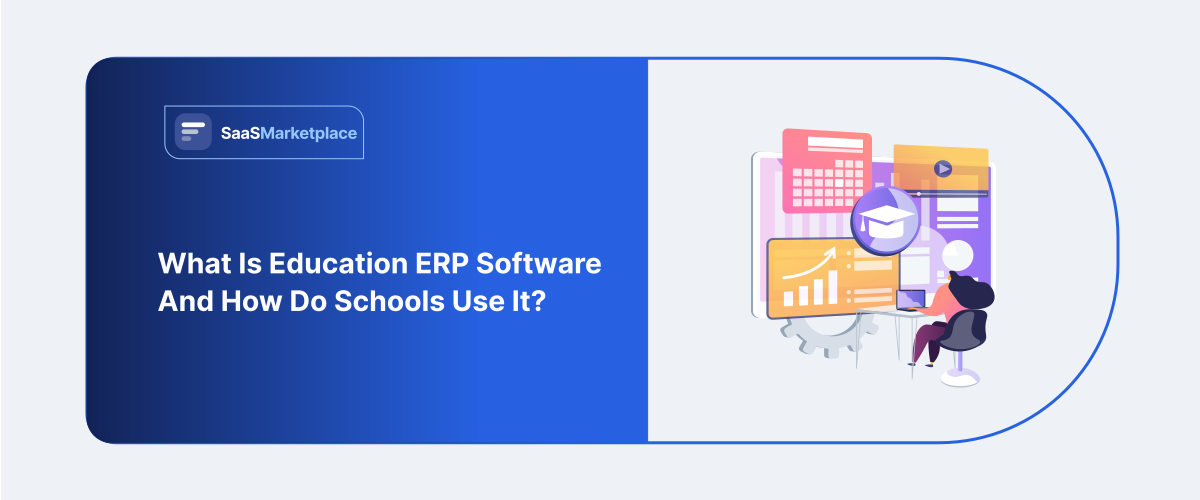
What Is Education ERP Software and How Do Schools Use It?
-min.jpg)
A mid-size school district running admissions in one system, attendance in another, grades in a third, and finance in a fourth spreadsheet isn't unusual it's closer to the norm. Taken alone, each of those tools does its job fine. Trouble starts the moment someone needs a question answered that spans two of them: matching attendance patterns to academic performance, say, or reconciling tuition payments against enrollment records right at the start of a semester.
 Looking for Education ERP Software? Check out SaaS Marketplace’s List of the Best Education ERP Software in the USA for your business.
This category of platform exists to close that gap by pulling the core administrative functions of a school into one connected system instead of a collection of disconnected tools. Below, we'll look at what it actually does, how schools use it in practice, and where the line sits between this and related categories like school management software, student management software, and general ERP software.
Why Schools End Up With Fragmented Systems
Most schools didn't set out to build a patchwork of tools. It happened gradually a scheduling tool bought five years ago, a separate finance platform because the district's accountant preferred it, a learning management system added during remote instruction that never got fully integrated with anything else. Each decision made sense individually.
Smaller schools tend not to notice the cost of this fragmentation until something forces the issue an accreditation review that suddenly requires pulling data from six different places, or a new principal who can't get a straight answer about enrollment trends without waiting a week for someone to compile it by hand. Larger districts hit the same wall, just at a bigger scale, with the added headache of multiple campuses each running its own slightly different mix of tools.
What Education ERP Software Actually Does
At its core, it's a unified platform managing the operational and academic functions a school needs to run day to day, replacing a collection of separate tools with one connected system.
Admissions and Enrollment Management
From the first inquiry through final enrollment, the software tracks applicants, manages document submission, and automates the kind of repetitive communication that used to eat up admissions staff time status updates, missing document reminders, and offer letters.
Attendance and Academic Records
Daily attendance, grading, report cards, and transcripts all tie back to the same student record here, instead of living in separate gradebooks and spreadsheets that someone has to reconcile by hand every grading period.
Finance and Fee Management
Tuition billing, fee collection, staff payroll, and budget tracking usually come bundled in too. That gives administrators one real source of truth for the money side of things, rather than a separate accounting system whose numbers never quite line up with enrollment.
Communication With Families
Parents get a portal or mobile app to check grades, attendance, and fee balances on their own, which takes a real bite out of the routine calls and emails the front office fields every week.
How It Differs From Related Categories
The terminology in this space overlaps quite a bit, which makes it worth slowing down and being precise.
School ERP software and school ERP software get used almost interchangeably with this category most of the time, though "ERP" specifically tends to signal something broader a system that folds in finance and HR software alongside the academic side, not just the classroom stuff. Student management software, by contrast, usually points to a narrower tool built around student records, grading, and attendance closer to one module inside a full education ERP platform than a replacement for the whole thing.
Education ERP software is looser still; it's an umbrella term that could mean anything from a single classroom app to a full district-wide system, so it's worth pinning down scope with any vendor who uses it. School administration software leans toward the operational side scheduling, facilities, staff records and is usually one piece of a complete ERP system rather than a stand-in for it. And general education software is the broadest label of all, covering everything from a full ERP platform down to a single learning app, which makes it fairly useless on its own when evaluating a purchase.
The practical takeaway: when a vendor says "ERP," they usually mean something spanning academics, finance, and operations together. A narrower tool that only covers one of those areas can be a solid fit for a specific need it just isn't a substitute for an integrated system.
Common Use Cases
A handful of patterns show up again and again once a school has this kind of system running.
Admissions cycles get noticeably smoother automating status updates and document tracking frees up staff time during the busiest stretch of the enrollment calendar, exactly when application volume spikes and manual follow-up starts to fall apart. Connecting attendance data to academic records helps too: schools can catch a student's grades slipping alongside rising absences much earlier, instead of someone having to notice the pattern by manually comparing two spreadsheets.
Fee collection gets simpler with automated billing and payment reminders, cutting the administrative grind of chasing down late payments while giving families clear, self-service visibility into what they owe. Districts running several schools pick up an additional benefit standardized reporting across every campus, rather than each one maintaining its own separate version of the same process. And once that time for accreditation or state reporting arrives, possessing enrollment, academic, and financial information gathered beforehand changes what was formerly a frantic rush into something far nearer to regular procedure.
What Schools Commonly Get Wrong
A common problem emerging during deployment involves failing to account sufficiently for the volume of personnel instruction needed for the shift. This typically becomes apparent several weeks post-launch, when educators and administrative workers accustomed to previous methods begin silently returning to bypasses since the fresh platform remains strange amidst time constraints.
Yet another frequent error involves selecting a system based on capabilities that educators seldom utilize instead of those aligned with daily operational routines. An impressive analytics module doesn't count for much if entering daily attendance is clunky and slow for a teacher who has to do it every single class period.
Smaller schools sometimes assume they need the same depth of functionality as a large district system, when a simpler student management software tool covering just academic records might genuinely be enough for their size, at a fraction of the cost and complexity.
Choosing the Right Fit for School Size
A small private school with three hundred students has very different needs than a public district managing fifteen campuses. The smaller school likely needs solid attendance, grading, and basic billing not multi-campus reporting or complex budget consolidation across dozens of cost centers.
Larger districts need the opposite: standardized processes across every campus, role-based access for hundreds of staff members, and reporting that can roll up data from the building level to the district level without manual reconciliation. Buying district-scale software for a single small school usually means paying for complexity that never gets used, while the reverse a small system stretched across many campuses tends to break down under the coordination demands.
Key Steps for a Smooth Implementation
Selecting the platform is really just the first step. The phase following this shift involves the bulk of substantive labor, often extending beyond anticipated durations and engaging a wider array of personnel than school administrators initially foresee.
It helps shift data across stages rather than attempting the whole task simultaneously. Relocating years of pupil files, monetary pasts, and registration info within one switch increases chances of a mistake passing unseen; institutions moving part-by-part, beginning with student files, next finance, then contact utilities, often spot issues when they remain minor and simple to repair.
Timing counts significantly. Launching a fresh platform immediately prior to the beginning of a term or registration period creates undue stress for personnel already working at capacity; scheduling instruction during a less busy portion of the year allows individuals space to truly master the tool instead of struggling with it against time constraints. One should also pinpoint a limited number of internal advocates- several employees familiar with the software who assist peers with routine issues often accelerate uptake considerably more than depending exclusively on the supplier's technical offer.
What It Typically Costs
Pricing usually scales with enrollment size and the number of modules a school turns on. A single-campus private school with a few hundred students pays considerably less than a multi-campus district that needs consolidated financial reporting and role-based access across dozens of buildings.
It's worth budgeting for more than just the subscription line item. Implementation support, data migration, and staff training often add real cost in the first year, especially for larger districts moving away from several legacy systems at once schools that compare only sticker prices across vendors sometimes get caught off guard by the full first-year total once those factors are added in.
Evaluating a Platform Before Committing
It's worth asking any vendor for references from schools of a similar size and structure, not just their largest or most polished case study. A system that works beautifully for a fifteen-campus district may be genuinely miserable for a single elementary school with a lean administrative team.
Data migration deserves particular attention. Years of student records, often stored across multiple legacy systems, need to move accurately into the new platform. Rushing this step tends to surface as missing transcripts or incorrect enrollment history months later, which is a much harder problem to untangle after the fact.
It's also worth confirming how well the platform integrates with tools the school already relies on a learning management system, a state reporting portal, or existing communication tools since a system that can't connect to what's already working well just adds friction rather than removing it.
Conclusion
What makes education ERP software worth adopting is fairly simple: it ties admissions, academics, finance, and family communication into one system instead of a collection of tools that never talk to each other. Whether a school actually needs the full scope of a district-wide ERP platform or something narrower, like a student management software tool, comes down to size and structure not which system has the longest feature list. The schools that get the most value out of it pick based on the workflows their staff touch every day, not the demo that happened to look most impressive.
FAQ's
Not exactly. A student information system typically focuses on academic records, while a full education ERP platform usually adds finance, HR, and operations on top of that.
Often not. Smaller schools may find a focused student management software tool covers their needs without the added cost of a full district-scale system.
The terms are frequently used interchangeably, though ERP generally implies broader coverage across finance and operations, not just academics.
It varies by school size, but data migration and staff training commonly take a full semester to get right, especially for larger, multi-campus rollouts.
Yes. Because it consolidates enrollment, academic, and financial data in one place, producing accreditation and compliance reports typically takes far less manual work.